Segment customers and review unusual payments
Time: about 30 minutes · You need: ParleML running (Run ParleML). No agent needed, except to name the clusters in step 5 (optional). You'll end with: four named customer segments checked against personas the method never saw, and a ranked list of unusual card payments with a review threshold you chose.
Two questions with no labels to learn from:
- Which kinds of customer do we have? Clustering groups similar customers.
- Which card payments look unusual? Anomaly detection ranks the transactions least like the rest.
Both use included samples. Each sample also holds a column the method never sees: a persona for each customer, and a known-anomaly flag for each payment. That lets you check honestly whether the unsupervised result found something real.
A recorded run
The numbers below come from one recorded run. Select any screenshot to see it at full size.
Part 1: customer segments
1. Open the sample
- On Home, under Start from a sample, choose Customer personas. Once you have workspaces, the samples are behind the Sample datasets button on Home.
- Choose Run EDA.
- In Columns, tick Key on
customer_idand choose Save overrides.
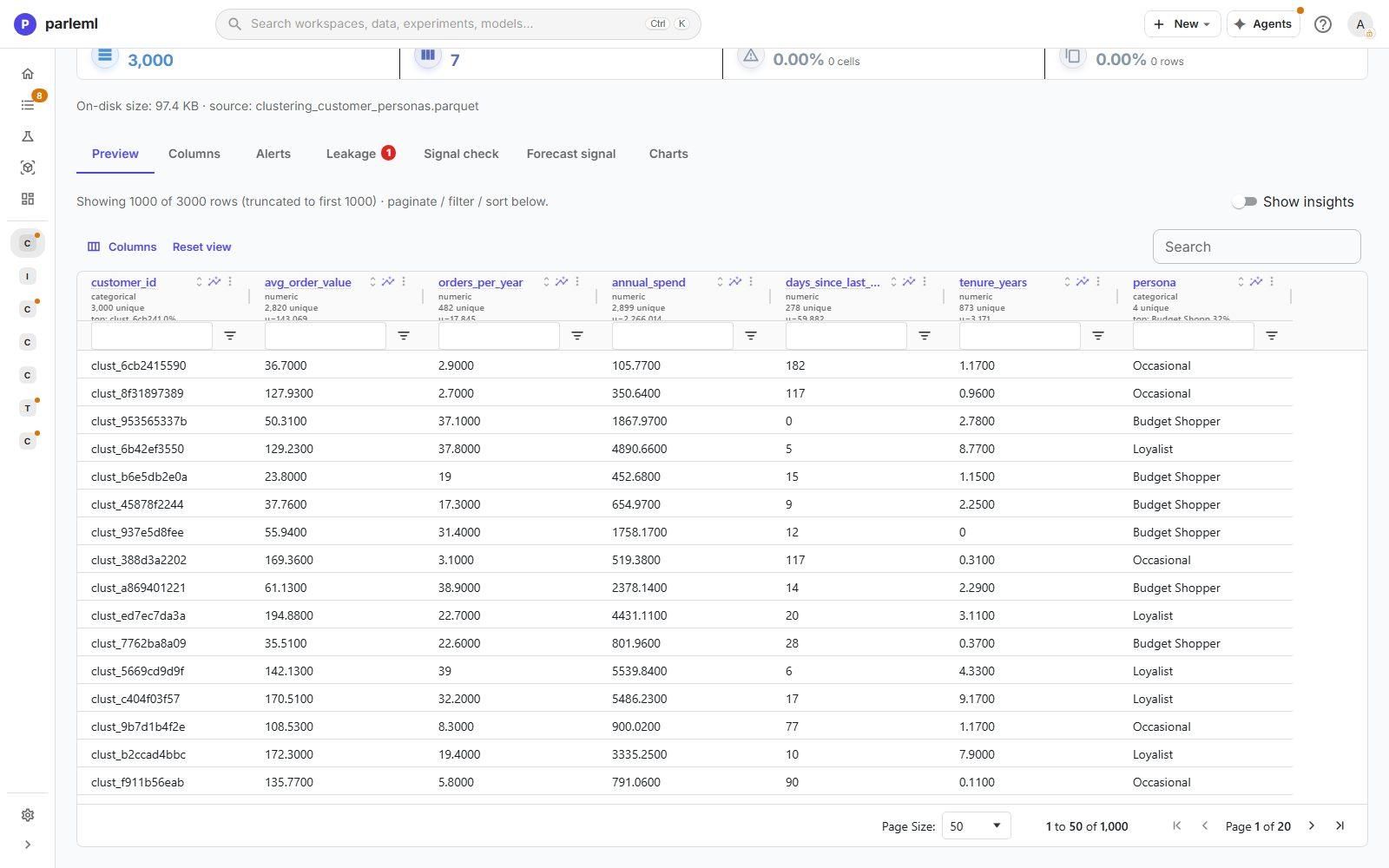
The dataset has 3,000 customers with five behaviour measures: avg_order_value,
orders_per_year, annual_spend, days_since_last_order and tenure_years. It also has a
persona column, which you'll hold out.
2. Launch clustering
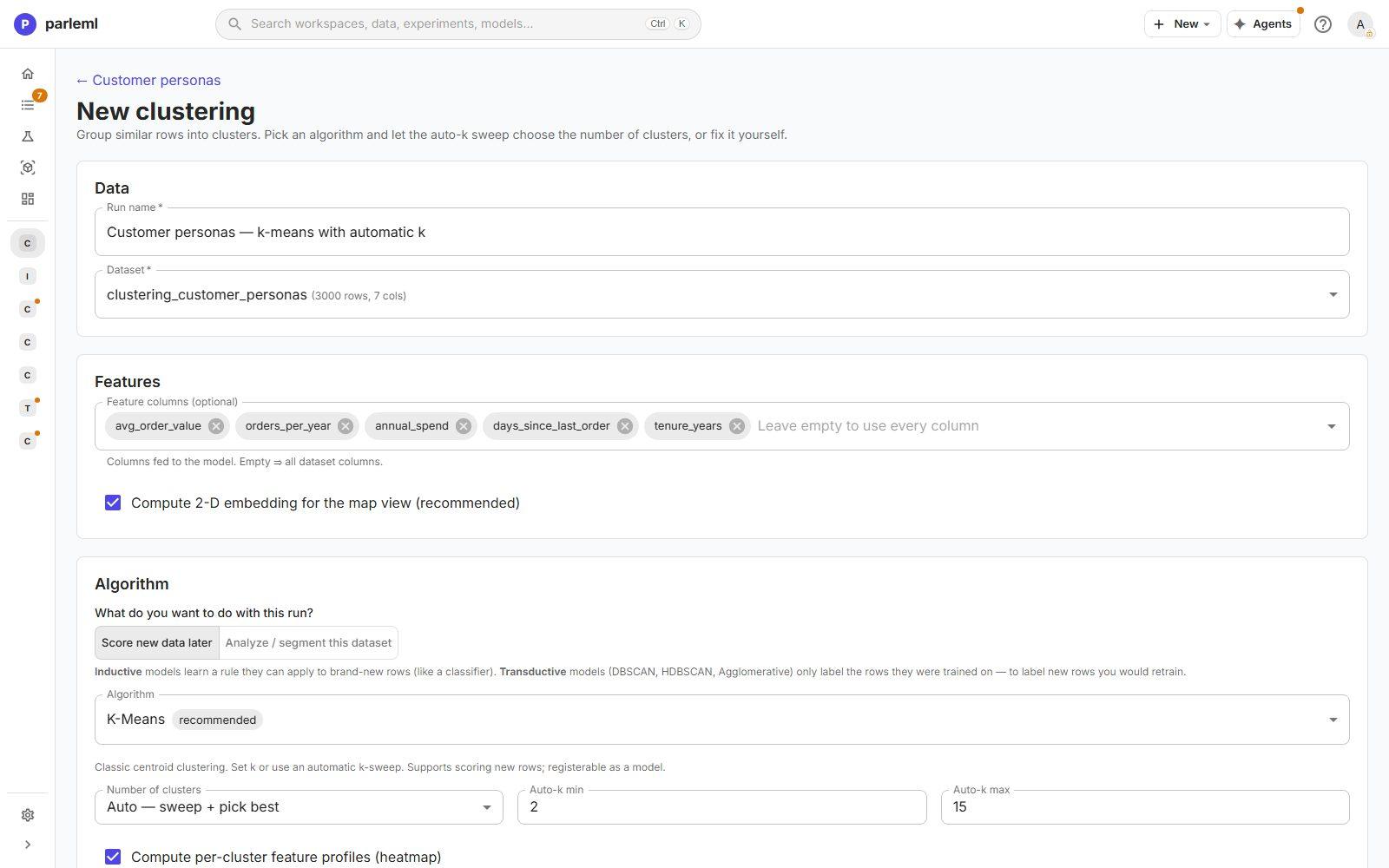
- Choose Experiments → New experiment → Clustering and name the run Customer personas — k-means with automatic k.
- Feature columns: pick the five behaviour measures. Leave out
customer_idandpersona. - Under What do you want to do with this run?, choose Score new data later. That limits the choice to inductive algorithms, which learn a rule they can apply to new customers. ParleML recommends k-means.
- Set Number of clusters to Auto — sweep + pick best.
-
Keep Compute per-cluster feature profiles (heatmap) on.
-
Under Text & themes, add
personato Passive fields (profiled per cluster).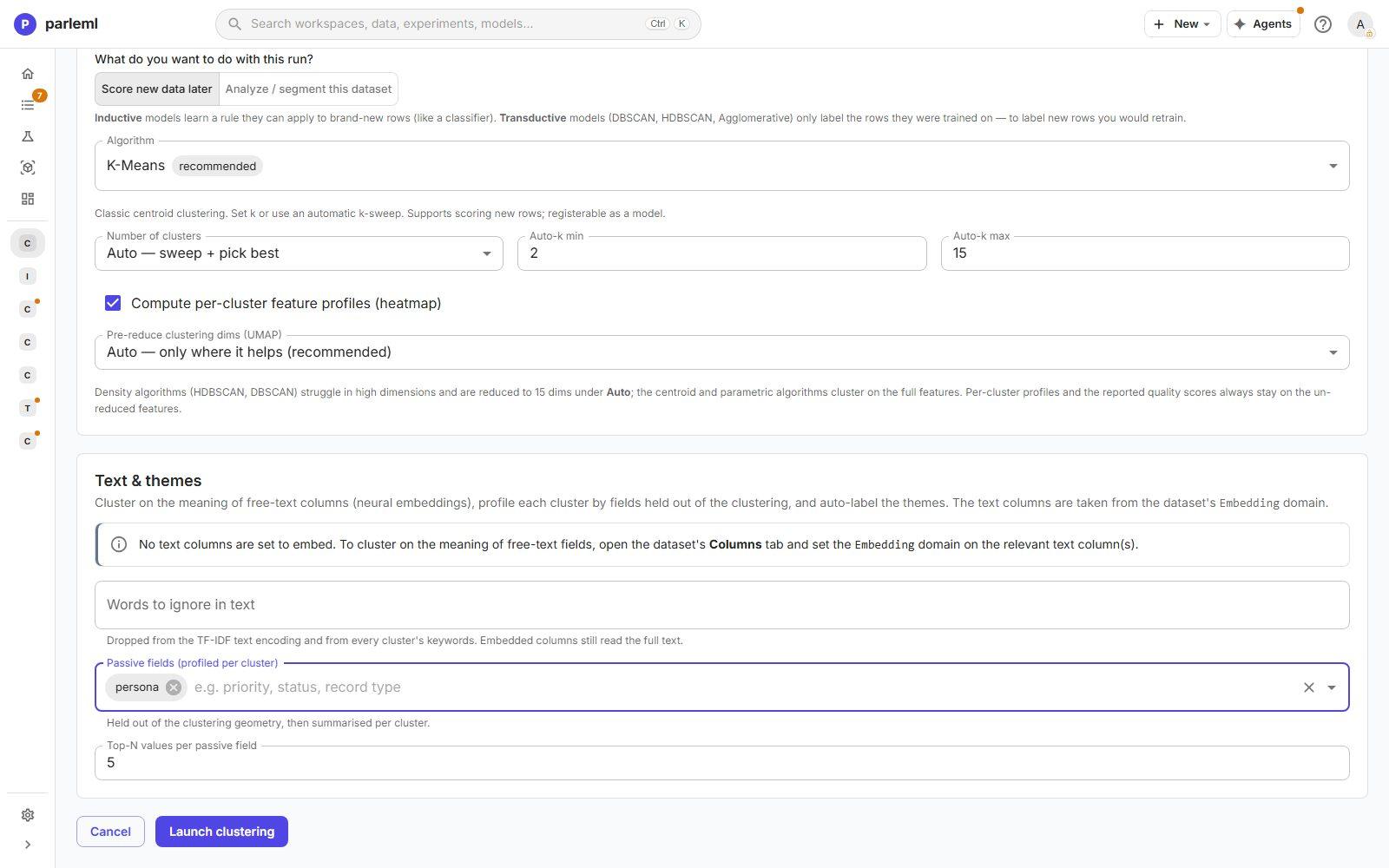
A passive field stays out of the clustering, then is summarised for each cluster afterwards. It is the honest way to ask "did the clusters find the personas?" without letting the algorithm see them.
-
Choose Launch clustering. It finishes in a minute or two.
3. Check how many groups, and how clean
- Open Overview.
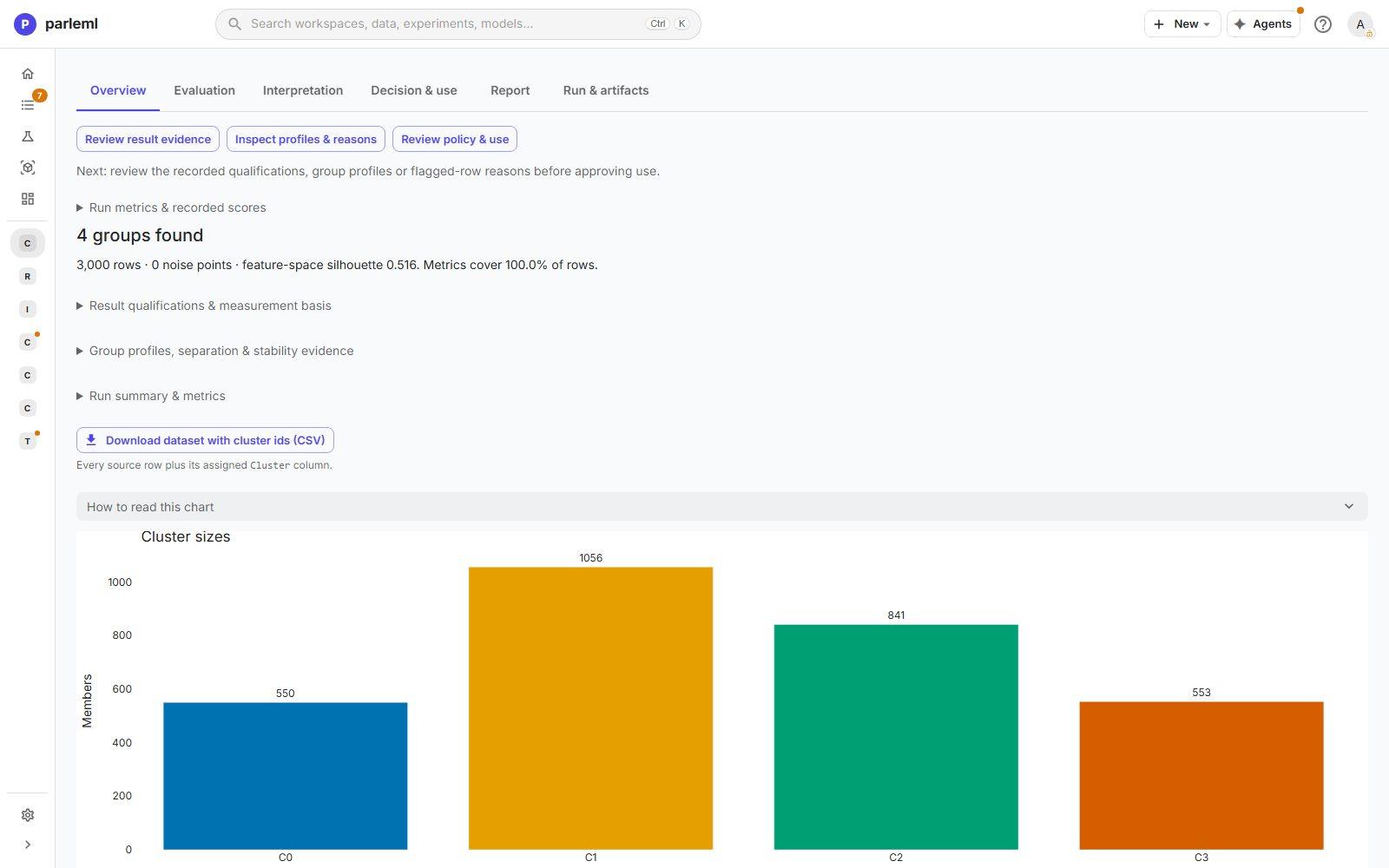
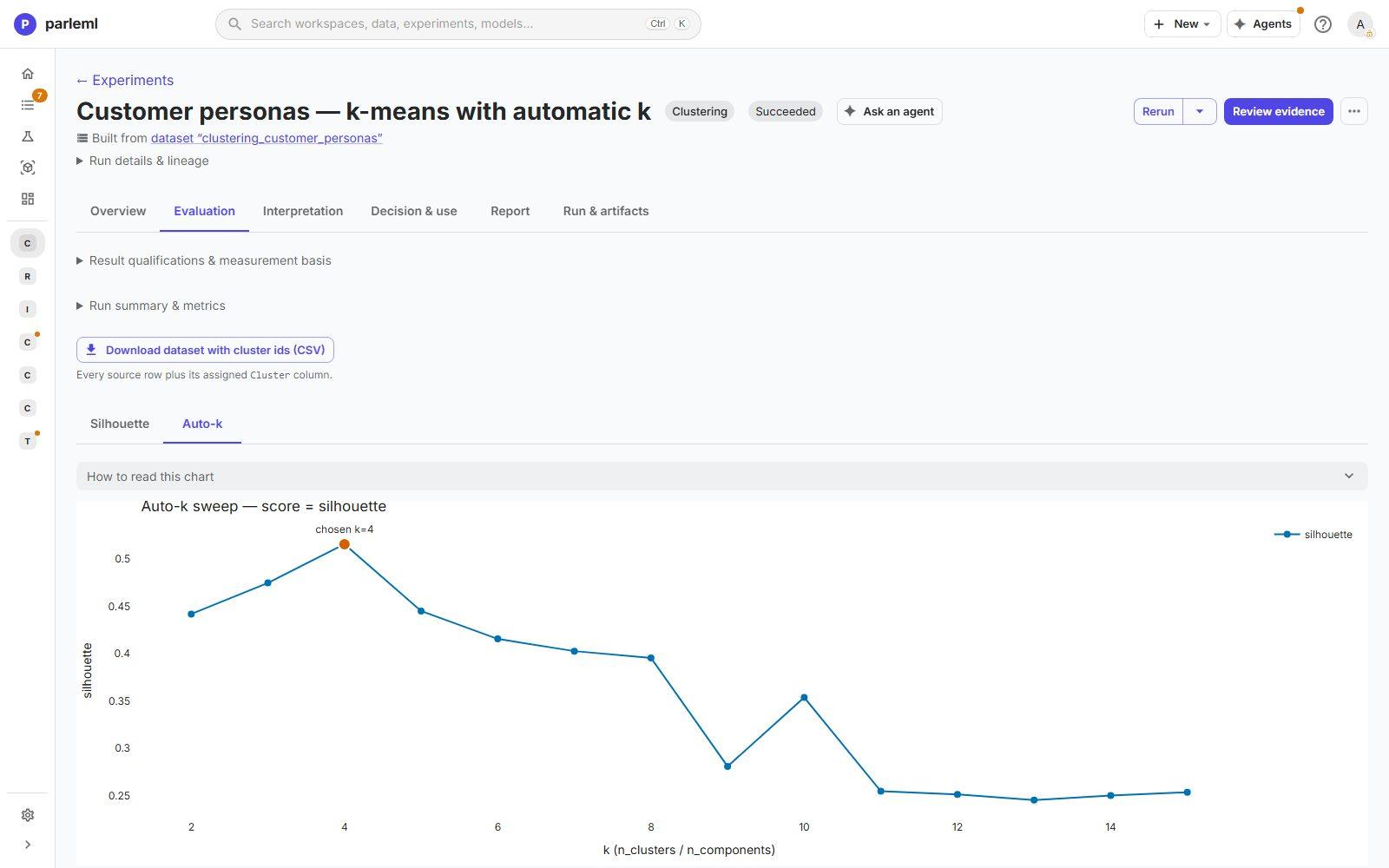
- 4 groups in 3,000 rows, with no noise points;
- group sizes 1,056, 841, 553 and 550;
- three quality indices, each with its scale and direction:
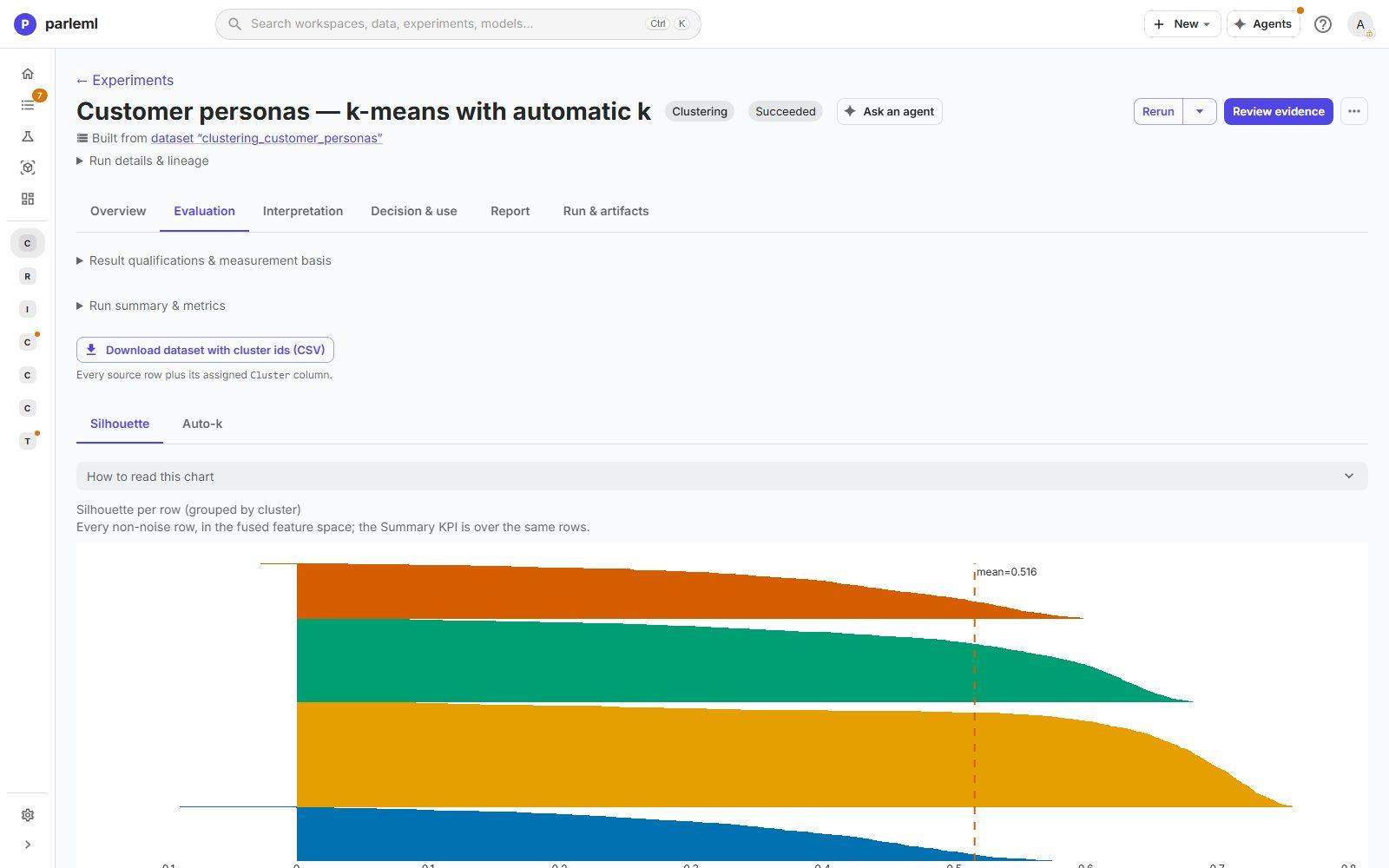
- silhouette 0.516 (−1 to 1, higher is better);
- Davies–Bouldin 0.802 (lower is better);
- Calinski–Harabasz 3,304 (compare only between runs on the same data).
Download dataset with cluster ids exports every customer with its cluster.
- Open Evaluation, then Auto-k. The sweep scored a range of k, and silhouette peaks at 4.
- Open Silhouette. It shows every customer's fit within its cluster, grouped by cluster, so a weak cluster shows up as a thin or negative band.
4. See what makes each group different
- Open Interpretation and look at:
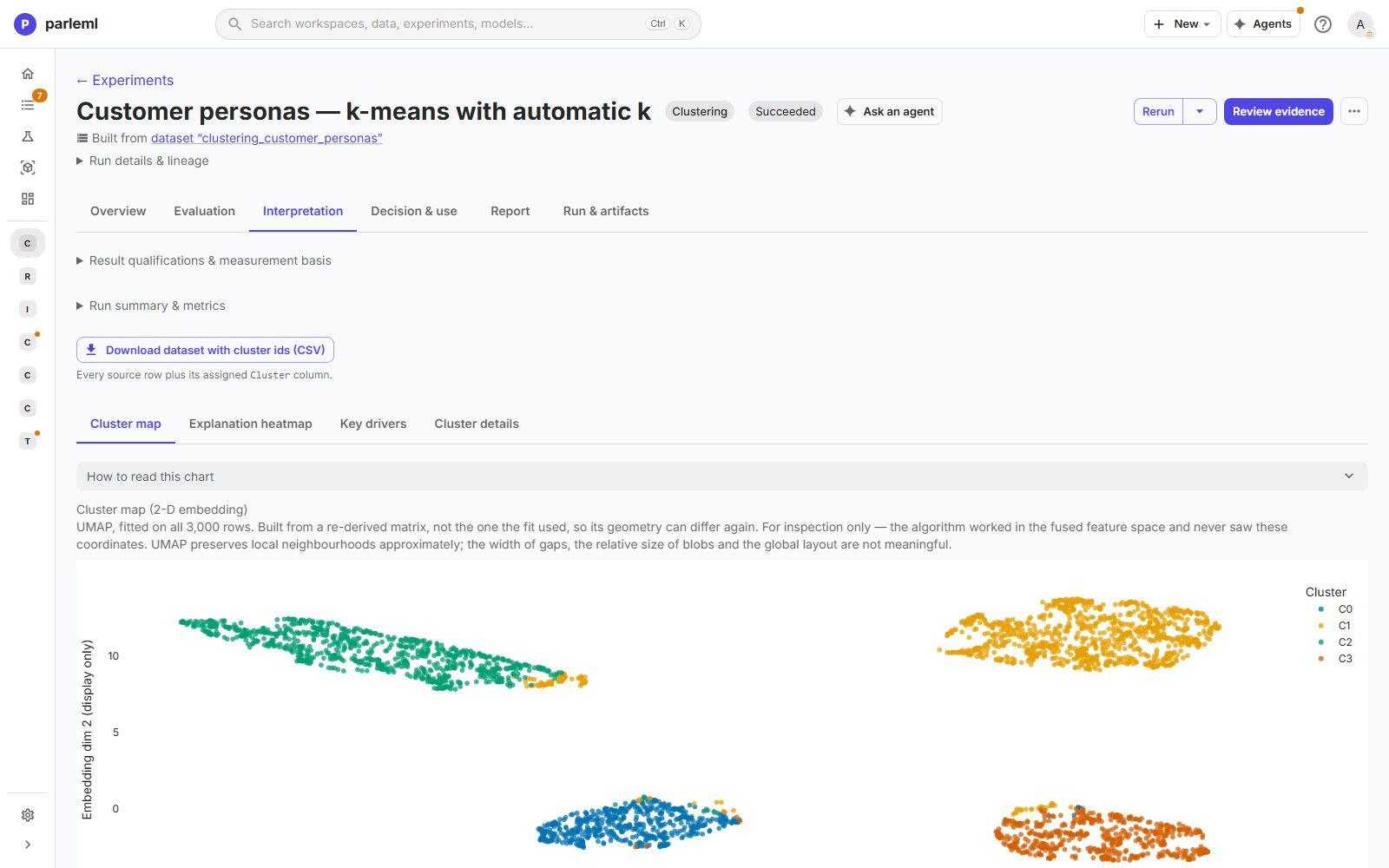
- Cluster map: every customer in two dimensions (UMAP), coloured by cluster. Four islands, cleanly separated. A projection is for inspection only: gaps and blob sizes in it don't mean anything, and the page says so.
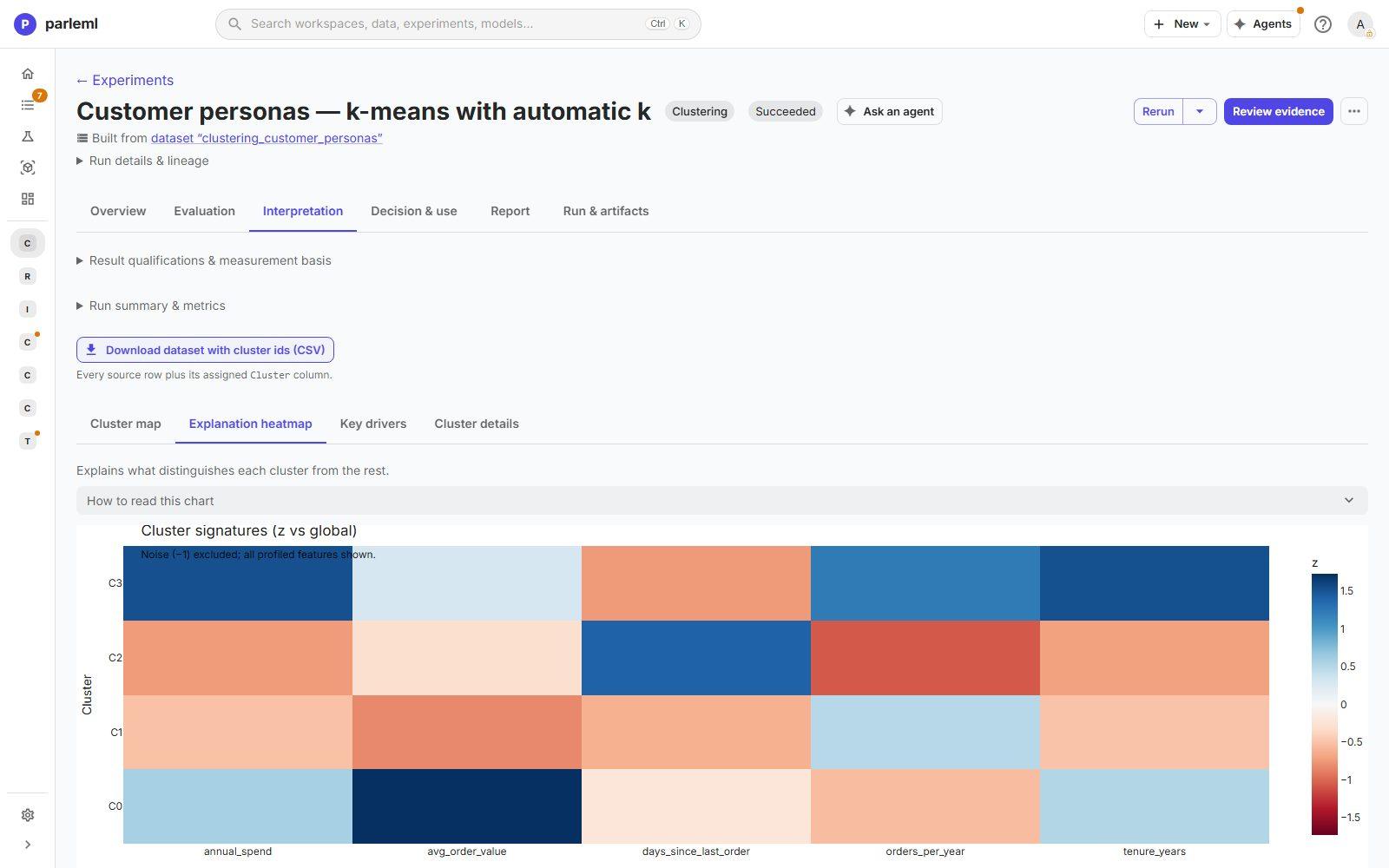
- Explanation heatmap: each cluster against the rest, feature by feature.
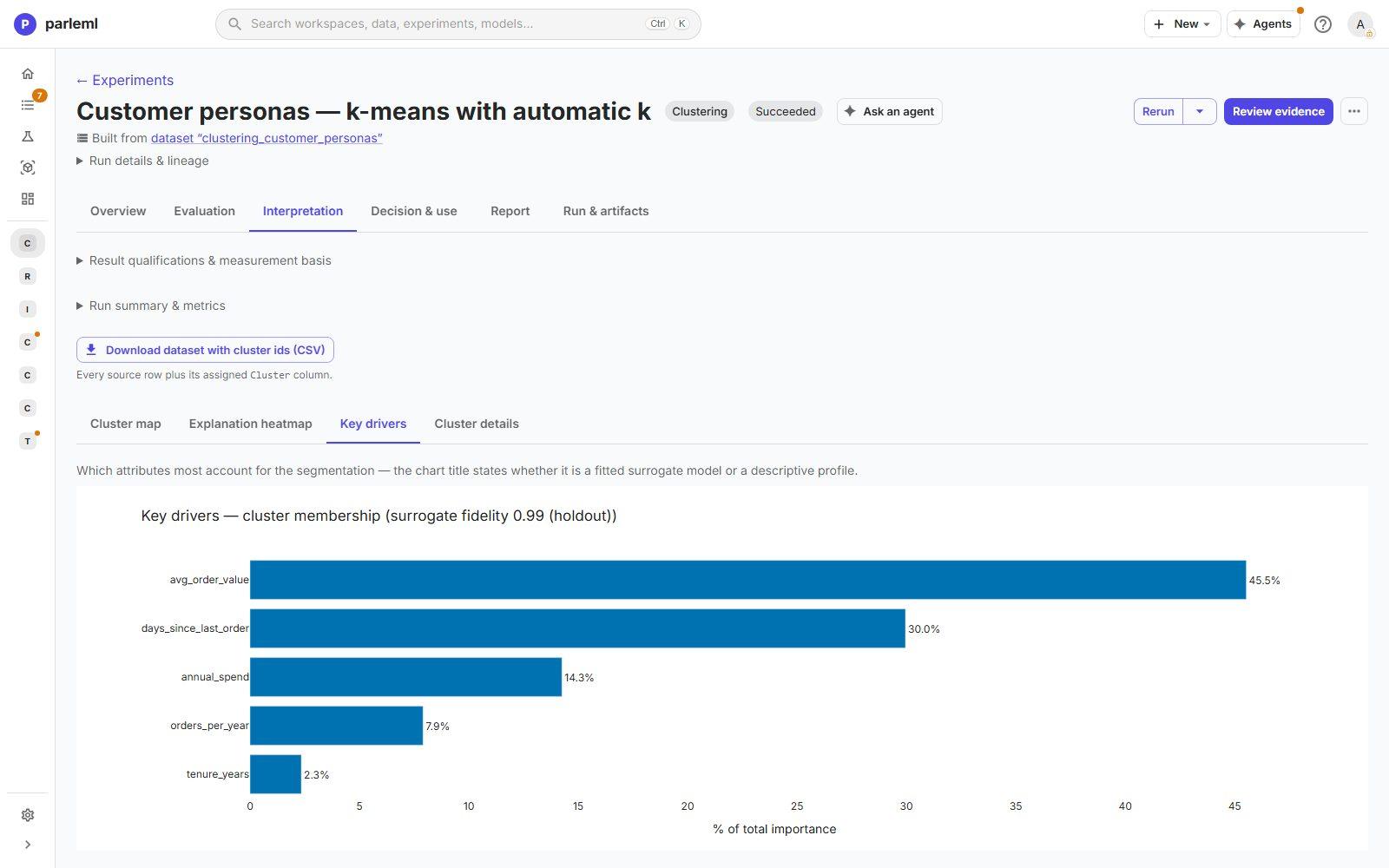
- Key drivers: a surrogate model of cluster membership with 0.99 fidelity.
avg_order_valueaccounts for 46% anddays_since_last_orderfor 30%; tenure barely matters (2%).
5. Let an agent name the clusters, and check it
- Open Cluster details. Each cluster shows its most distinguishing fields (in standard deviations from the average) and its profiling fields: here, the held-out persona.
- Choose Name clusters. The workspace's agent writes a name, a theme and a summary for each cluster from that evidence. This step needs an agent signed in.
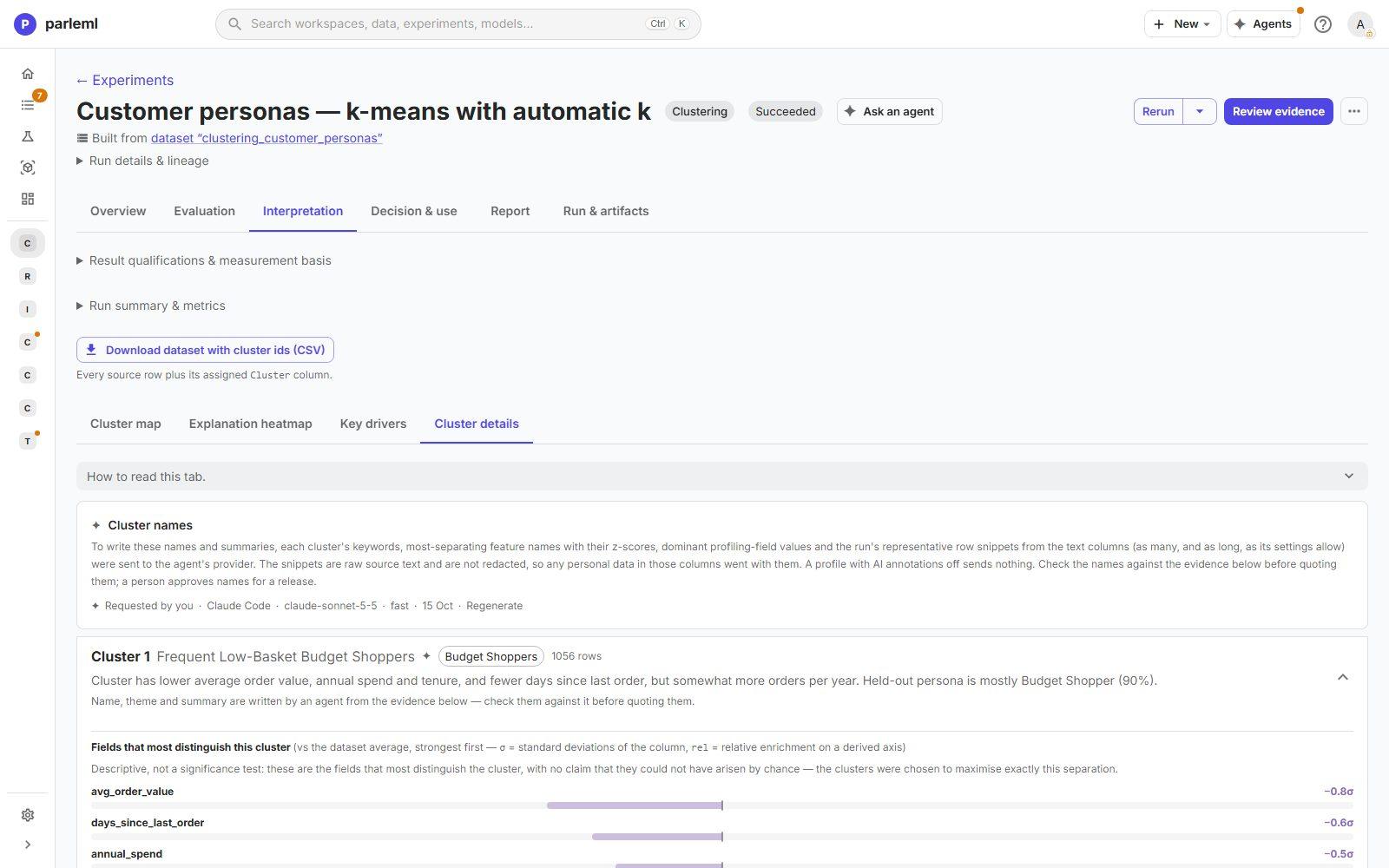
| Cluster | Name written by the agent | Size | Held-out persona |
|---|---|---|---|
| 1 | Frequent Low-Basket Budget Shoppers | 1,056 | 90% Budget Shopper |
| 2 | Lapsed Occasional Low-Activity Customers | 841 | 99% Occasional |
| 3 | Long-Tenured High-Frequency Loyalists | 553 | 99% Loyalist |
| 0 | High-Value, Infrequent Premium Buyers | 550 | 99% Premium Spender |
From five behaviour measures alone, without ever seeing a persona, the clustering recovered all four personas, three of them at 99% purity. The agent's names match them.
The page is open about the agent step. It says:
- what evidence was sent to the agent's provider, and that it was not redacted;
- who requested the names, with which agent and model;
- that names must be checked against the evidence, and that a person approves names for a release.
6. Place a new customer
- Open Decision & use → Decision & scoring.
- Pick a row, or type values, to see which segment the customer falls in.
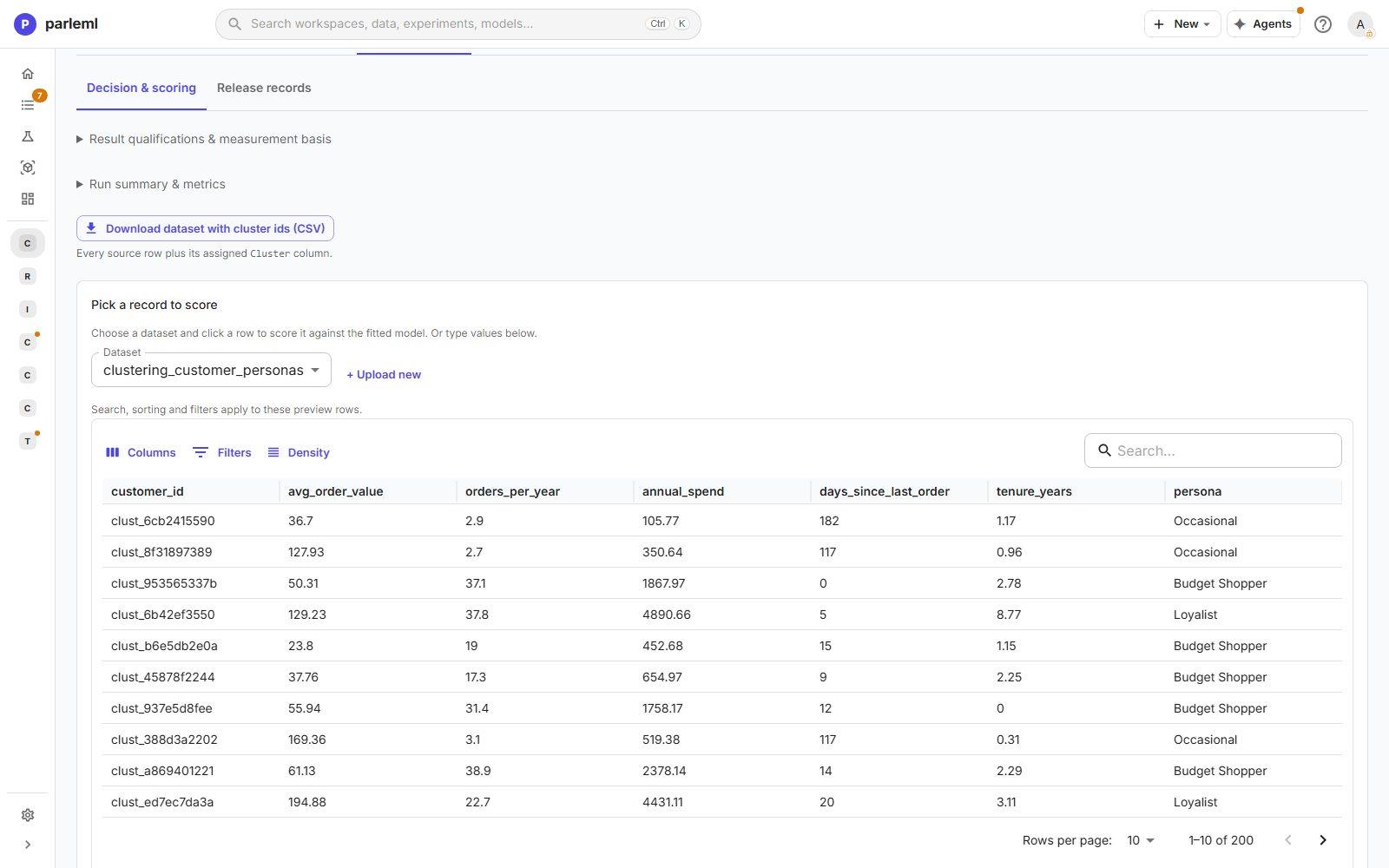
This works because k-means is inductive. A density method such as HDBSCAN would be export-only.
Part 2: unusual card payments
7. Open the sample
- Choose Card transactions from the samples on Home.
- Choose Run EDA. When asked, pick
is_anomalyas the target, so the launch form can pre-fill it as the evaluation label.
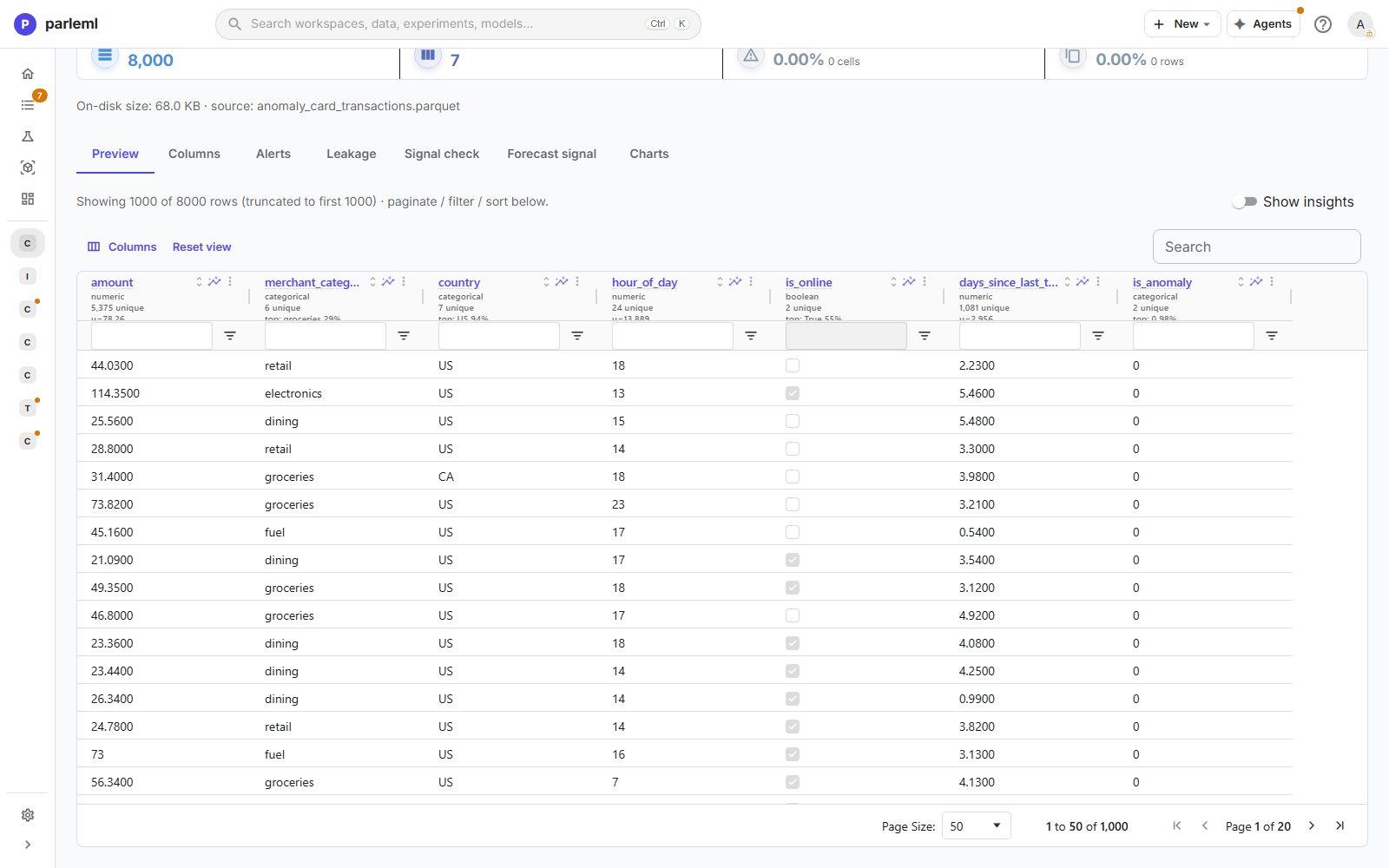
The dataset has 8,000 card payments with amount, merchant_category, country,
hour_of_day, is_online and days_since_last_txn, plus is_anomaly, a known-anomaly flag
you keep out of the detector.
8. Launch anomaly detection
- Choose Experiments → New experiment → Anomaly detection, named Card payments — automatic detector ensemble.
- Feature columns: pick the six payment fields.
- Detector: keep Auto — ensemble of detectors (recommended).
-
Label column (optional):
is_anomaly. It stays out of the detector's features and only measures detection quality.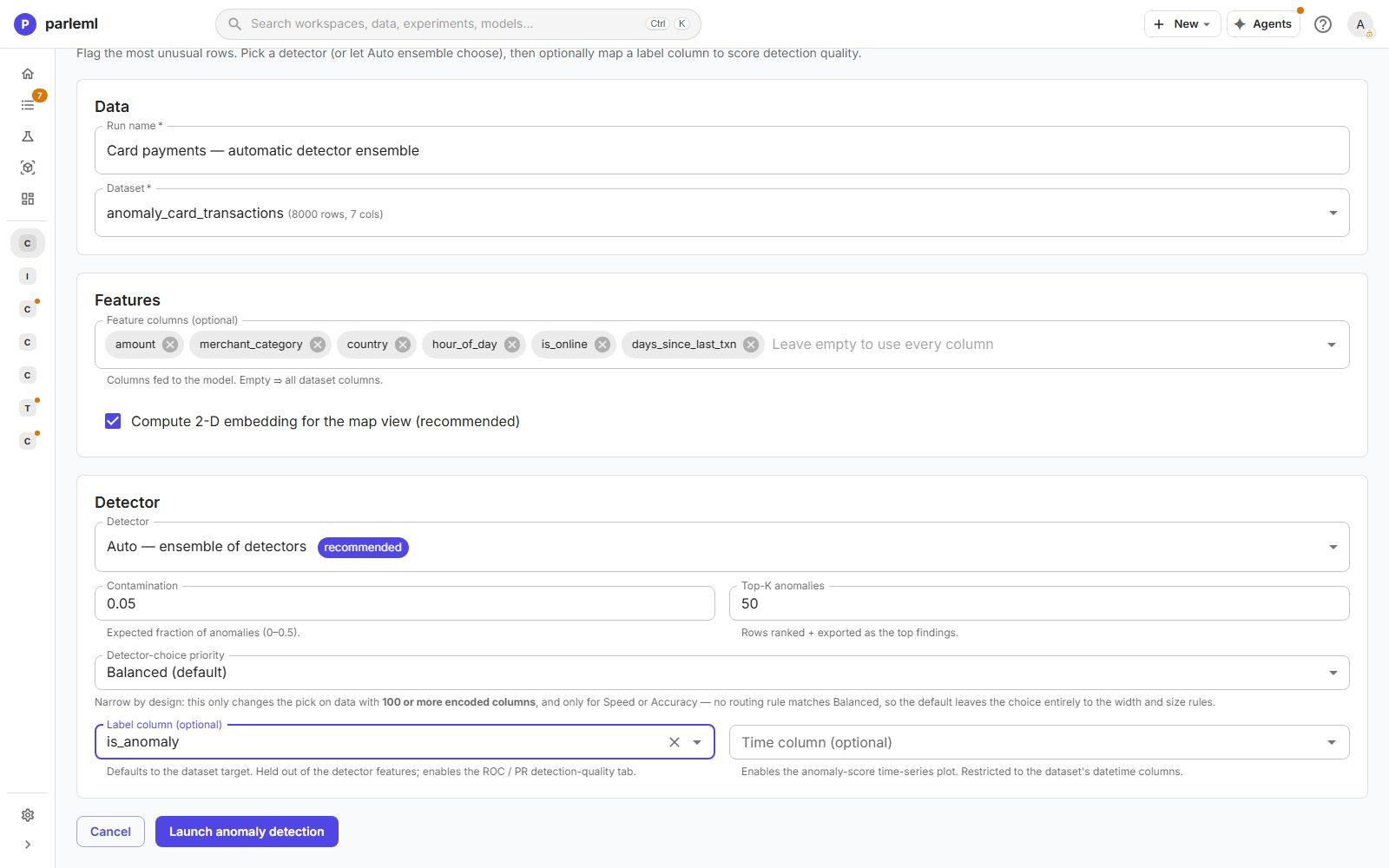
-
Choose Launch anomaly detection.
9. See three detectors agree on one ranking
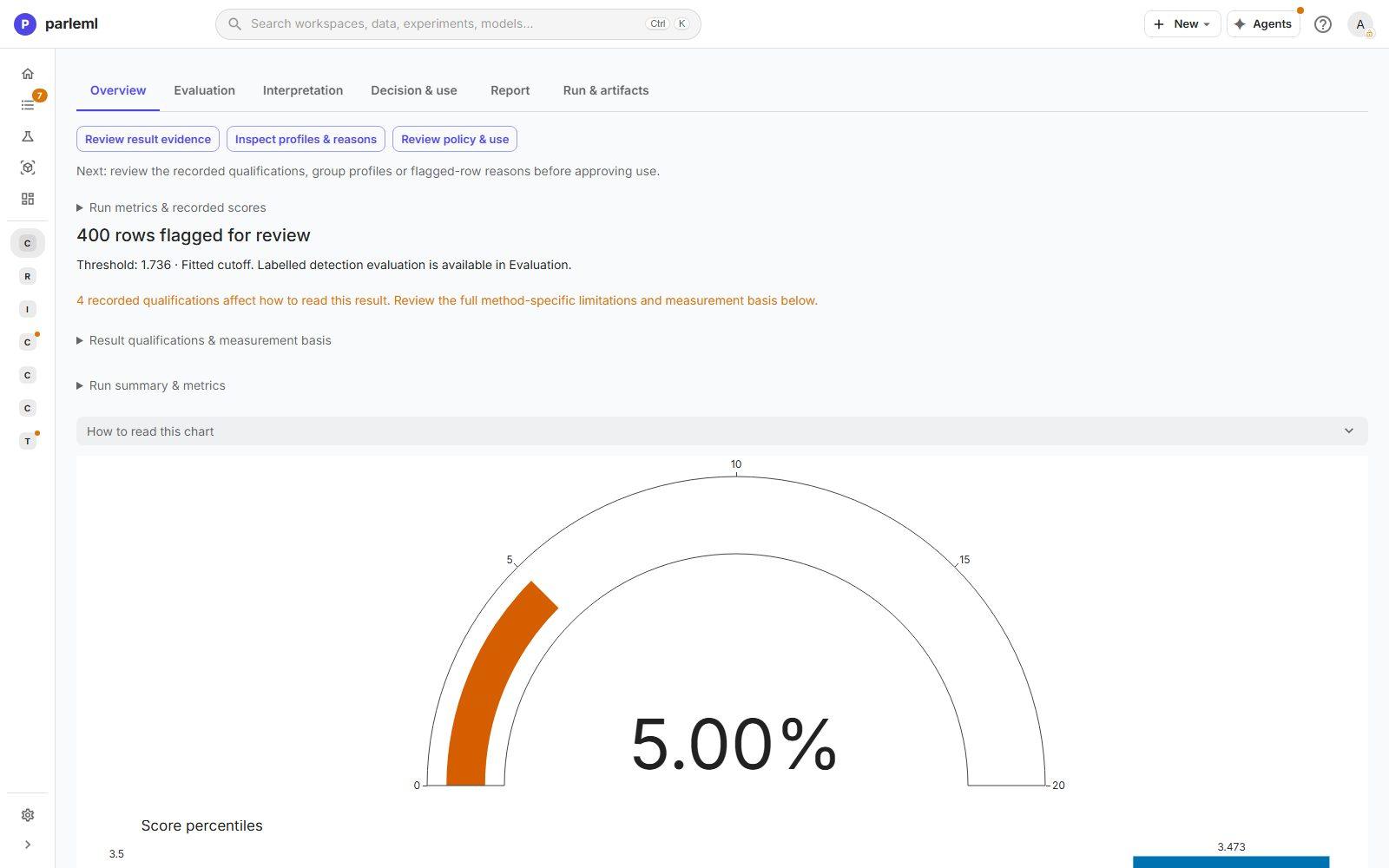
- Open Overview: 400 payments flagged for review at an automatically chosen 5% rate, with score percentiles and a fitted threshold. Four recorded qualifications explain how to read the result.
- Open Interpretation → Detector rationale. From the data's shape (8,000 rows, medium width), ParleML picked three robust all-rounders: Isolation Forest, ECOD and KNN. It shows each one's rank agreement with the consensus (0.96, 0.91 and 0.92). The page says plainly that a router weight is a fixed rule, not something measured on your data.
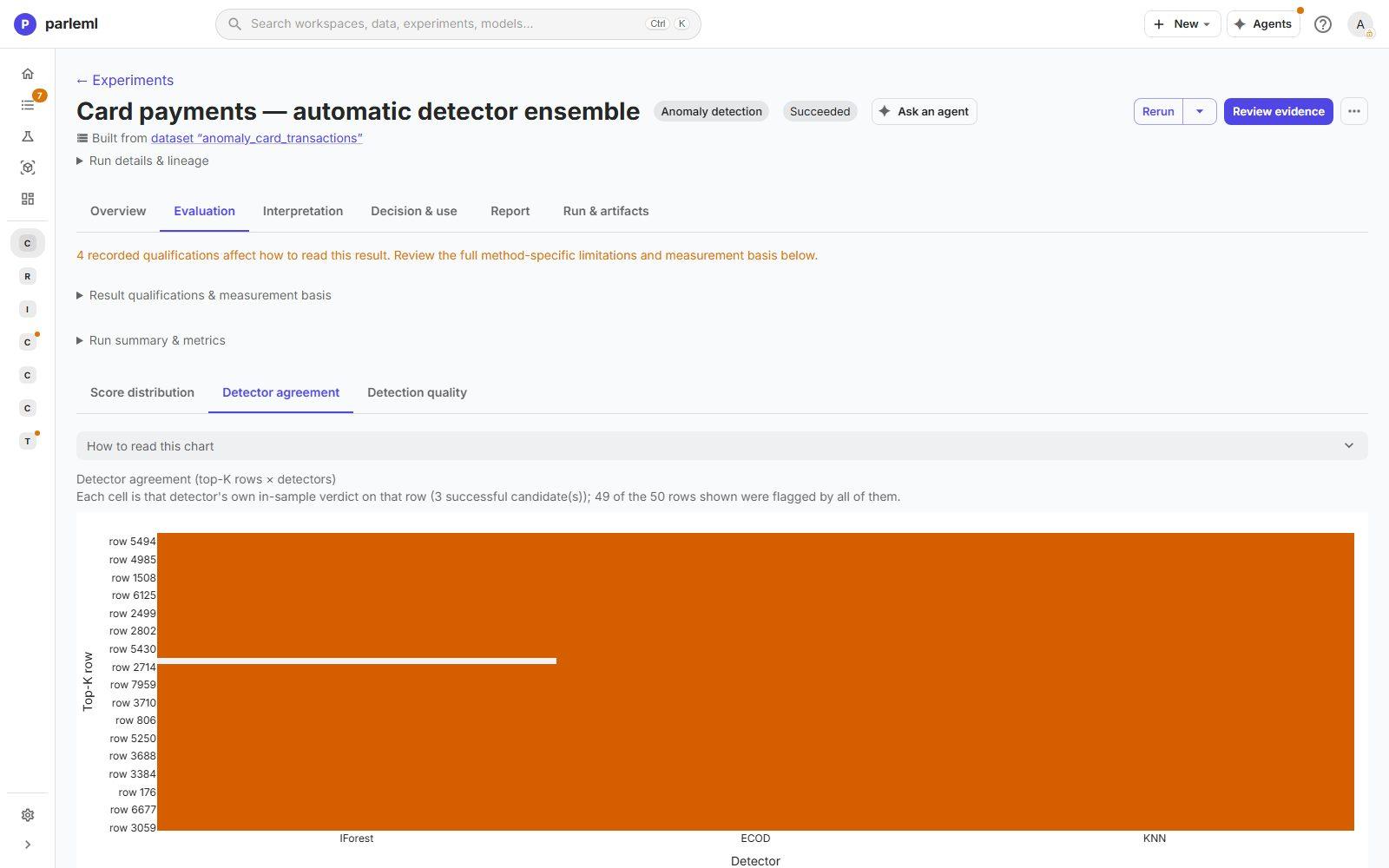
- Open Evaluation → Detector agreement: each detector's verdict on the top rows. 49 of the top 50 rows are flagged by all three. When independent methods agree, the rows really are unusual.
10. Check it against the known anomalies
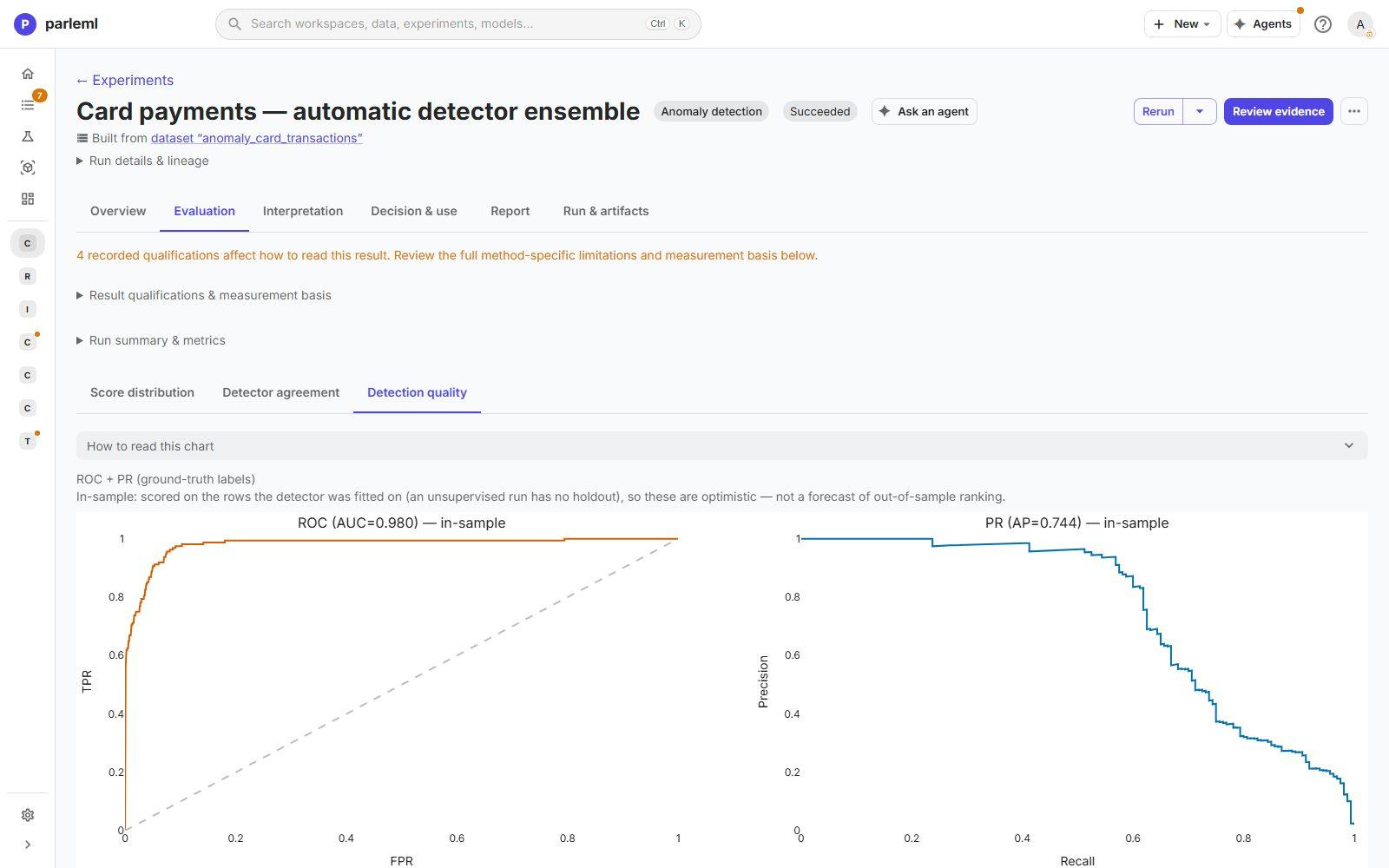
- Open Detection quality. Because you gave a label, it draws ROC and PR curves: ROC-AUC 0.980, average precision 0.744.
Both are marked in-sample. An unsupervised run has no holdout, so these are optimistic, not a forecast for new payments.
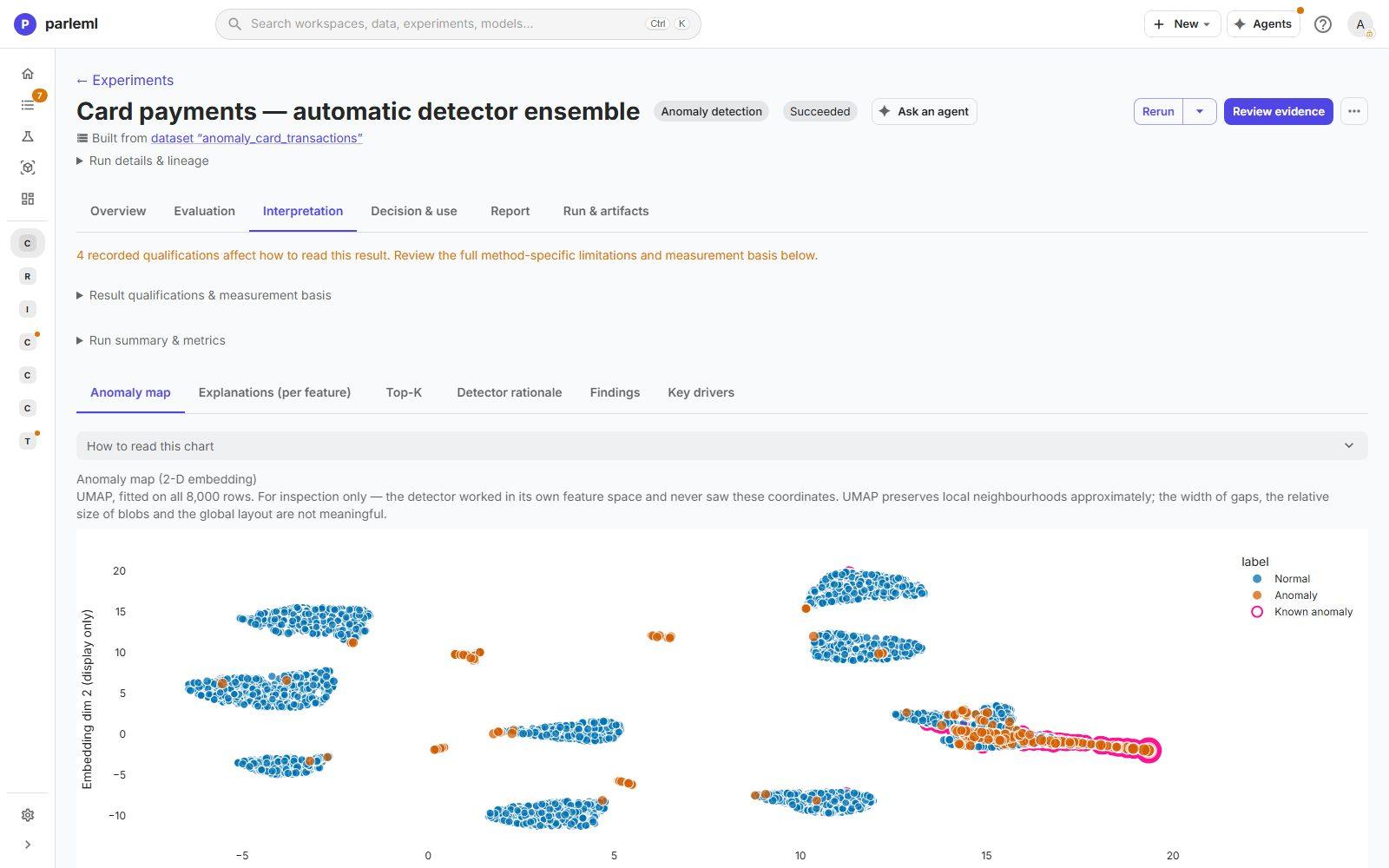
- Open the anomaly map: all 8,000 payments in two dimensions, with normal rows, flagged rows and known anomalies marked. You see where the known anomalies fall relative to what the detector flagged.
11. See why payments were flagged
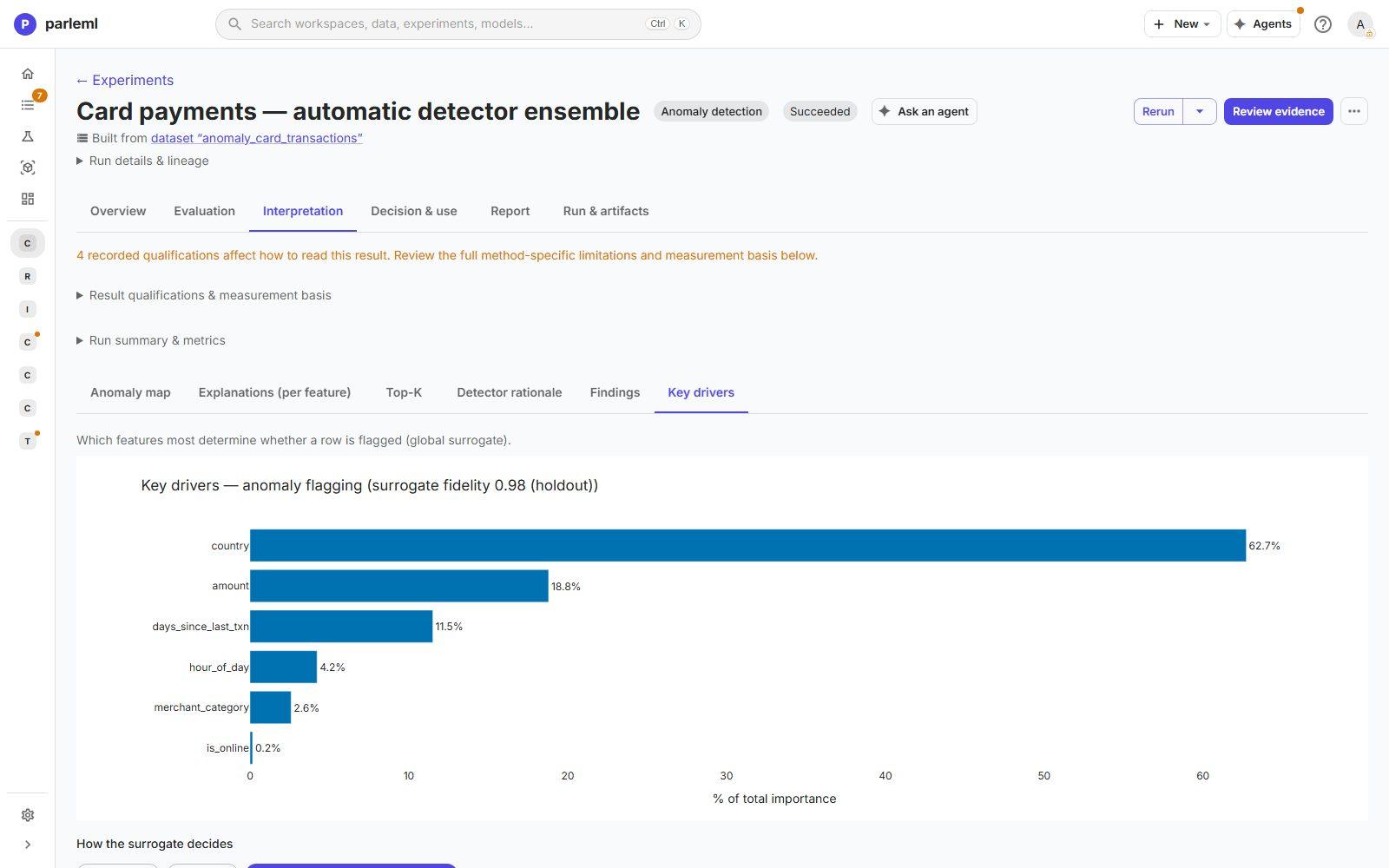
- Open Key drivers: a surrogate of the flag with 0.98 fidelity.
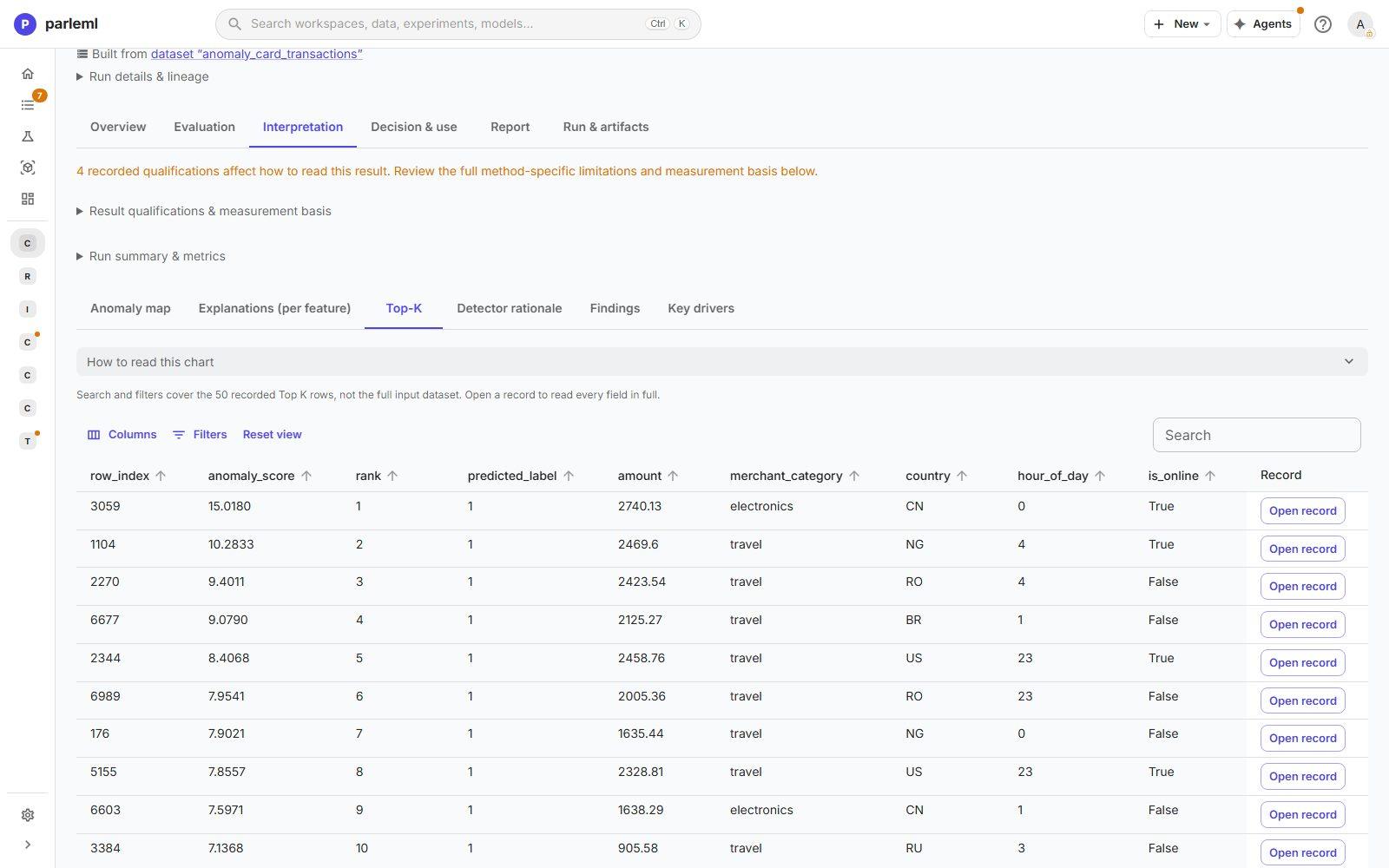
countryaccounts for 63% andamountfor 19%;days_since_last_txnandhour_of_dayfollow. - Open Top-K: the highest-scoring payments, each openable in full. The top ten are large (about 900 to 2,740), mostly travel or electronics, from countries such as China, Nigeria, Romania, Brazil and Russia, and all made late at night (11 p.m. to 4 a.m.).
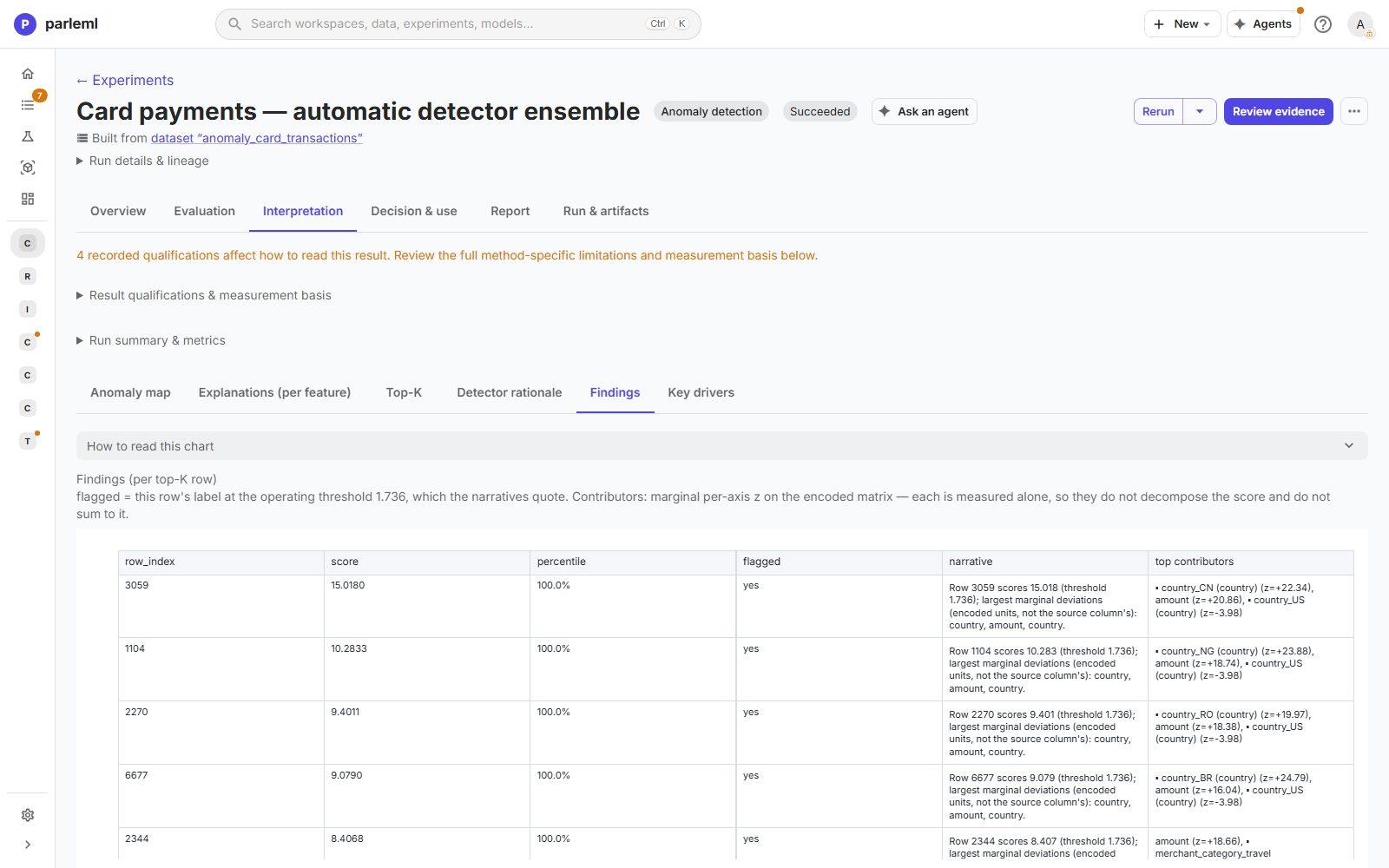
- Open Findings: each flagged row's score, percentile and largest deviations. The deviations are measured one at a time, so they don't add up to the score; the page says so.
12. Choose how many to review
- Open Decision & use → Decision & scoring.
- Move the threshold to preview the result before you commit it.
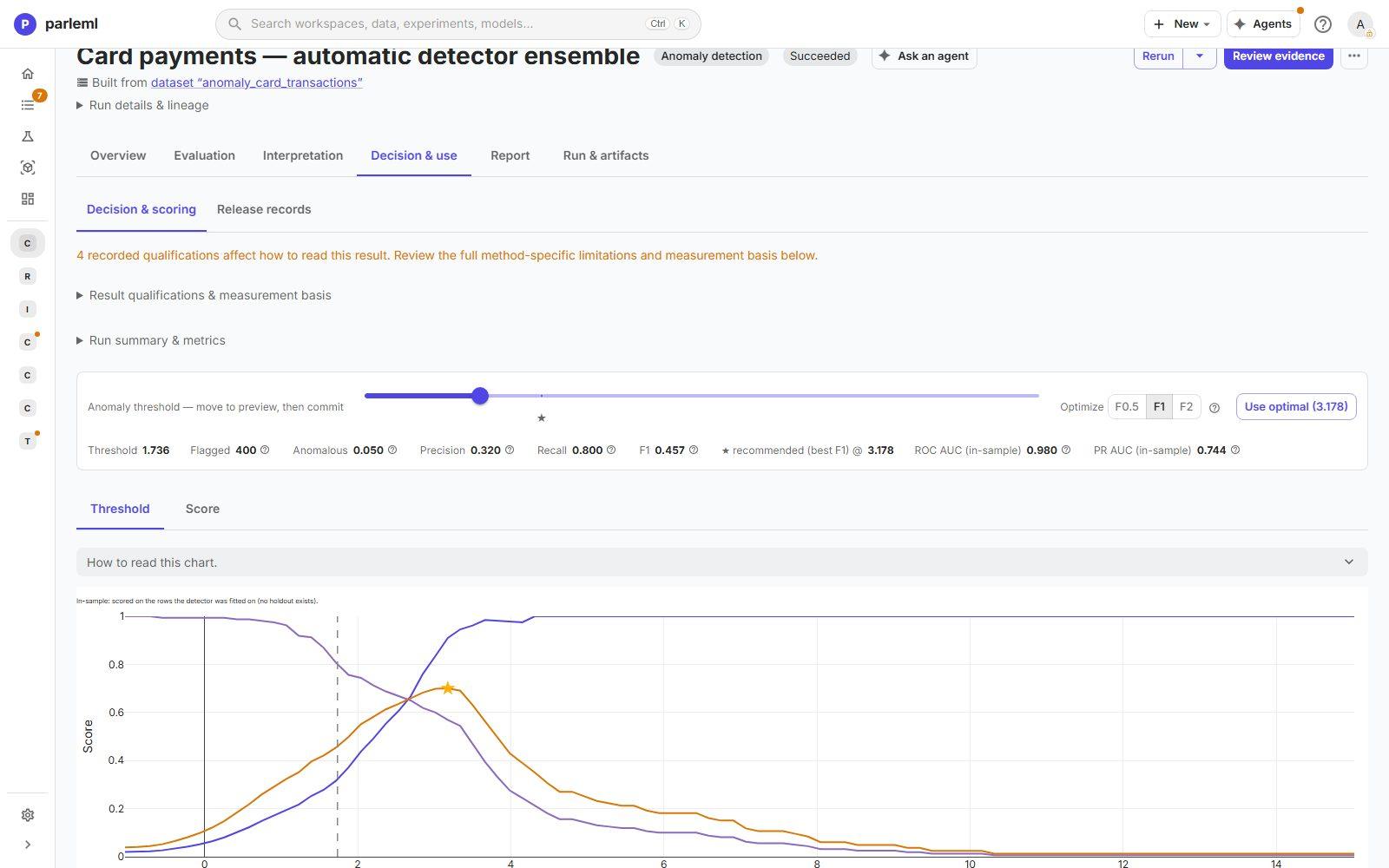
- At the automatic threshold, 400 flagged: the detector catches 80% of the known anomalies at 32% precision (F1 0.46).
- The recommended best-F1 threshold is stricter (3.18): fewer payments to review, with higher precision.
The right point depends on how many payments your team can review, not on the detector. That is why it is a person's choice.
What you learned
- Unsupervised results can be checked. Passive fields and an evaluation-only label test the result against what the method never saw.
- The clusters recovered four real personas at 90 to 99% purity. An agent named them, and the page shows exactly what it was given.
- Three different detectors agreed on 49 of the top 50 payments. The drivers (country and amount) and the in-sample quality (ROC-AUC 0.98) are all visible.
- Every view states its limits: projections are for inspection, in-sample curves are optimistic, and one-at-a-time deviations don't add up to the score.
Every option is in Experiments → Clustering, Anomaly detection and Results for other kinds.
Next
- Steer an agent through a segmentation: the same customers, with an agent leading and you deciding.
- Results for other kinds: every clustering and anomaly view.