Customer churn with an agent
Time: about 30 minutes, about 15 of them your attention · You need: ParleML running with an agent signed in (Run ParleML, step 3). You'll end with: one inspected churn baseline, its held-out scores and drivers, and a saved report in the workspace.
A short agent session: you set a bounded task, answer one question, and inspect one baseline model and its evidence. You'll use the included Customer churn synthetic sample: 6,000 rows and 17 columns.
A recorded run
The numbers below come from one session using Codex. Other agents can make different choices and ask different questions. Select any screenshot to see it at full size.
1. Open the sample
- On Home, under Start from a sample, choose Customer churn. Once you have workspaces, the samples are behind the Sample datasets button on Home.
- On the dataset page, choose Ask an agent. The dataset and the workspace are attached.
2. Give the agent a bounded task
-
Paste this brief:
Create one bounded customer-churn walkthrough using this sample dataset. We want to identify customers who may cancel and understand the patterns, not deploy anything. First inspect the fields and propose sensible semantic domains and column roles: customer_id is identity, churn is the target if present, and dates need meaningful treatment. Run EDA, explain useful field distributions and potential leakage, and choose a suitable working template with a short justification. Ask me one useful clarification before training. After my answer, train only one modest baseline with at most two CPU workers, no HPO or foundation models, and a nominal model-selection budget of 60 seconds. Use native ParleML workflows, preserve memory safeguards, and do not register or release a model. Show held-out results, useful explanations, limitations, and a short saved report. This is a tutorial on synthetic sample data; do not claim business impact from it. -
Check the agent in the agent picker, then choose Start.
ParleML picked the ML delivery task. That is the workflow, not the modelling template; the agent chooses the template after inspecting the data.
3. Watch the work take shape
The session shows the Flow beside Activity, the conversation. The flow marks agent steps and your decisions. Steps that haven't started are a preview. Registration and release may appear in the delivery flow, but this brief rules them out.
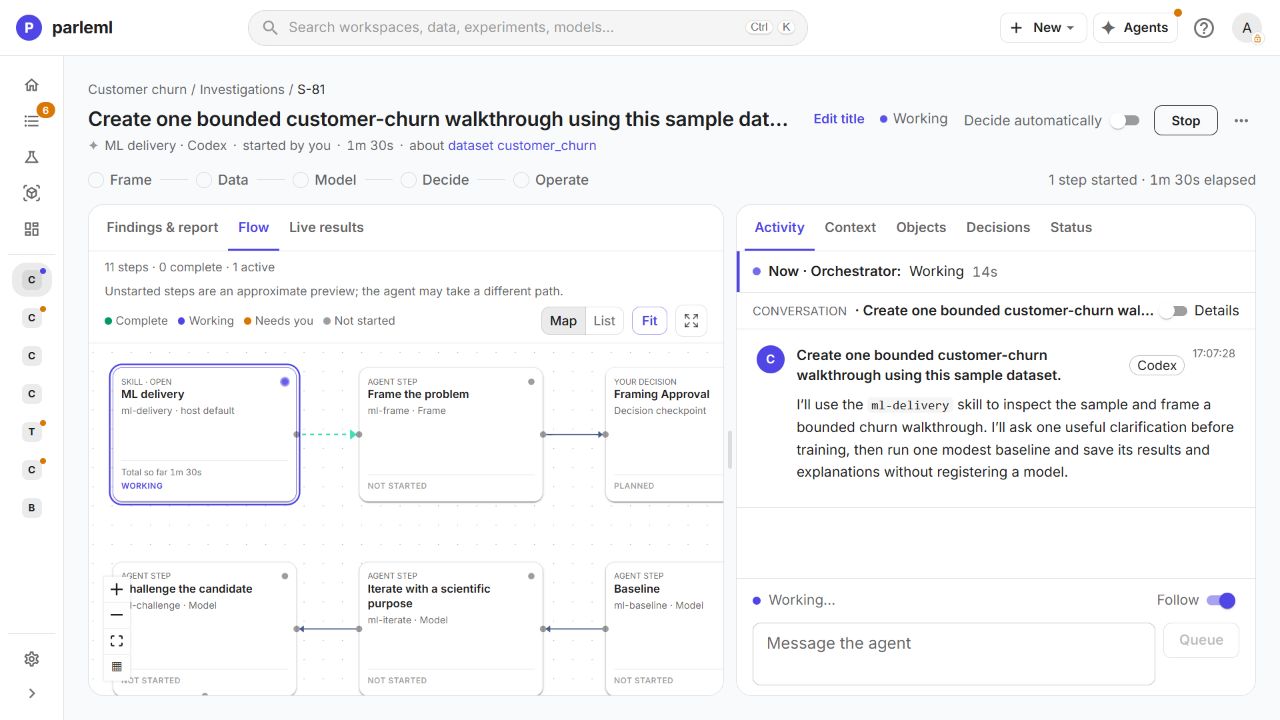
- Leave Decide automatically off, so the question comes to you.
- Use Message the agent to add context or ask a follow-up while it works.
The agent's first message confirms the scope: inspect, ask one question, then run one baseline.
4. Review the columns and the profile
- Follow the dataset link from the session and open Columns.
- Check the saved roles and domains, not only the suggestions above the table. Ask the agent about any that don't fit the values or their business meaning.
In the recording the agent applied Key and Ignore to customer_id and marked age for
Fairness checks. The optional Record ID suggestion was not accepted.
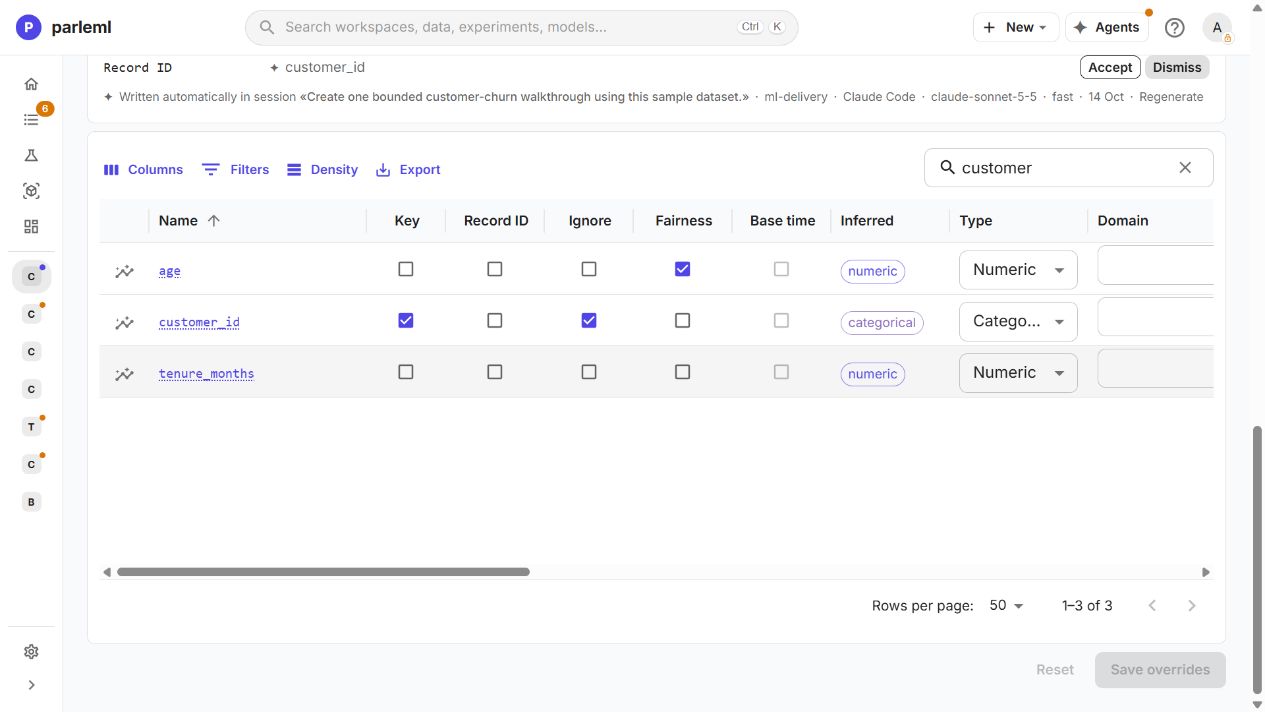
The country values (US, BR, GB, CA, JP, DE, AU, FR) stayed plain categories:
there is no country-code domain, and a state domain would be the wrong meaning. Choose a
domain because it fits the data, not to switch on more encoders.
- Select a column's name to open its Insight: statistics and distribution. The chart's fullscreen button gives you a closer look.
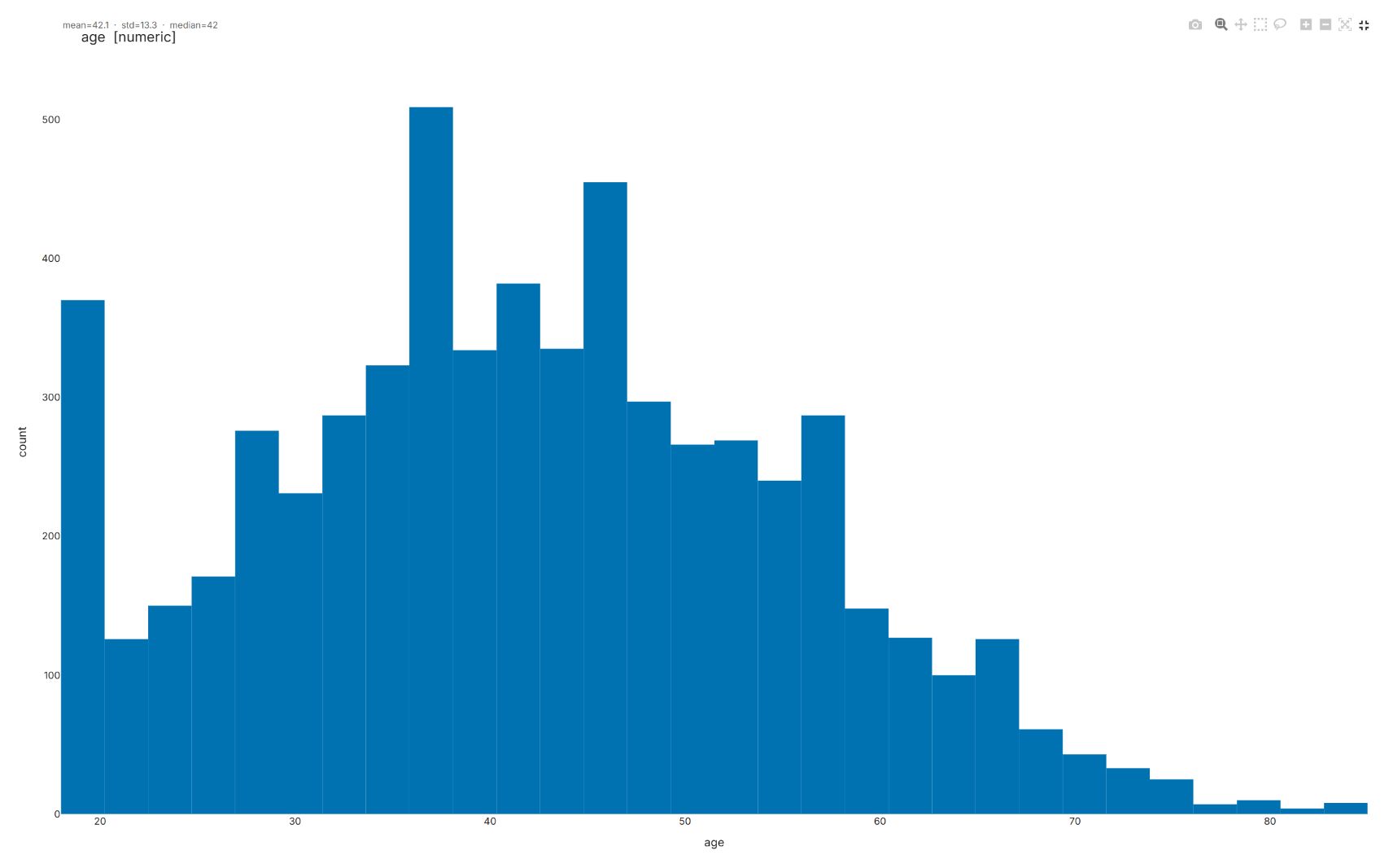
The profile found 1,222 missing cells (1.20%), no duplicate rows, missing values in five fields, and a strong link between plan type and monthly charge. Age spans 18–85, has no missing values and a median of 42. The chart describes the sample; it doesn't show that age causes cancellation.
Details: what to look for in the profile
- An ID column should never become a churn predictor because it is unique.
- Dates need a clear meaning relative to the moment you predict.
- Missing values and target associations are evidence to inspect, not automatic reasons to drop a field.
- Leakage means information you wouldn't have at prediction time got into the inputs. Ask the agent for the timing assumptions behind suspicious fields.
5. Answer the question
Our agent asked: "Should we treat the subscription and behavior fields as snapshots known before cancellation?"
- Choose the answer that matches what you know. We chose Timing is unknown.
- Choose Submit answer.
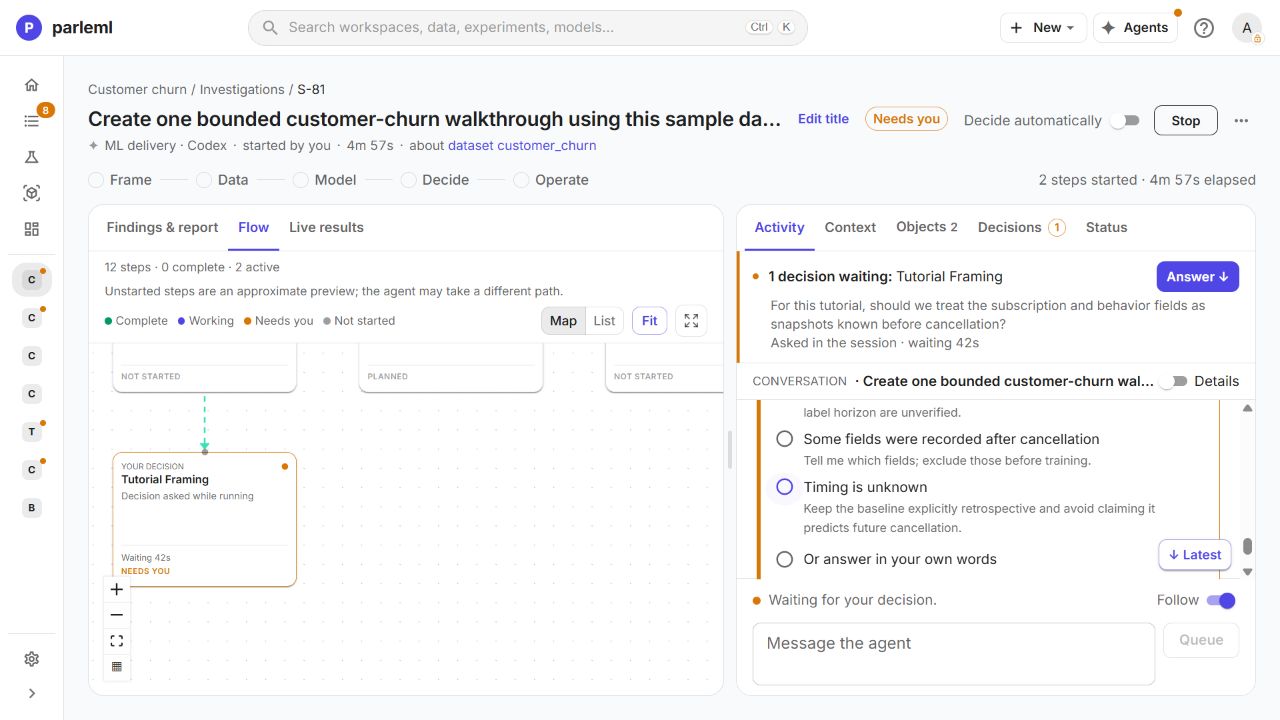
With timing unknown, the analysis stays retrospective. That changes how you read the result, not the dataset.
The agent then proposed quick_explore: one LightGBM baseline, two CPU workers, no
hyperparameter search or foundation models, and a 60-second model-selection budget. It left
out the unique customer ID and the signup date: with no snapshot date there is nothing to
measure recency against, and tenure_months already describes tenure.
6. Check what was actually run
- Open the experiment, then Run & artifacts → Run settings.
- Expand the sections to read the exact launch request.
The recording shows Quick explore, with changes to the stacking and time-limit settings. Check the saved settings rather than assuming a template name tells you which algorithms ran.
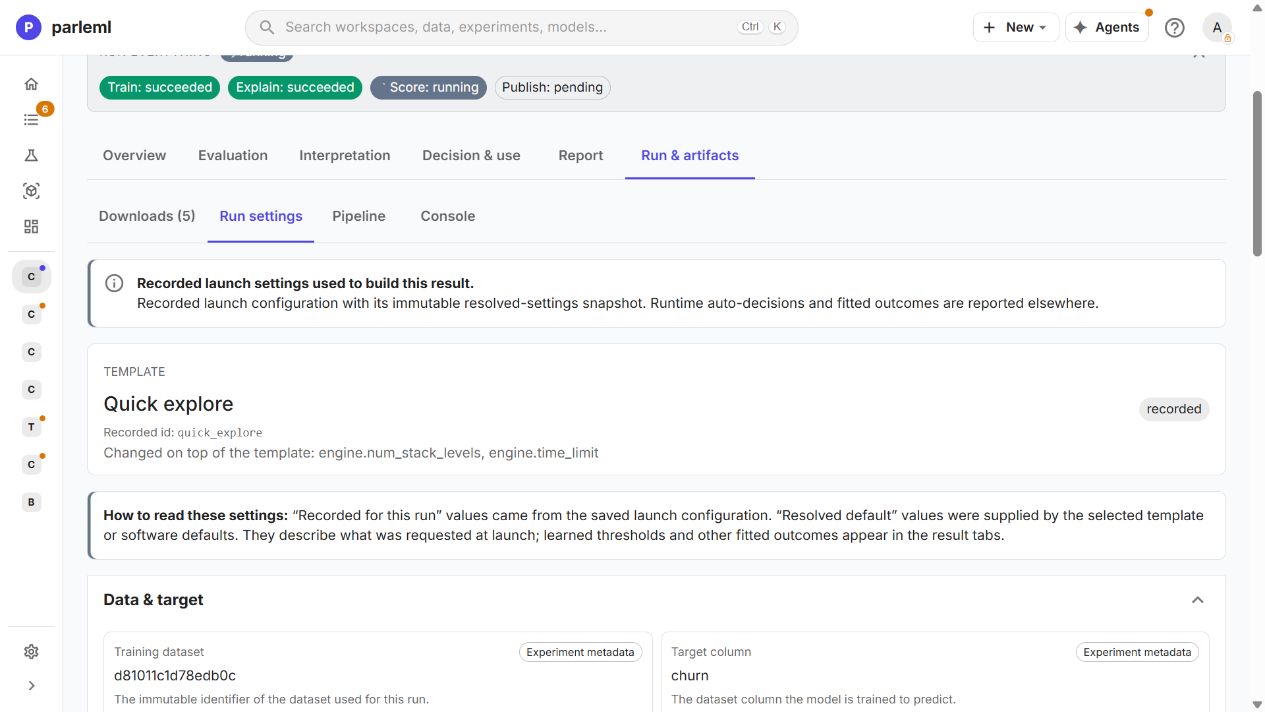
The 60 seconds is a model-selection budget, not a session deadline. Preparation and explanation take longer.
7. Read the held-out result
- Open the experiment's Overview, then Evaluation.
The baseline used 480 reserved validation rows and 1,200 outer test rows. On the test rows:
| Measure | Recorded value |
|---|---|
| Log loss (lower is better) | 0.4627 |
| ROC-AUC | 0.8067 |
| Precision for churn | 0.5129 |
| Recall for churn | 0.7748 |
The operating threshold was fitted on the validation rows, not picked from the test results. About half the flagged customers did not churn. Probability calibration was tried and declined, because it didn't improve validation log loss.
Training can show Succeeded while the explanation stage is still running. Check the stage indicators before you treat the whole chain as complete.
8. See what the model learned, and what it missed
- Open Interpretation → Explain → Attribute importance.
Native importance and mean absolute SHAP both rank tenure, auto-renewal, login recency and recent support tickets among the leading drivers. The two use different units: compare their order, not bar lengths. The SHAP chart is labelled as training-set evidence.
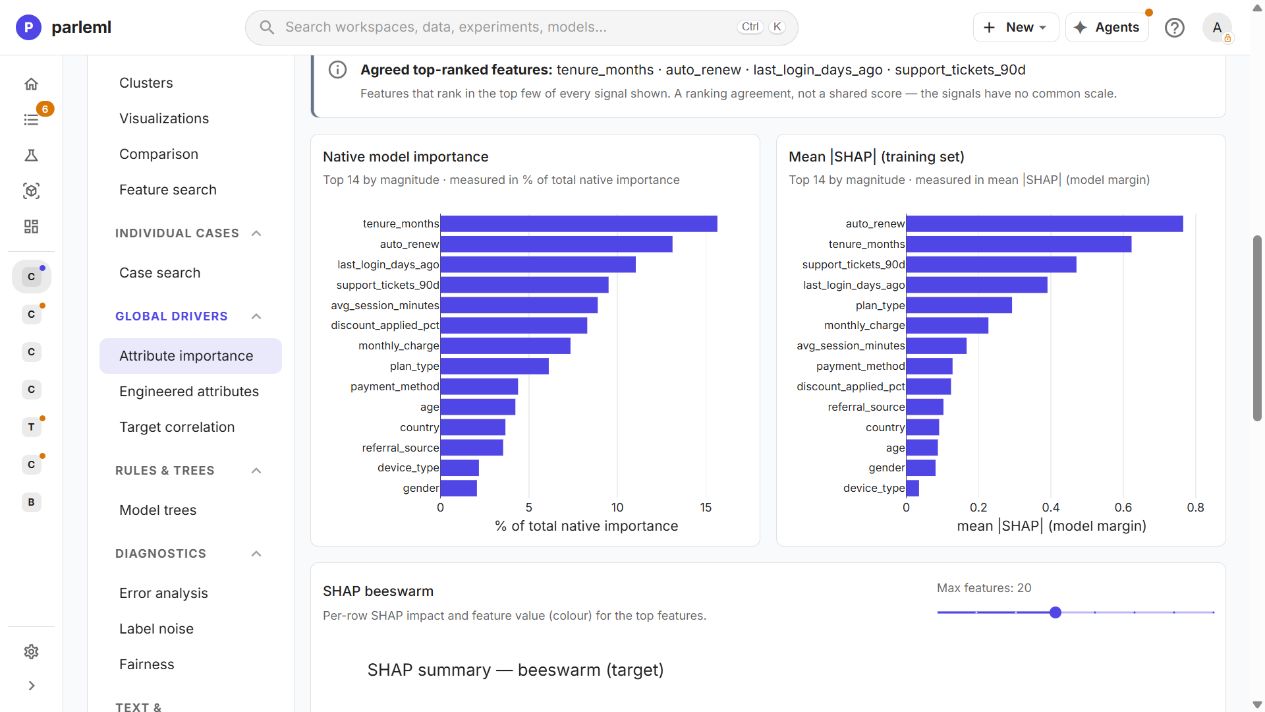
- Open Archetype summary, Fairness and Error analysis too.
The run produced 20 archetypes (groups of similar churners), but only about 49% of the 1,200 target rows belonged to one; 614 were unassigned. The overview also flagged fairness differences and concentrated error pockets. Those limits belong in the report beside the scores.
-
Ask a follow-up, such as:
Which of these patterns should we investigate first, and what evidence would we need before treating them as useful for future cancellation prediction?
Other good questions: "Could any field encode information from after cancellation?" and "What would we need to validate before using this on real customers?"
Training, explanation, scoring and publication all completed. Publication created workspace tables for 6,000 predictions and 21 archetype records (including the noise group). That is not registering or releasing a model.
9. Save the report
- In the session, open Findings & report.
- Under Report to save, pick the Markdown report (here
churn-walkthrough.md) and choose Save report to workspace.
The button changes to Published · v1, and the report appears under Published to the workspace and in the workspace's Documents. The recording saved version 1 of "Retrospective synthetic customer-churn walkthrough".
Stop here. This tutorial is one inspected baseline, not a release, and its score on synthetic data says nothing about real customers.
Next
- Build a claims review queue: a longer agent session with text fields, three decisions and a local scoring demonstration.
- Steer an agent through a segmentation: what to do when the agent's reasoning goes wrong.