Build a claims review queue with an agent
Time: about 2 hours end to end, about 45 minutes of your attention (the agent works in between) · You need: ParleML running with an agent signed in (Run ParleML, step 3). You'll end with: a fraud-ranking model chosen on held-out evidence, its explanations, a local scoring demonstration, and a staffing trade-off for your review team.
Your business question: which claims should a small review team examine first? You give an agent that question, follow its work, make the decisions it brings you, and inspect the evidence behind every number.
You'll use Insurance claims fraud, an included synthetic sample: 6,000 claims and 23 columns, with narrative descriptions, adjuster notes, loss tags and packed counts of prior losses.
What you'll do
- Brief the agent in business terms and steer it through the conversation.
- Explore the data and see how each text field is represented.
- Answer the framing, data and release decisions.
- Compare a first model with two purposeful improvements on the same held-out rows.
- Read clusters, rules, drivers and individual cases.
- Score a claim through the fitted model and ask a staffing follow-up.
A recorded run on synthetic data
The numbers below come from one recorded session using Codex. Agents can choose different steps and models on another run. The sample's text was generated from label-dependent phrase pools, so strong scores here say nothing about real insurance claims. Select any screenshot to see it at full size.
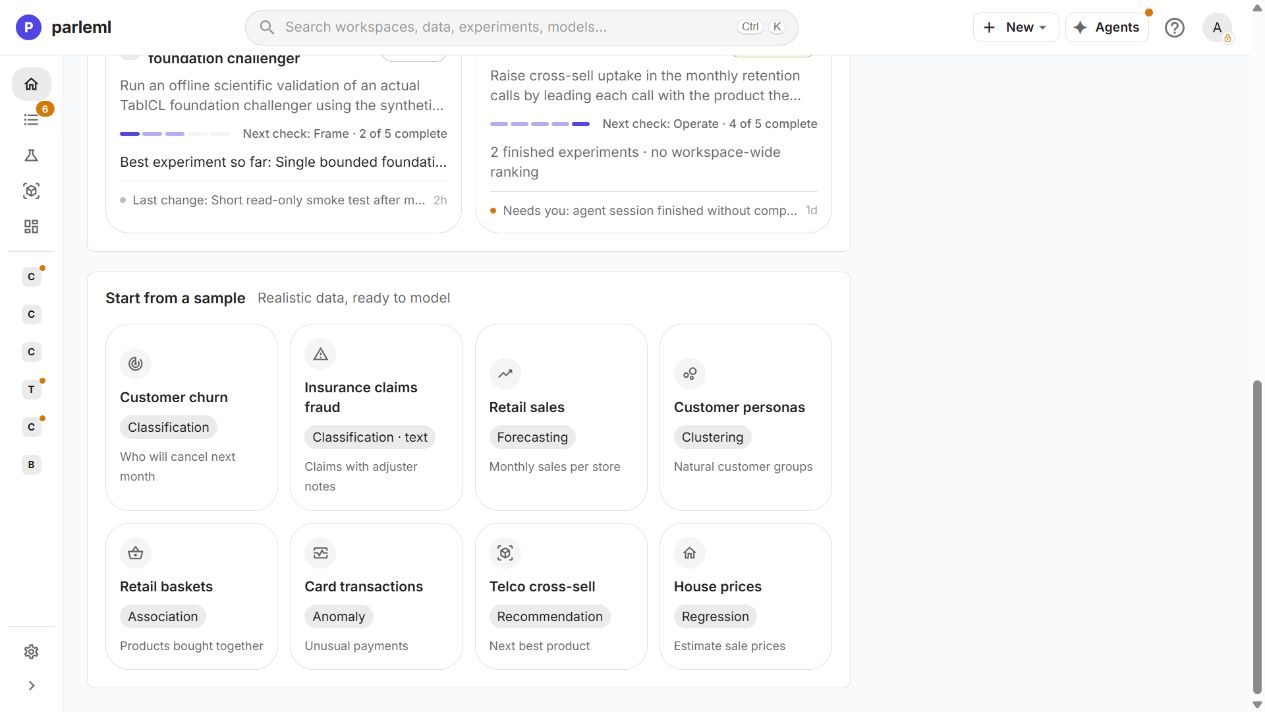
1. Open the sample
- On Home, under Start from a sample, choose Insurance claims fraud. Once you have workspaces, the samples are behind the Sample datasets button on Home.
ParleML creates a workspace and opens its dataset. You don't download or import anything.
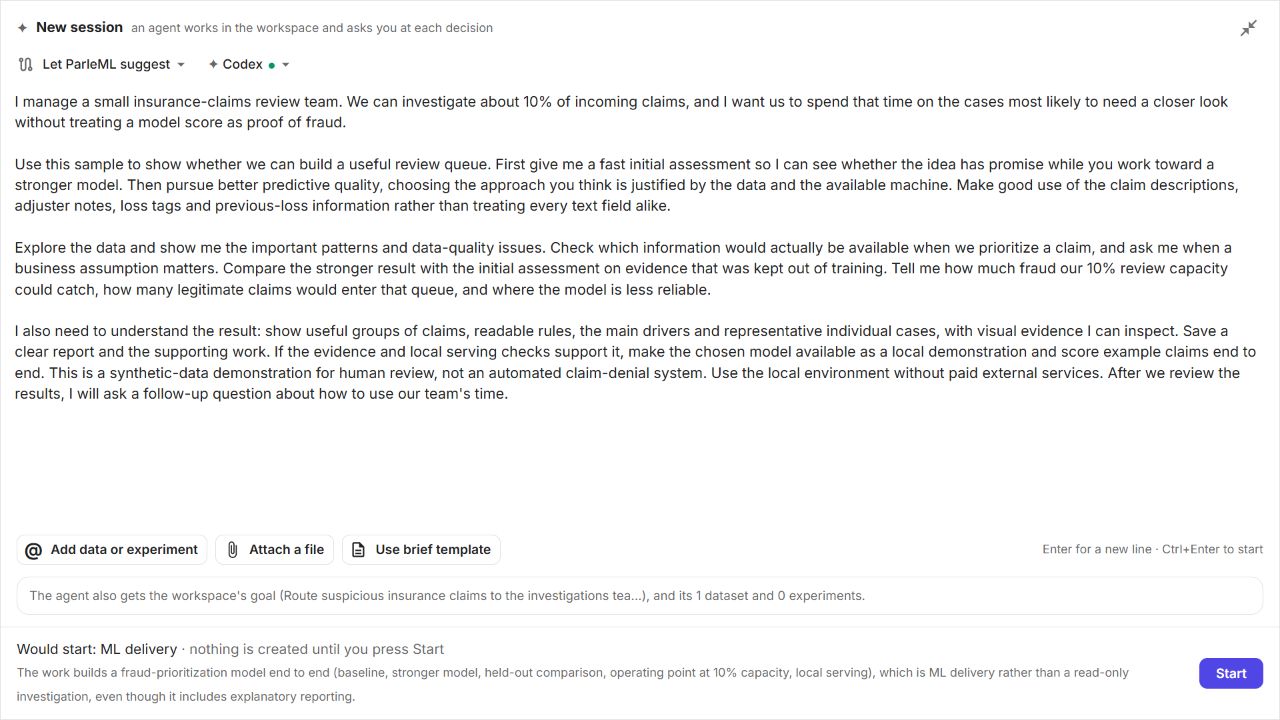
2. Brief the agent
- On the dataset page, choose Ask an agent. The workspace and the dataset are attached.
- Optional: choose Open full screen to get more room for the brief.
-
Paste this brief:
I manage a small insurance-claims review team. We can investigate about 10% of incoming claims, and I want us to spend that time on the cases most likely to need a closer look without treating a model score as proof of fraud. Use this sample to show whether we can build a useful review queue. First give me a fast initial assessment so I can see whether the idea has promise while you work toward a stronger model. Then pursue better predictive quality, choosing the approach you think is justified by the data and the available machine. Make good use of the claim descriptions, adjuster notes, loss tags and previous-loss information rather than treating every text field alike. Explore the data and show me the important patterns and data-quality issues. Check which information would actually be available when we prioritize a claim, and ask me when a business assumption matters. Compare the stronger result with the initial assessment on evidence that was kept out of training. Tell me how much fraud our 10% review capacity could catch, how many legitimate claims would enter that queue, and where the model is less reliable. I also need to understand the result: show useful groups of claims, readable rules, the main drivers and representative individual cases, with visual evidence I can inspect. Save a clear report and the supporting work. If the evidence and local serving checks support it, make the chosen model available as a local demonstration and score example claims end to end. This is a synthetic-data demonstration for human review, not an automated claim-denial system. Use the local environment without paid external services. After we review the results, I will ask a follow-up question about how to use our team's time. -
Check the agent in the agent picker, then choose Start.
ParleML proposes the ML delivery task. The brief sets the outcome and the review capacity; the agent chooses the modelling approach and asks you about assumptions that change the result.
3. Follow the work
The session opens with the Flow on the left and the conversation (Activity) on the right. The flow shows the intended journey: framing, data preparation, modelling, a decision and release. Steps that haven't started are a preview; the agent may adapt its path.
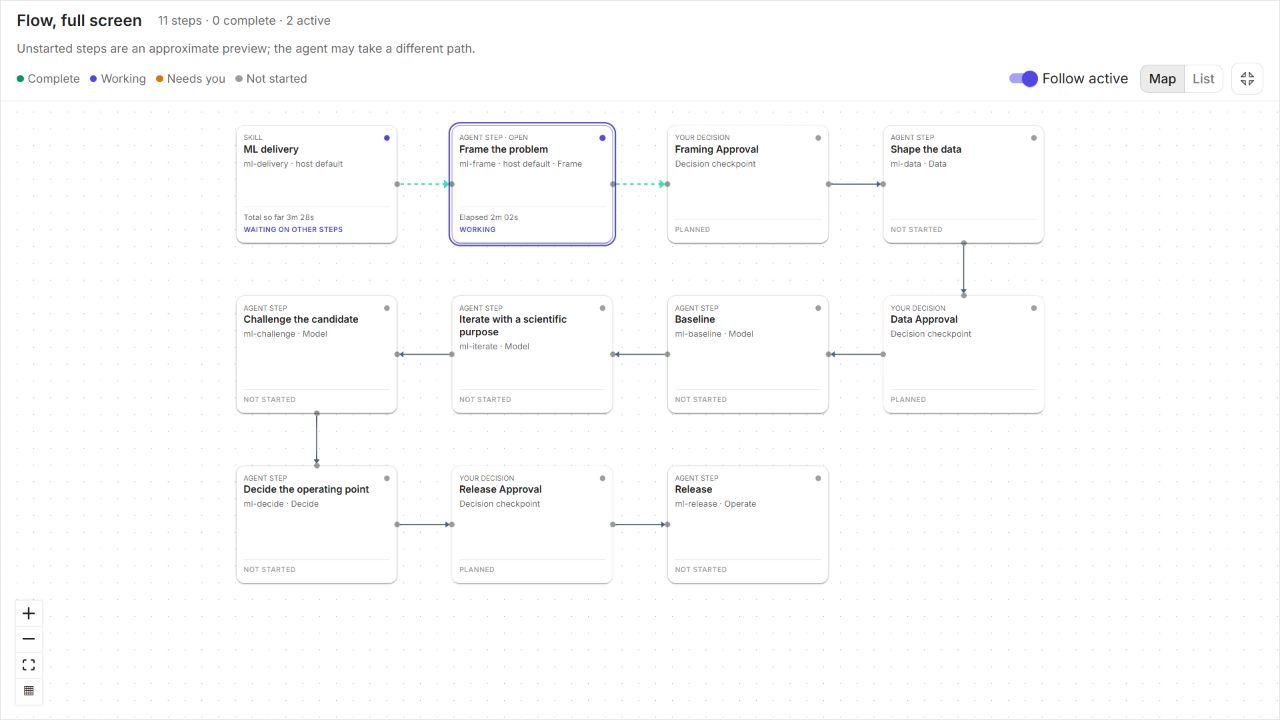
- Leave Decide automatically off, so the decisions come to you.
-
Steer in business terms with Message the agent. In the recording we sent:
Before full training, please give me an early signal check. For the main candidate I care more about predictive quality than keeping the approach simple; combining complementary approaches is welcome if the local machine supports it. Explain what the quick check leaves out.
The agent acknowledged the preference and kept the signal check separate from full training. You steer the work this way, without picking a template or editing model settings yourself.
Details: when a queued message arrives
A message you send while the agent works is queued. Its delivery status says when the selected step or the orchestrator will receive it: at the agent's next tool result, never mid-thought. When the orchestrator is waiting for a specialist step, delivery can wait until that step finishes. You can open linked datasets and experiments in another tab at any time.
4. Look inside the data
- Open the linked dataset in a second tab.
- In Columns, select a field's name to open its Insight drawer: statistics, a distribution and frequent values. The chart's fullscreen button gives you a closer look.
- Open Charts for the correlation matrix and network, missingness, outliers, category comparisons and multivariate views.
In the recording the profile found 1,002 missing cells (0.73%) and no duplicate rows.
claim_amount has a median of about 2,957, a mean of about 4,163, and a long tail
reaching 90,000. A large amount alone is not proof that a claim needs investigation.
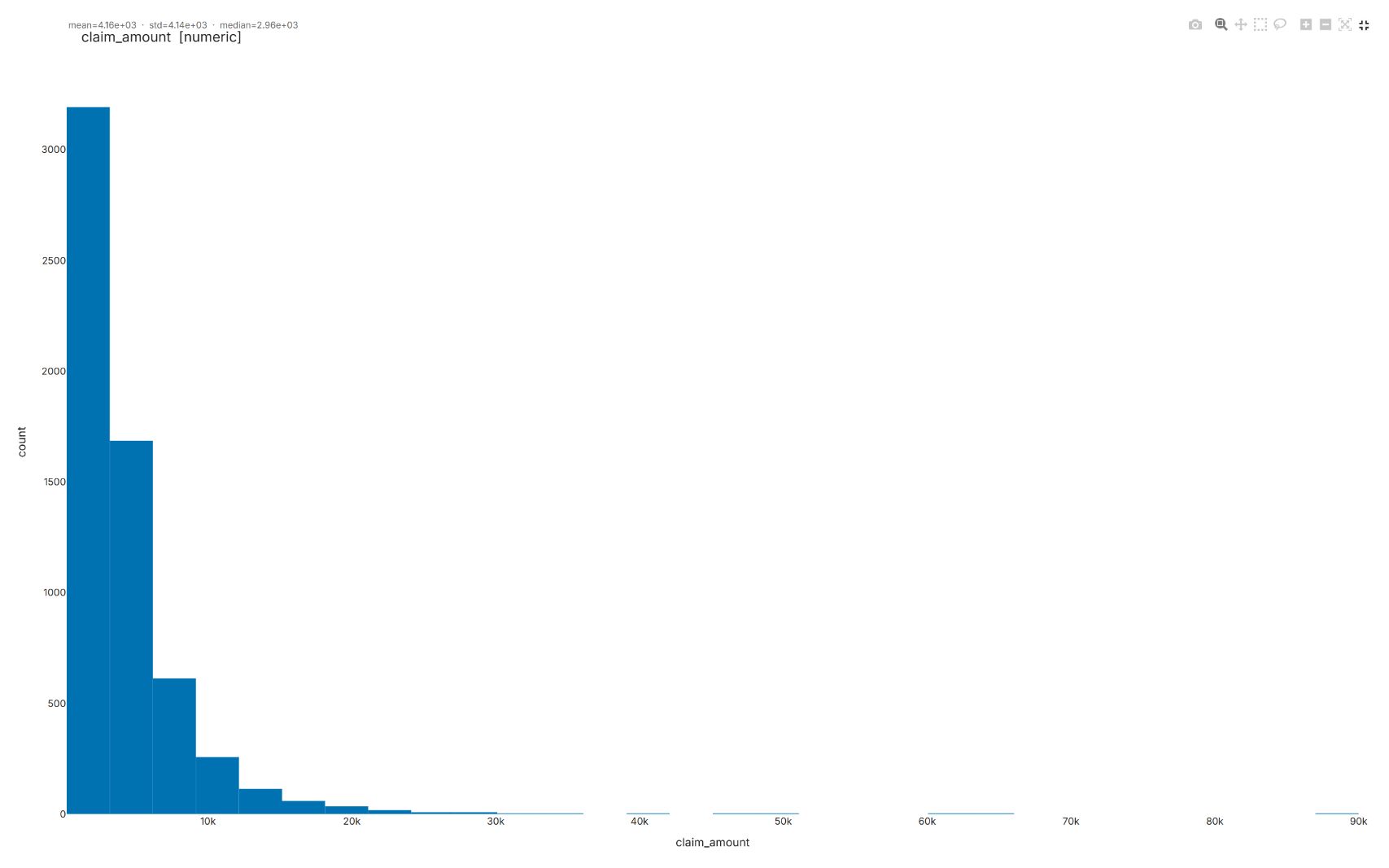
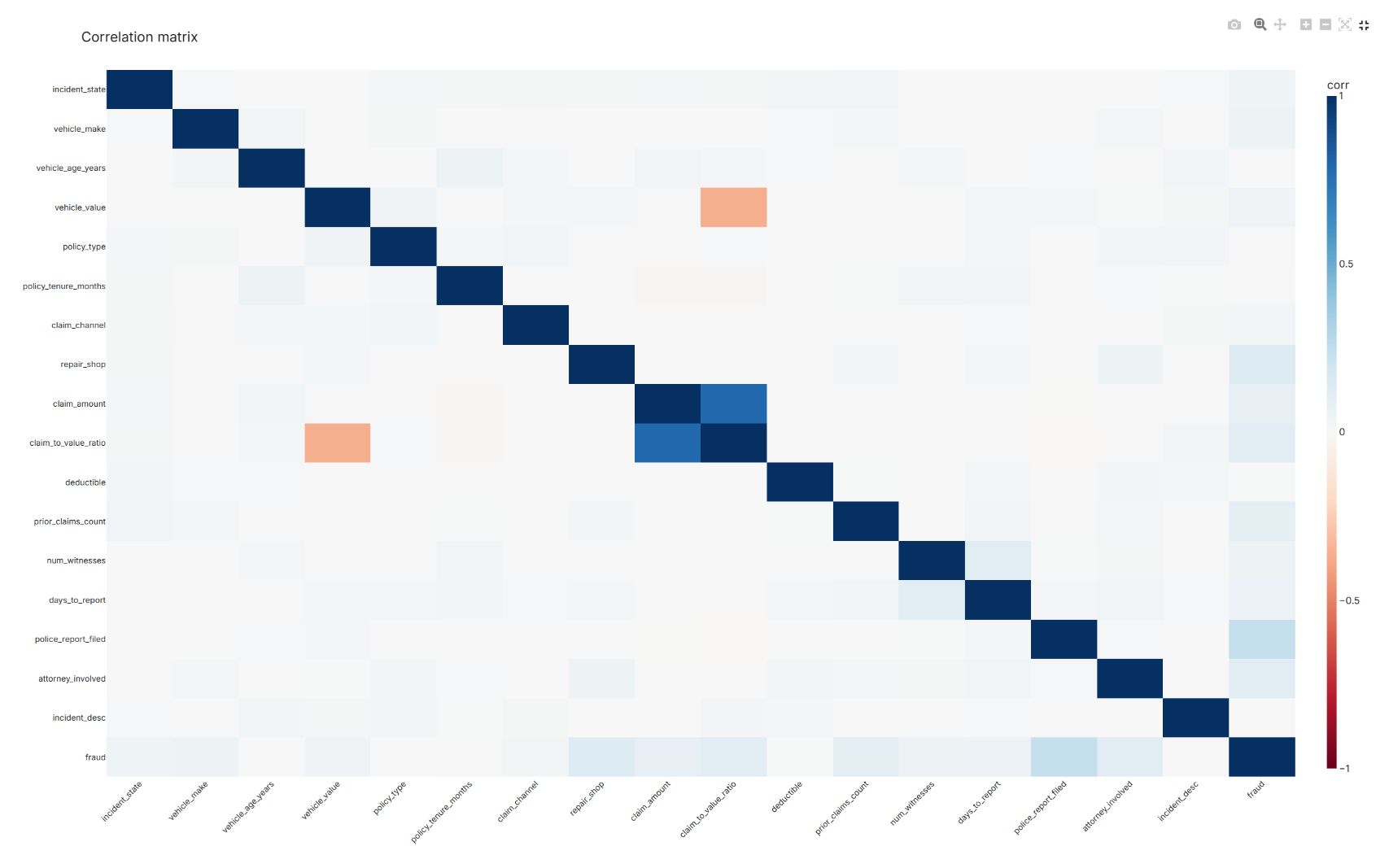
An association in an EDA chart is a question to ask, not a cause.
5. Answer the framing decision
The agent pauses at Framing Approval.
- Read each proposed answer. A pre-selected option is the agent's proposal, not your approval.
- Change what matters, then choose Submit answer.
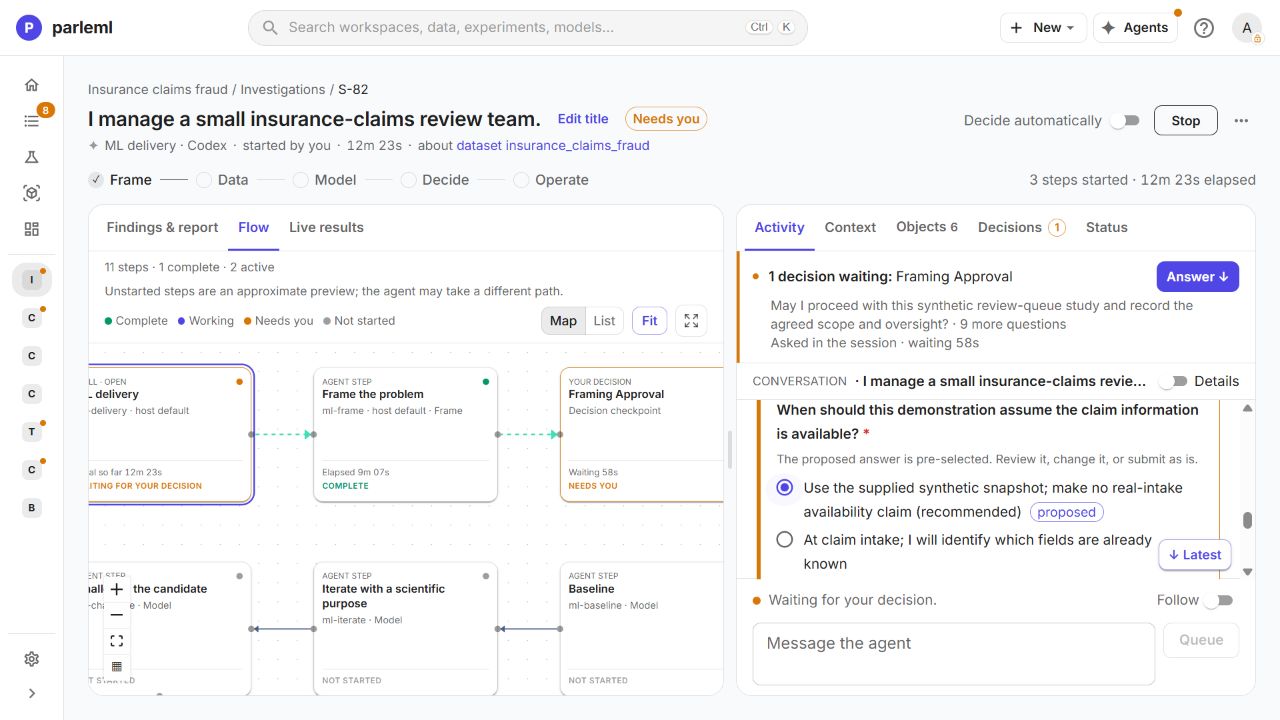
Details: what we answered in the recording
- Learn from the synthetic fraud labels, rank fraud near the top of the queue, and build a fast first model followed by a stronger candidate.
- Use the supplied synthetic snapshot, without claiming that all its fields would be available at real claim intake. The meaning of blank prior-loss histories and the link between claims and policyholders stay unverified.
- Geographic prediction and auditing are allowed for the demonstration.
- Report measured yield and the burden of legitimate claims, without inventing financial returns. Scope: a local synthetic demonstration with human review.
- Evaluation: earlier claims for development, 2025 reserved as the final test. Candidates are compared on the development period; the final test only reports the frozen choice. That stops you choosing a model to fit the same test results again and again.
6. Read the fast assessment
- Open the dataset's Signal check tab.
In the recording, TabICL (a foundation model that predicts without training) reported strong signal: ROC-AUC 0.800 against its 0.500 baseline, on 1,000 held-out rows from a shuffled 5,000-row sample. Adjuster notes were its strongest driver.
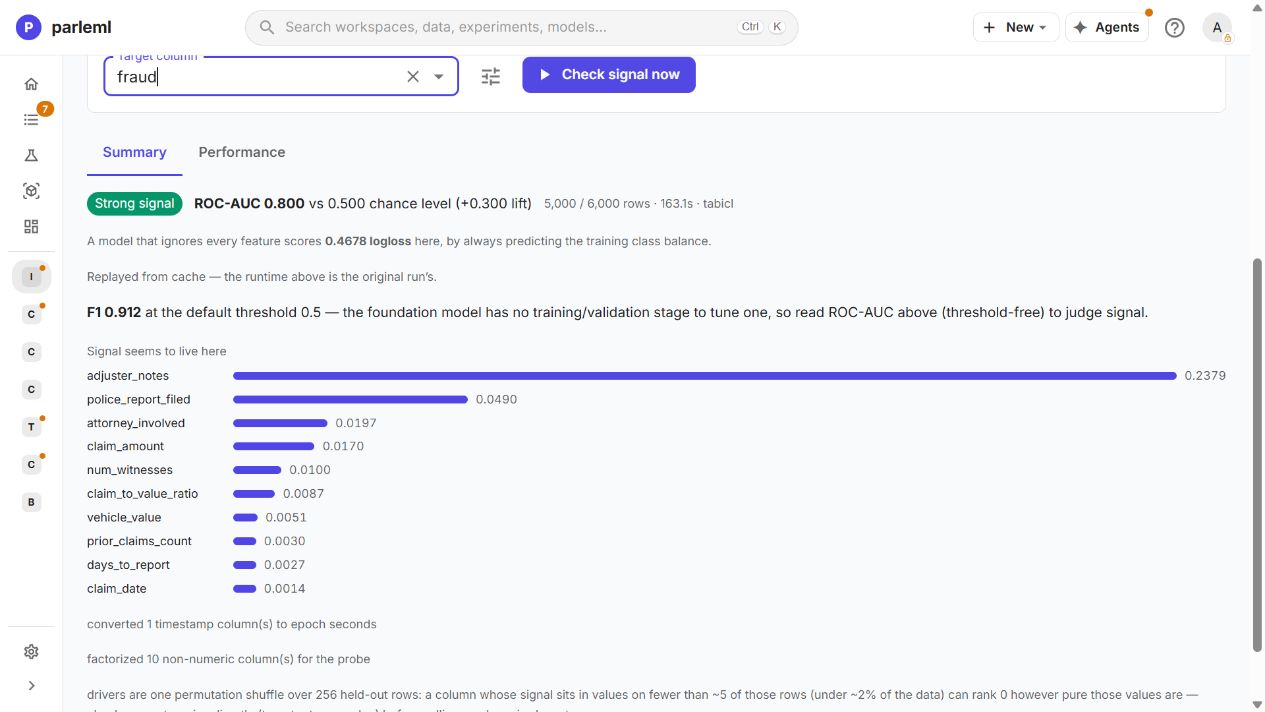
This is an early diagnostic, not the final queue evaluation. It doesn't yet answer how much fraud a 10% review capacity catches.
Details: what the quick check leaves out
- The probe represented whole text strings as category codes, included the ID and the date, and used a shuffled split. It did not run the full text encoders.
- Its reported positive rate was 82.2%: it treated the majority legitimate class as positive. The agent flagged this, so the probe's F1 and recall must not be read as the share of fraud caught. The later models use explicit fraud-positive labels, exclude the IDs and use the agreed date-based holdout.
- A second probe on the prepared table, without the ID and date, also reported strong signal (ROC-AUC 0.801). Its simplified representations still differ from the full model.
- Both probes draw on every date in the sample. The later test period is held out from the full-model fits and selection, but preliminary exploration has seen it.
7. Inspect the prepared table and its text fields
The agent creates a recipe and a prepared dataset, claims_synthetic_snapshot_v1, with the same 6,000 claims and 23 columns and a recipe linking it back to the source.
- Open the prepared dataset from the flow or from Objects.
- In Columns, inspect the saved roles and mappings. To narrow the view, choose the
visible metadata columns and search for
text.
The first full model in the recording used:
| Field | Meaning | Saved representation |
|---|---|---|
adjuster_notes |
Adjuster's free-form notes | Text, TF-IDF |
incident_desc |
Narrative incident description | Text, TF-IDF |
loss_tags |
Bare loss-circumstance tags | Multi-token tags, whitespace delimiter |
prior_losses |
Prior-loss types with counts | Weighted multi-token, comma default |
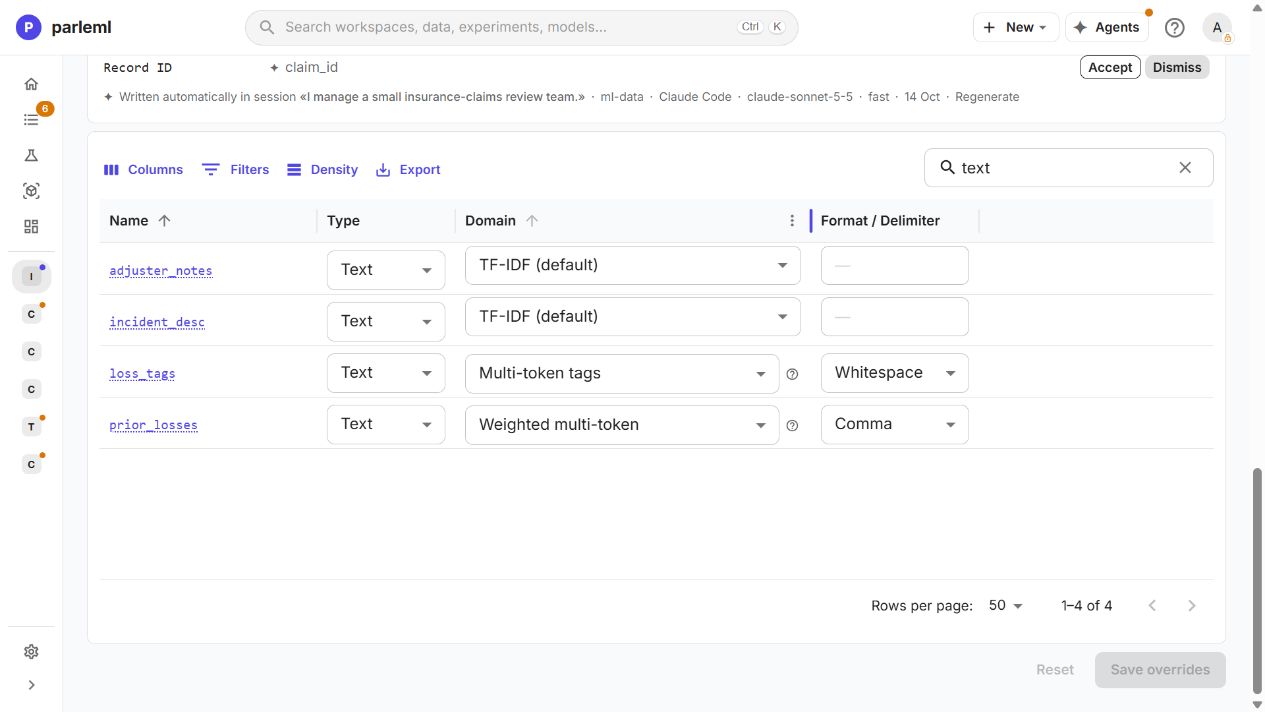
A tag list is not a sentence, and a token count is not just a category. These mappings let the model use each field's structure, unlike the probe's whole-string codes. The screenshot shows saved values; the suggestions above the table are still proposals.
- Open adjuster_notes, then Word cloud, to see the language behind the field.
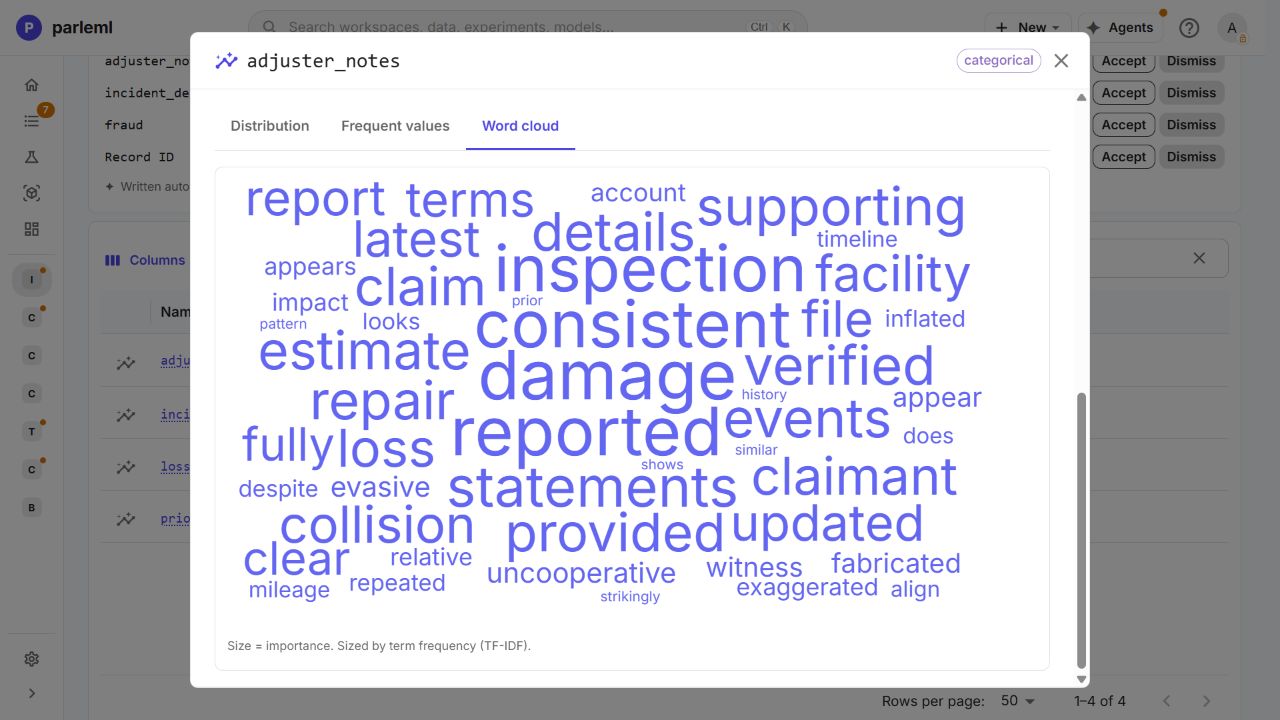
Word size shows how often a term is used, not its effect on the model. Inspection and corroboration language raises the timing question: would these notes exist before the queue is used?
Details: what the agent found in the prepared table
- The role-aware leakage scan reported no active findings. That doesn't settle when the notes were written: the synthetic-snapshot limitation remains.
- The split preview separated 3,148 training, 350 internal selection, 504 calibration and 1,998 final test rows. The calibration rows are distinct from the internal model-selection rows. Check the actual run settings and split labels when you read a score.
- Look beyond null counts: the agent found 393 blank notes and 2,962 blank prior-loss fields. An empty string can sit in a field with zero nulls.
- It kept the supplied claim-to-value ratio rather than rebuilding it from missing vehicle values, and recorded that provenance limitation.
8. Answer the data decision
- In the session panel, open Decisions and choose Answer on Data Approval. The agent supplies the prepared table, mappings, time split and open questions.
- On the source dataset, open the Leakage tab. Read each triage note the agent proposed and its limited scope, then choose Confirm on the ones you accept.
- Back in the session, answer the confirmation question truthfully and choose Submit answer. Don't leave "Confirmed" selected unless you reviewed the notes.
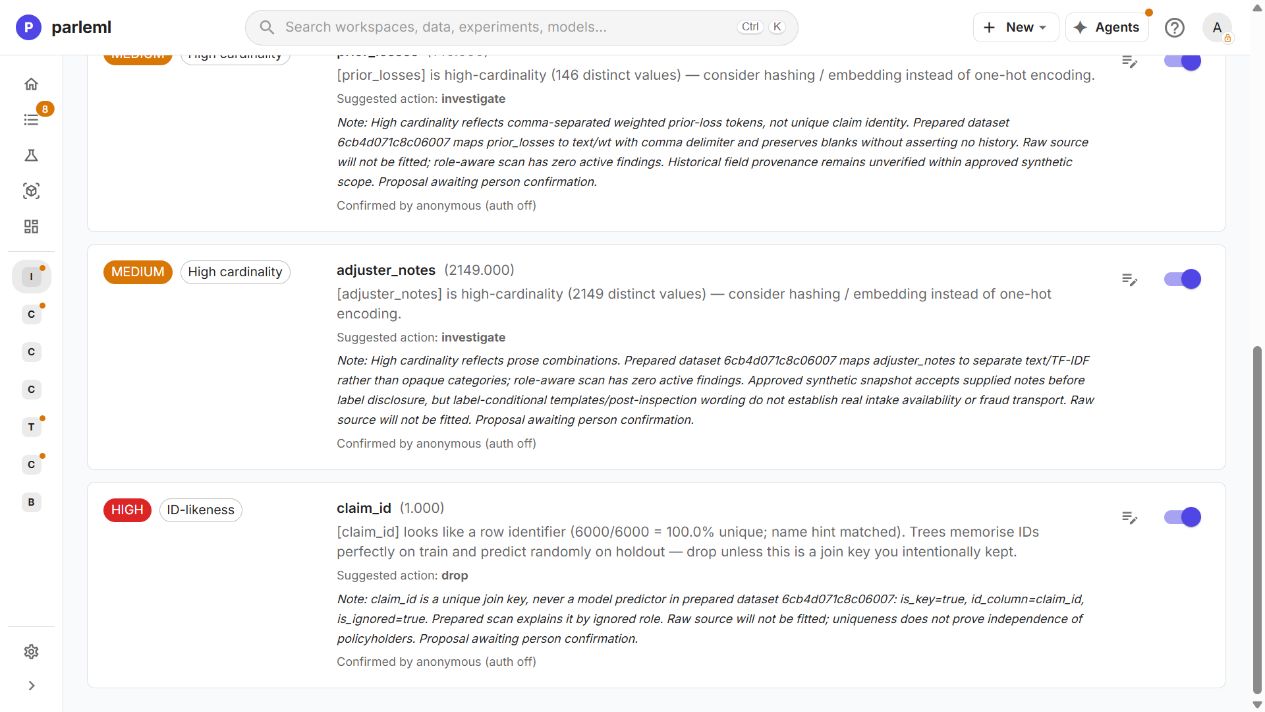
In the recording we kept the supplied ratio, with its provenance limitation, and accepted the text mappings the values supported. The notes tie the high-cardinality text warnings to the prepared representations and the ID warning to its excluded-key role. They keep the field-timing questions open. A confirmation covers this prepared synthetic table; it doesn't make the data ready for real claim intake.
9. Watch the first full model train
- Open the experiment linked from the session: claims quick_explore initial baseline. Its saved purpose is to test whether the prepared snapshot ranks synthetic fraud above a constant predictor on reserved validation rows.
- Open the Run log to follow the stages as they run: whether a search ran or was skipped, and which model is fitting.
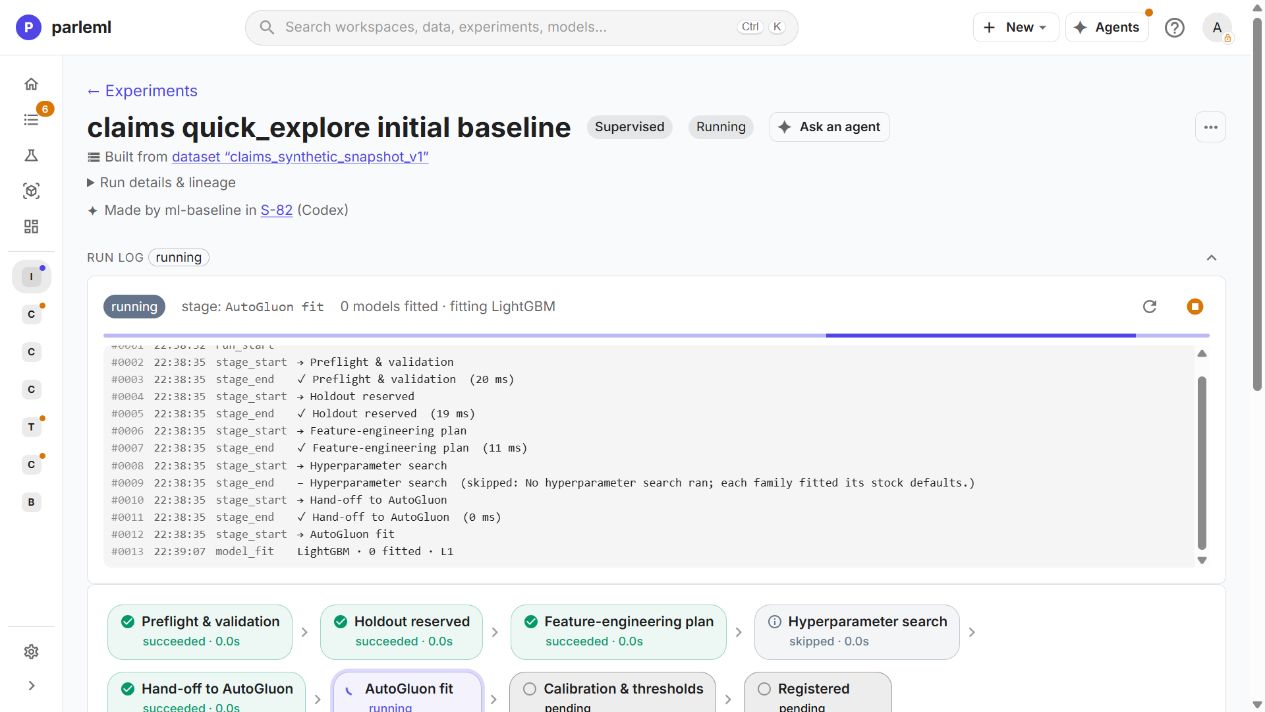
Follow the separate Train, Explain, Score and Publish stages. A finished training stage alone doesn't mean the whole chain completed.
10. Read the first result
The baseline completed training, explanation, scoring and publication. On the reserved 504-row validation set, the 10% capacity simulation selected 50 claims (9.92%):
- 40 fraud-labelled and 10 legitimate;
- 46.5% of the 86 fraud-labelled claims in those rows caught;
- validation average precision 0.728.
These rows also helped choose the threshold, so they are development evidence, not a final test.
Details: a calibration limitation
Cross-fitted probability calibration fell back to shuffled folds within the reserved rows. We accepted the baseline for ranking and queue-yield comparison with this limitation recorded, rather than claiming strictly time-ordered calibration.
Groups of similar claims
- Open Interpretation → Explain → Clusters.
The map shows the 624 fraud-class training cases, with stars marking each group's most typical case (its medoid). Six groups (archetypes) cover 43.6% of those cases; 352 stay unassigned. The projection axes have no business units.
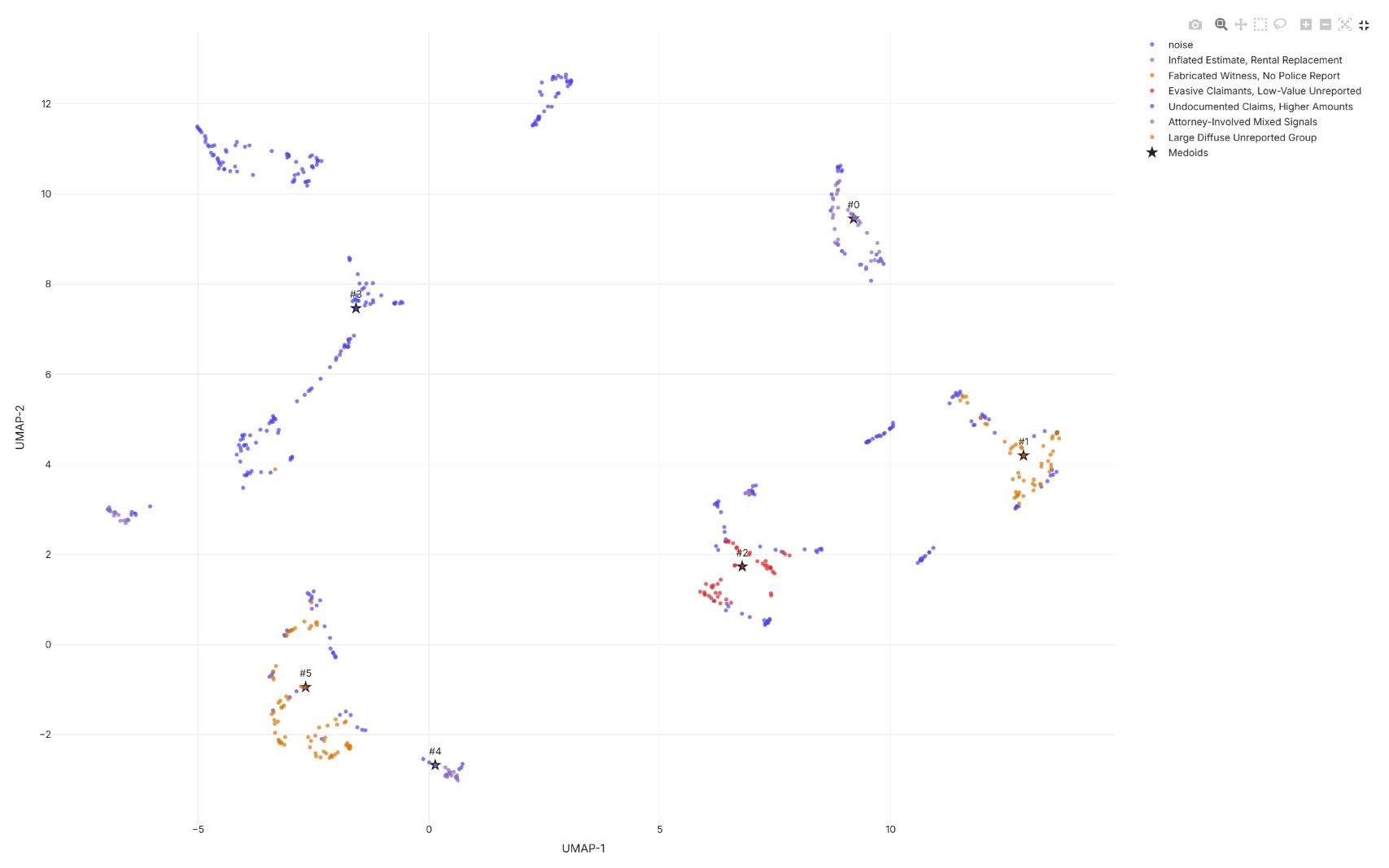
The overview also flags geographic performance differences and error pockets. Read their population and method labels, and keep the map's coverage in view alongside the group names.
Drivers and trees
- Open Attribute importance and compare native importance with mean absolute SHAP.
Both rank adjuster notes, incident descriptions, loss tags, repair shop and prior-loss history highly. Their units differ, so compare the order, not the bar lengths.
- Scroll to the SHAP beeswarm to see how each feature pushes individual cases.
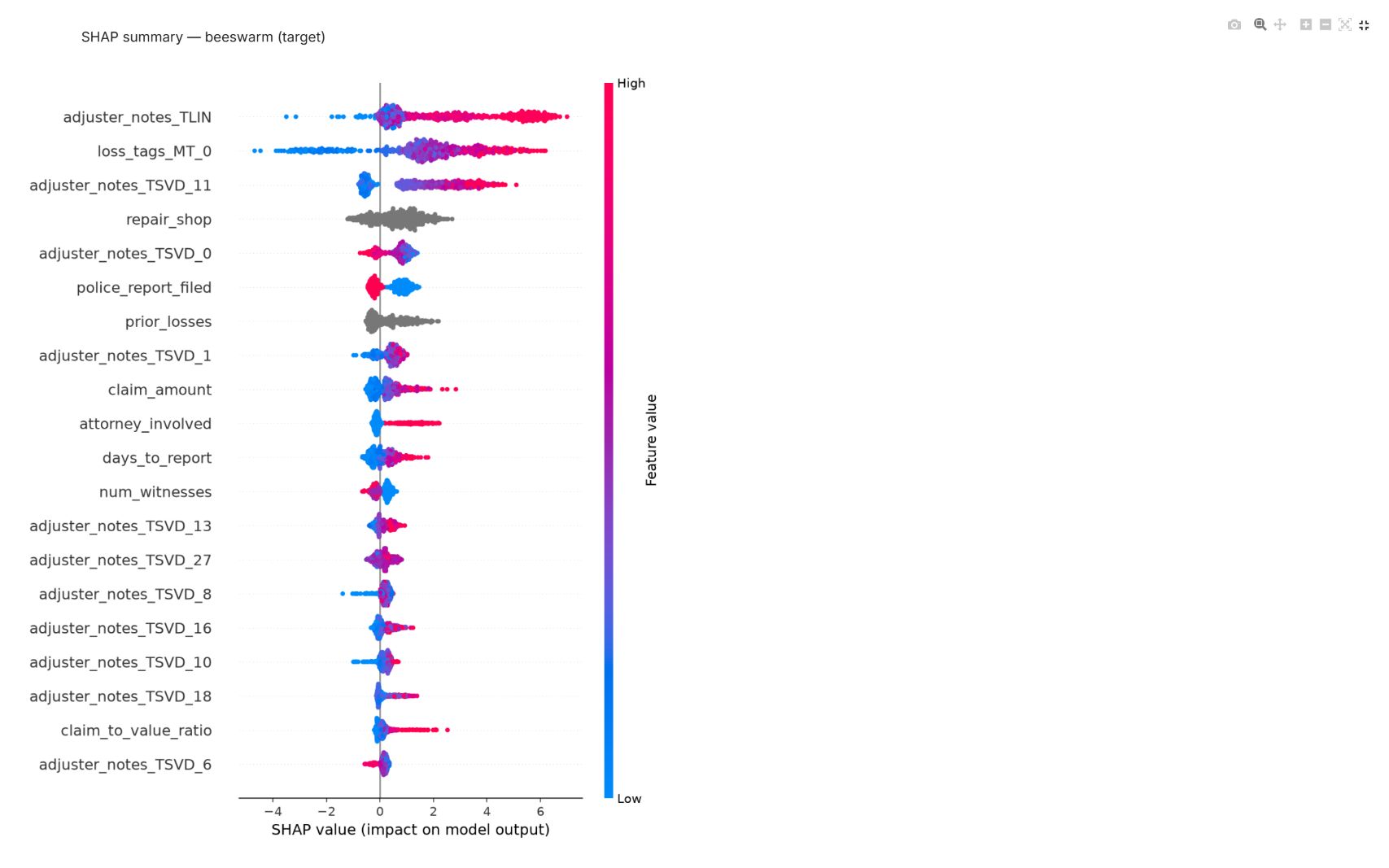
One raw narrative can contribute several engineered text features. The values are in the model's margin, not changes in fraud probability, and they are not causal effects.
- Open Model trees and expand a tree.
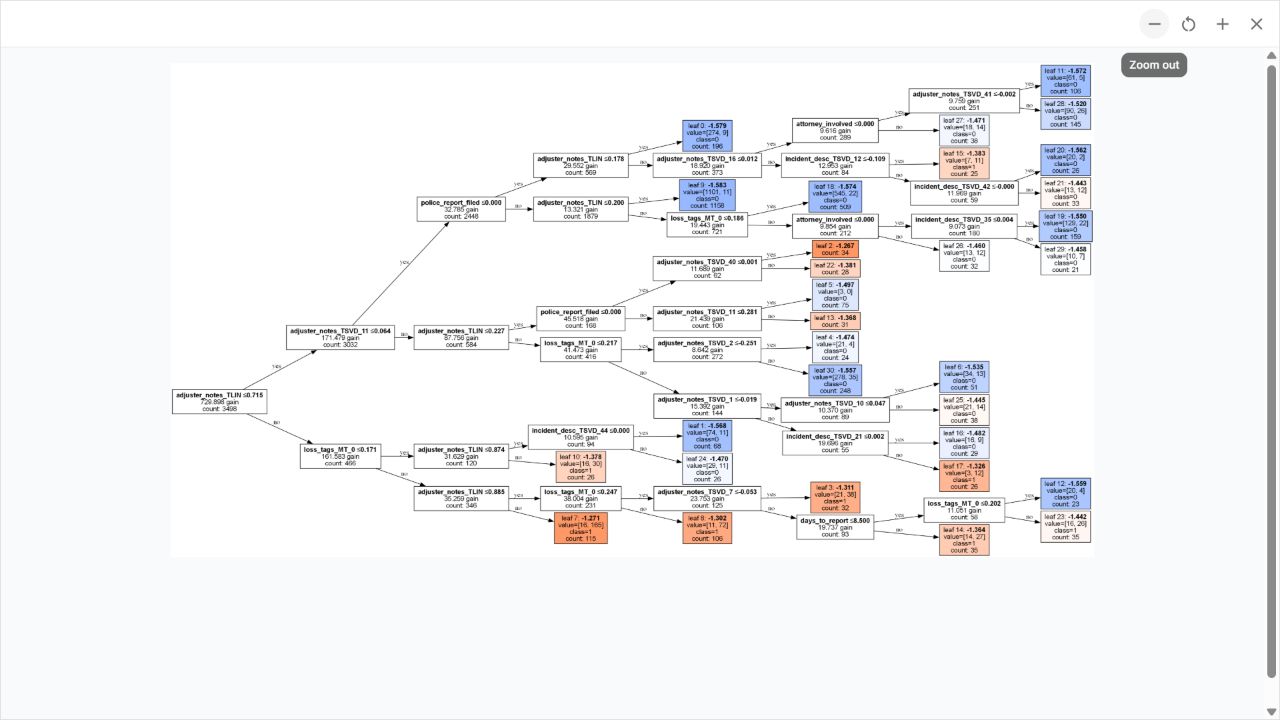
This is one of the many trees in the LightGBM model. The full model combines them and then applies its probability and decision layers, so a leaf value here is not the final fraud probability.
The baseline's Rules view says no rule sets were mined. That was the depth of this explanation pass, not evidence that the data has no readable patterns. You'll ask for rules in step 13.
11. Ask for a purposeful improvement
-
Send the agent a follow-up in business terms:
The initial ranking looks worth improving. Similar incidents can be described in very different words. When you choose the stronger approach, please consider whether understanding that meaning can help alongside the structured claim history. Compare the quality and scoring cost using the same evaluation design, and explain what is actually available locally.
-
On each new experiment, open Run & artifacts → Run settings to see what the agent actually requested.
In the recording the agent made two comparisons, each judged on the same reserved validation rows:
- A broader roster. The same Quick explore template, with LightGBM, CatBoost, Extra Trees and a linear model. The trained result kept a single CatBoost model: a four-model roster doesn't mean a four-model ensemble. Validation AP 0.7083, below the first model's 0.7279.
- A semantic text encoder. Only
incident_descchanged, to BGE-small-en-v1.5 embeddings computed on CPU (50 reduced features from the sample's 36 distinct descriptions). Validation AP 0.7215, again below 0.7279.
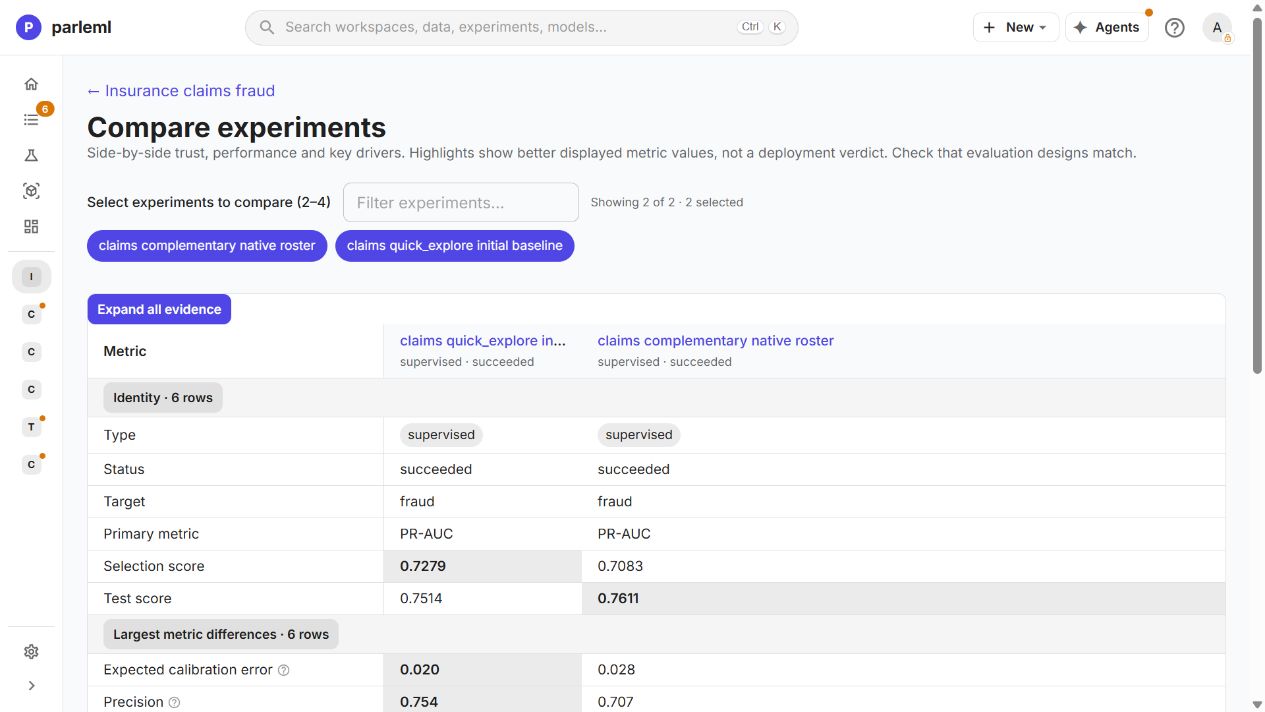
| Result | Initial LightGBM | Broader roster | Semantic change |
|---|---|---|---|
| Reserved-validation AP | 0.7279 | 0.7083 | 0.7215 |
| Claims selected at at most 10% capacity | 50 | 49 | 50 |
| Fraud-labelled claims in queue | 40 | 36 | 39 |
| Legitimate claims in queue | 10 | 13 | 11 |
| Recorded end-to-end serving cost, ms/row | 1.26 | 1.18 | 0.917 |
The agent kept the first LightGBM model after both comparisons. It didn't pick the broader run for its more attractive test score on the comparison screen; selection used the shared validation rows.
Details: the semantic encoder had to be installed first
The agent's first semantic plan found that sentence-transformers was missing on this
server. The readiness warning said the embeddings would be zero-filled, so the agent did
not count that as a semantic experiment. The local administrator then installed the
optional dependency and checked that the encoder could load and encode text. Only then
did we ask the agent to retry that one representation change.
Check readiness before you compare representations: a supported setting alone doesn't mean the encoder works. The fitted semantic configuration also kept the raw incident category. The sample's repeated descriptions limit what this run says about new paraphrases. The loader contacted Hugging Face for model files, so this was not a fully offline start.
Details: how to read the comparison table
- The queue counts use the same 504 development rows, with thresholds chosen there. They differ from the classification metrics at the saved cutoff and from the leaderboard's internal selection scores.
- The cost values include feature engineering and prediction. The measurements don't record sample size, batch size or cache state, and repeated incident texts favour the semantic run. They are not a latency guarantee for new narratives.
- Early probes covered all dates, and the comparison screen shows test scores, so this walkthrough doesn't claim a fully untouched test set.
12. Follow a group down to individual cases
- On the first model, open Interpretation → Explain → Case search.
- Choose Inspect beside a case. ParleML retrieves its neighbours from the explanation profile.
Our example belongs to Inflated Estimate, Rental Replacement. The panel shows its distance to the group's medoid, the cluster threshold and neighbouring claims.
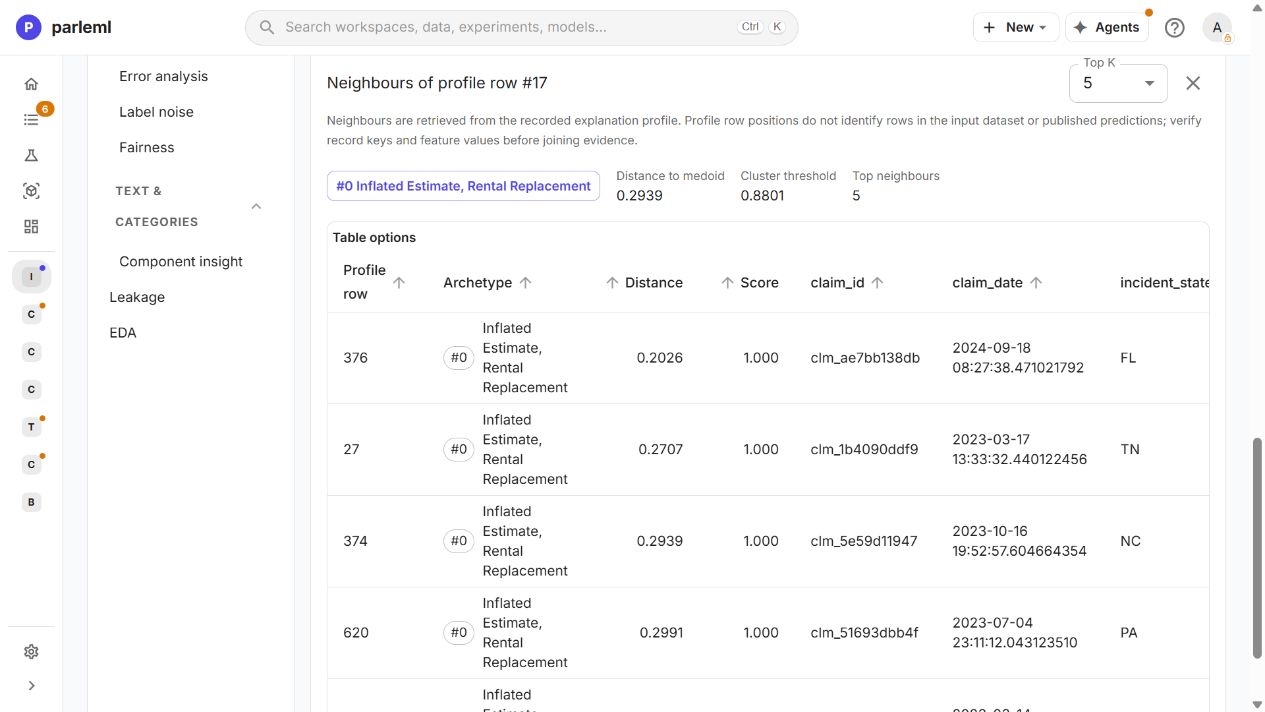
- Select the archetype name to open its detail drawer: member counts, purity, feature drivers and representative raw rows.
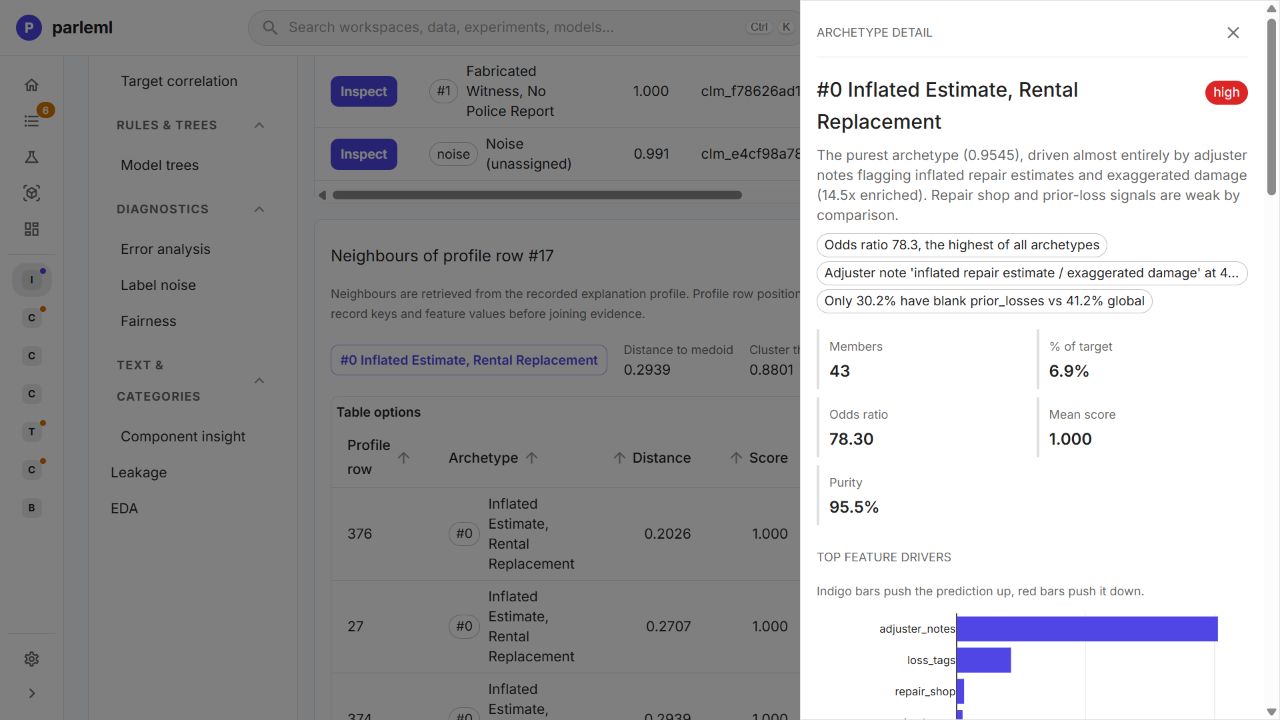
The group name summarises a pattern found in this synthetic sample. It is not an investigator's finding about a particular claim.
Details: what neighbours can and can't tell you
Use claim_id and feature values to join this evidence to other tables. Row positions
in the profile are local to it, not dataset row numbers. Neighbours describe similarity
among training examples; they are not a held-out accuracy estimate and don't prove fraud.
Step 16 scores a claim through the registered model.
13. Read rules alongside the model
After the agent's deeper explanation pass:
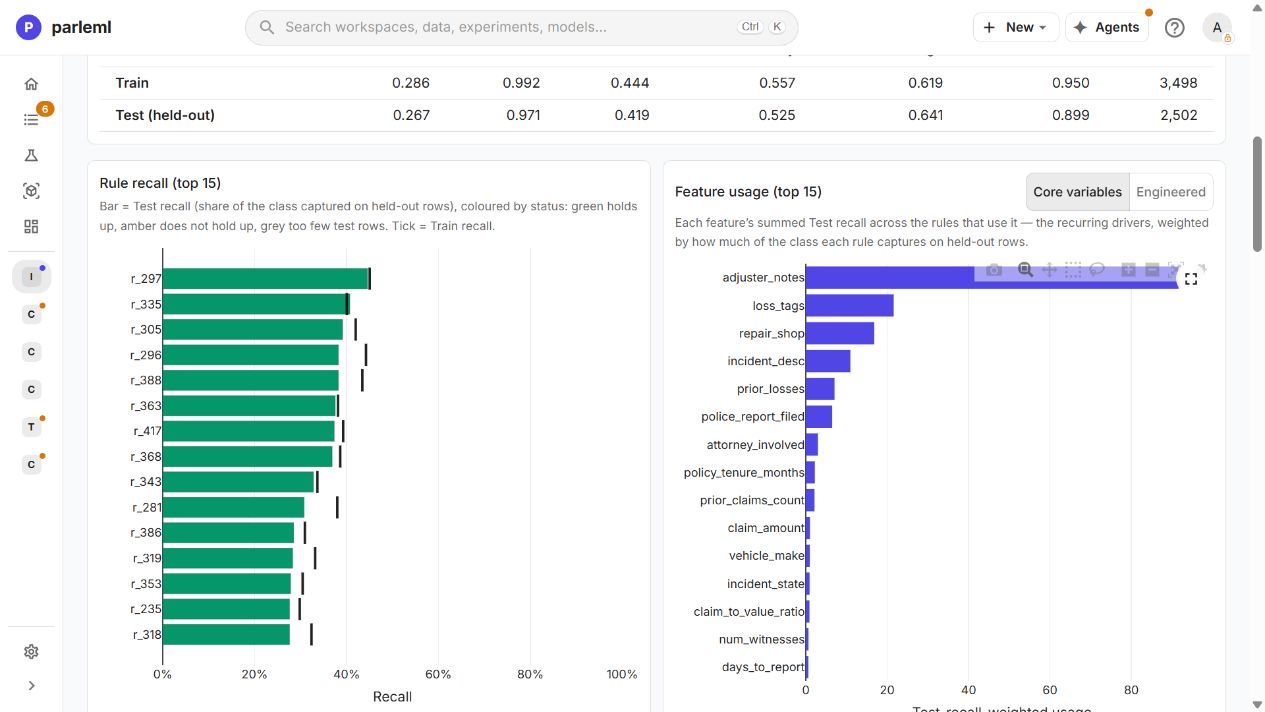
- Open Interpretation → Rules. The first model now has 18 sequential target rules and 450 independent target rules. The model itself was not retrained.
- Start with the recall and feature-usage charts, then read each rule's conditions, support, precision interval and status.
Sequential rules run in order and the first match wins. Independent rules are read one by one, and siblings can cover similar cases. High precision on a small group is not the same as a useful rule covering many cases.
Details: which rows the rules are tested on
The rule page's Test (held-out) population is 2,502 rows: the 504 reserved validation rows plus the 1,998 outer test rows. It is not the model's separate 1,998-row test set, and the model's calibration already used the validation rows. The union of rules also flags far more than 10% of cases, so it doesn't replace the model's review-capacity policy. Holds up is a statistical check on the rule, not a release approval. These rules use engineered text features and encoded categories; category IDs are not business counts.
Read conditions in the original fields
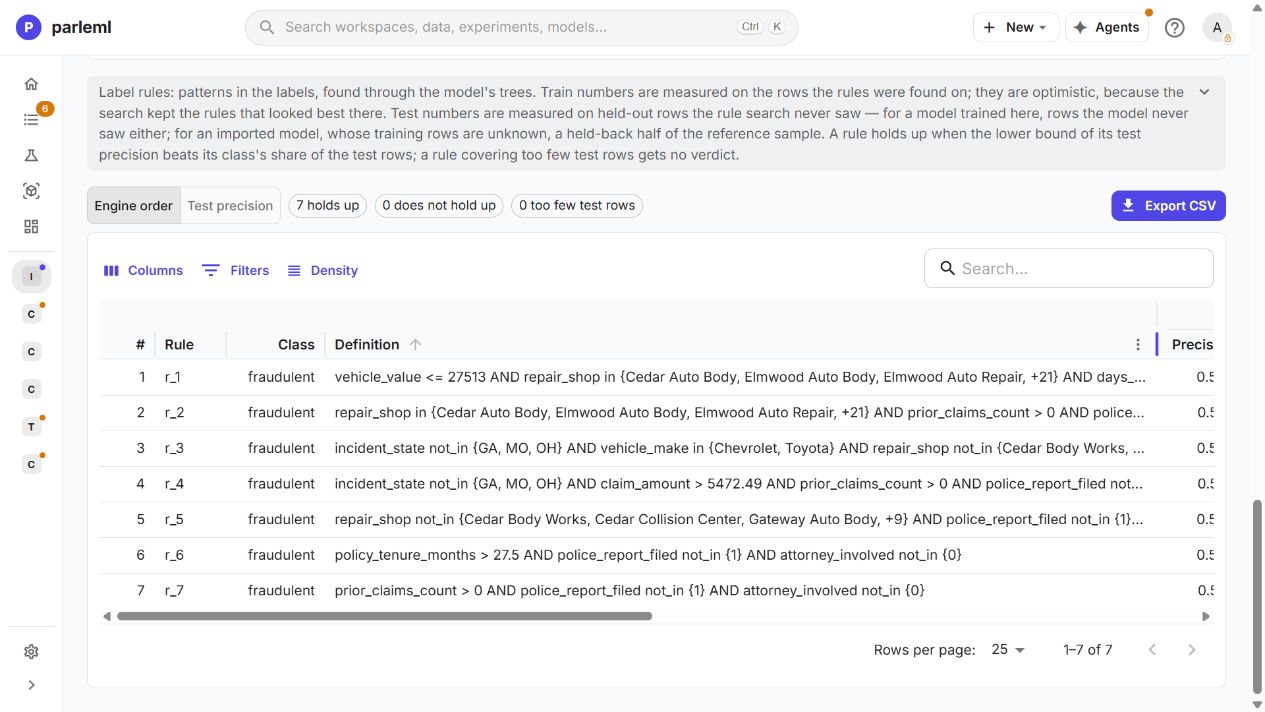
- Open Decision & use → Business Rules. This is a separate rule model, fitted on the raw fields against the true target, so its conditions use business names and values.
The recording produced seven sequential target rules, plus independent and all-class views. One combines prior claims, the police-report flag and the attorney flag:
prior_claims_count > 0
AND police_report_filed not_in {1}
AND attorney_involved not_in {0}
It covers 68 pooled held-out cases with precision 0.559 (interval 0.46–0.65). Read that coverage separately from what the rule adds after earlier rules have fired. It is a pattern to investigate in this sample, not a reason to deny a claim.
14. Keep the evidence with the workspace
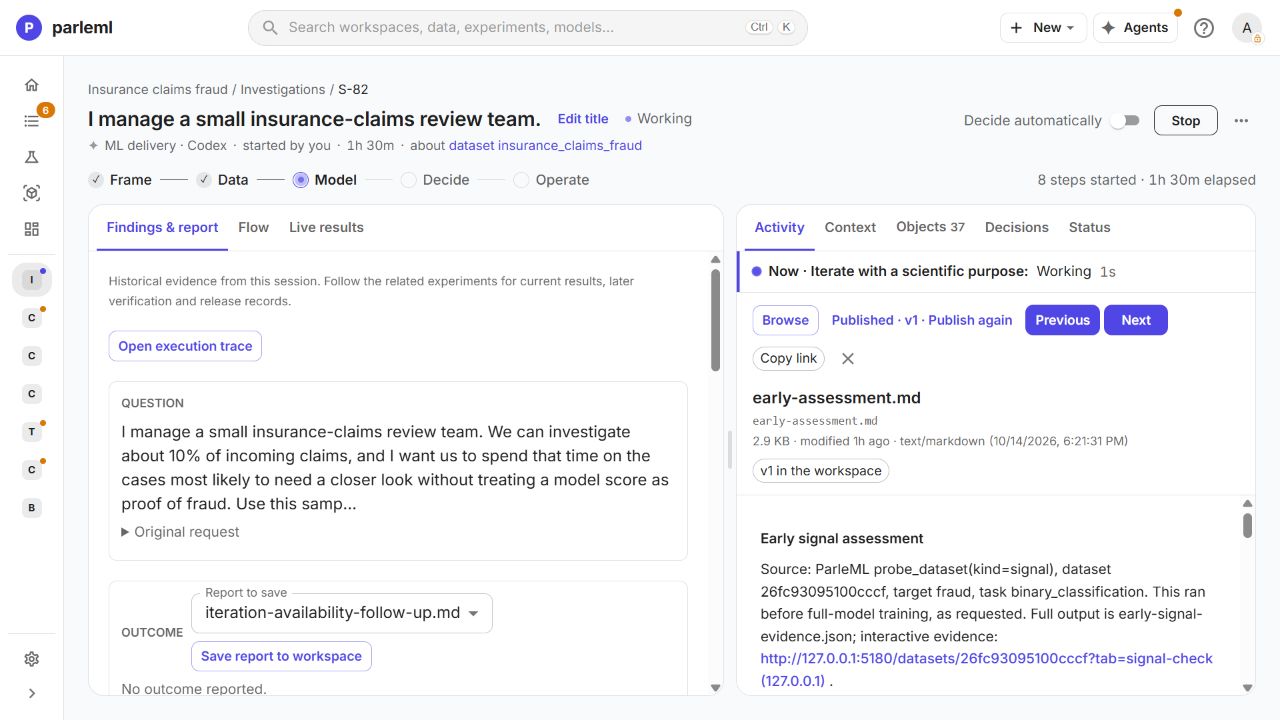
The session keeps the early assessment, the preparation report, the baseline evidence, the comparison rationale and the availability follow-up as separate files.
- In the session, open Findings & report for the agent's Markdown documents, or Objects for the datasets, recipes, experiments, evidence files and changes.
- Open
early-assessment.md, check its results and limitations, and choose Publish to workspace. The button changes to Published · v1 and the reader shows v1 in the workspace: it is now a versioned workspace document. Saving early evidence doesn't mark the study complete. - Open
iteration-final-quality-cost.svgfrom Objects to preview the agent's comparison figure. Download the file for the full-size image.
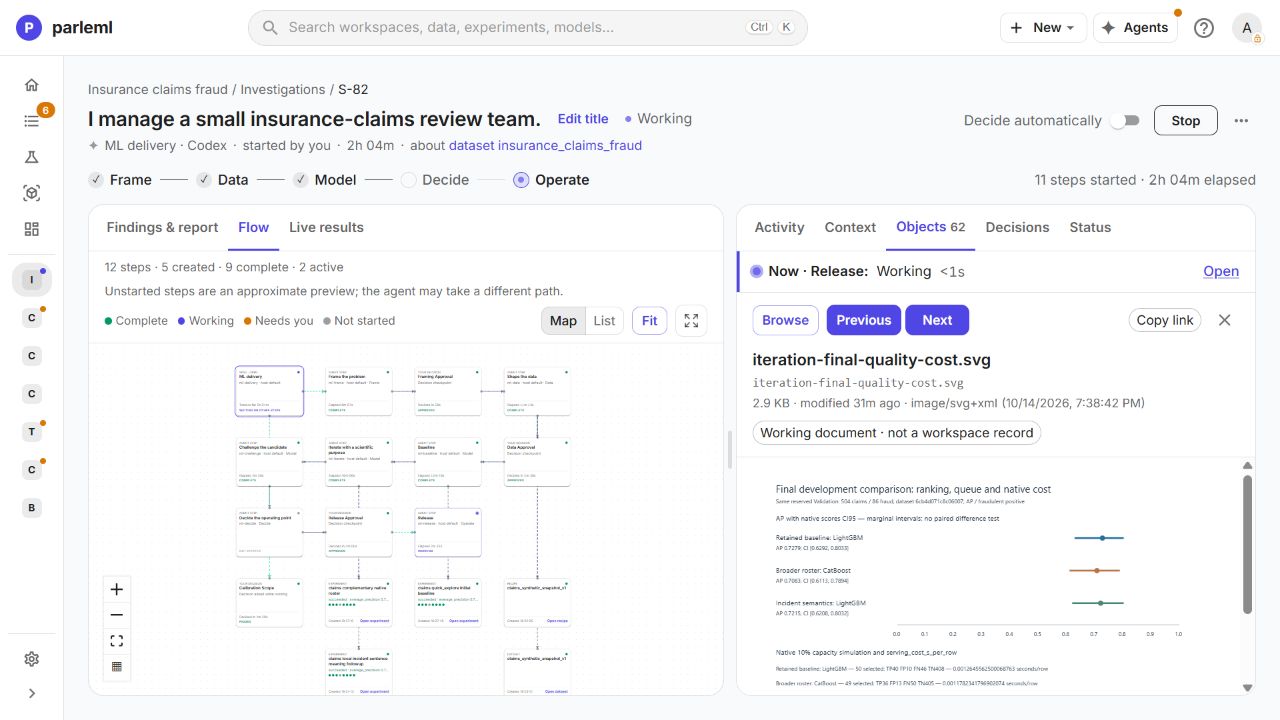
The figure is the agent's summary of the evidence. Read its population and uncertainty notes alongside the experiment's own results.
Open the model card
- On the selected experiment, open Report. AutoDoc assembles a model card from the recorded settings, results and explanations: completeness, field roles, feature engineering, scores, interpretability, trust and provenance.
- Choose Download for a portable copy.
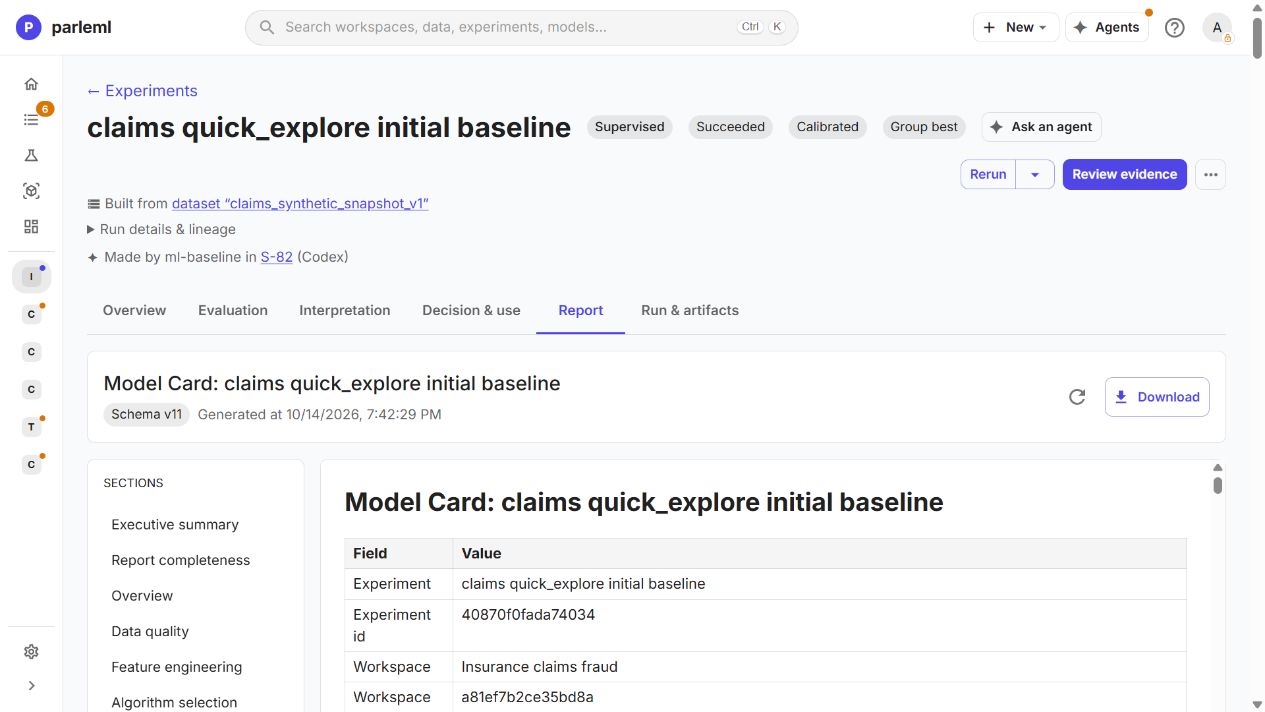
Read the card with the agent's report and your recorded decisions. Generating it doesn't approve the model for release.
15. Review the candidate and answer the release decision
The Challenge the candidate step reviews the frozen result without fitting anything new. In the recording it checked the source confirmations, the separation of the row sets, geographic differences, rule evidence, surrogate fidelity, and the native scores of four keyed test cases near the proposed cutoff. Its verdict: pass for this synthetic offline study and limited local human-review demonstration, with the earlier limitations kept. This is not approval for a real claims operation.
Two cutoffs matter, and they are not the same:
| Cutoff | Value | What it does |
|---|---|---|
| The model's saved classification threshold | about 0.347 | Labels a claim fraudulent |
| The validation capacity study's review point | about 0.559 | Fills a 10% review queue |
A claim can get the fraudulent label and still sit outside the review queue.
- Open Decision & use → Cost matrix to inspect the proposed capacity point. In the recording we evaluated 50 reviews on validation. The evaluation is a preview; it doesn't save that cutoff.
- At the release decision, answer how the review point is recorded. We chose Not yet; record the review point as documented only.
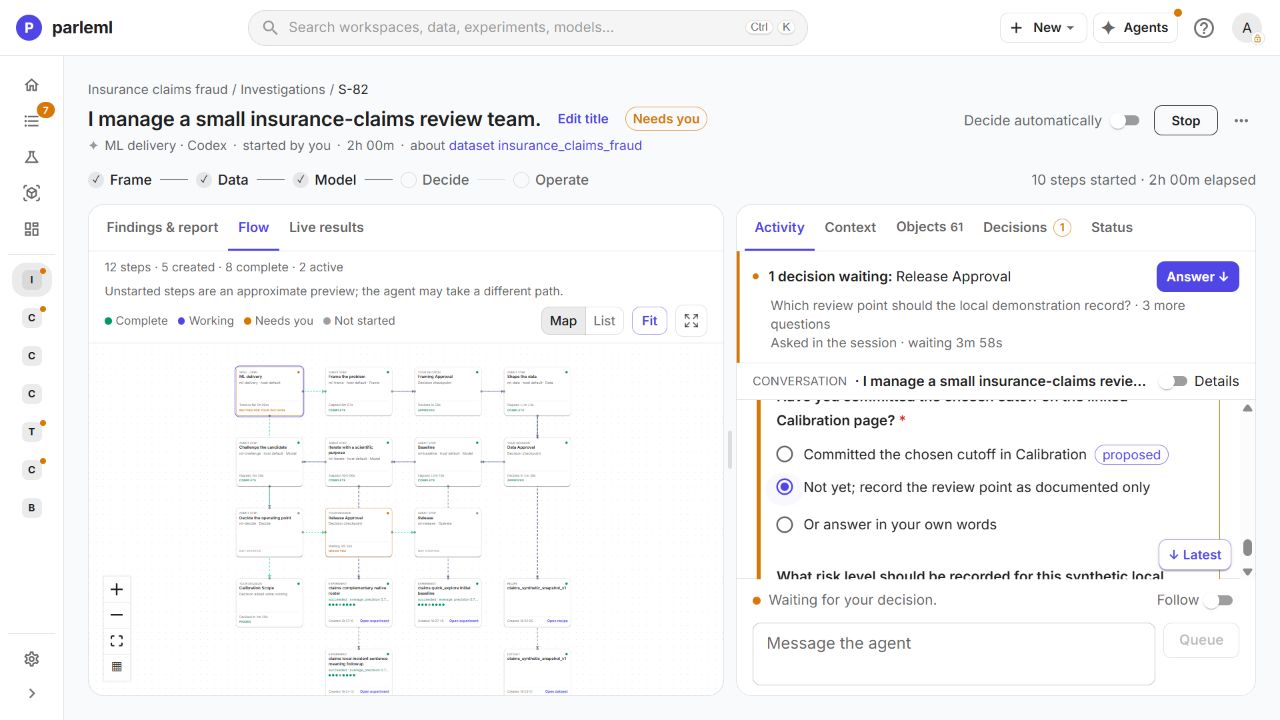
Calibration & threshold rebuilds the calibration and refits its threshold; it has no setting for an arbitrary numeric cutoff. That is why the review point stays documented only.
After your answer the agent confirmed the distinction: recommended review cutoff 0.559053, served F1 cutoff 0.346707. The registration and the release record keep both.
Details: the retrospective test simulation
The reviewer also read a capacity simulation on the test rows: 199 reviews held 170 fraud-labelled and 29 legitimate claims. That simulation picks its cutoff on the test rows, so it doesn't show what the frozen validation cutoff would do. A fixed cutoff would also select a varying share of a future batch; it doesn't enforce a hard 10% quota.
16. Score a claim through the fitted model
The experiment now shows Registered · Trained. Registration makes the candidate available for the local demonstration; it is not a move to Production.
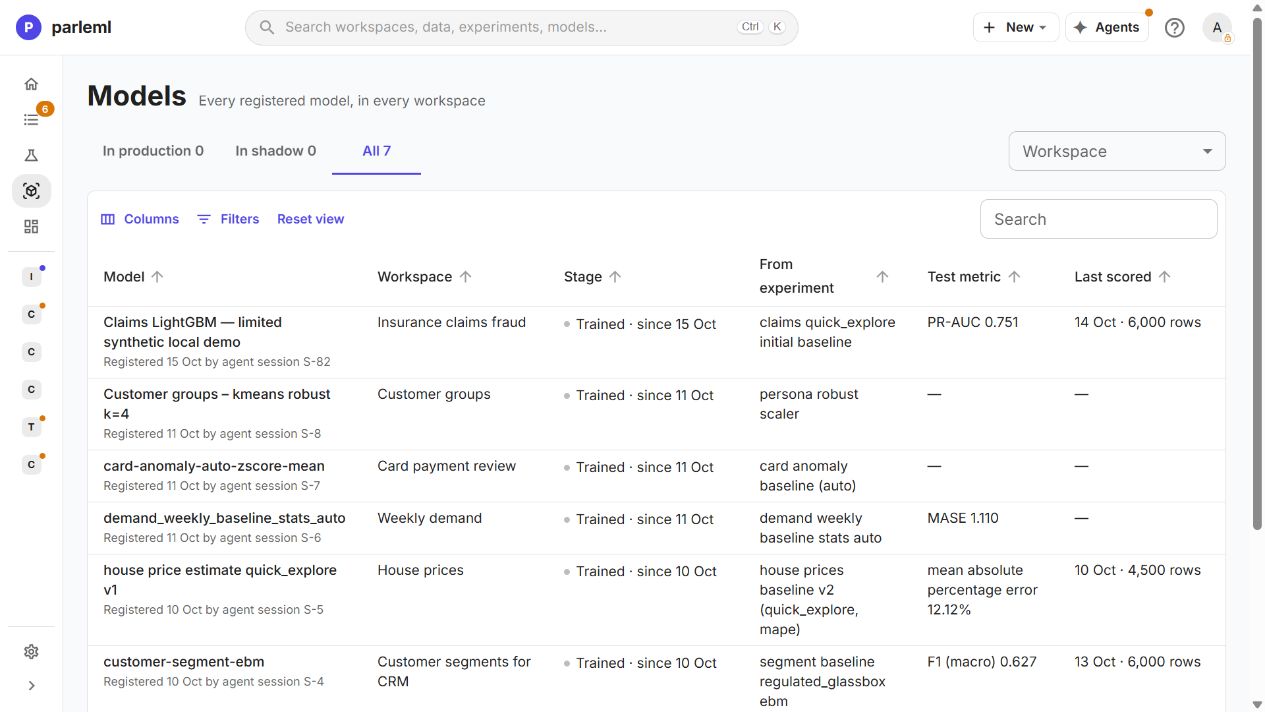
The release step rebuilt AutoDoc and scored a raw near-cutoff claim after registration: 0.558779. The served F1 threshold labels it fraudulent, while it stays just below the documented 0.559053 review point. The saved trace records both facts.
- Open Decision & use → Inference and select the prepared dataset.
- Pick a record. ParleML fills its raw fields and scores it through the fitted pipeline.
- Edit a field and choose Score row to see the score move, or reset to the picked record.
- Use Local analysis for the additional analyses the model supports.
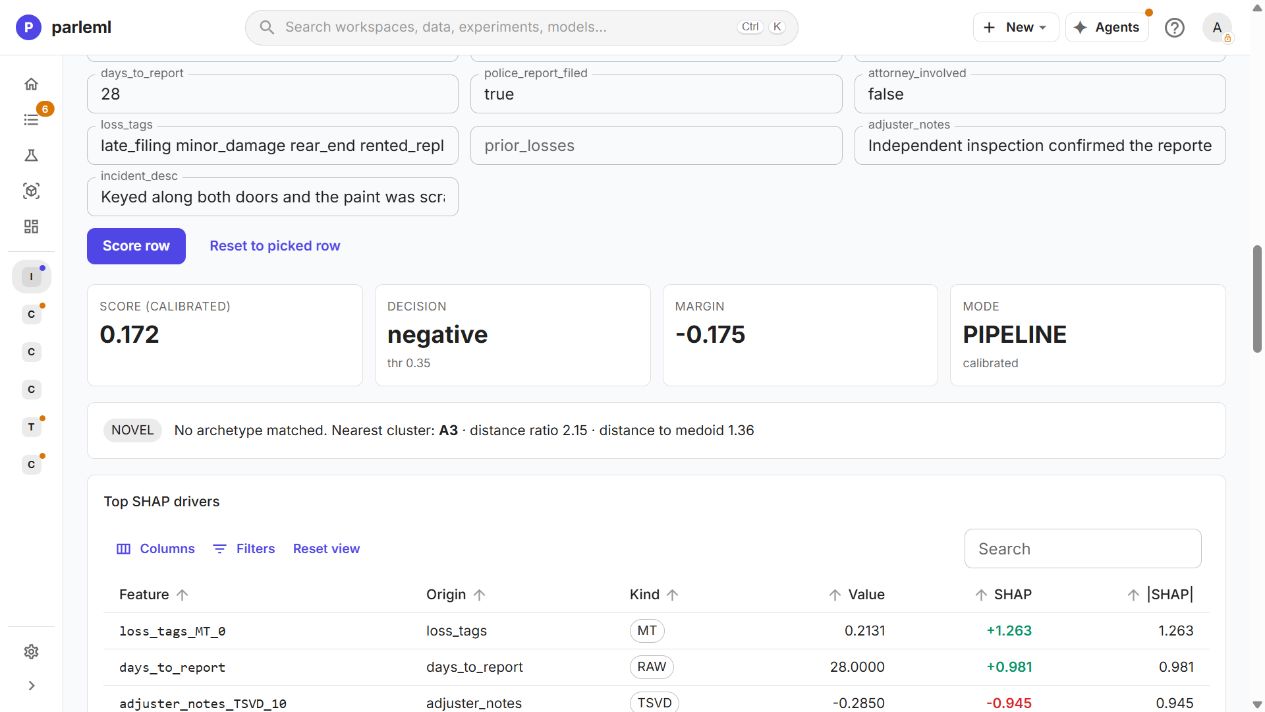
In the captured later-date example, the calibrated score is 0.172 and the decision is negative at the displayed threshold 0.35 (rounded). The panel also shows no matching archetype, the nearest cluster, signed SHAP drivers, fired rules and historical neighbours. A nearest cluster is not a matched archetype, and a positive rule can fire while the model's decision is negative.
Details: the agent's saved demonstration
The agent separately scored raw held-out claims with their labels withheld and reproduced the published scores. They include a legitimate claim scoring 0.959 and a fraud-labelled claim scoring 0.015: look at the errors as well as the successes. The saved inputs and returned explanations make the demonstration reproducible.
Explanation calls took about 593–1,271 ms; one with sensitivity and a counterfactual took 12,531 ms. These are single observations with uncontrolled caching, not a latency guarantee. A counterfactual describes the model's behaviour, not an action that would make a claim legitimate.
17. Ask the staffing question
The model, the evaluation design, your decisions and the saved files stay in the session.
-
Type your question under Message the agent (or Your turn, once the session has finished):
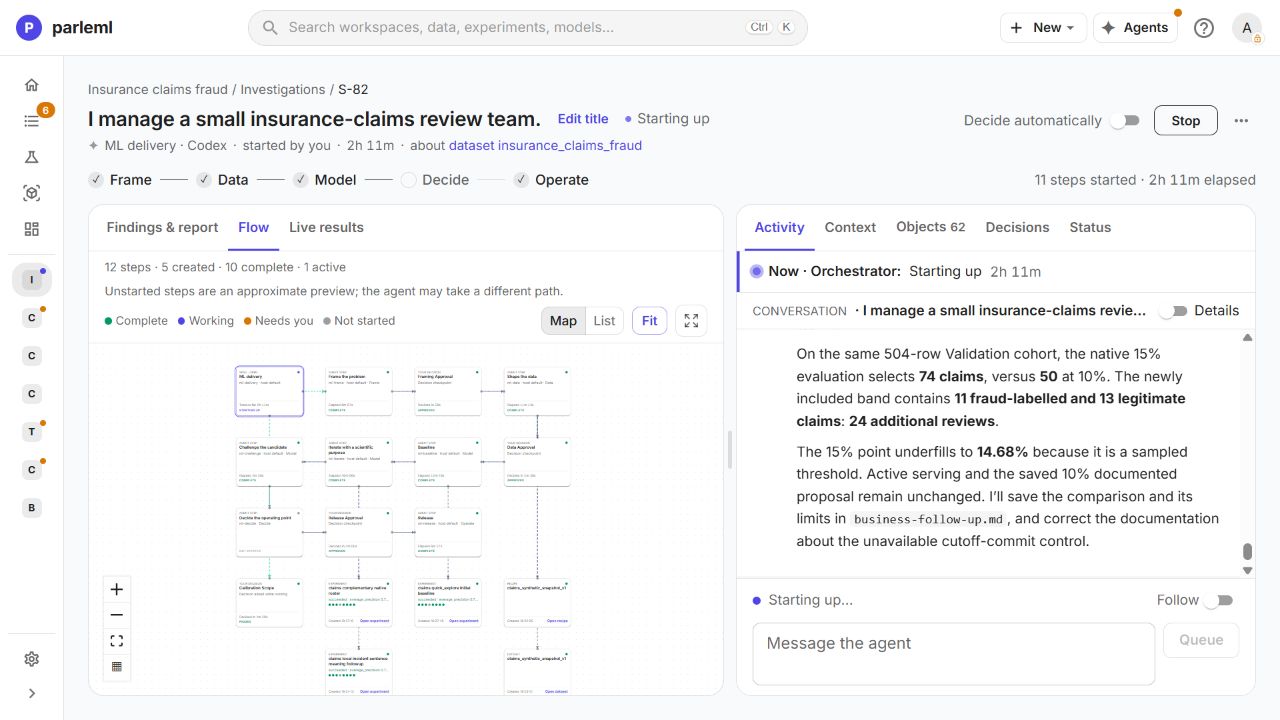
If my team could review 15% of claims for one week instead of 10%, how many additional fraud-labelled and legitimate claims would we review on the same Validation cohort? Use the existing chosen model and native capacity evaluation, without fitting or changing any saved policy. Explain the marginal tradeoff and what the evidence can and cannot say about the extra claims. Save a concise business-follow-up.md artifact with the native supporting evidence. -
Choose Queue while the agent is working (it reads the message at its next tool result), or Send on a finished session.
The agent answered from the same 504 validation claims:
| Capacity | Reviews | Fraud-labelled | Legitimate |
|---|---|---|---|
| About 10% | 50 | 40 | 10 |
| About 15% | 74 | 51 | 23 |
| The extra band | 24 | 11 | 13 |
The extra staffing finds 11 more fraud-labelled claims at the cost of 13 more legitimate claims reviewed, on these development rows. The sampled threshold selects 14.68%, so the queue holds 74 claims rather than an exact 15%. Nothing was refitted, and neither the served threshold nor the documented 10% review point changed.
- Open the saved
business-follow-up.mdand its supporting evidence.
The result is a staffing trade-off you can trace back to the data, the model and the decisions you already inspected. It doesn't predict a particular week's volume or prove financial savings.
Next
- Take a forecast from review to production: carry a model through release approval and the stages to Production.
- Results and evidence: every chart you met here, explained.