Results and evidence
In short
- Every finished classification or regression experiment opens on six tabs: Overview, Evaluation, Interpretation, Decision & use, Report and Run & artifacts.
- The honest score is the test score, measured on rows the model never trained on (the held-out rows). Validation scores only choose the model.
- The views that judge the model against the truth (permutation importance, the error tree, the residual surrogate and fairness) use the held-out rows too, and each says how many.
- Trust tiles on the Explain overview give one verdict per check. Unavailable never means pass.
- Forecasts, anomaly detection, clustering, recommendation, ranking and association rules have their own page: Results for other kinds.
A finished experiment is not a single score. For every run, ParleML records:
- how well the model performs, and on which rows;
- whether its probabilities can be trusted;
- why it predicts what it predicts: overall, by group and for one case;
- where it fails;
- how it behaves at a business operating point;
- exactly what ran.
This page walks through the experiment page with the claims example from the tutorials: a LightGBM fraud model with a PR-AUC of 0.751 on held-out rows.
| Tab | Answers |
|---|---|
| Overview | What was asked, what came out, and can I trust it at a glance? |
| Evaluation | How good is it on held-out rows, and how sure are we? |
| Interpretation | Why does it behave this way: by driver, by group, by case, by rule? |
| Decision & use | What happens when it is used: threshold, costs, drift, scoring, release? |
| Report | The generated model card. |
| Run & artifacts | Exactly what ran, how long each stage took, and the files. |
Each tab has its own views, listed down the side. A view appears only when the run has the evidence behind it.
Which rows each number comes from
Read this first. Different views answer on different rows, and the page always says which.
| Rows | What they are | Used by |
|---|---|---|
| Training rows | The rows the model learned from. | Archetypes, SHAP, partial dependence, ALE, the prediction surrogate, model trees, Error analysis |
| Reserved rows | A slice of the training data kept back from the model, to fit calibration, the threshold and the baseline check. | The decision layer |
| Test rows | Rows kept out of training and model selection altogether. | The test score, Performance, the confusion matrix |
| Held-out rows | The reserved rows plus the test rows (the test rows alone when nothing was reserved). | Rules (their Test numbers), permutation importance, the error tree, the residual surrogate, fairness, label noise |
The views that describe what the model computes use the training rows, which trace the same function. The views that judge the model against the truth use the held-out rows. When a run kept no held-out rows, every view uses the training rows and says so in amber.
Details: imported models, samples and time-ordered splits
- An imported model's training rows are unknown. Its views say reference rows: the reference sample may include rows it trained on. For rules, the reference sample is split in half, one half to find rules and one half to test them.
- Large row sets are sampled under the Explain job's row cap. The held-out sample is stratified by the target, so the test base rates survive.
- In a time-ordered split, held-out rows come later than training rows. A gap between Train and Test numbers can then be drift as well as overfitting.
Overview
The overview opens with the Recorded purpose / hypothesis: what the run was meant to show, written before it ran. Then comes the Selected objective with its held-out test score, the release summary if there is one, and buttons into the next tabs.
Open Run metrics & recorded scores for the headline facts.
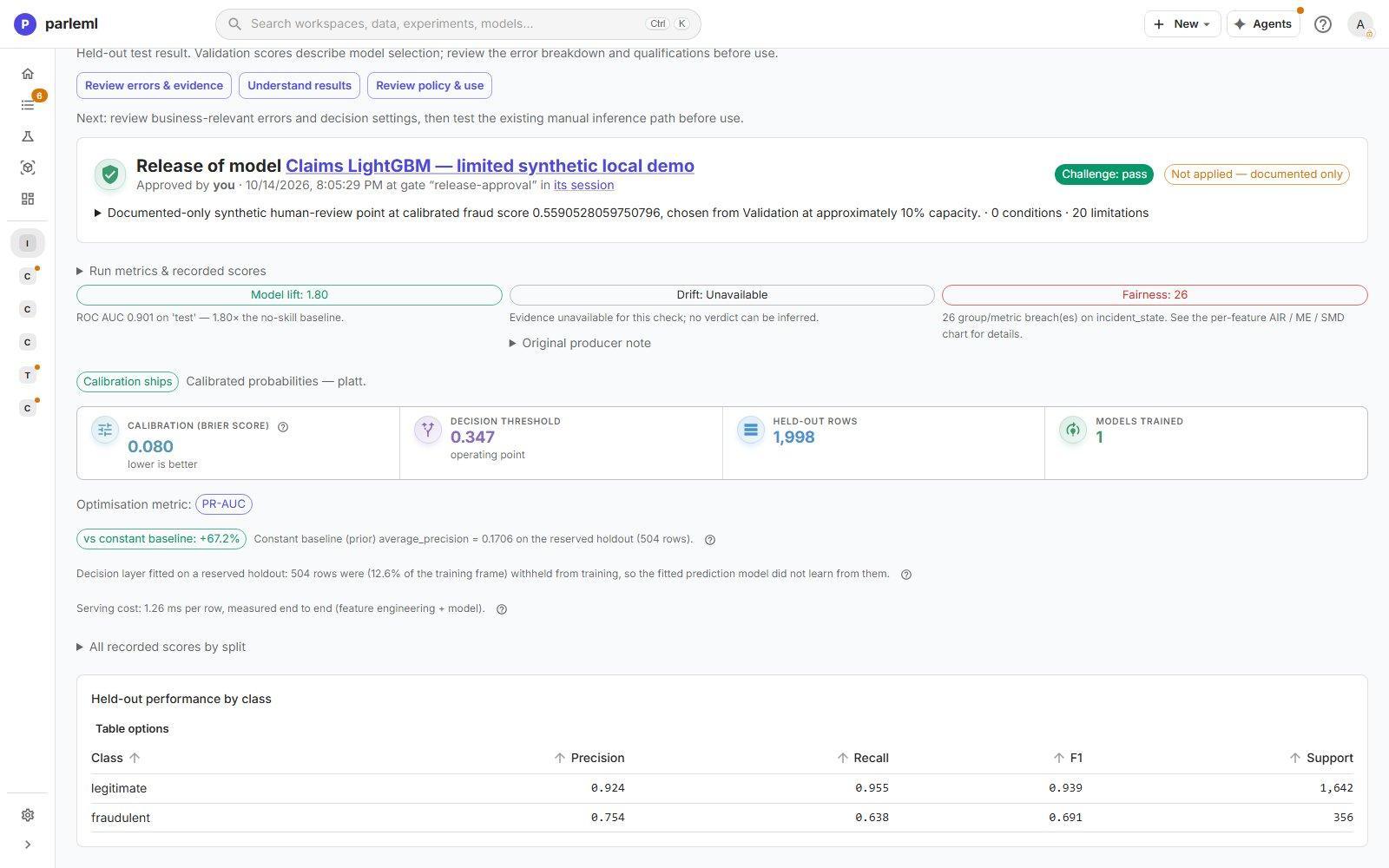
In the example, it shows:
- the model's lift: ROC-AUC 0.901, 1.80 times the no-skill baseline;
- calibration: Brier score 0.080;
- the decision threshold (0.347) and the held-out test rows (1,998);
- Baseline error removed: how much of a constant model's error this model removes. The constant model always predicts the base rate (PR-AUC 0.171). Here the model removes 67% of its error. 0% is no better than the baseline; 100% is perfect;
- that the decision layer was fitted on 504 reserved rows the model never learned from;
- the serving cost, measured end to end: 1.26 ms per row;
- Held-out performance by class: precision, recall and F1 for each class.
The baseline check is fitted on the same reserved rows as the calibration and the threshold. A check on too few rows is marked inconclusive.
Evaluation
Performance
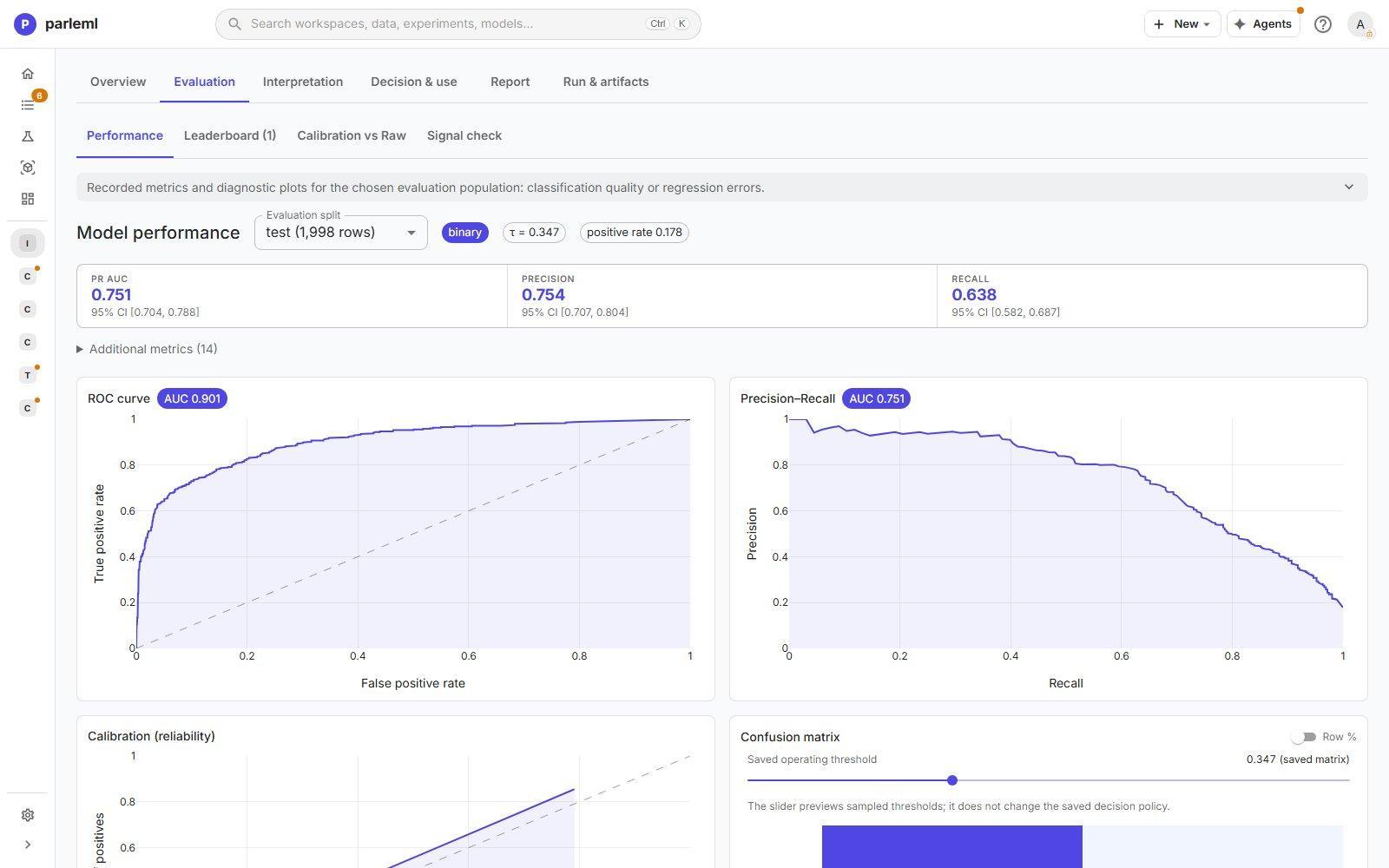
Choose the evaluation split (test or validation) and read:
- the headline metrics with 95% confidence intervals (here PR-AUC 0.751, CI 0.704 to 0.788), and more under Additional metrics;
- ROC and precision-recall curves;
- the reliability (calibration) plot;
- the confusion matrix at the saved threshold, in counts or row percentages;
- ranking diagnostics (gains, lift and KS), and score and threshold diagnostics.
The threshold slider previews other operating points. It does not change the saved decision. Regression experiments show error metrics and residual plots instead.
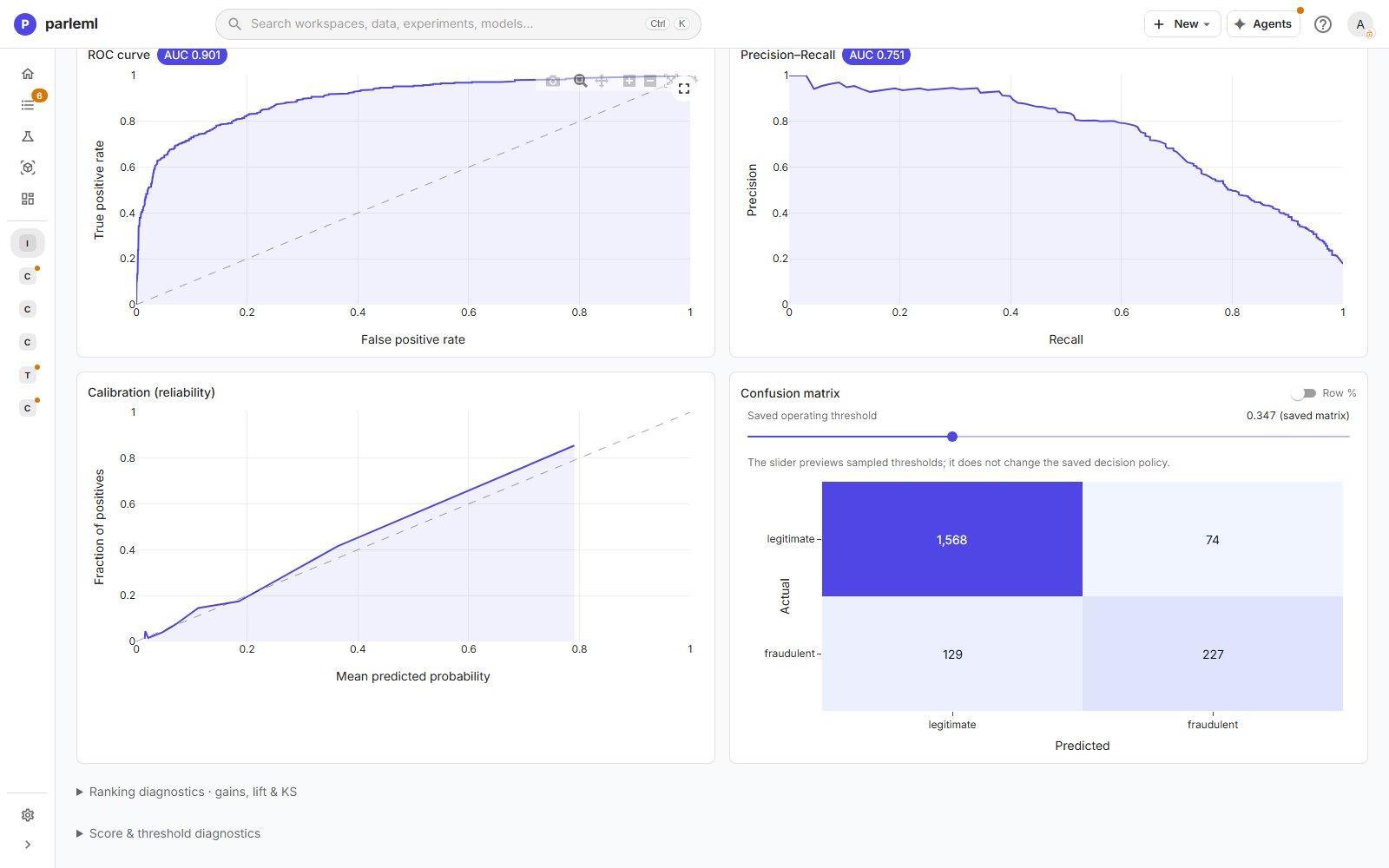
For a model with three or more classes, pick a class to see its own numbers. Precision (served), Recall (served) and F1 (served) are read from the model's actual class decisions, including a tuned per-class rule if it has one. They are the numbers you get in use. Beside them are the class's ranking and calibration measures, which hold whatever the cut. A multiclass run also gets a Ranking view (Hit@K, MRR and NDCG).
Leaderboard, Calibration vs Raw, Signal check
- Leaderboard lists every model trained, ranked by the selection score.
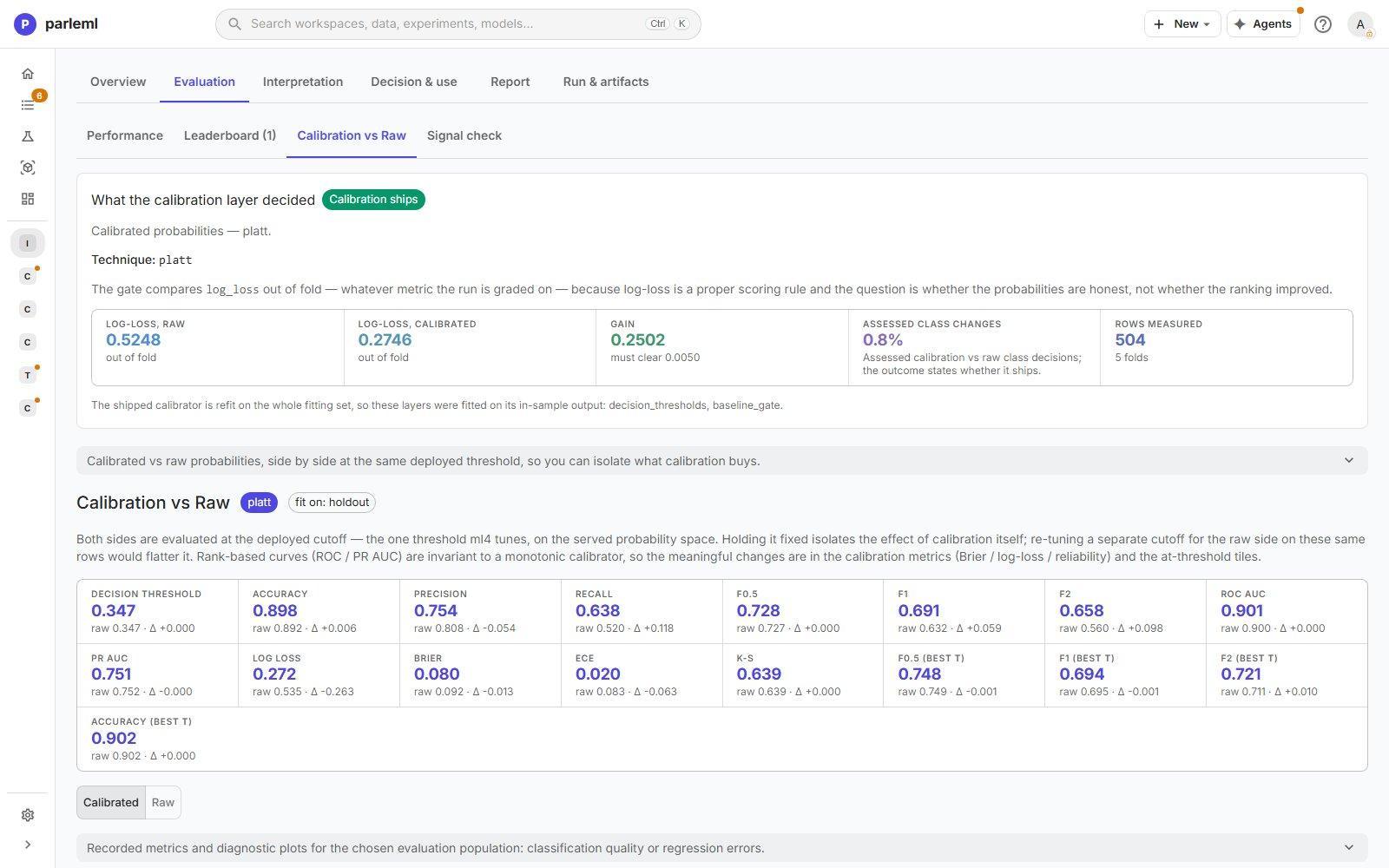
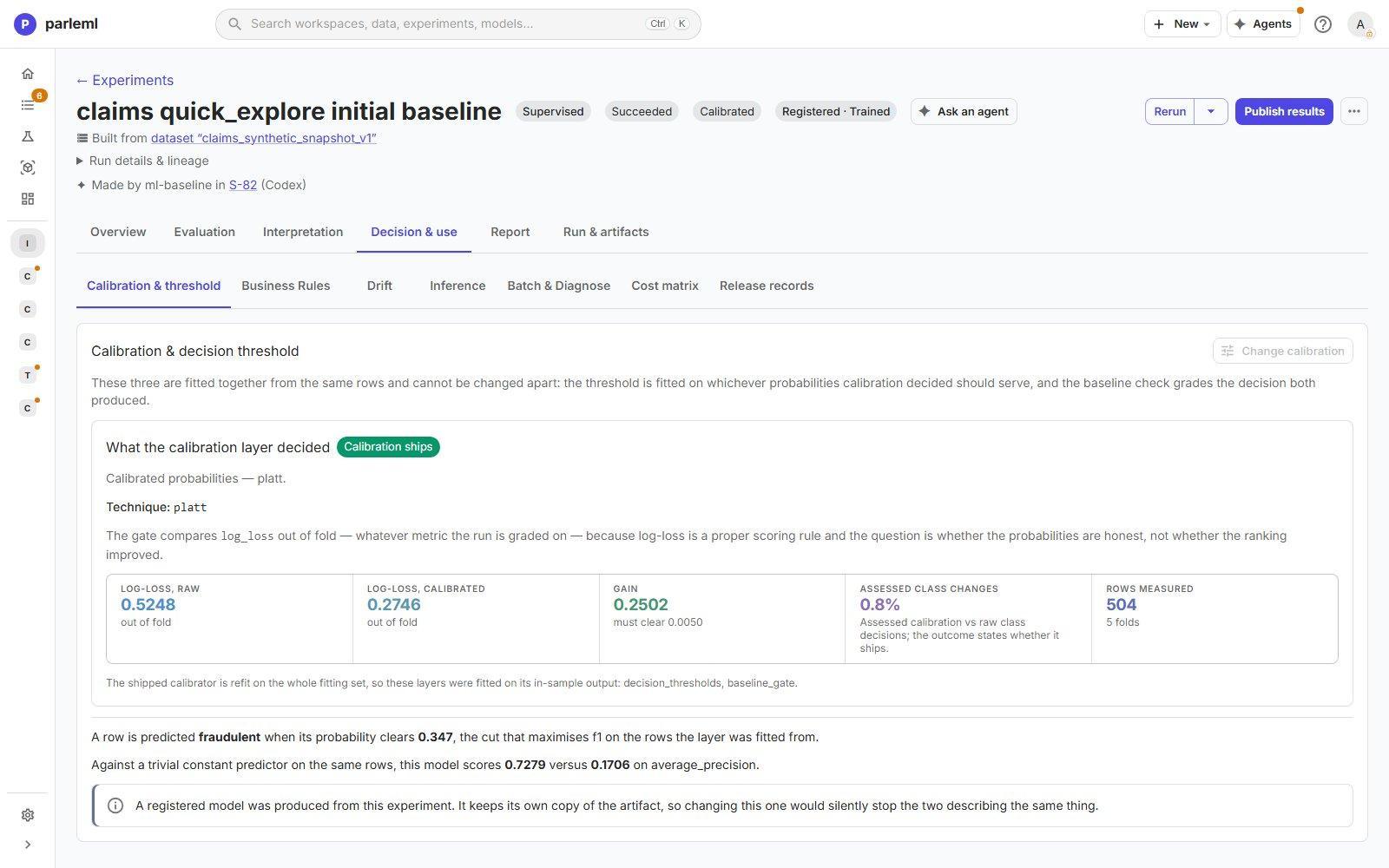
- Calibration vs Raw shows what calibration bought. In the example, Platt scaling cut out-of-fold log loss from 0.525 to 0.275, well past the 0.005 gain it must clear to ship. It changed 0.8% of class decisions. Both sets of metrics are scored on the same held-out rows at the same threshold. This view appears only for calibrated models.
- Signal check replays the dataset's quick zero-shot check, so you can see how much the full training added (here ROC-AUC 0.80 zero-shot against 0.90 trained).
Interpretation
Interpretation has three views: Explain, Ensemble and Rules.
Explain
Explain is a catalogue of views, grouped by the question they answer. A view appears only when it applies to the model. For example, Glass-box appears for interpretable models, and Partial dependence and Interactions appear where they can be computed.
Overview and trust signals
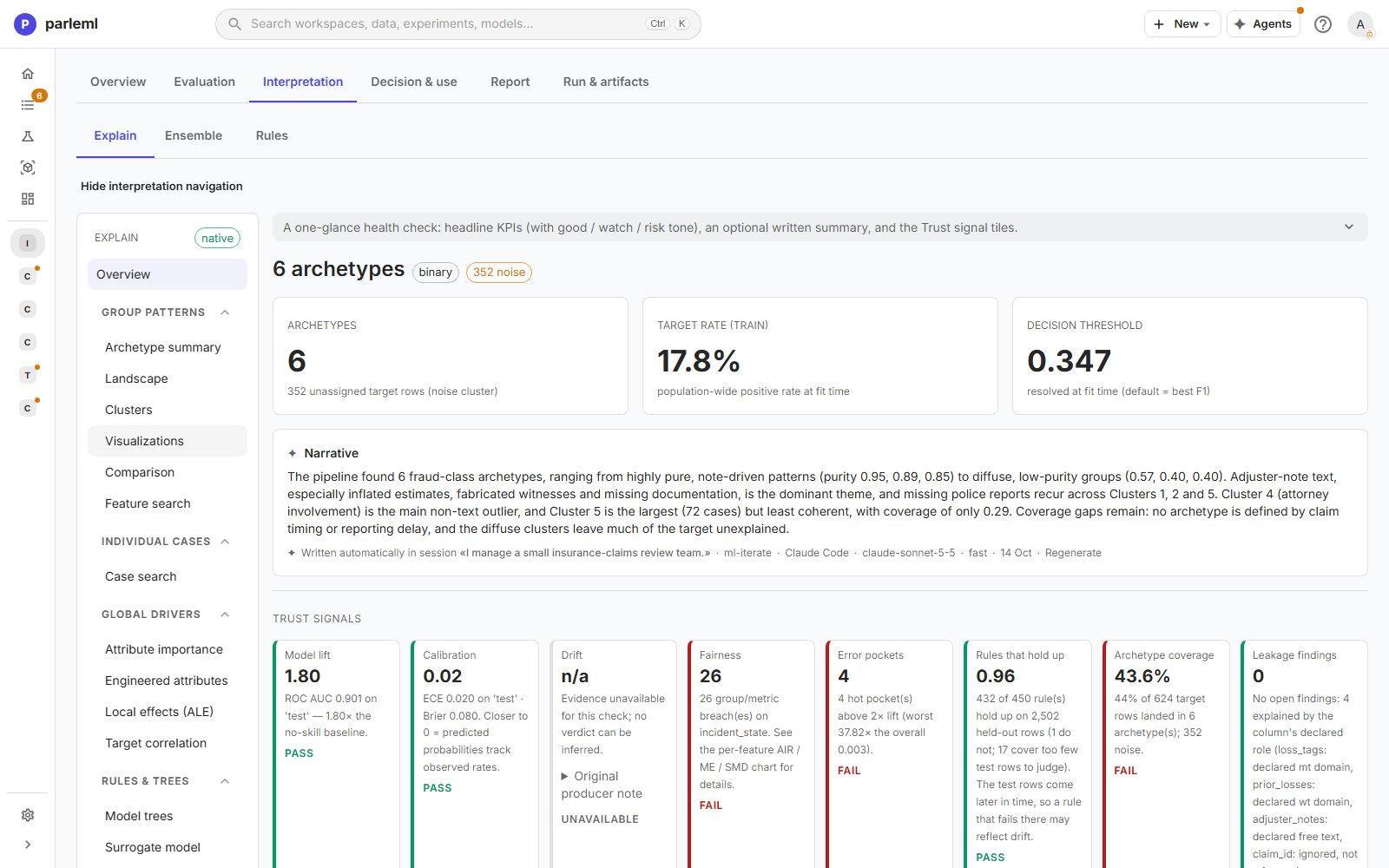
The overview gives the headline numbers, a written account of what the model found, and trust signals: one tile per check, each with a verdict of Pass, Watch, Fail or Unavailable. In the example:
| Signal | Result | Verdict |
|---|---|---|
| Model lift | ROC-AUC 0.901, 1.80× no skill | Pass |
| Calibration | ECE 0.020, Brier 0.080 | Pass |
| Drift | No evidence for this run | Unavailable |
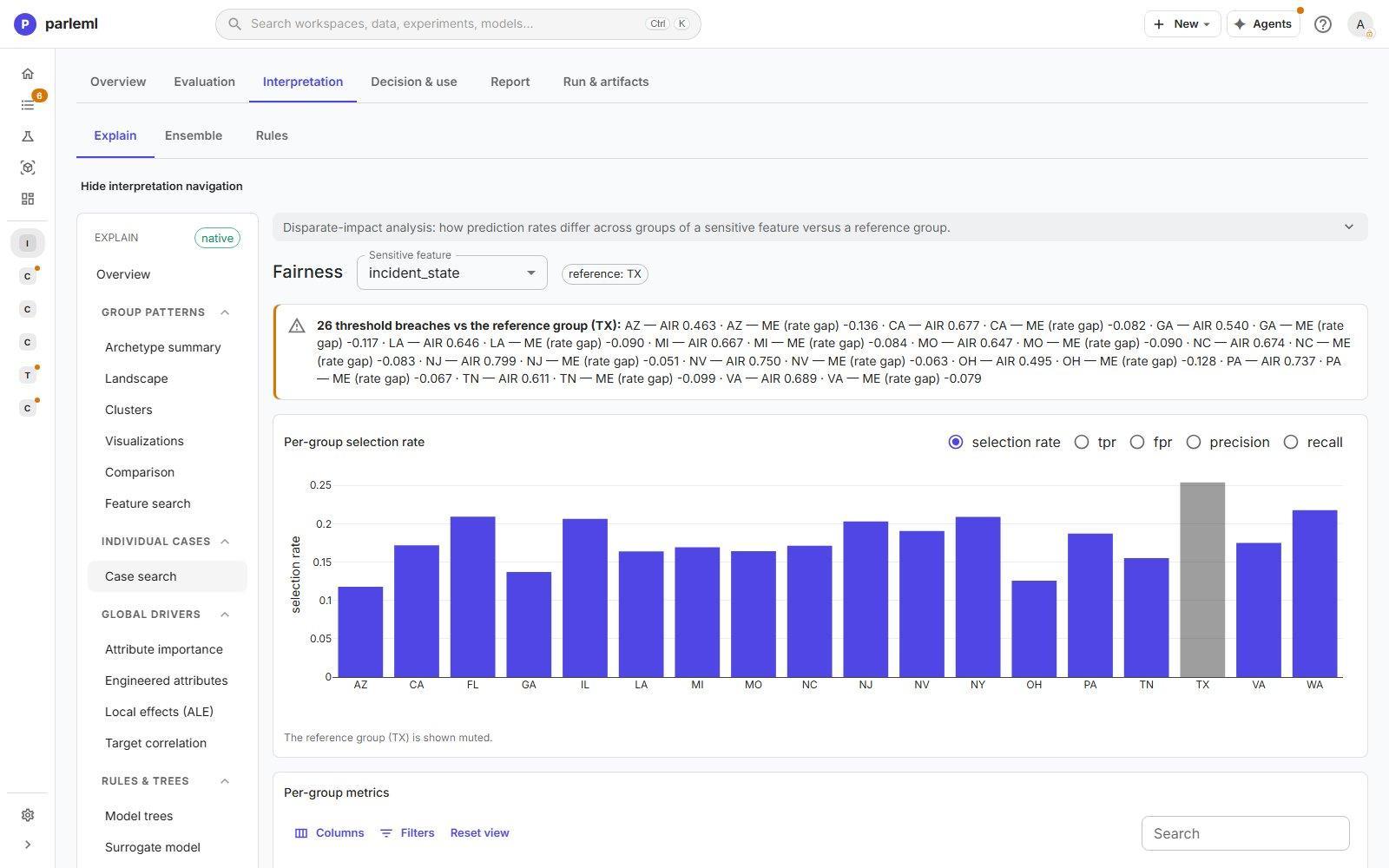
| Fairness | 26 group/metric breaches on incident_state |
Fail |
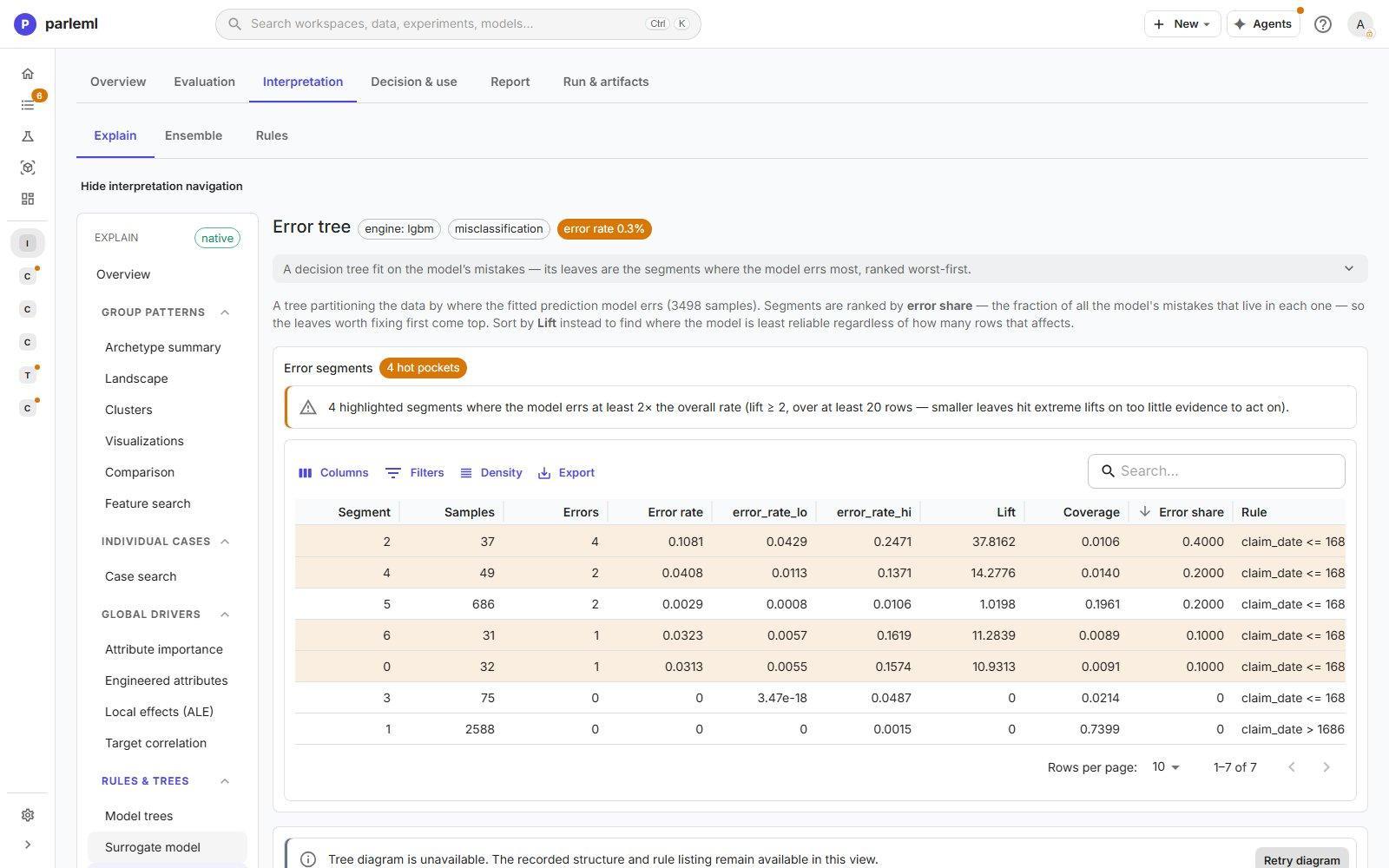
| Error pockets | 4 segments above 2× the error rate, the worst at 37.8× | Fail |
| Rules that hold up | 432 of 450 rules hold on 2,502 held-out rows | Pass |
| Archetype coverage | 44% of target rows fall in an archetype | Fail |
| Leakage findings | 0 open; 4 explained by declared roles | Pass |
| Stability | No evidence for this run | Unavailable |
Unavailable means no evidence was recorded, so no verdict can be given. It never means pass. Select a failing tile to open the view behind it: fairness opens Fairness, error pockets open Error tree, coverage opens the archetype views.
The fairness and error-pocket tiles end by naming the rows they judged, for example Judged on 2,502 held-out rows. Here those are the 504 reserved rows plus the 1,998 test rows. A run with no held-out rows says training rows (no held-out rows): those breaches and pockets are measured on rows the model learned from.
Group patterns: archetypes
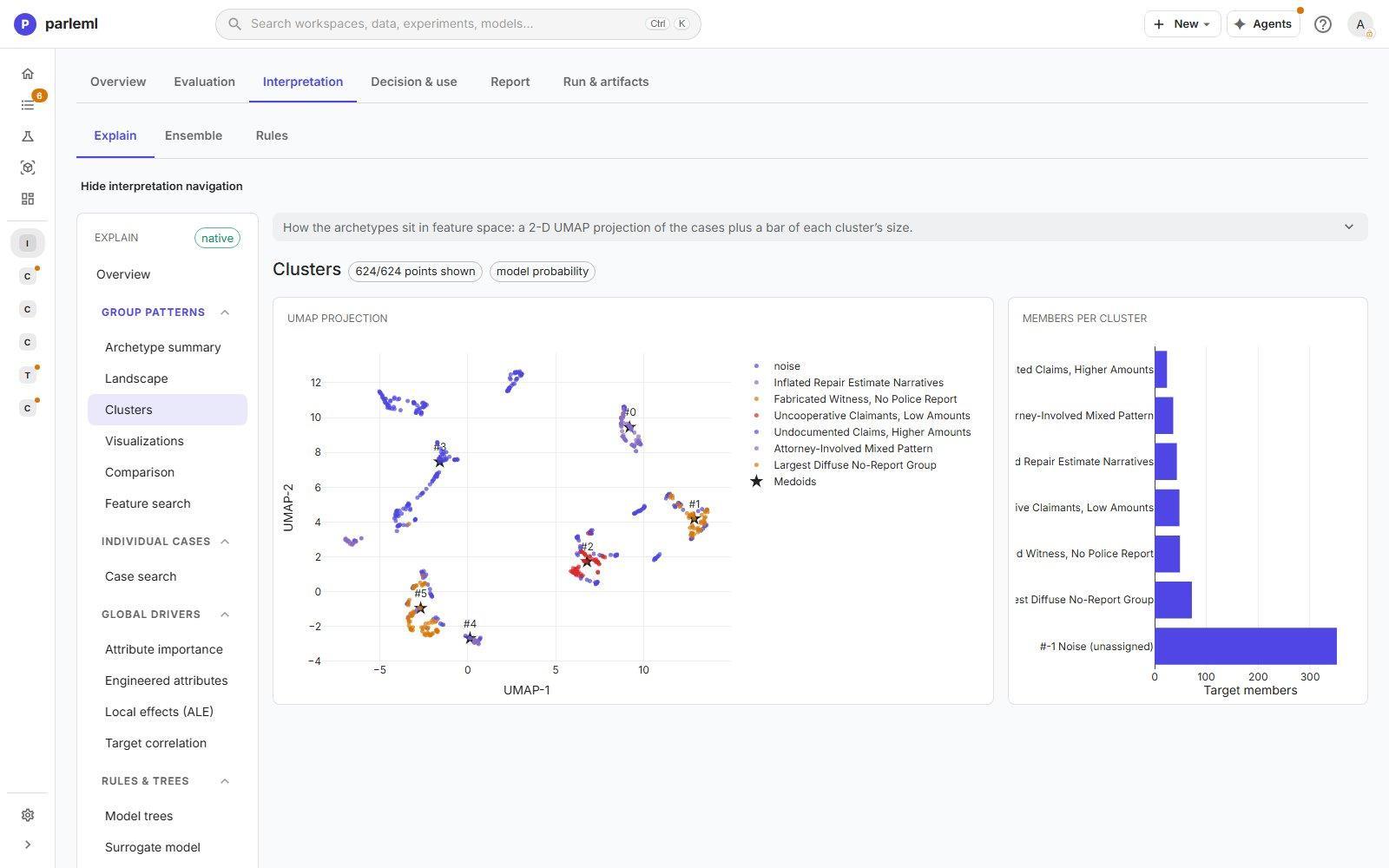
ParleML finds archetypes: groups of target cases that the model treats alike. It names each one from its defining features. They turn "the model scores fraud" into "the model recognises these six kinds of fraud".
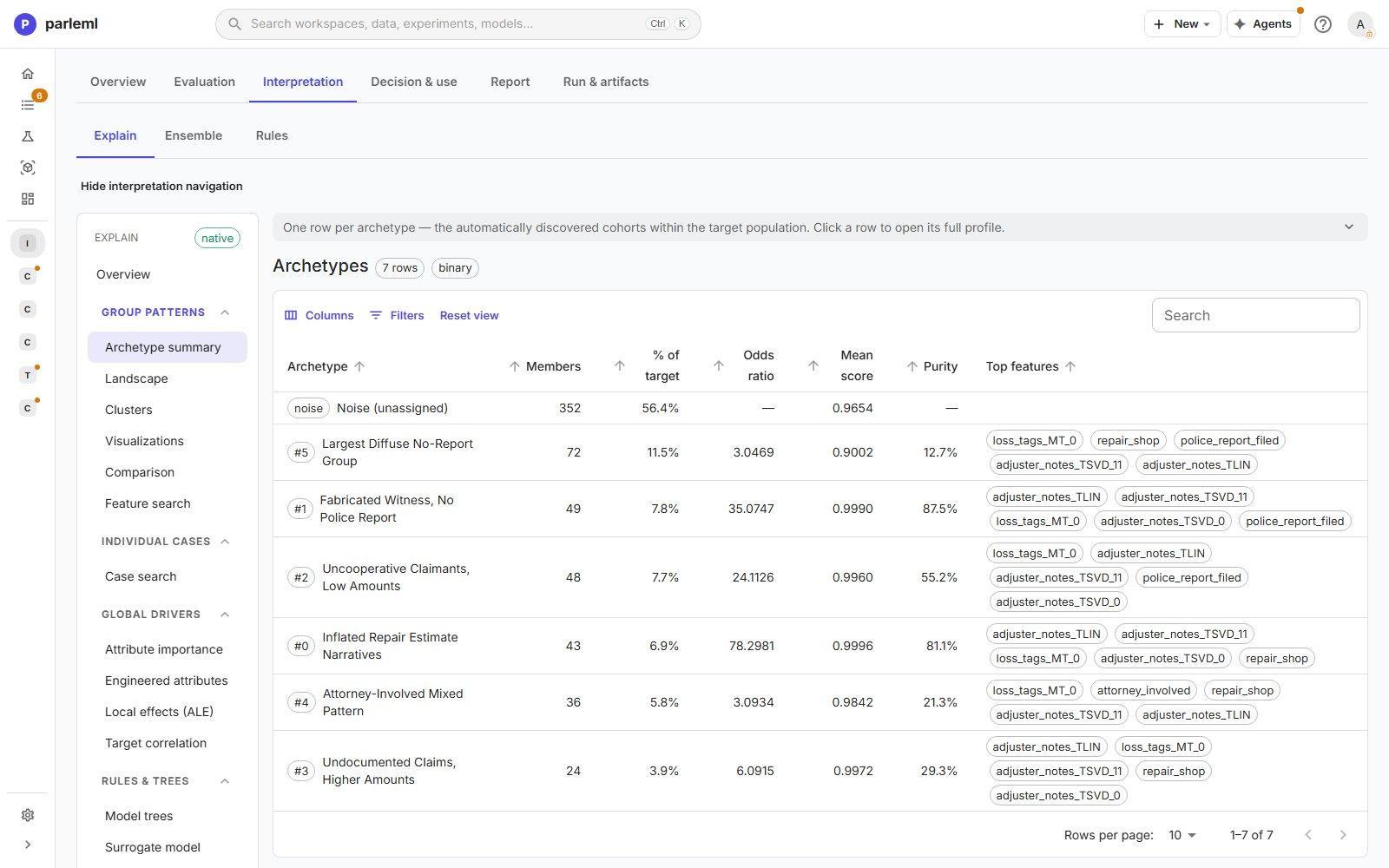
- Archetype summary: one row per archetype, with members, share of the target, odds ratio, mean score, purity and top features. Top features are the archetype's strongest drivers, ordered by how much more they drive its score than they drive the target cases as a whole. So each row shows what sets that archetype apart. Select a row for its full profile.
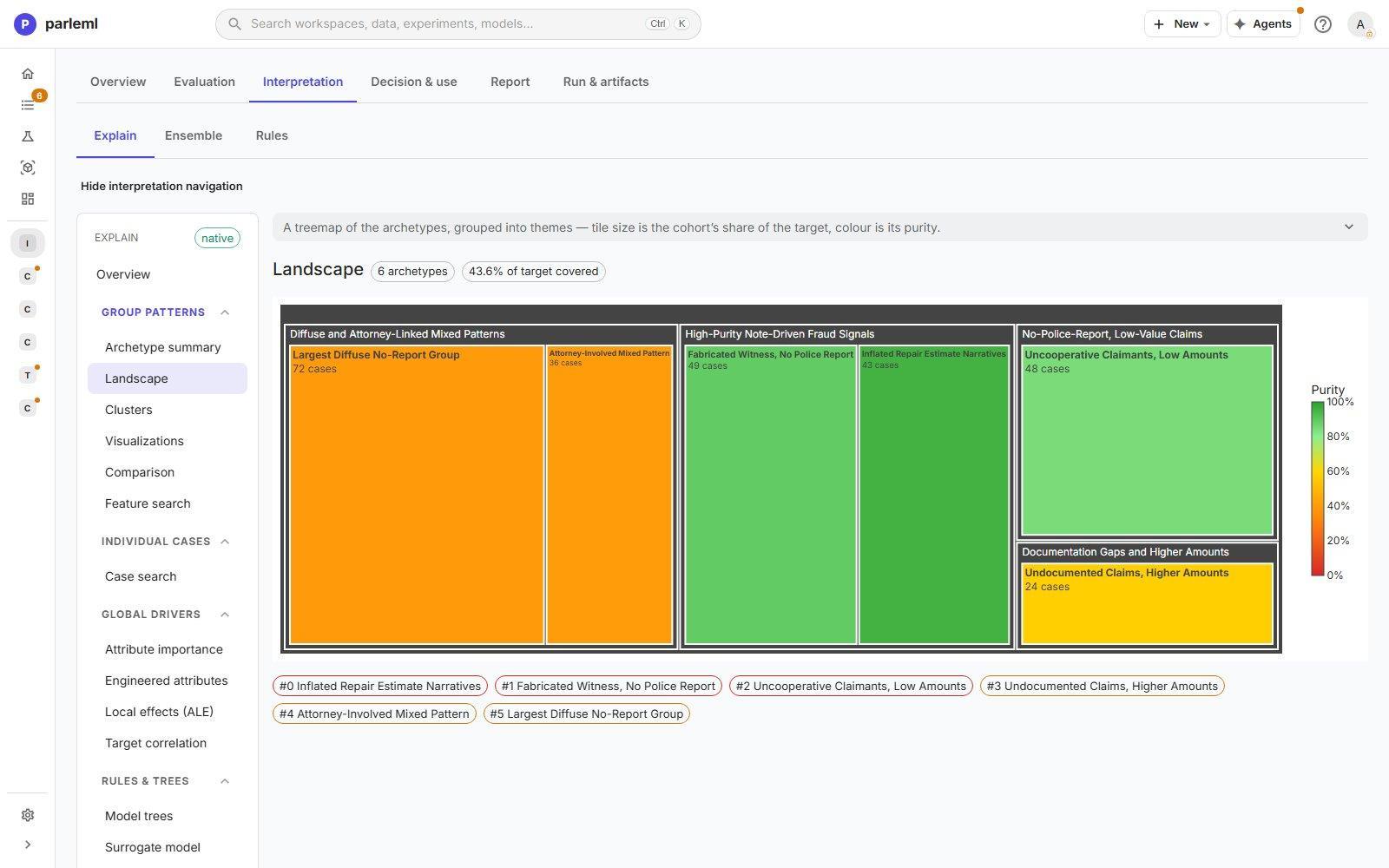
- Landscape: a treemap of archetypes grouped into themes. Size is the share of the target; colour is purity.
- Clusters: a 2-D UMAP projection of the cases, coloured by archetype or score.
- Visualizations: the score distribution per archetype and a heatmap of feature signatures, with stability, contamination and SHAP compactness.
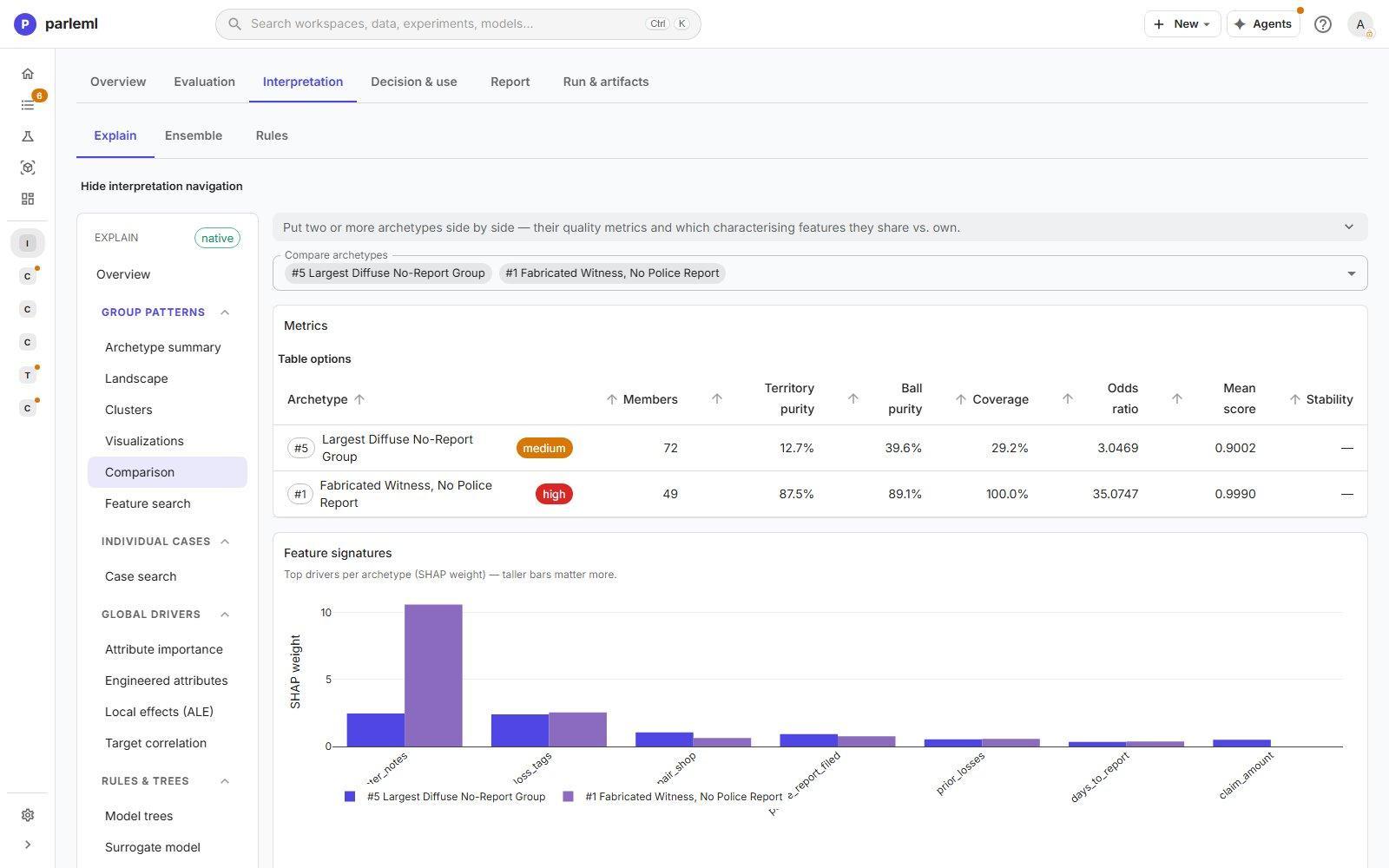
- Comparison: two or more archetypes side by side.
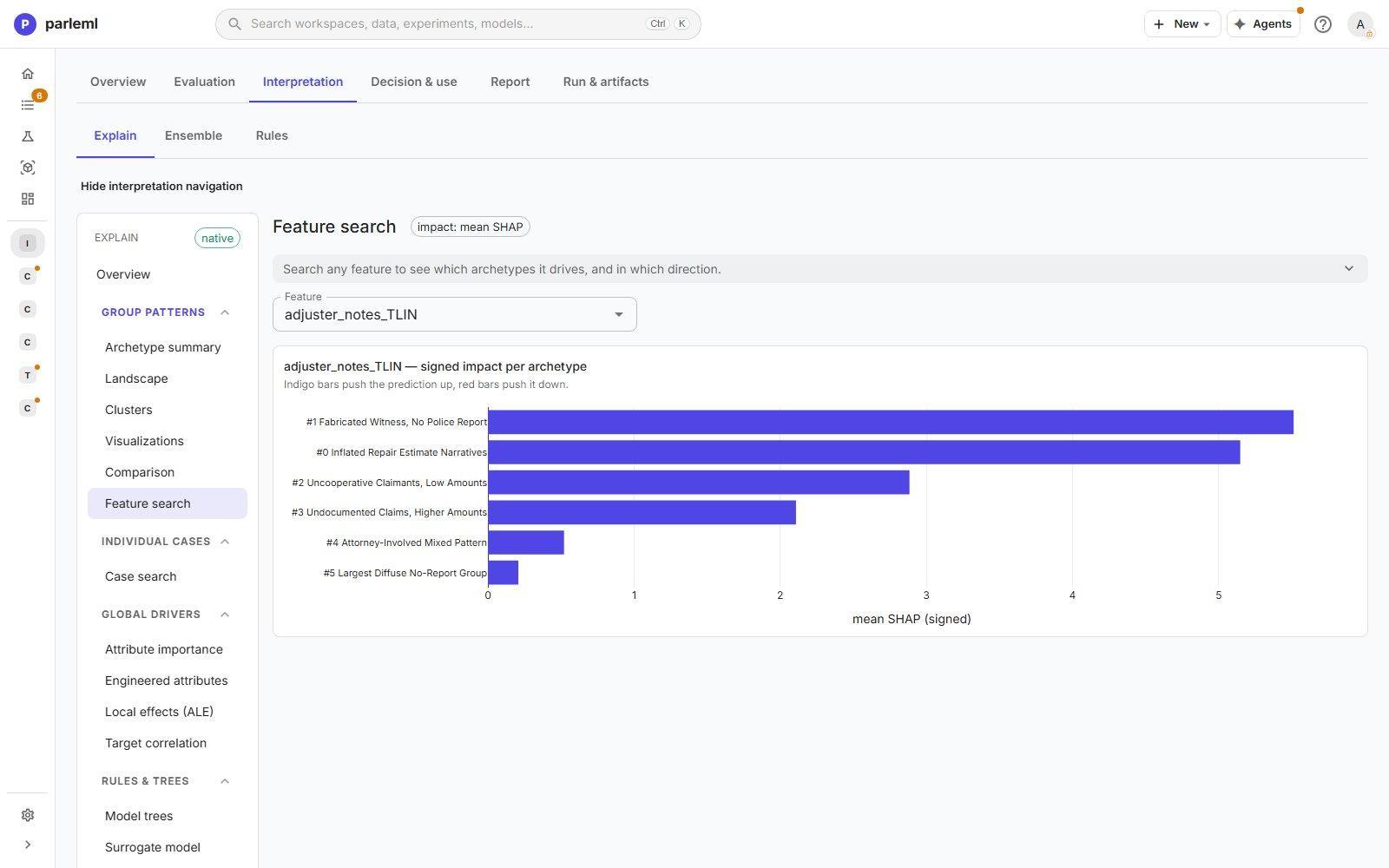
- Feature search: pick a feature and see which archetypes it drives, and in which direction.
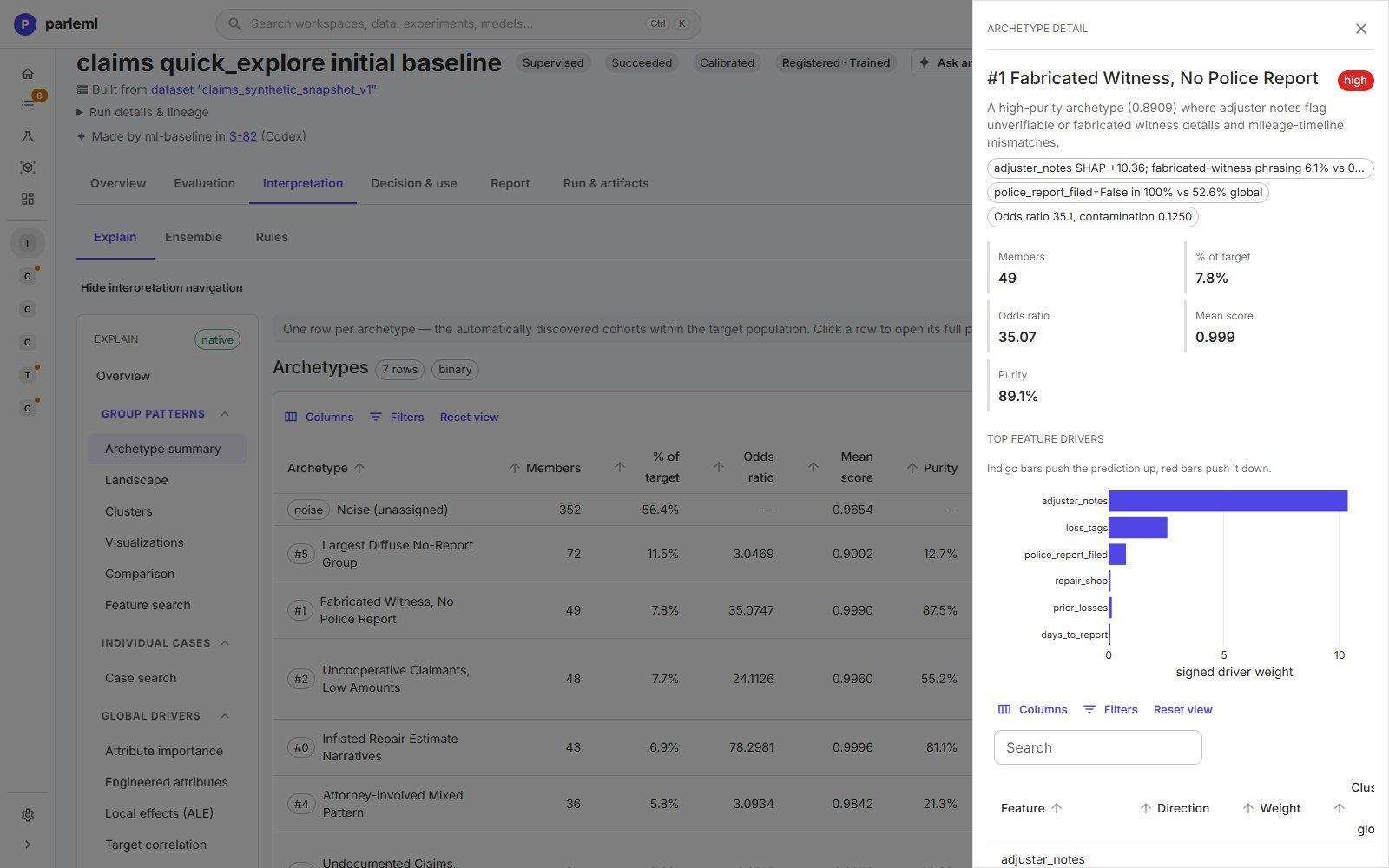
In the example, archetype #1, Fabricated Witness, No Police Report has 49 members, an odds ratio of 35 and 89% purity. Its profile says why: adjuster notes about fabricated witnesses, and no police report in every case, against 53% overall.
Individual cases
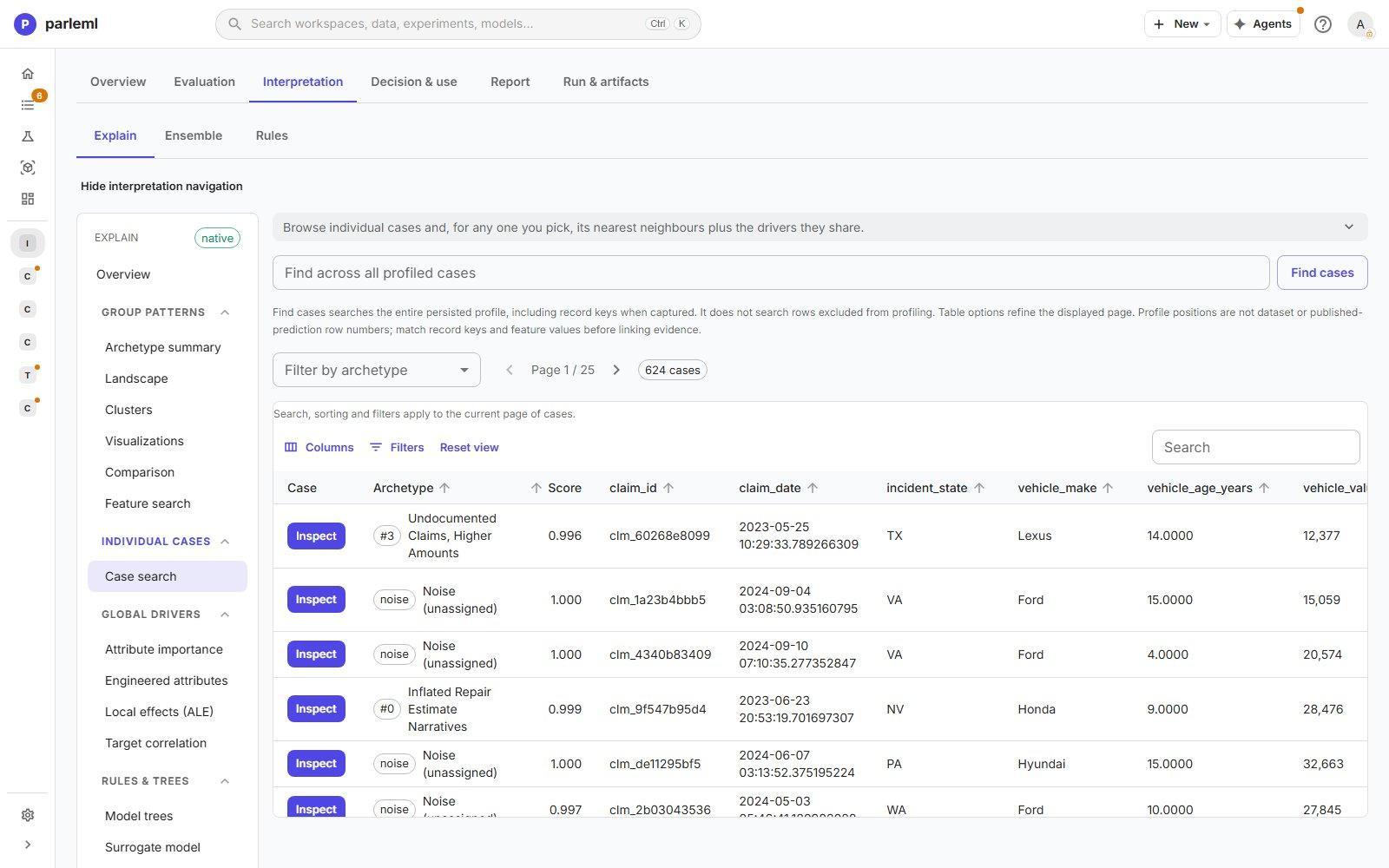
Case search finds any profiled case by key, value or archetype. Open a case to see its prediction, its archetype and drivers, and its nearest neighbours with the drivers they share. To score a record on demand, use Inference.
Global drivers
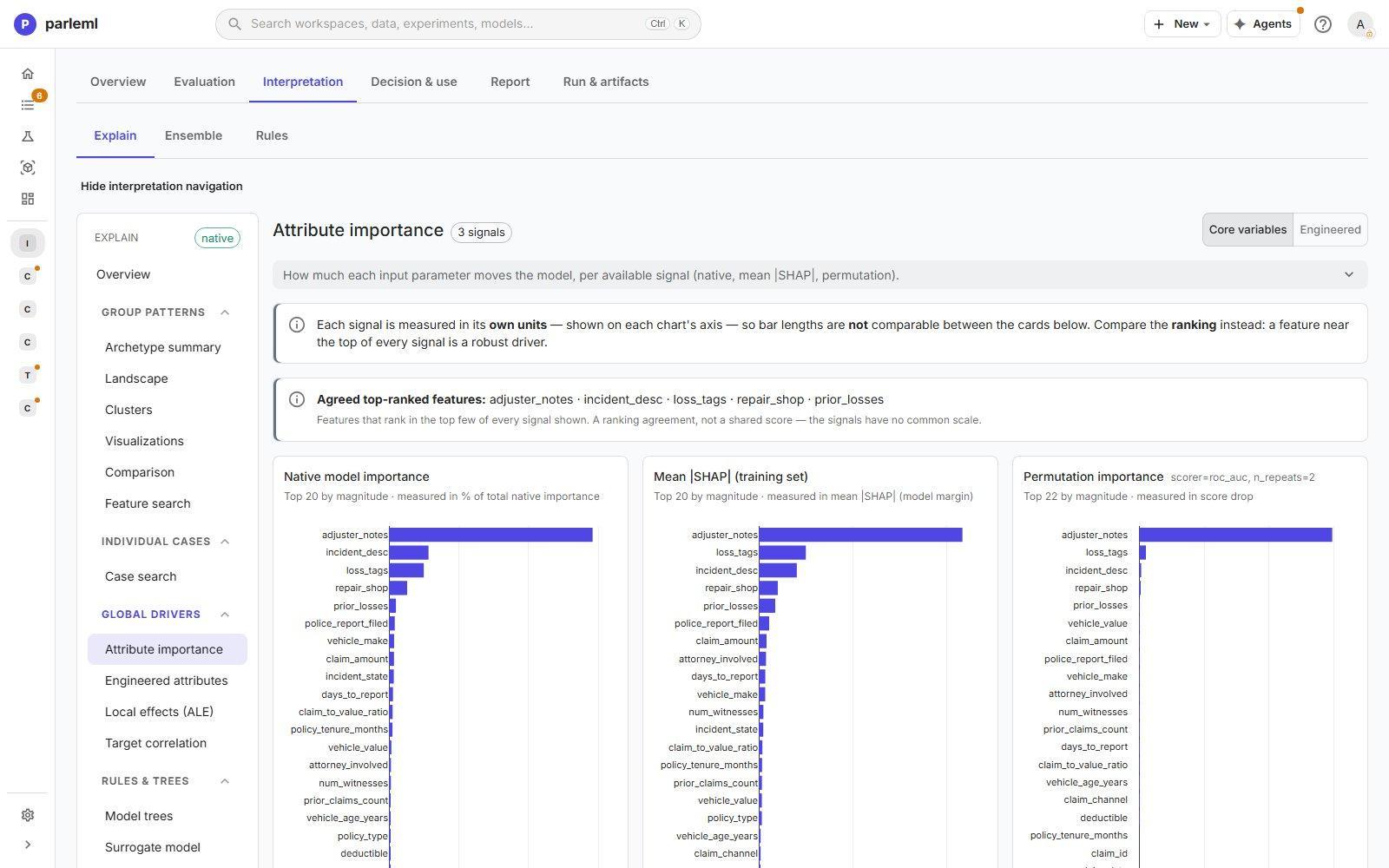
- Attribute importance shows up to three importance signals side by side: the model's
native importance, mean |SHAP| and permutation importance. They use different units, so
compare the rankings, not the bar lengths. The page names the features near the top of
every signal; here
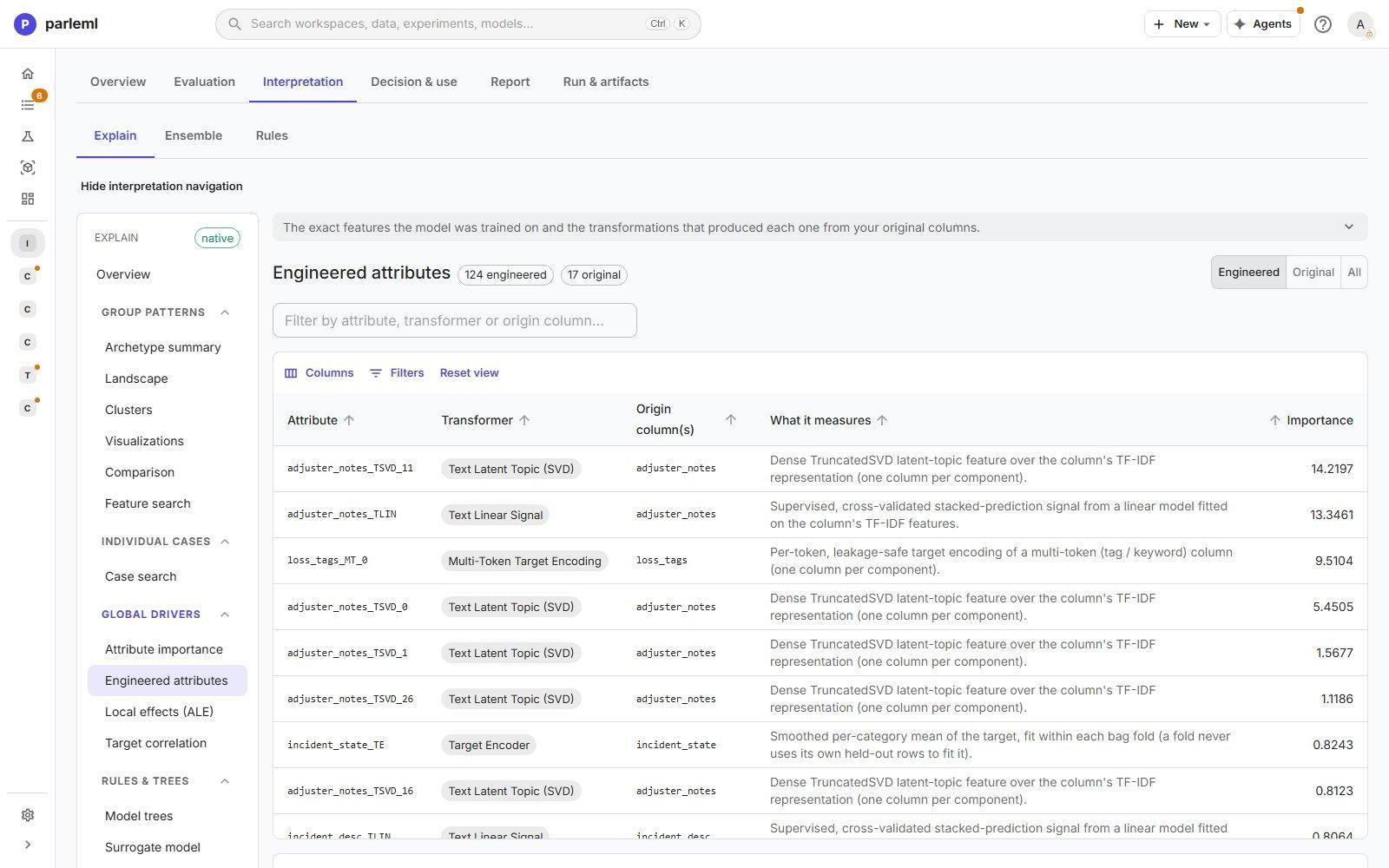
adjuster_notes,incident_desc,loss_tags,repair_shopandprior_losses. A toggle switches between your original columns and the engineered features. Its permutation importance is the skill the model loses on new rows when one feature is shuffled. It is measured on the held-out rows, and its caption says how many. - Engineered attributes lists every feature the model was trained on: the transformer that made it, the original column, what it measures and its importance. Here 17 original columns became 124 features, such as text topic components and a cross-validated text signal.
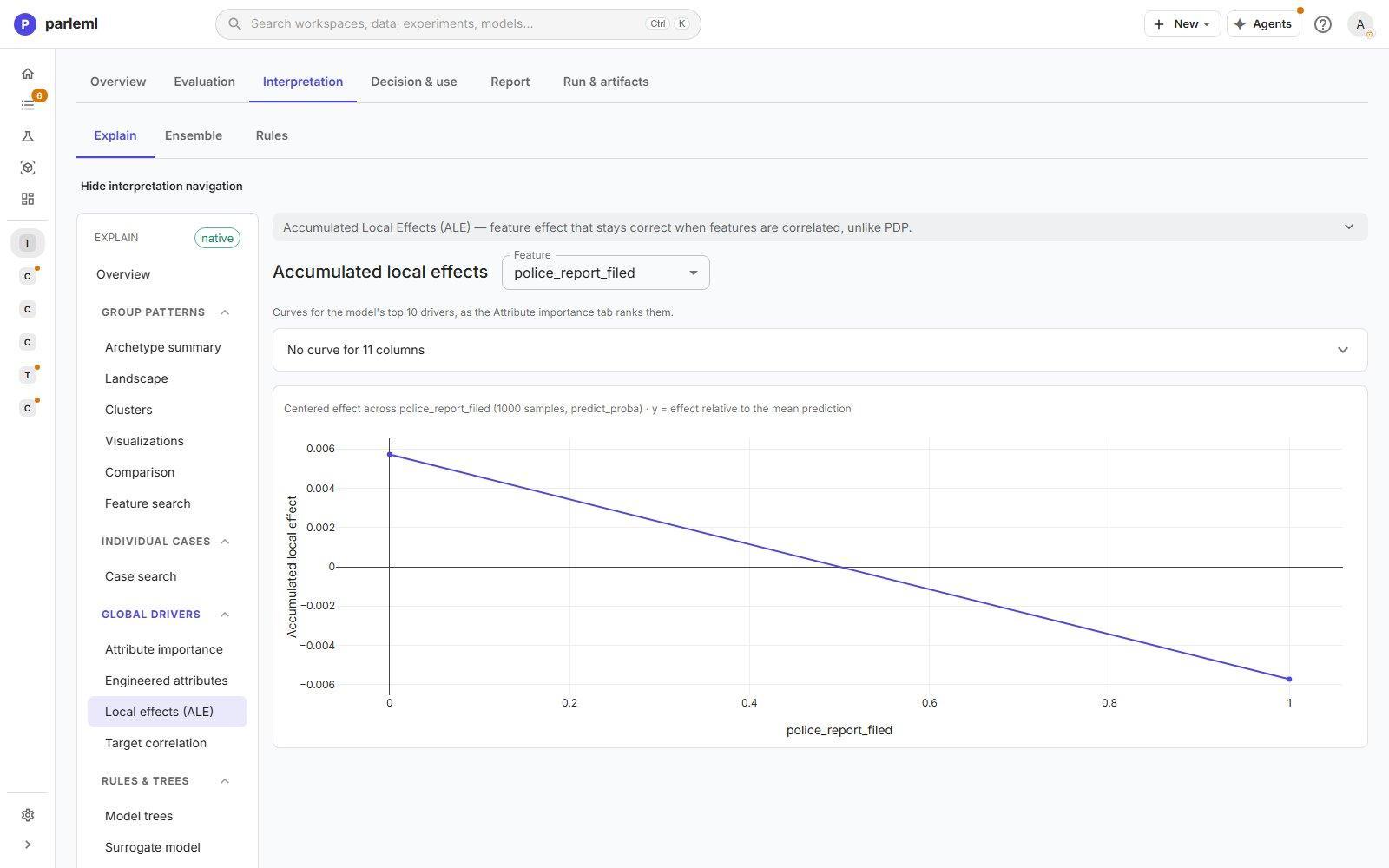
- Local effects (ALE) shows how the prediction changes across a feature's range. Unlike partial dependence, it stays correct when features are correlated.
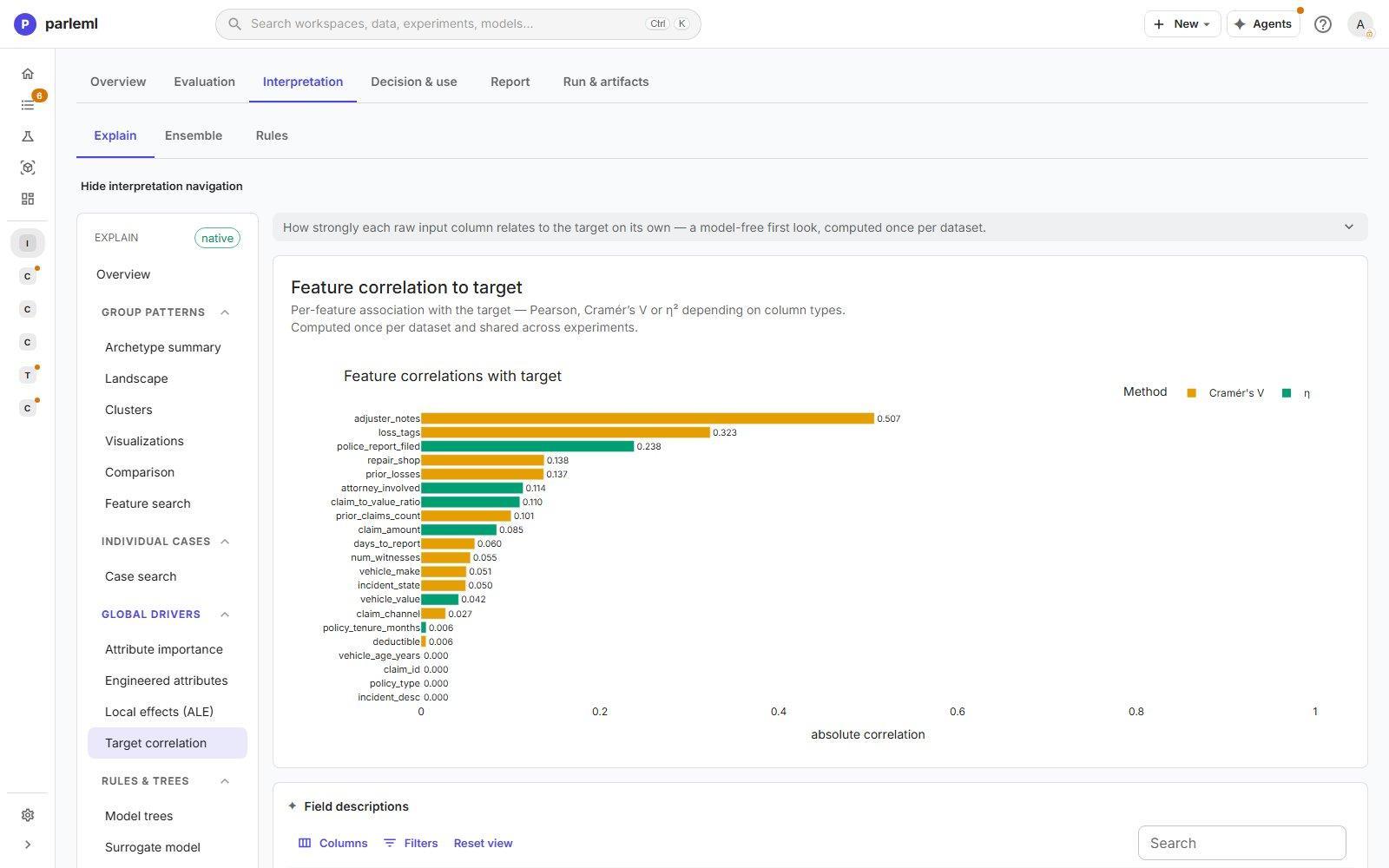
- Target correlation is the model-free link between each raw column and the target, to compare with what the model learned.
Rules and trees
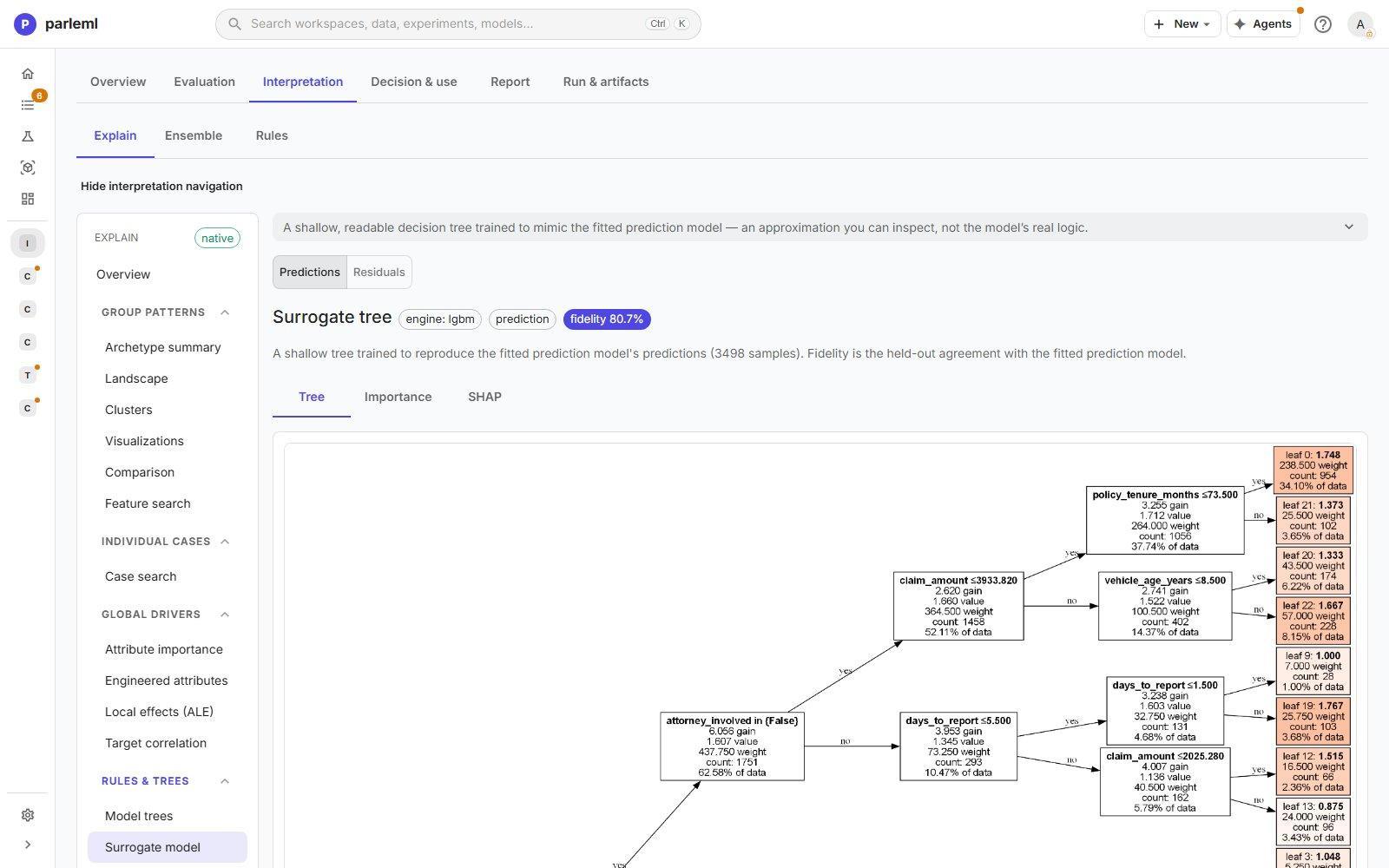
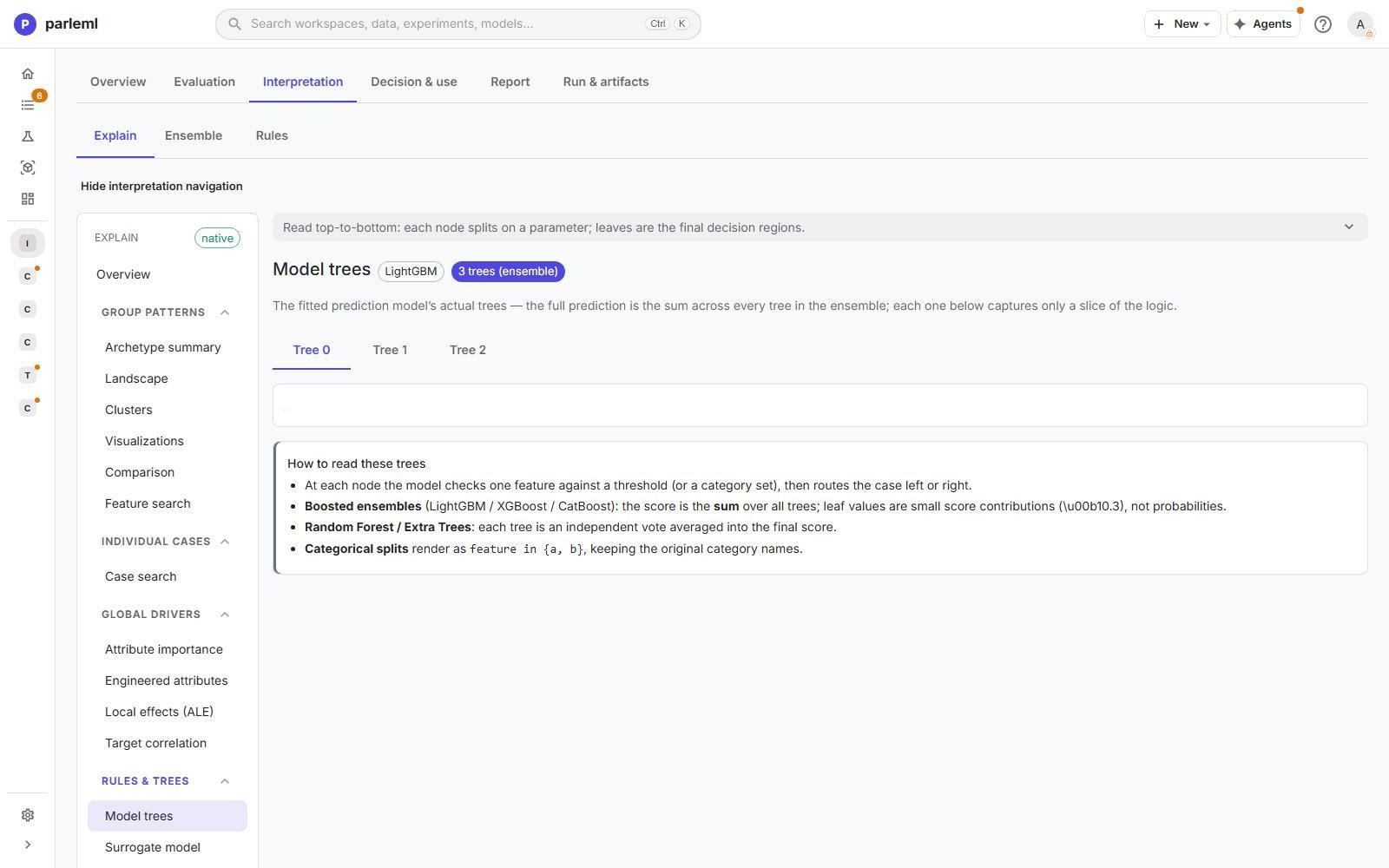
- Model trees shows the first trees the model built, exactly as it uses them, with a guide to reading them. The chip reads first N trees of the ensemble. A boosted ensemble adds up hundreds of trees, so each tree is one slice of the logic. A multiclass model builds one tree per class in each round, so consecutive trees score different classes.
- Surrogate model is a shallow, readable tree trained to imitate the model. Its fidelity (here 80.7% agreement on held-out rows) says how far to trust it as a description. The residual view fits the tree to the model's errors instead. It is fitted on the held-out rows, and a chip names them.
- Error tree is a tree fitted on the model's mistakes. Its leaves are the segments where
the model errs most. Each has its sample count, error rate with a 95% interval, lift,
coverage, share of all errors, and the rule that defines it. Segments with at least 20 rows
and twice the overall error rate are highlighted as hot pockets. Rates, coverage and share
are shown as percentages, and the 95% interval has its own low and high columns. Rules show
rounded cuts and real dates (for example
signup_date <= 2025-05-17); the exact cuts are in Complete rule listing. The tree diagram is below the grid.
The error tree is fitted on the held-out rows, so its pockets are where the model fails on rows it never saw. A chip names the rows. Without held-out rows the chip reads training rows, in amber: those pockets are in-sample errors.
Diagnostics
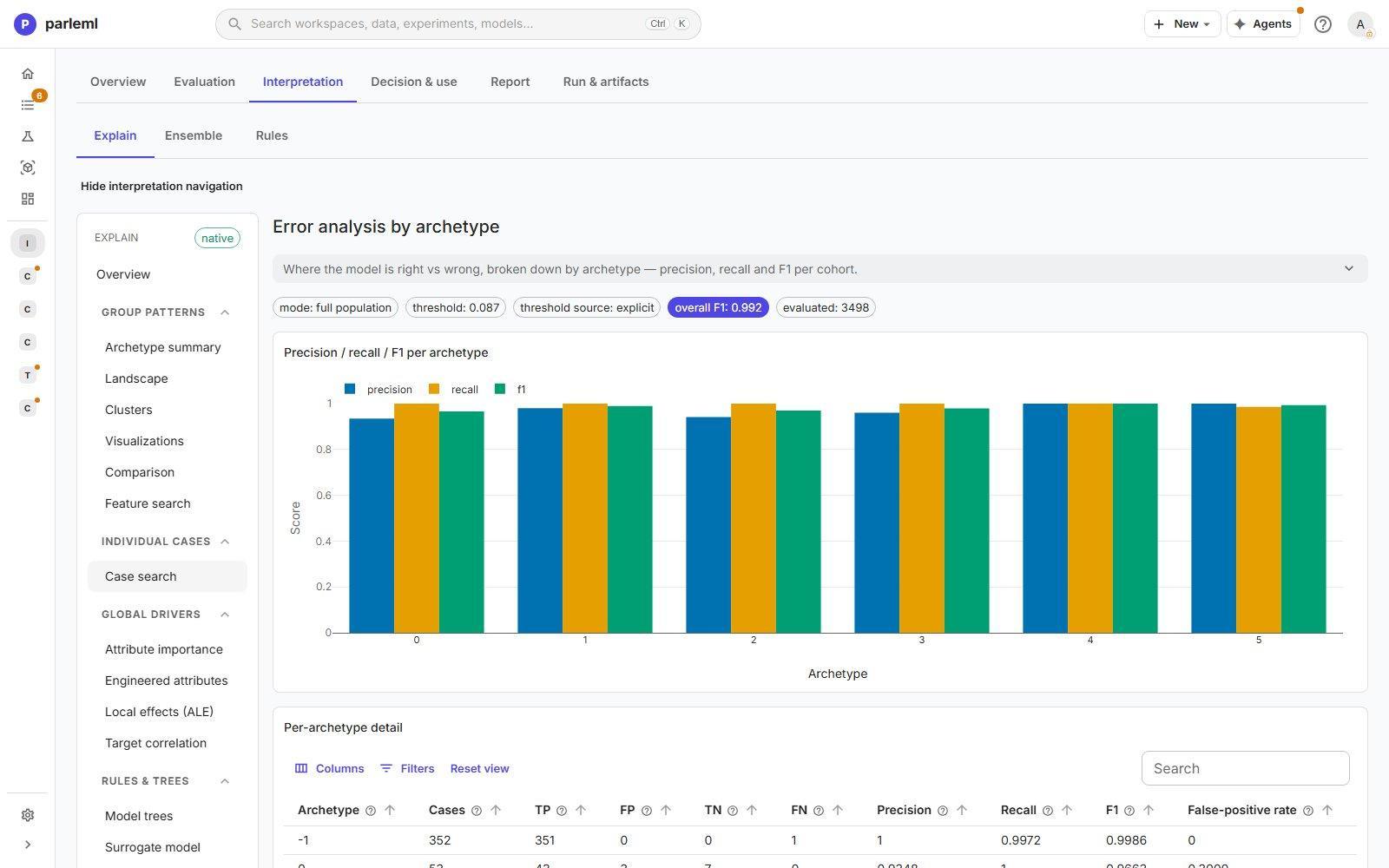
- Error analysis gives precision, recall and F1 for each archetype, with the full confusion counts. It runs on training rows and says so. It shows where the model errs relative to itself, not how good it is. In the example it reports F1 0.992 on 3,498 training rows, far above the held-out F1 of 0.69.
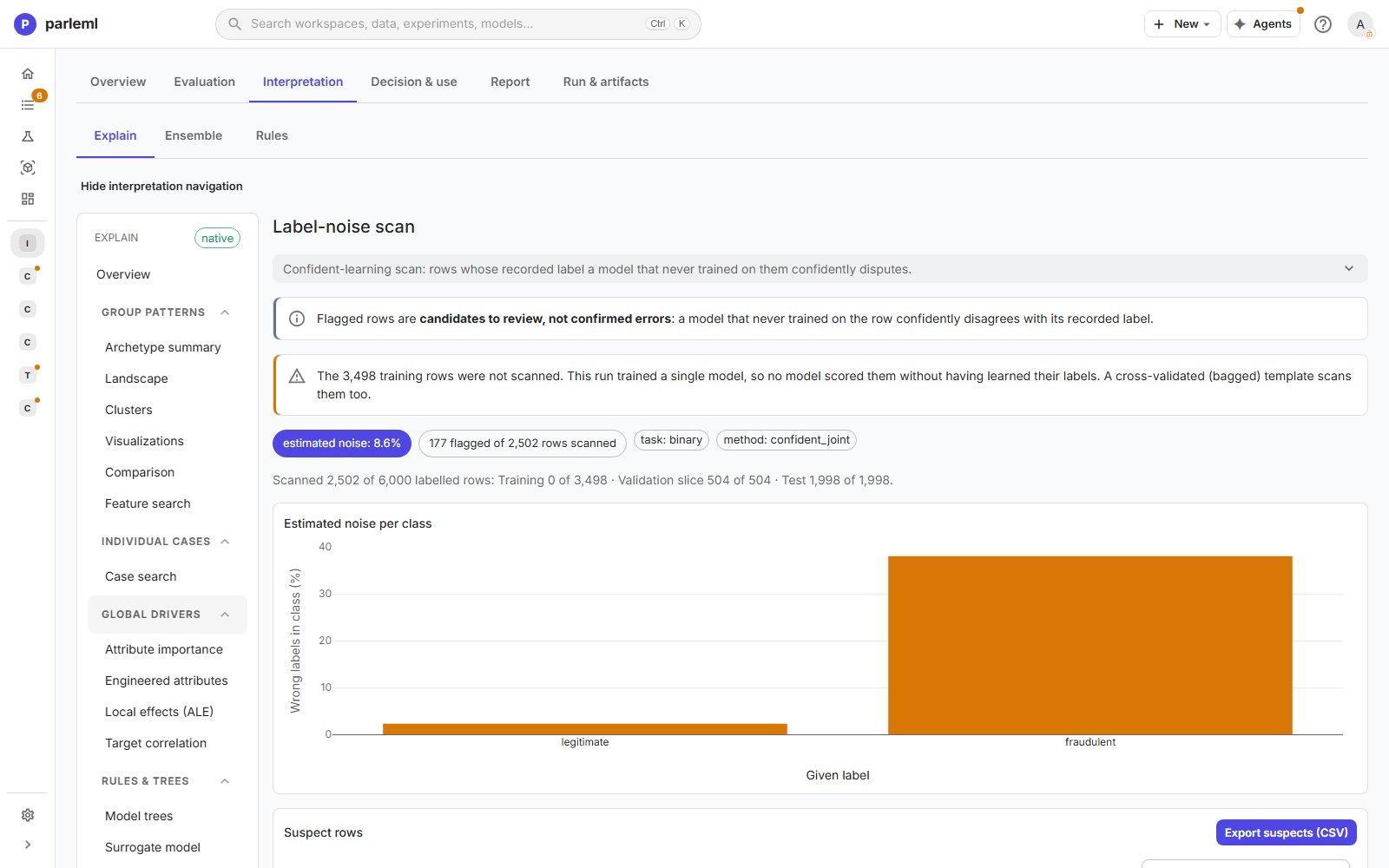
- Label noise looks for rows whose recorded label is confidently disputed by a model that never trained on them. It scans the held-out rows, and the training rows too when the template is cross-validated (bagged). In the example, 177 of 2,502 scanned rows are flagged, an estimated 8.6% noise. You can export the suspects. Flagged rows are candidates to review, not confirmed errors.
- Fairness compares the groups of a sensitive column against a reference group. It uses the adverse impact ratio (AIR), marginal effect (ME) and standardised mean difference (SMD), and lists each breach. It is measured on the held-out rows. Choose the sensitive columns by ticking Fairness on the dataset's Columns.
Text and categories
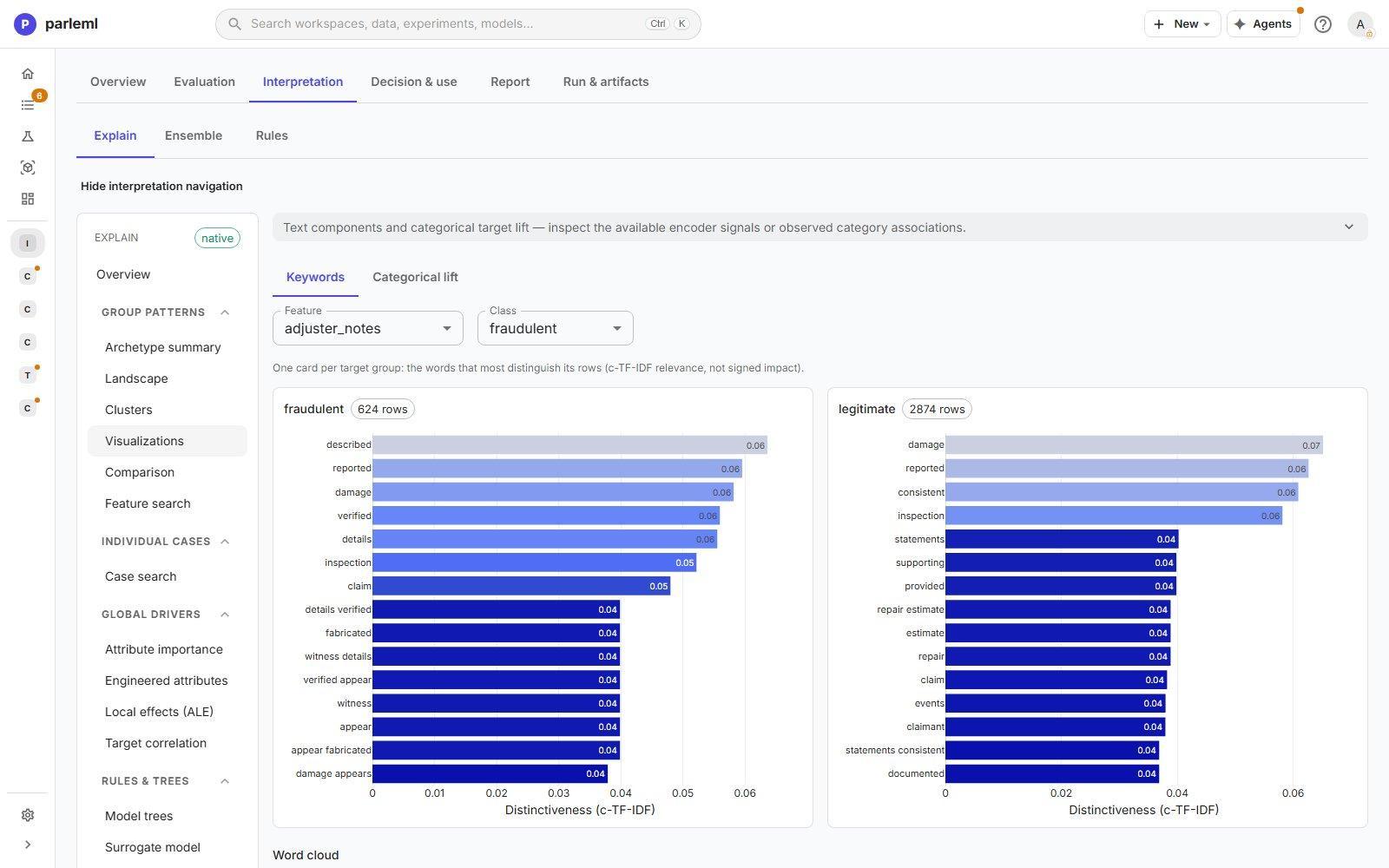
Component insight opens what a text or category column contributes. For text, it shows the words that most distinguish each target class (c-TF-IDF) beside a word cloud. For categories, it shows the observed lift of each level. Leakage and EDA bring the dataset's findings into Explain, so reviewers do not have to leave the page.
Ensemble
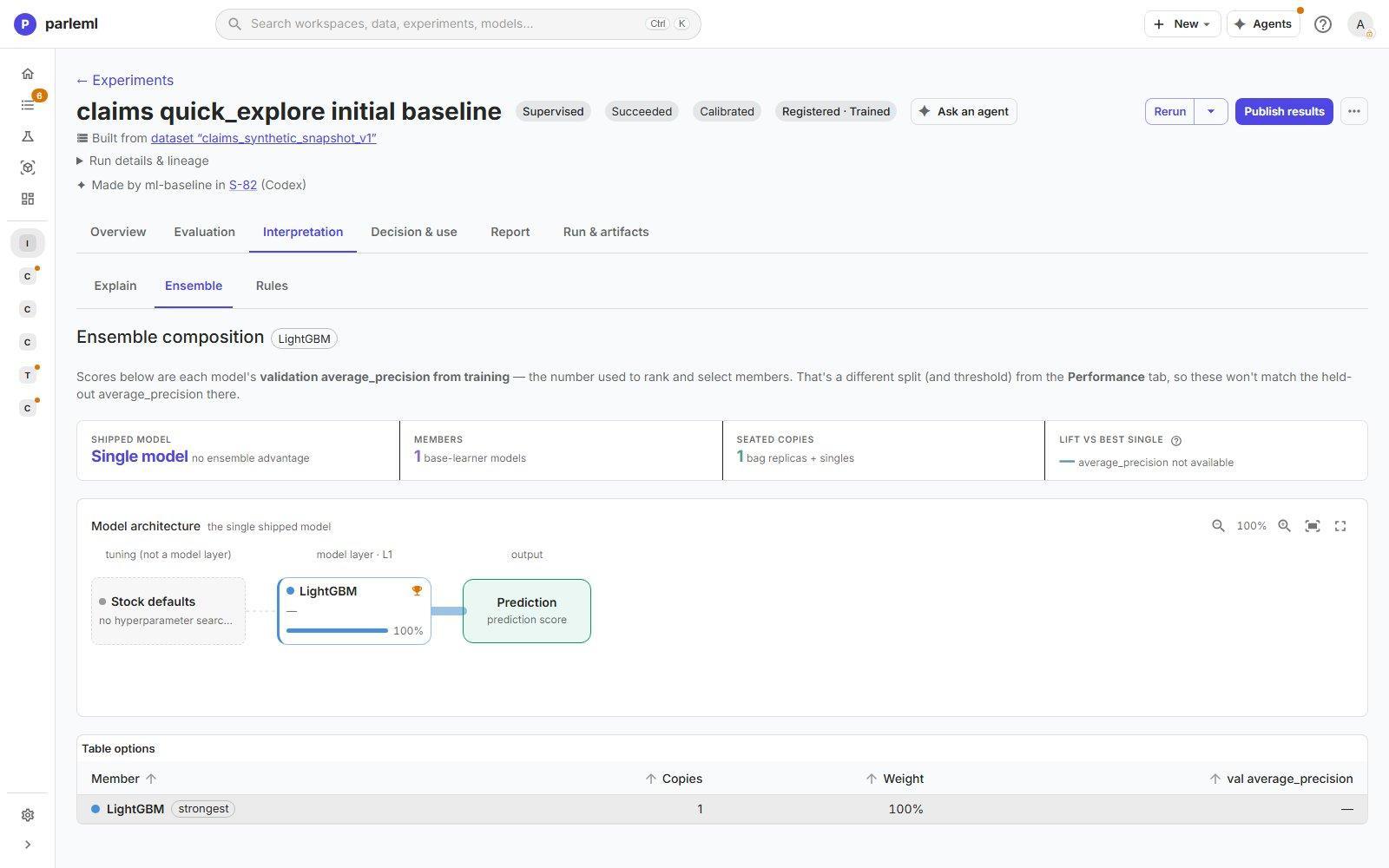
Ensemble shows how the shipped model is built: its members, how many copies of each, their weights and validation scores, and the lift over the best single model. A diagram shows the layers from tuning to the prediction. For a single model, as here, it says there is no ensemble advantage.
Rules
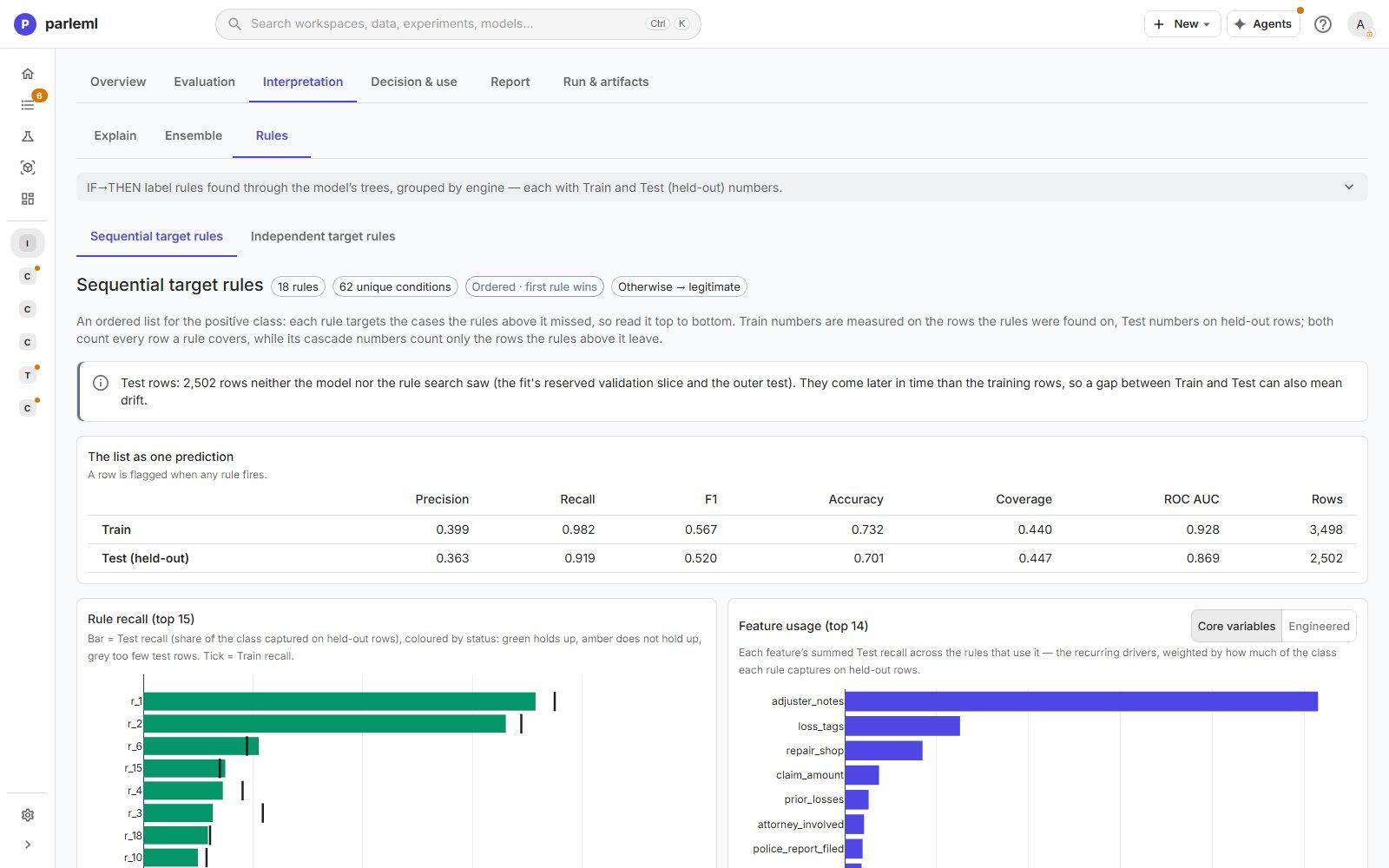
Rules lists IF-THEN rules found through the model's trees, grouped by engine:
- Sequential target rules: an ordered list in which each rule catches the cases the rules above it missed;
- Independent target rules: each rule stands on its own;
- all-class rules, where they apply: a first-rule-wins list for every class.
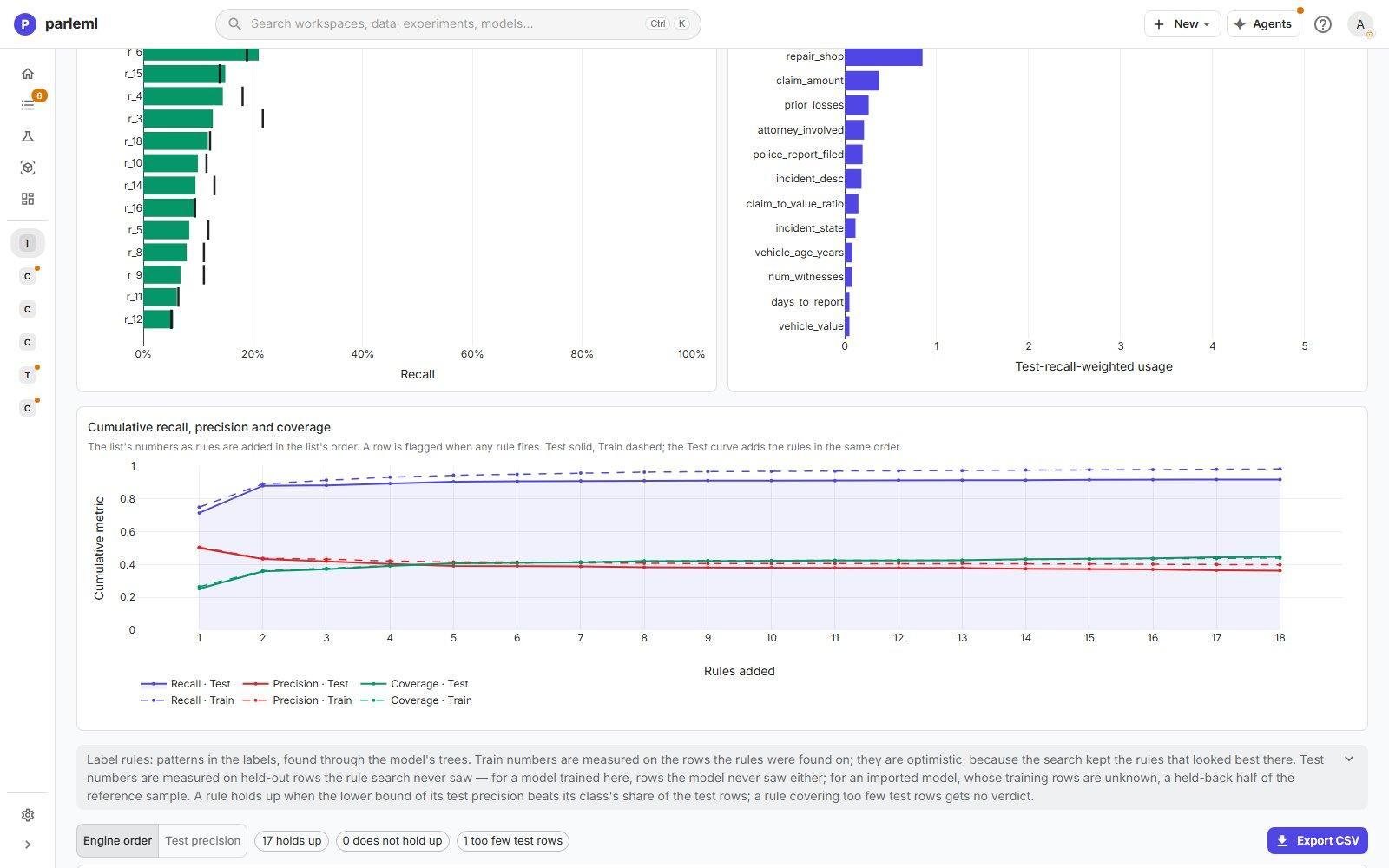
Each rule carries Train and Test numbers, such as precision, recall and coverage. Test numbers come from the held-out rows, which neither the model nor the rule search saw. The page also scores the whole list as one model, plots cumulative precision, recall and coverage as rules are added, and exports the rules as CSV.
Decision & use
This tab covers what happens when a score becomes a decision.
Calibration & threshold
What the calibration layer decided, and why: the technique, raw against calibrated log loss, the gain it had to clear, and the share of decisions it changed. Calibration, the threshold and the baseline check are fitted together on the same rows. You cannot change one alone: Change calibration, where it is offered, changes them together.
Business Rules
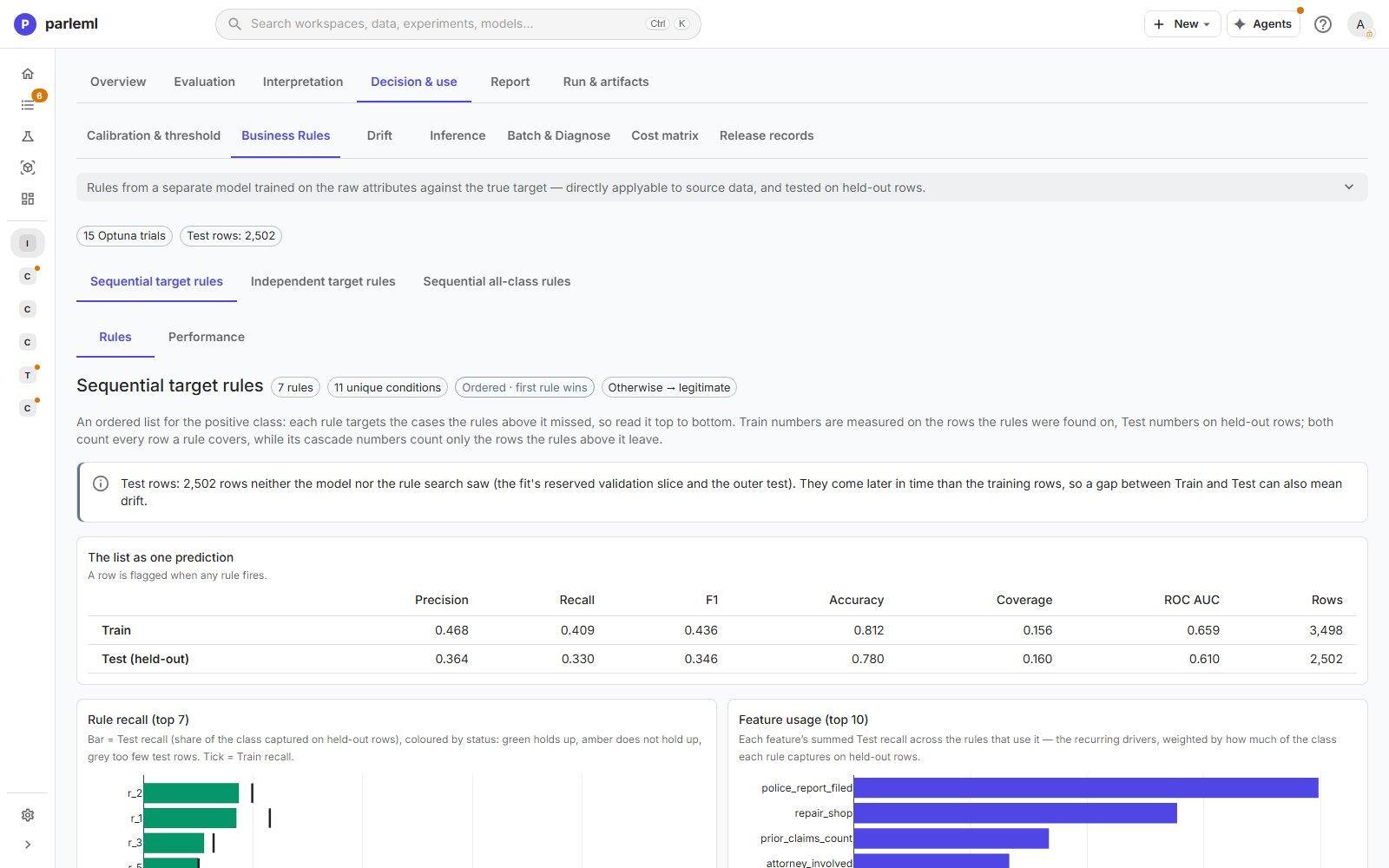
A separate, compact rule model trained on the raw source columns against the true target. It is not a copy of the fitted model. Its rules read as conditions you can apply directly to source data, and each has Train and Test numbers. Three engines (sequential, independent and all-class) give different views of it. Each has a Performance tab that scores its rules as a model on the held-out rows. Business Rules are for classification only.
Drift
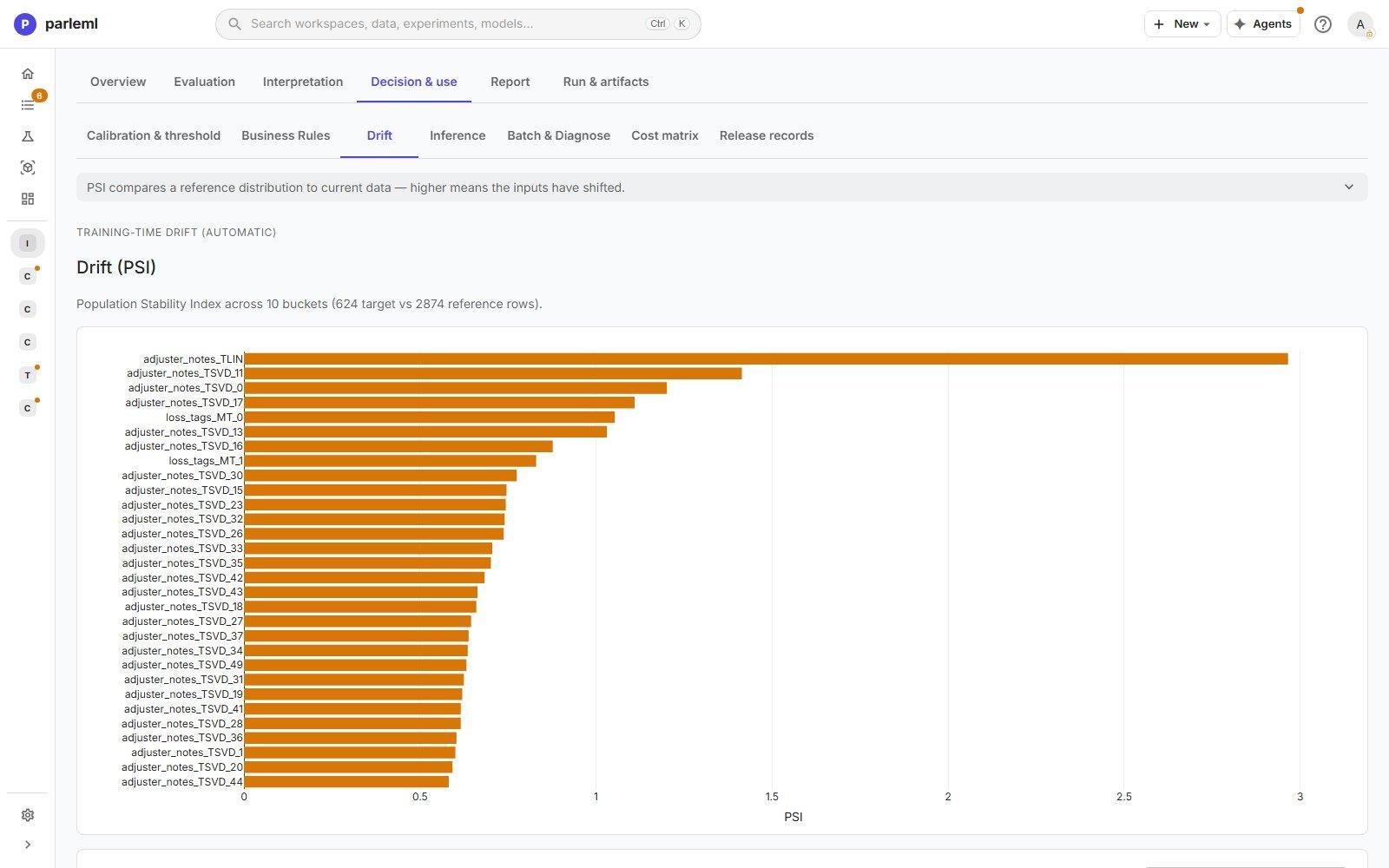
The Population Stability Index (PSI) of each feature between a reference population and current data, ranked. A table gives the PSI, tier and bucket counts. Training-time drift is computed for you. To check new data, use Compare datasets.
Inference
Pick a real record from a dataset, edit any field, and choose Score row. The result shows:
- the calibrated score, the decision at the threshold and the margin;
- the archetype the case falls in, and how close it is to that archetype's centre;
- the top SHAP drivers: each engineered feature, its original column, its value and its signed contribution.
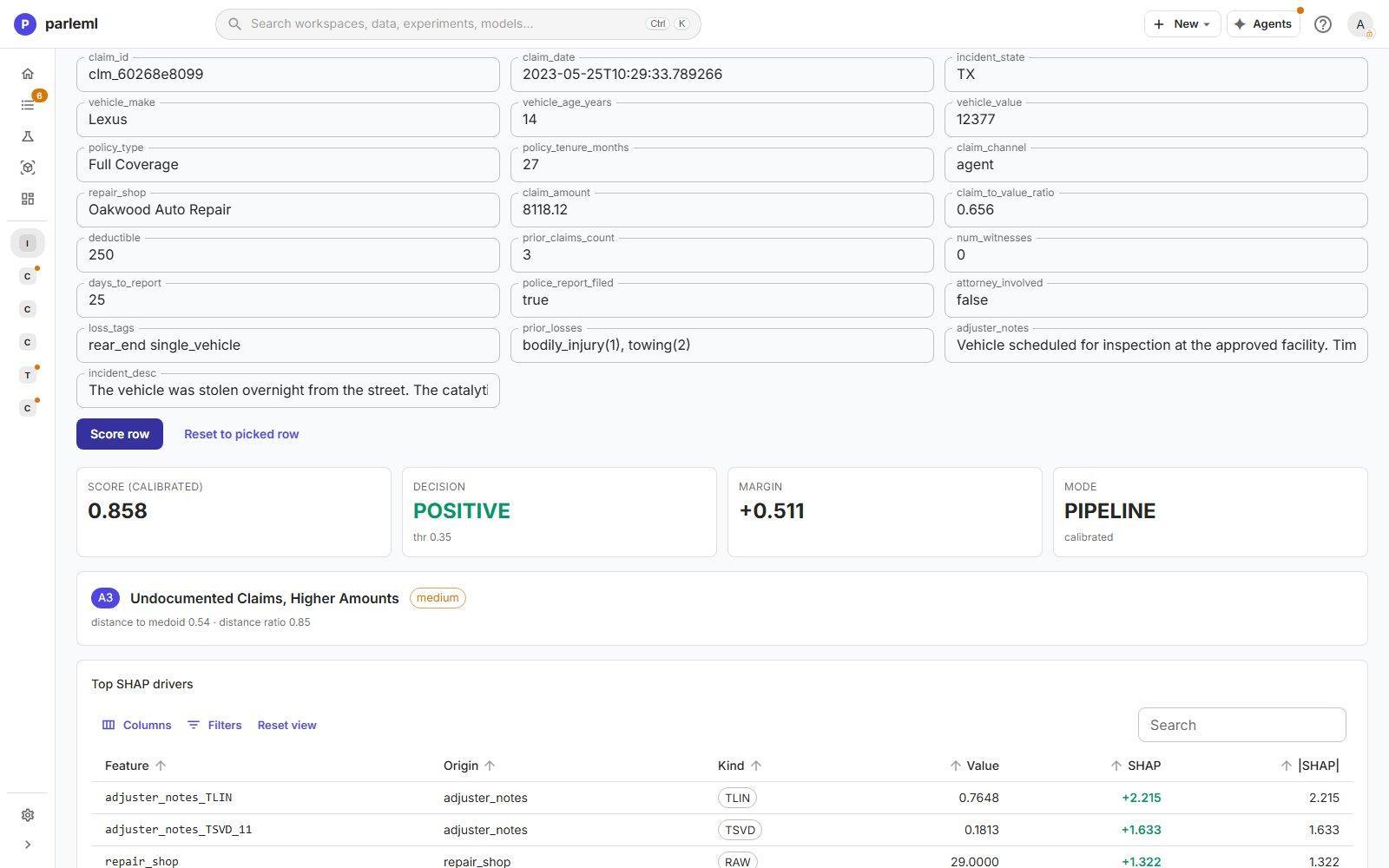
This is the fastest way to answer "why did the model flag this claim?", and to test a what-if by changing one field.
Batch & Diagnose
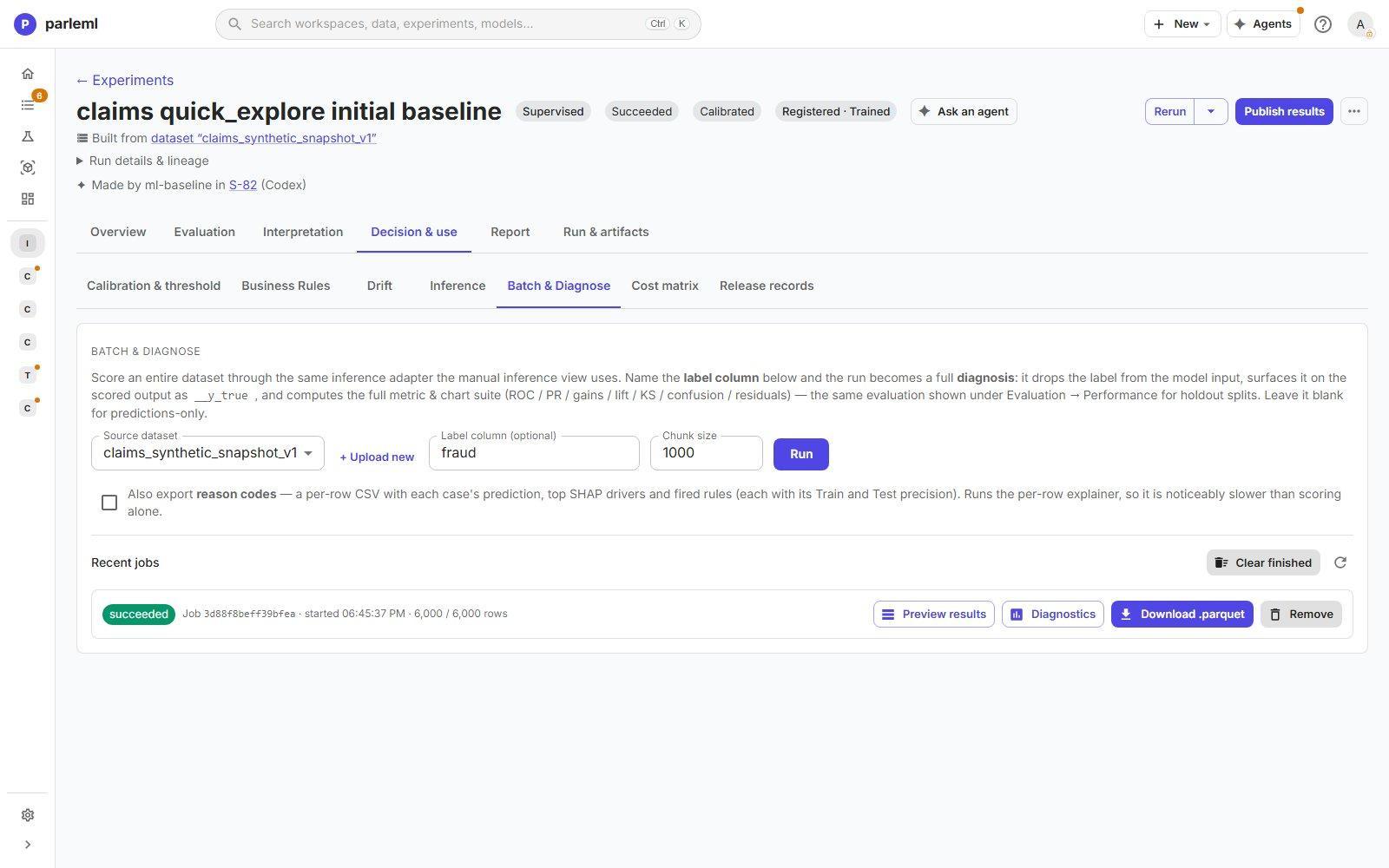
Score a whole dataset through the same path. Pick the Source dataset and choose Run.
- Set Label column (optional) to turn the run into a full diagnosis. The label is kept out of the model's input, and the full metric and chart set (ROC, PR, gains, lift, KS, confusion, residuals) is computed on that data.
- Tick reason codes for a per-row CSV with each case's prediction, top SHAP drivers and the rules it fired. This is slower than scoring alone.
Jobs and their downloads are listed under Recent jobs.
Cost matrix
Put money on the outcomes. Enter Cost FP, Cost FN, Gain TP and Gain TN, a β for the F-beta score, and an optional Capacity top-K (rows) for how many cases you can review. Evaluate business value then recommends three thresholds, each with its curve:
- the one that maximises expected value;
- the one that maximises F-beta;
- the one that fits your capacity.
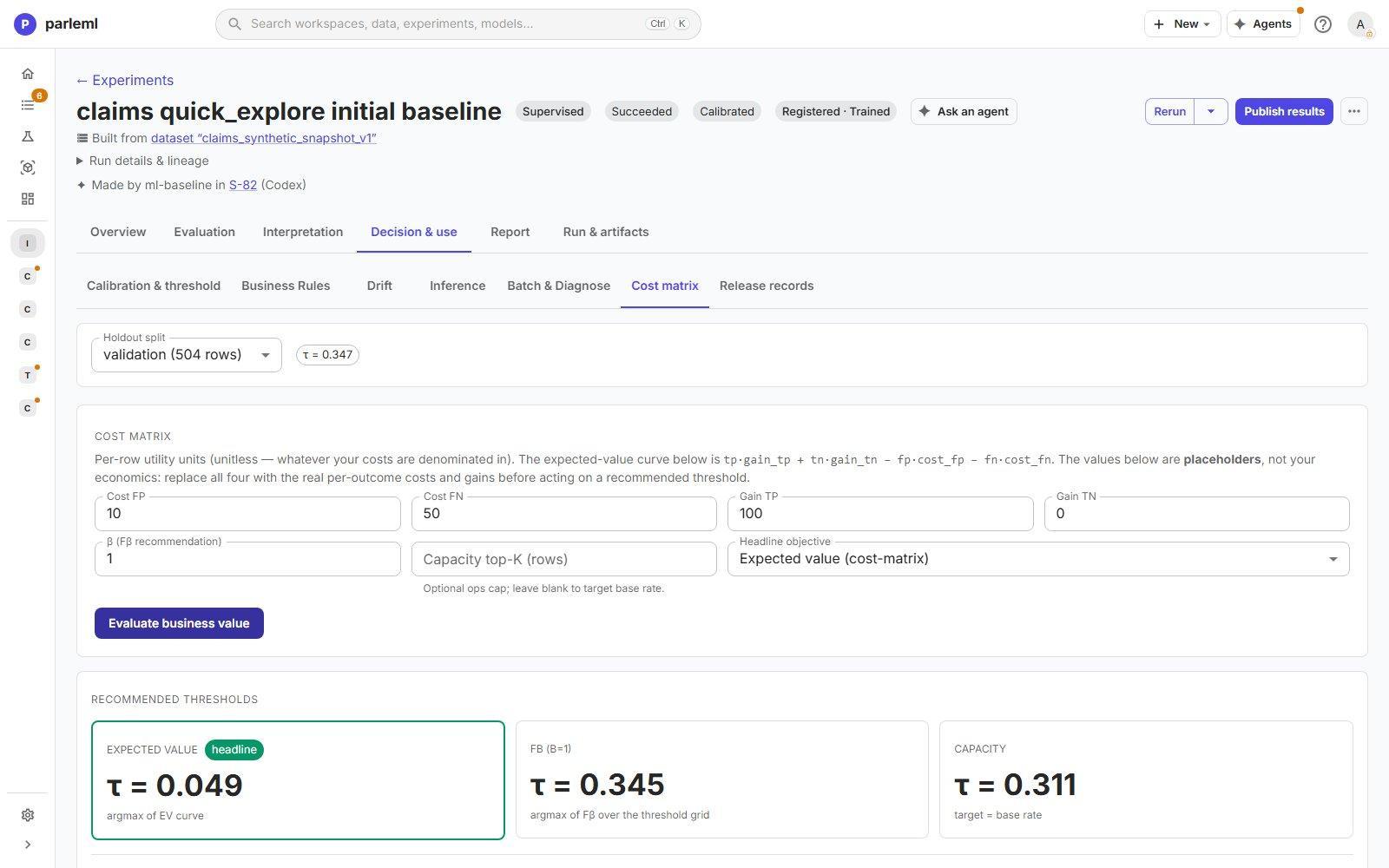
The default values are placeholders, not your economics. Replace all four before you act on a recommendation.
Release records
The release reviews recorded for this experiment: approval, challenge, operating point, conditions and limitations. See Models and release.
Report
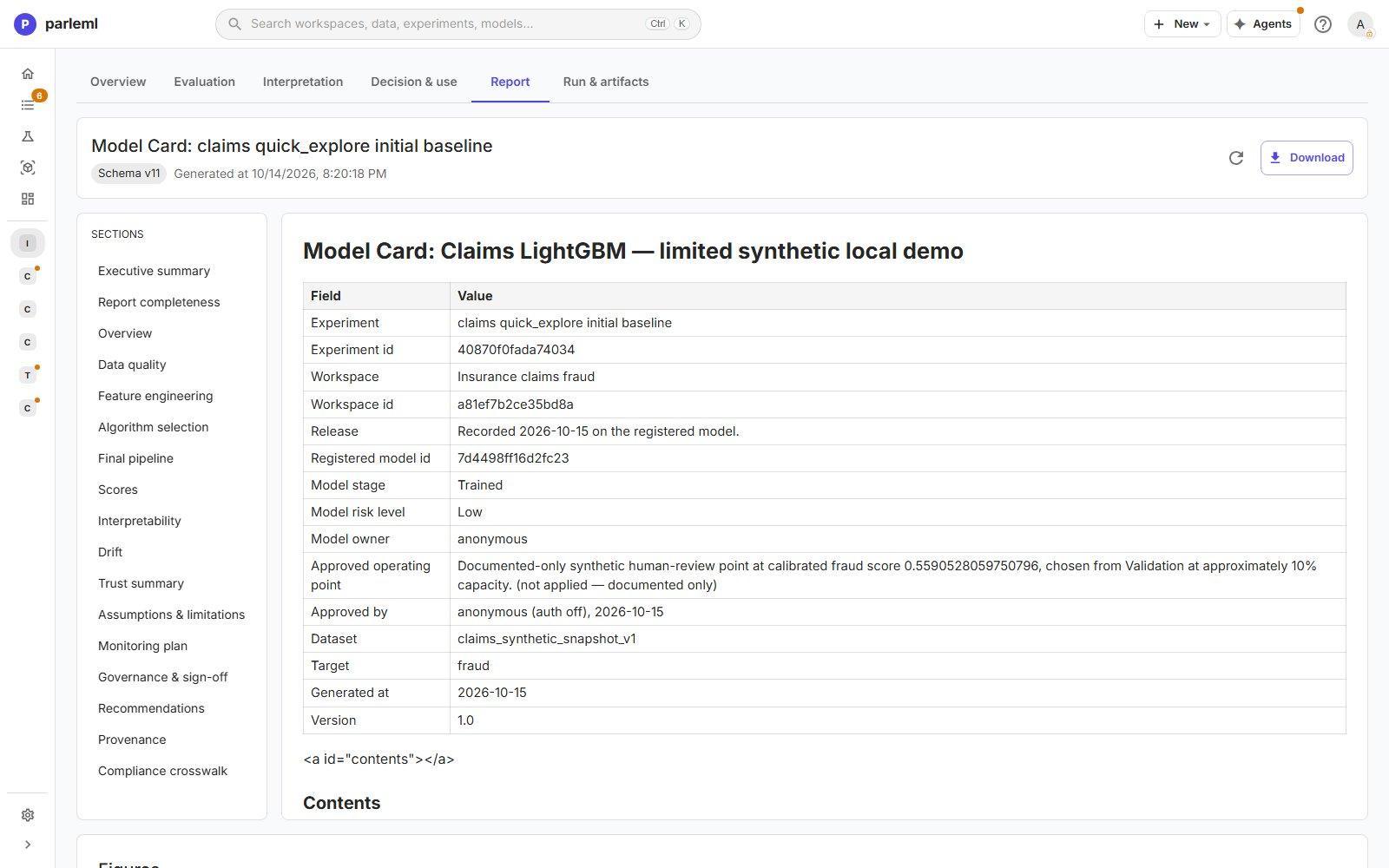
Report holds the AutoDoc model card, written from the run's recorded evidence. It has 17 sections:
- executive summary and report completeness;
- overview, data quality, feature engineering, algorithm selection, final pipeline and scores;
- interpretability, drift and trust summary;
- assumptions and limitations, monitoring plan, governance and sign-off;
- recommendations, provenance and a compliance crosswalk.
It names the model, the release and the operating point, and includes the figures. Download it as PDF, Word, HTML or Markdown with images. Report completeness lists the evidence that is missing, so a gap is visible rather than silent.
Run & artifacts
- Downloads: the fitted model bundle (
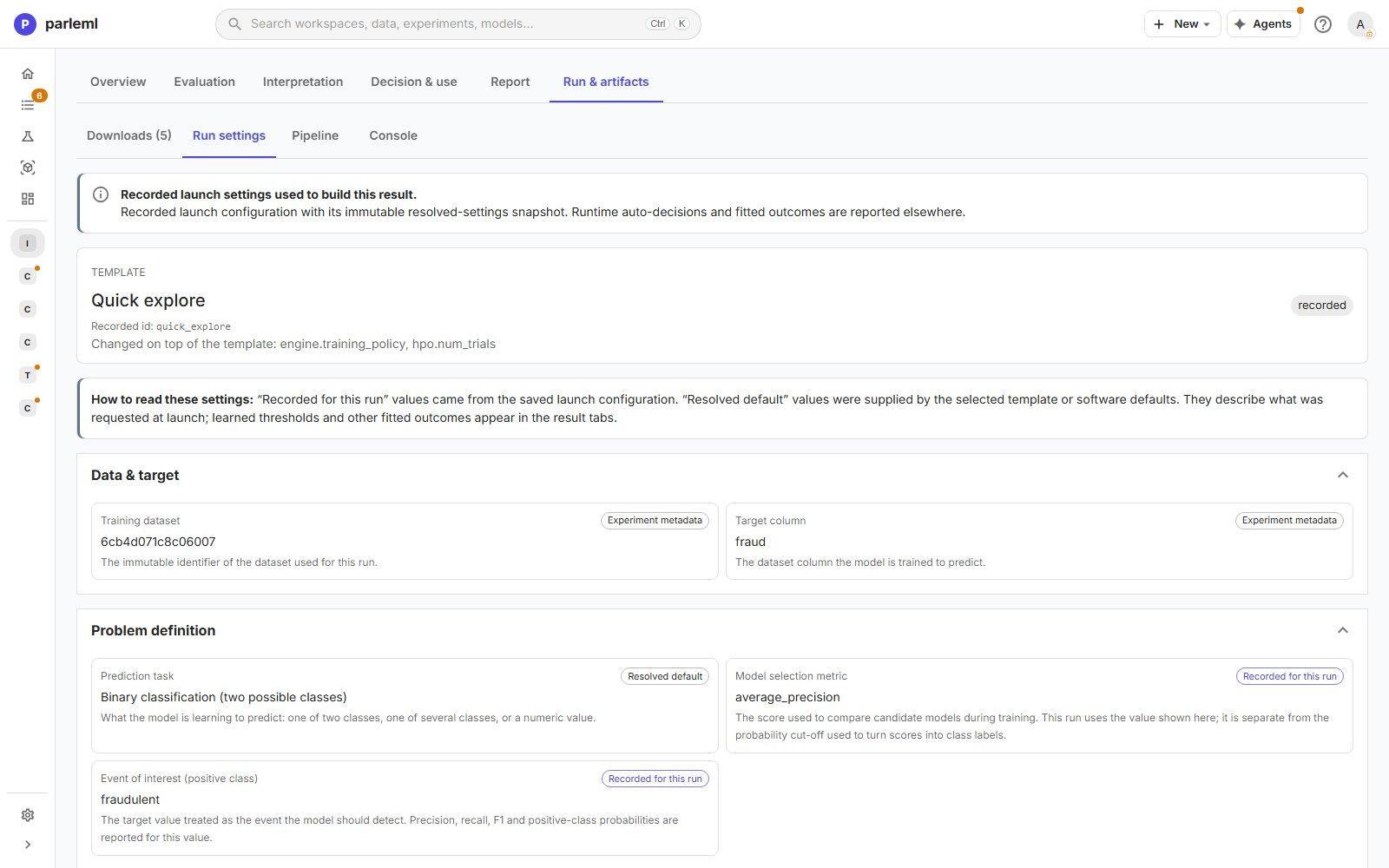
model_bundle.zip), the measures file (scores and fit-time facts), the event log, the manifest and the run's console log. - Run settings: the launch configuration as recorded. It shows the template, what was changed on top of it, and each setting marked Recorded for this run or Resolved default. Features no better than noise lists features that ranked no better than columns of random numbers in a quick check before training. Nothing is dropped; treat it as evidence to weigh with the measured importance.
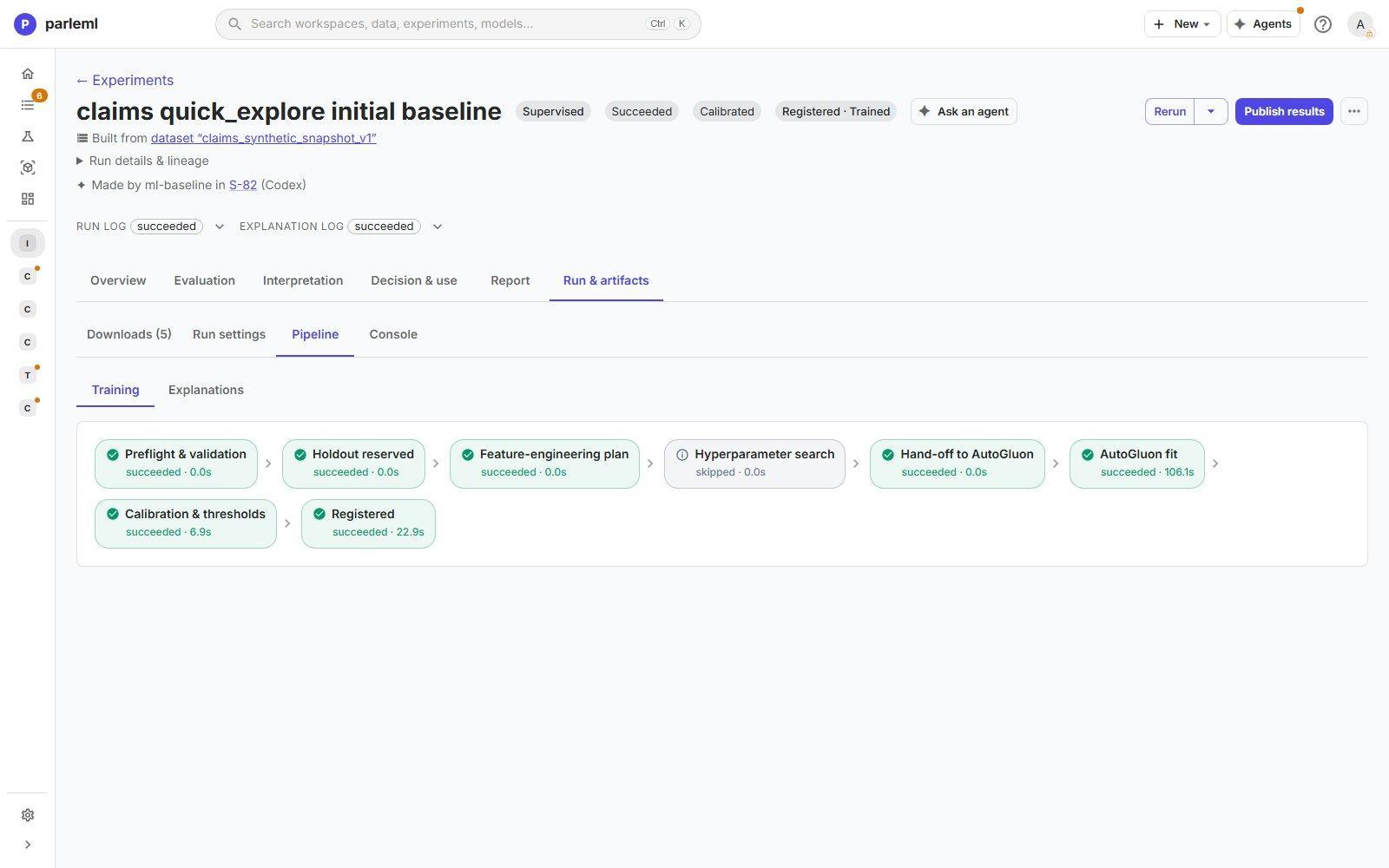
- Pipeline: each training and explanation stage with its status and duration. For example: preflight, holdout reserved, feature-engineering plan, hyperparameter search (here skipped), the model fit (106 s), calibration and thresholds, and registration.
- Console: the timeline and the full log.
- Notifications: warnings and errors raised during the run, with a count on the tab.
A supervised run can also be logged to MLflow: parameters, scores and the fitted model. See Track a run in MLflow.
Publish what you found
Publish results writes a report to the workspace's Documents, with a version. A saved report does not mean the model is released or fit for use. State the question, the held-out evidence, the limits, and what the evidence does not show.
For the methods behind these views, see the MLI guides (explanations, rules, evaluation and trust, decision support) and ML4's decision layer.
Next
- Compare: put two experiments side by side and decide whether a change helped.
- Models and release: register the model and take it through review.