Next best product for telecom customers
Time: about 30 minutes · You need: ParleML running (Run ParleML). No agent needed. You'll end with: a recommender and a ranker for "what to offer next", each judged against popularity, and one customer's ranked list with its reasons.
Which product should each customer be offered next? You answer that question twice:
- with a recommender, which trains one model per product and situation;
- with a learning-to-rank model (a ranker), which ranks the whole catalogue at once.
You judge both against the simplest strategy (offer whatever is most popular), look at how each product's model behaves, and read the reasons behind one customer's list.
You'll use Telco cross-sell, an included synthetic sample: a log of 16,670 purchase events across 8 products in 4 categories. Each event has the customer, date, product and category, the products the customer already held and had previously held, and customer attributes such as region, segment, contract, spend, data use and household size.
A recorded run
The numbers below come from one recorded run. Select any screenshot to see it at full size.
1. Open the sample and set the roles
-
On Home, under Start from a sample, choose Telco cross-sell. Once you have workspaces, the samples are behind the Sample datasets button on Home.
ParleML creates a Telco cross-sell workspace with the event log
reco_cross_sell_events.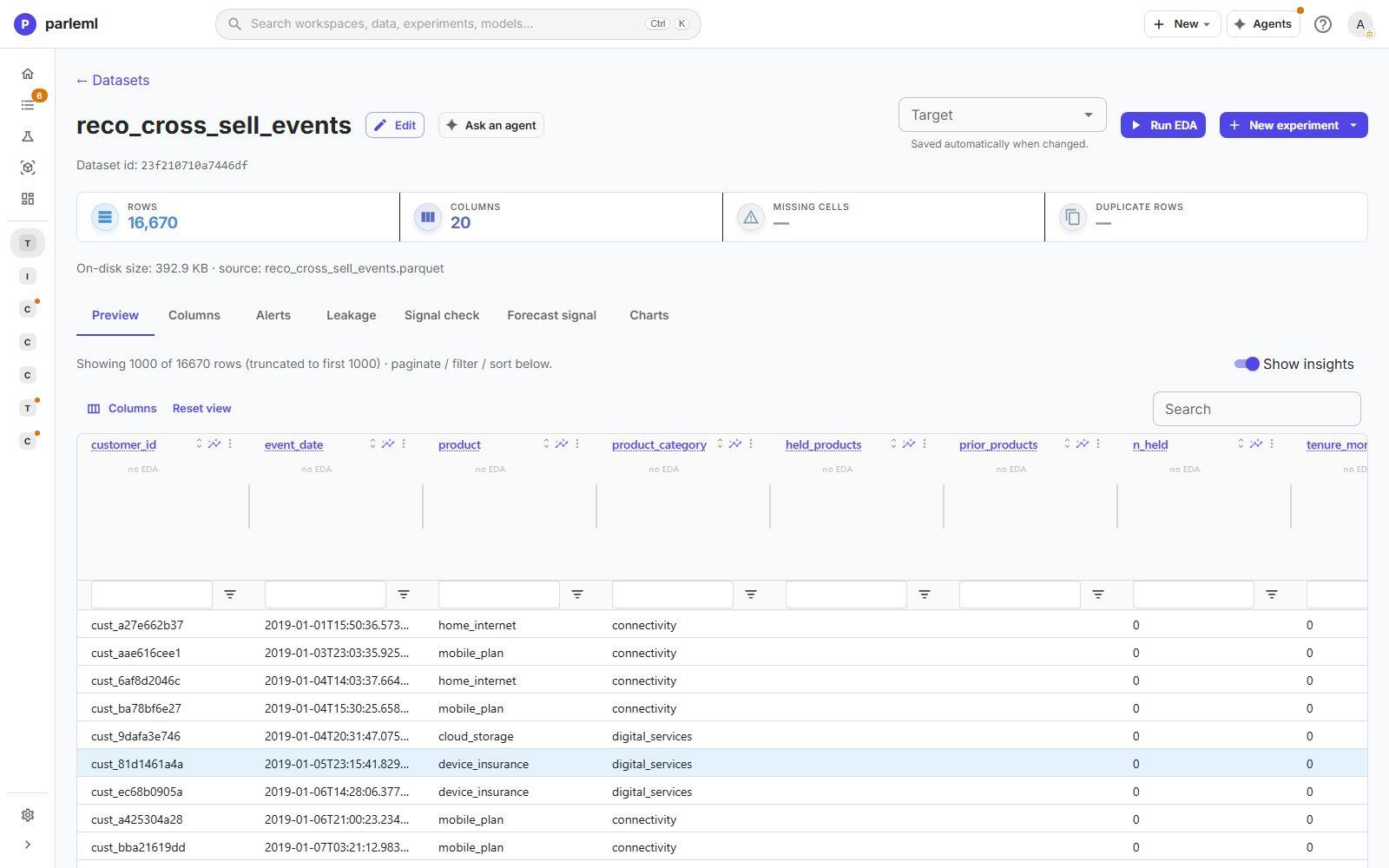
-
Choose Run EDA.
-
In Columns, tick Key on
customer_idand Base time onevent_date, then choose Save overrides.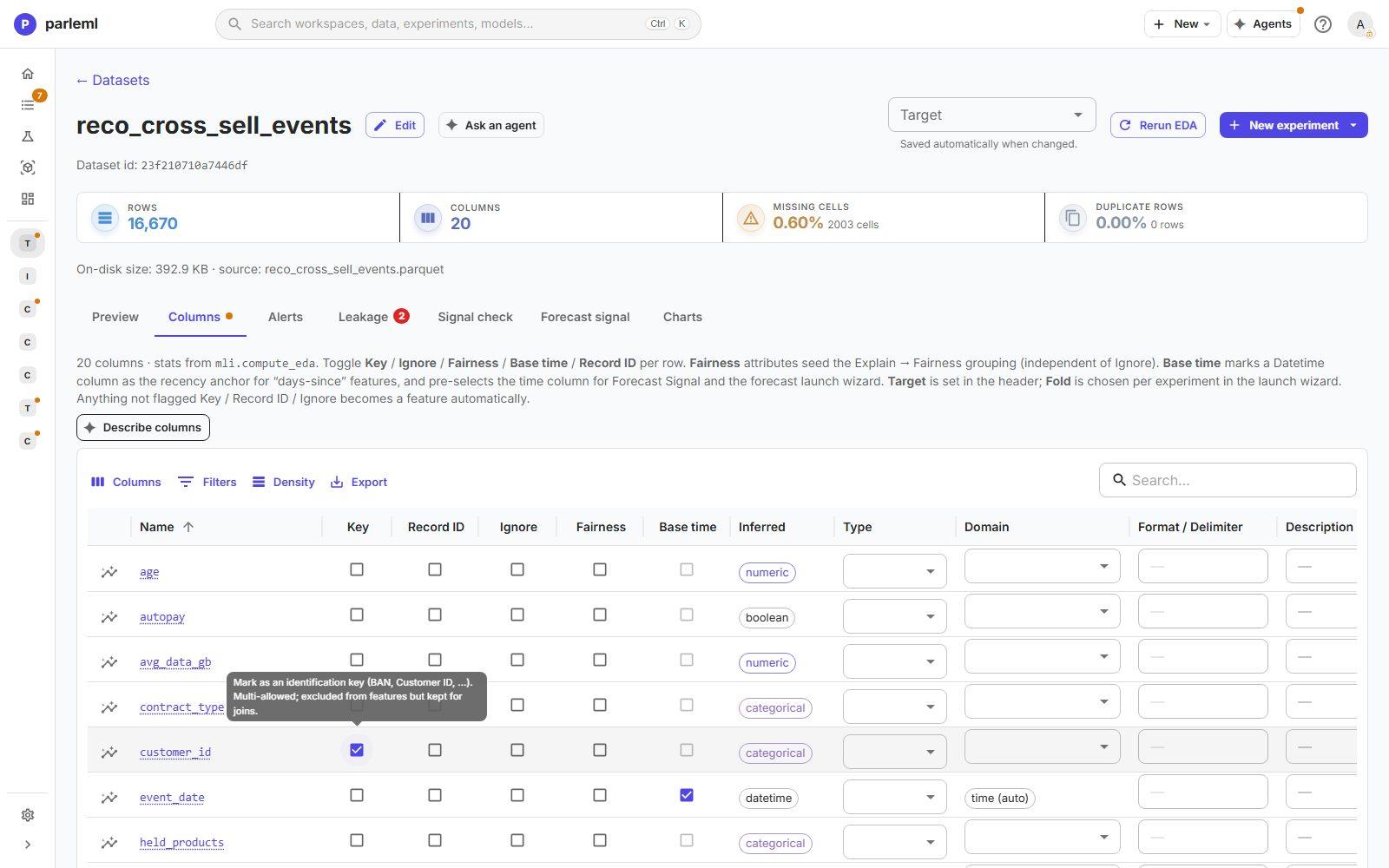
Base time makes the holdout time-ordered: the models train on earlier purchases and are tested on later ones.
-
Open Alerts. One critical finding shows straight away:
productandproduct_categoryare perfectly associated (Cramér's V = 1.000).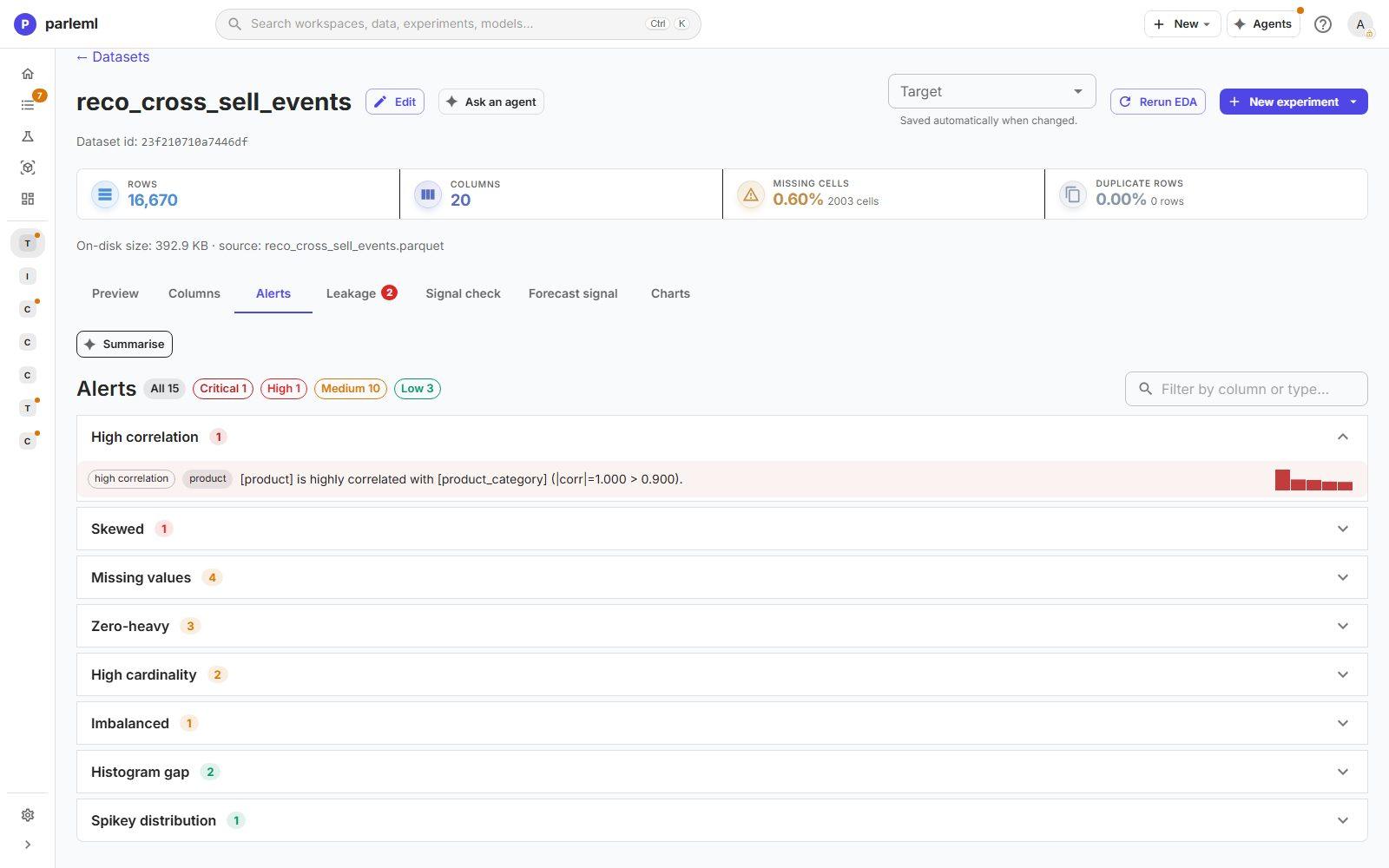
That is expected: the category is derived from the product. It is also a warning: the category must never be a feature for predicting the product. The launch forms treat it as a display-only grouping for exactly this reason.
2. Launch a recommender
- Choose Experiments → New experiment → Recommendation and name it Next product — cross-sell and expansion sub-models.
- Under Input grain, choose Purchase-event log. Every row is a positive; the engine mines negatives for each product itself (look-alike hard negatives and random ones).
-
Set Customer / entity column to
customer_id, Purchased product column toproduct, and Product category column toproduct_category. The category only groups products in the results; it is never a feature.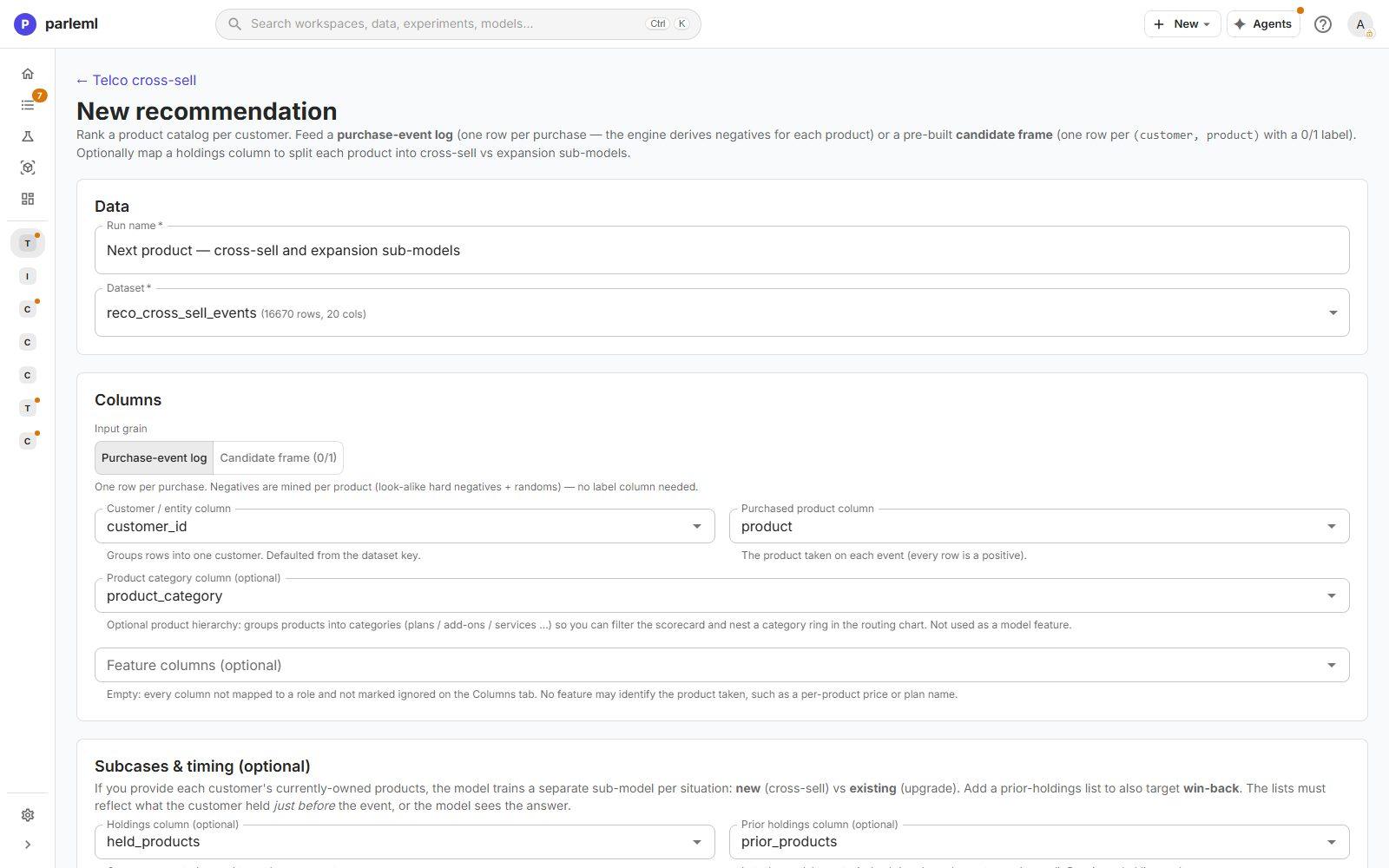
-
Under Subcases & timing, set:
- Holdings column to
held_products: what each customer held just before the purchase. With it, each product gets separate sub-models for customers new to it (cross-sell) and those who already hold it (expansion). - Prior holdings column to
prior_products: products the customer dropped. With it, a returning (win-back) sub-model is trained too. - Timestamp column to
event_date: train on the past, score the future.
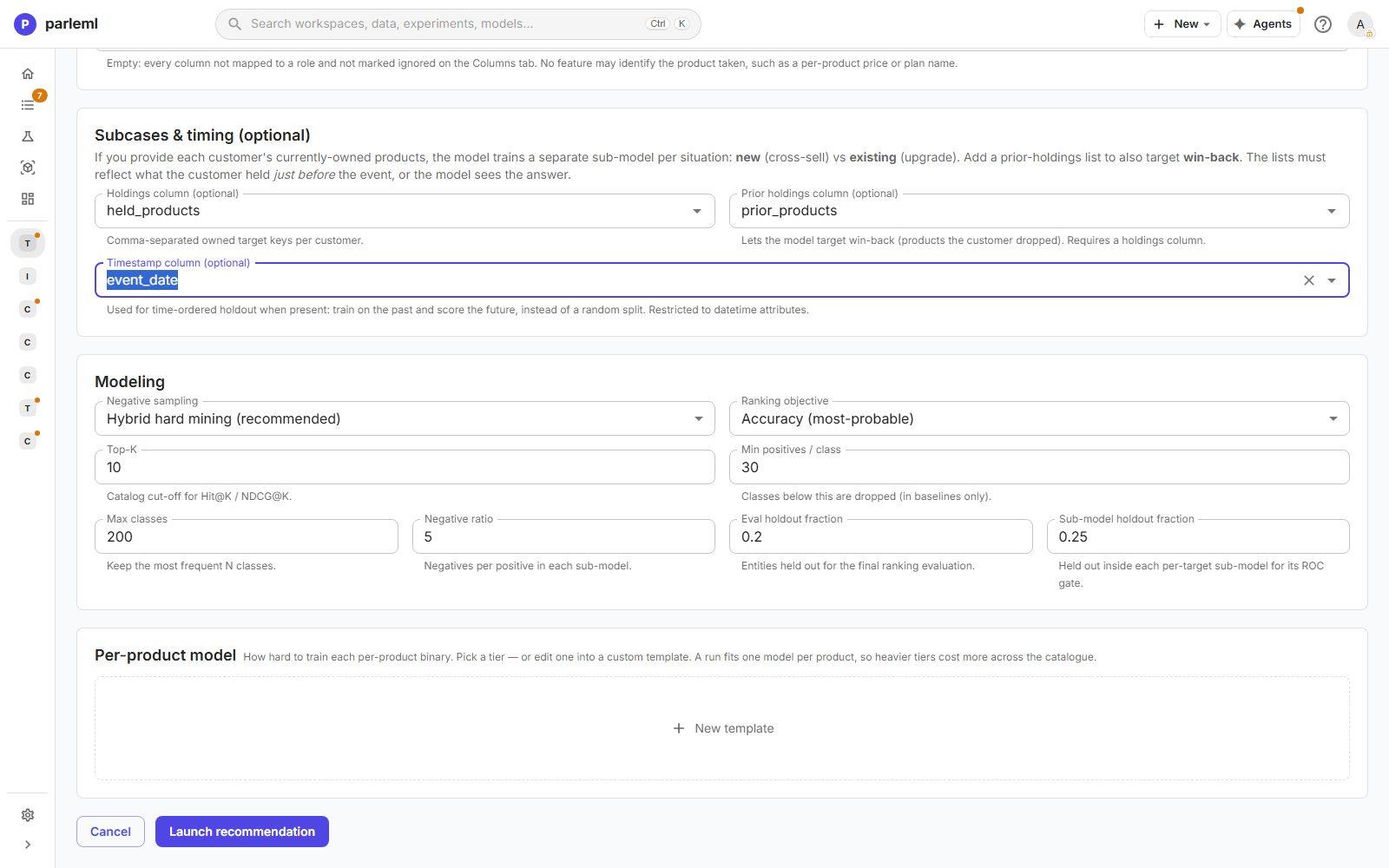
The form states the risk: the holdings must reflect what the customer held just before the event, or the model sees the answer.
- Holdings column to
-
Keep the modelling defaults: Hybrid hard mining (recommended) and the accuracy ranking objective.
- Launch it.
3. Launch a ranker on the same data
- Start a second experiment, Ranking, named Next product — one global LambdaRank ranker.
- Map the same customer, product and category columns, the holdings and the timestamp.
- Keep Exclude already-owned products from sampled negatives.
- Keep the training objective, LightGBM LambdaRank (pairwise NDCG), the robust default.
- Launch it.
A decision occasion is one customer event: the list in which the ranker orders the products.
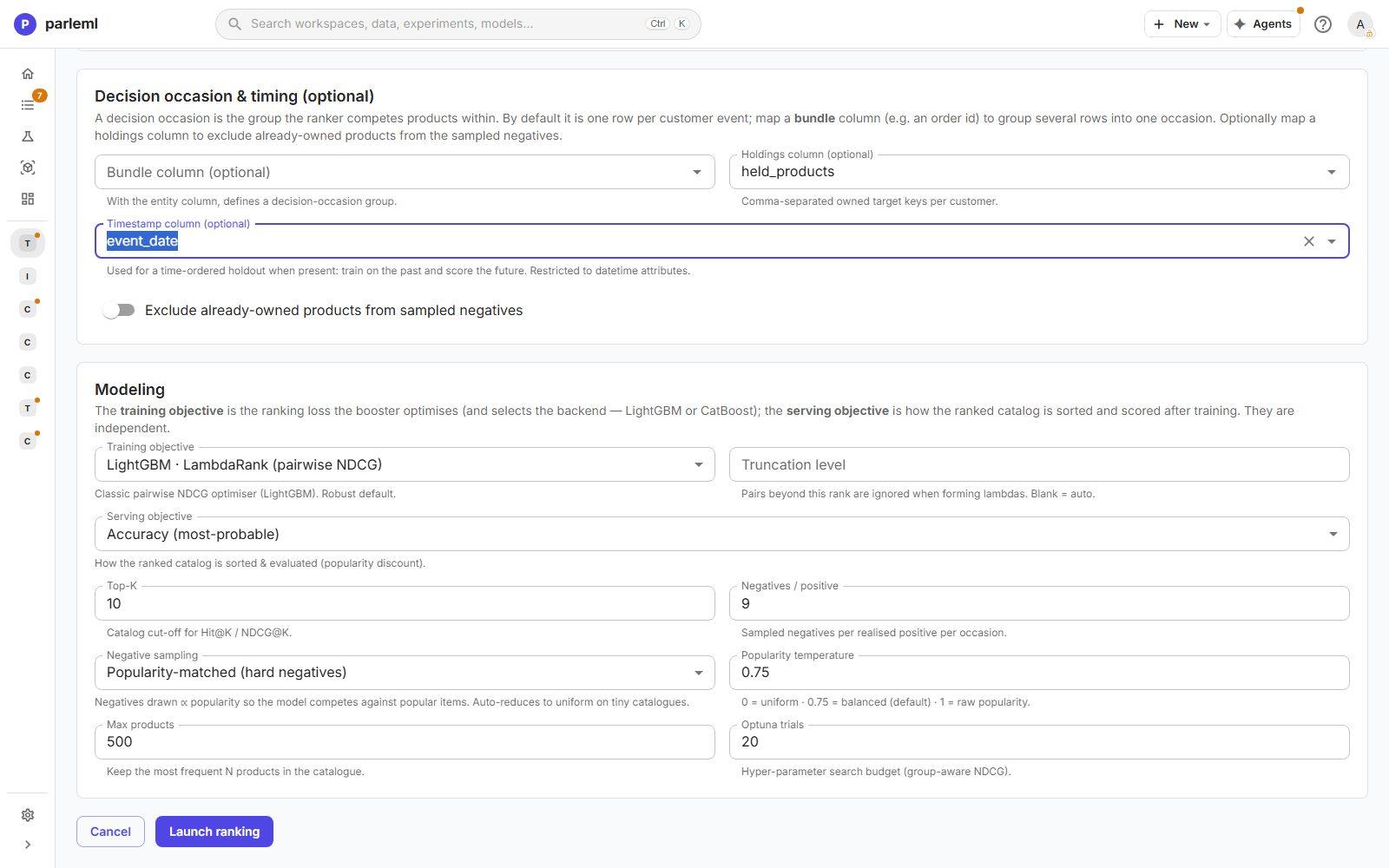
Both run in the background. The recommender trains 14 sub-models; the ranker runs a 20-trial search.
4. Judge the recommender against popularity
- Open the recommender's Overview.
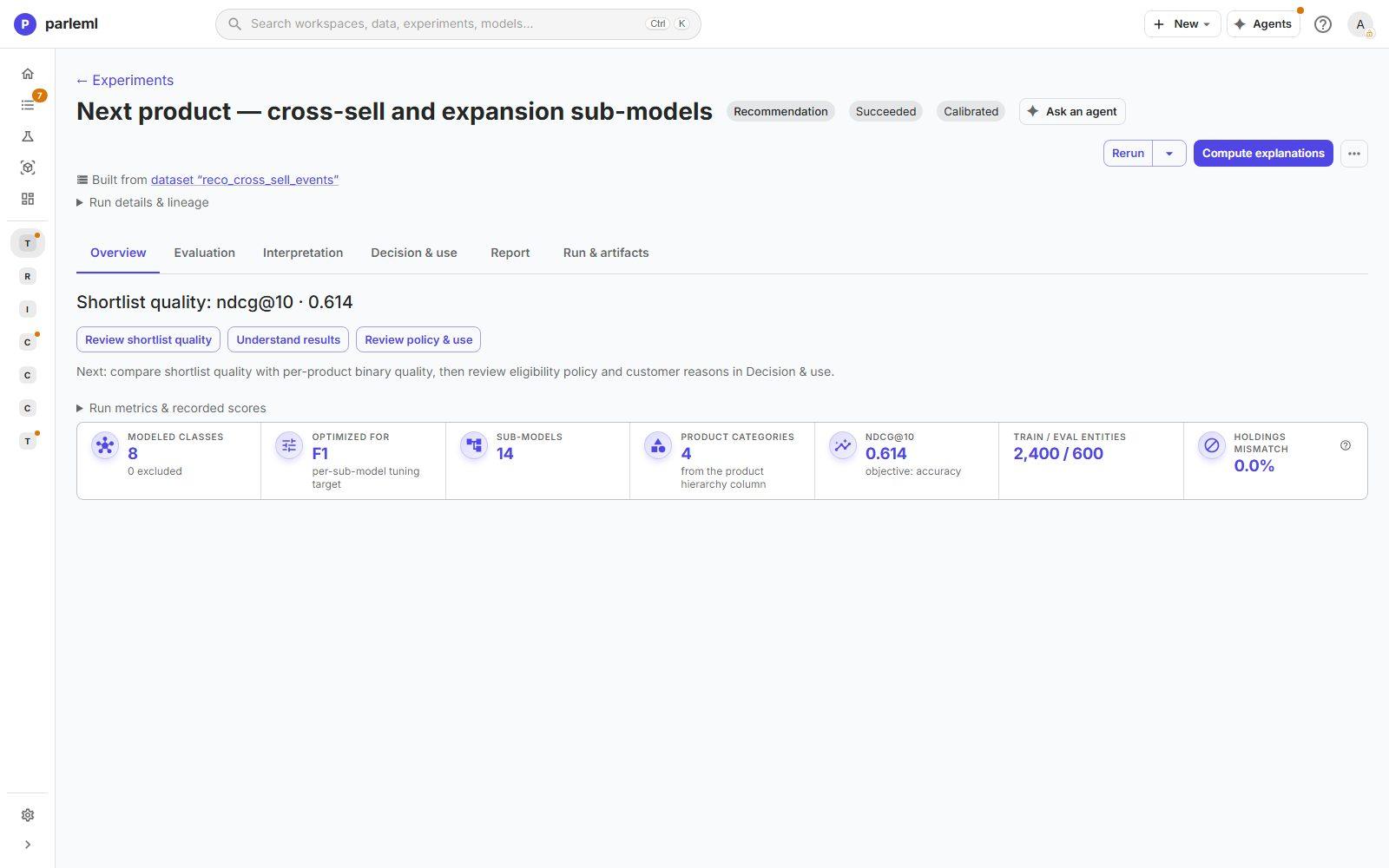
- 8 modelled products in 4 categories;
- 14 sub-models, each tuned for F1;
- 2,400 customers for training and 600 for evaluation, with no holdings mismatch;
-
shortlist quality NDCG@10 = 0.614.
-
Open Evaluation → Ranking. It answers the question that matters: is that better than offering the most popular products?
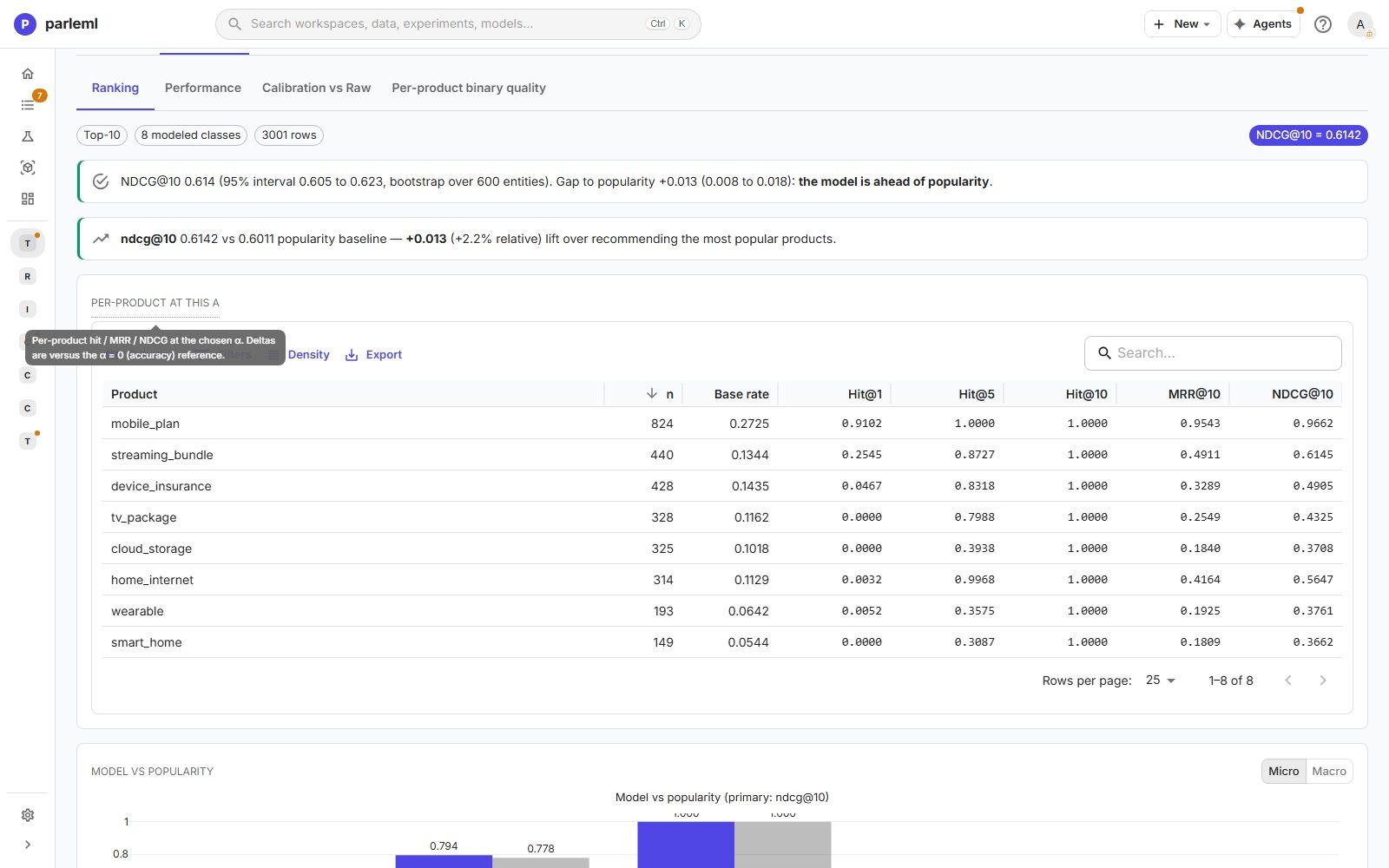
Yes, but only just. NDCG@10 is 0.614 against 0.601 for popularity: +0.013 (+2.2%). The 95% bootstrap interval of the gap, 0.008 to 0.018, excludes zero, so the page says the model is ahead of popularity. A gain that small rarely justifies the complexity on its own.
The per-product table shows where the value is. mobile_plan, the most common product, is
ranked first for 91% of the customers who bought it. Rarer products are rarely at the top:
Hit@1 is 0.00 for tv_package and cloud_storage.
5. Look inside the sub-models
- Open Evaluation → Per-product binary quality: a scorecard of every sub-model. It shows
F1 against its baseline, positives and negatives, and ROC on two kinds of negatives:
- the hard, resampled negatives used in validation;
- realistic negatives at test.
A large gap between the two means a model that only works on the artificial distribution.
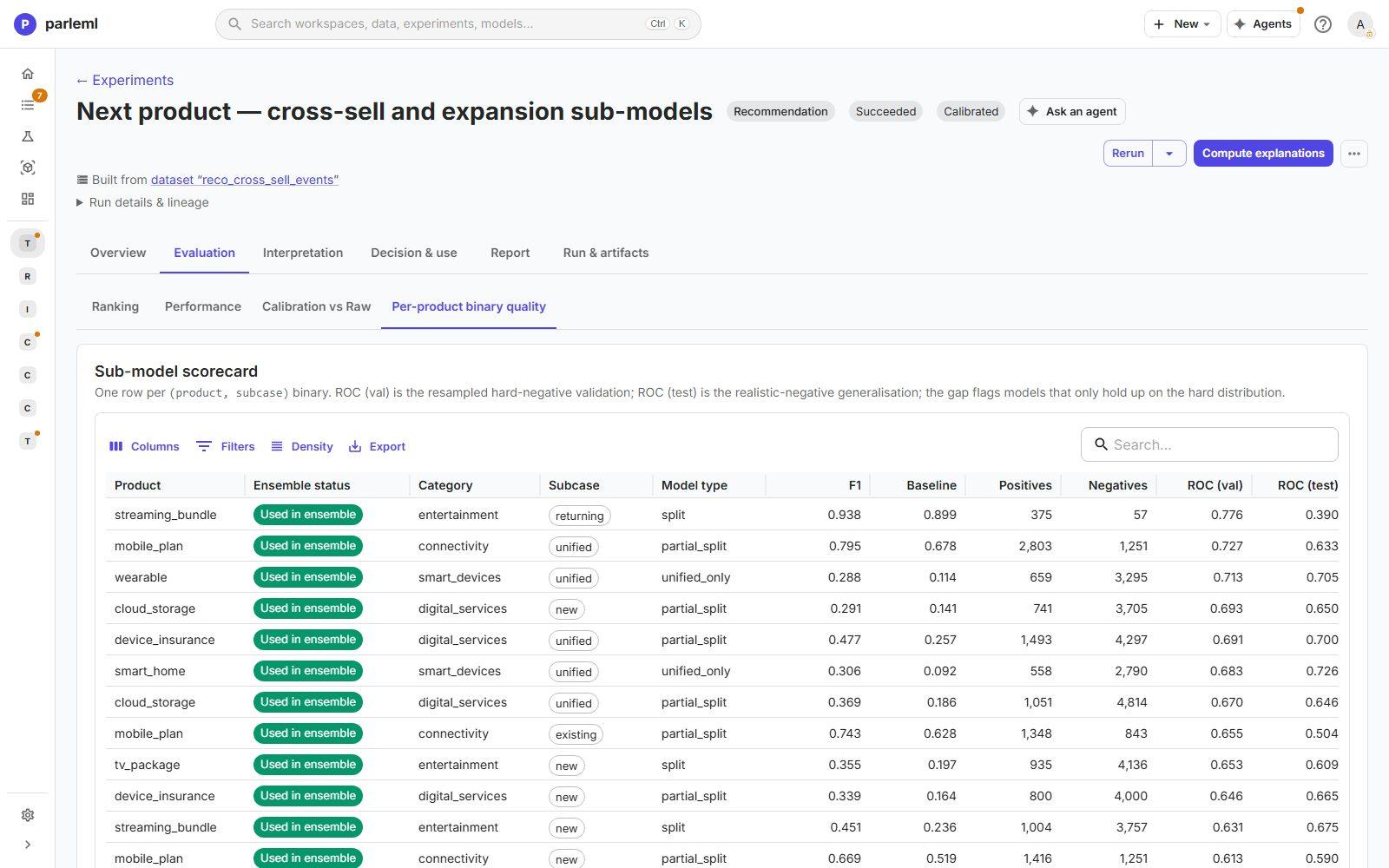
The top row is the finding. The streaming_bundle returning (win-back) sub-model reaches
ROC 0.78 on validation but only 0.39 at test, worse than chance: a gap of 0.39. It has
just 57 negatives. Most other sub-models hold up within 0.05. Don't trust that one win-back
model; the page puts it first so you can't miss it.
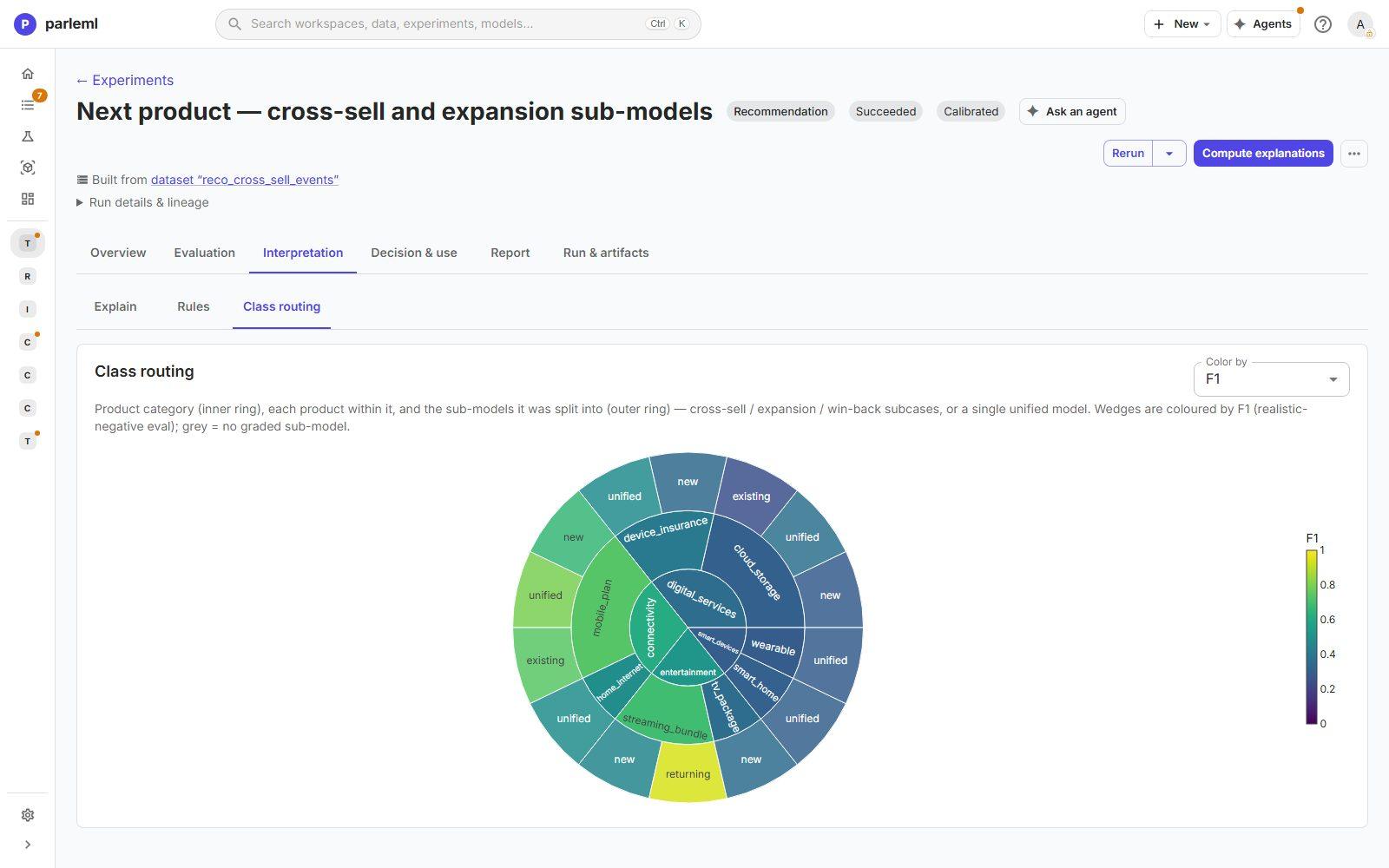
- Open Interpretation → Class routing: a sunburst of categories (inner ring), products, and the sub-models each was split into (new, existing, returning or unified), coloured by F1. You see at a glance which products got a cross-sell and expansion split, and where the weak wedges are.
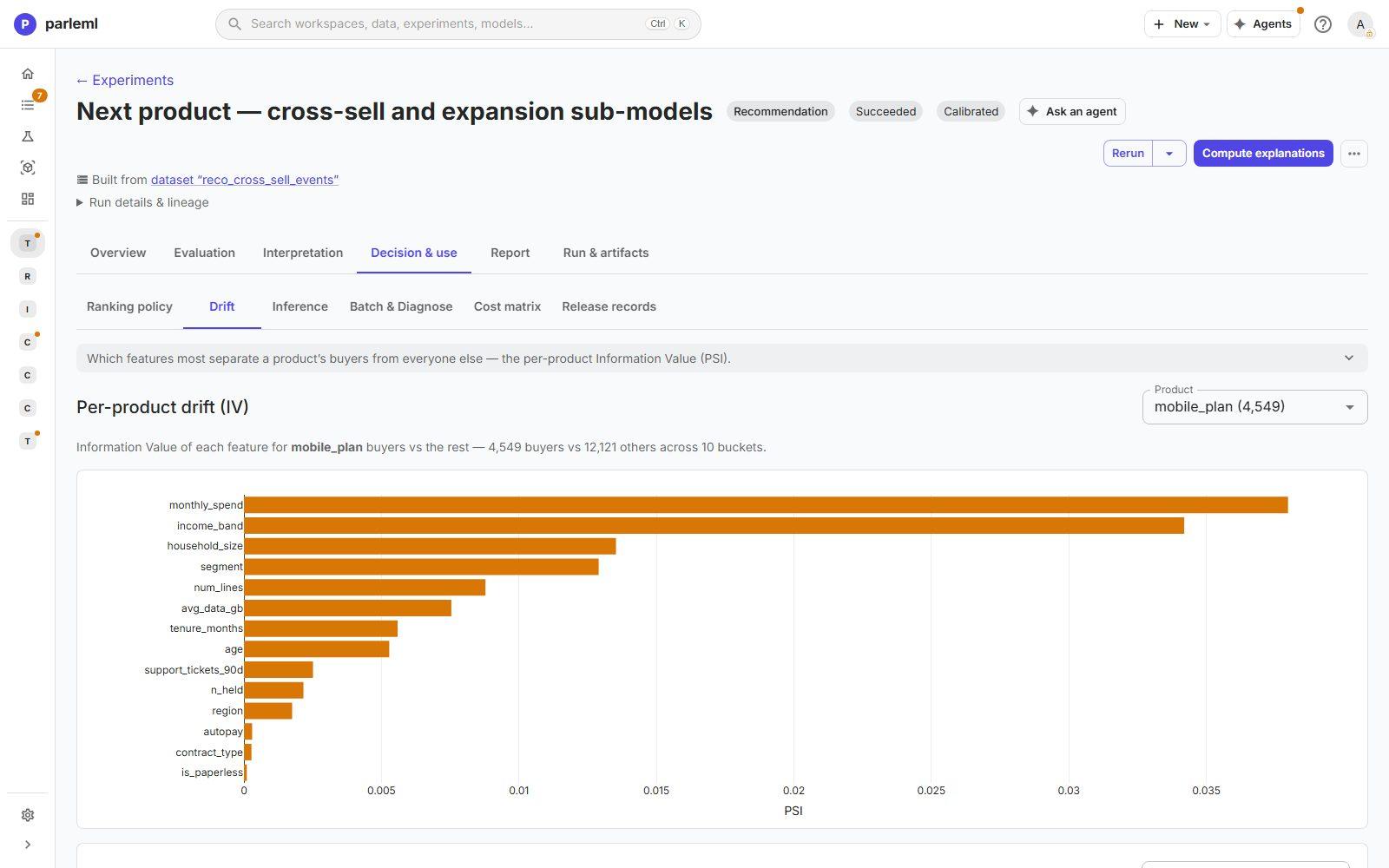
- Open Decision & use → Drift. It shows which customer attributes most separate each product's buyers from everyone else. Each product's model also has the full Explain catalogue and Rules.
6. Trade accuracy for coverage
Popular products dominate a list ranked for accuracy.
- Open Decision & use → Ranking policy.
- Move the α slider from Accuracy through Balanced to Coverage. α discounts popularity. Every move previews the effect on the recorded holdout before anything is saved.
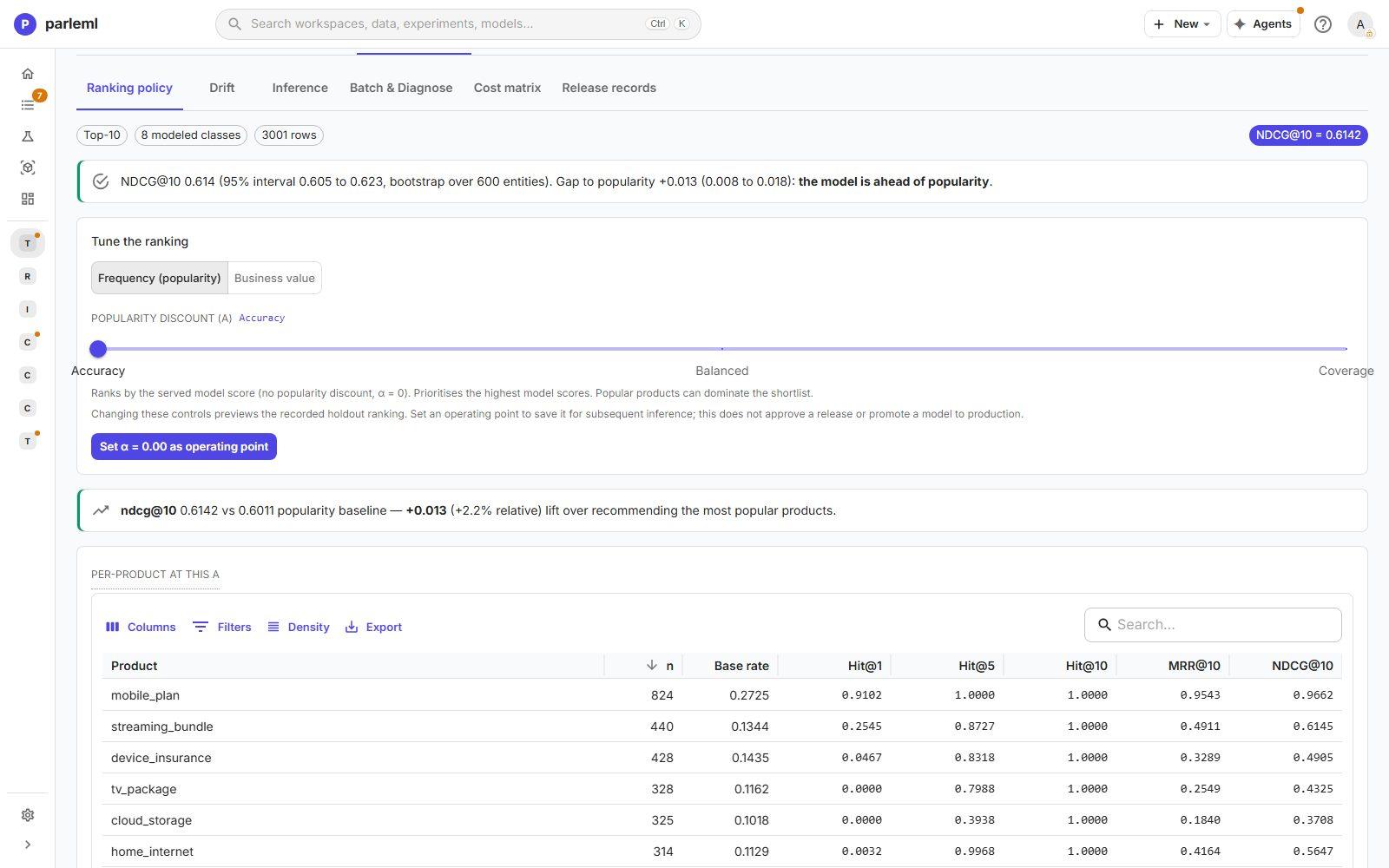
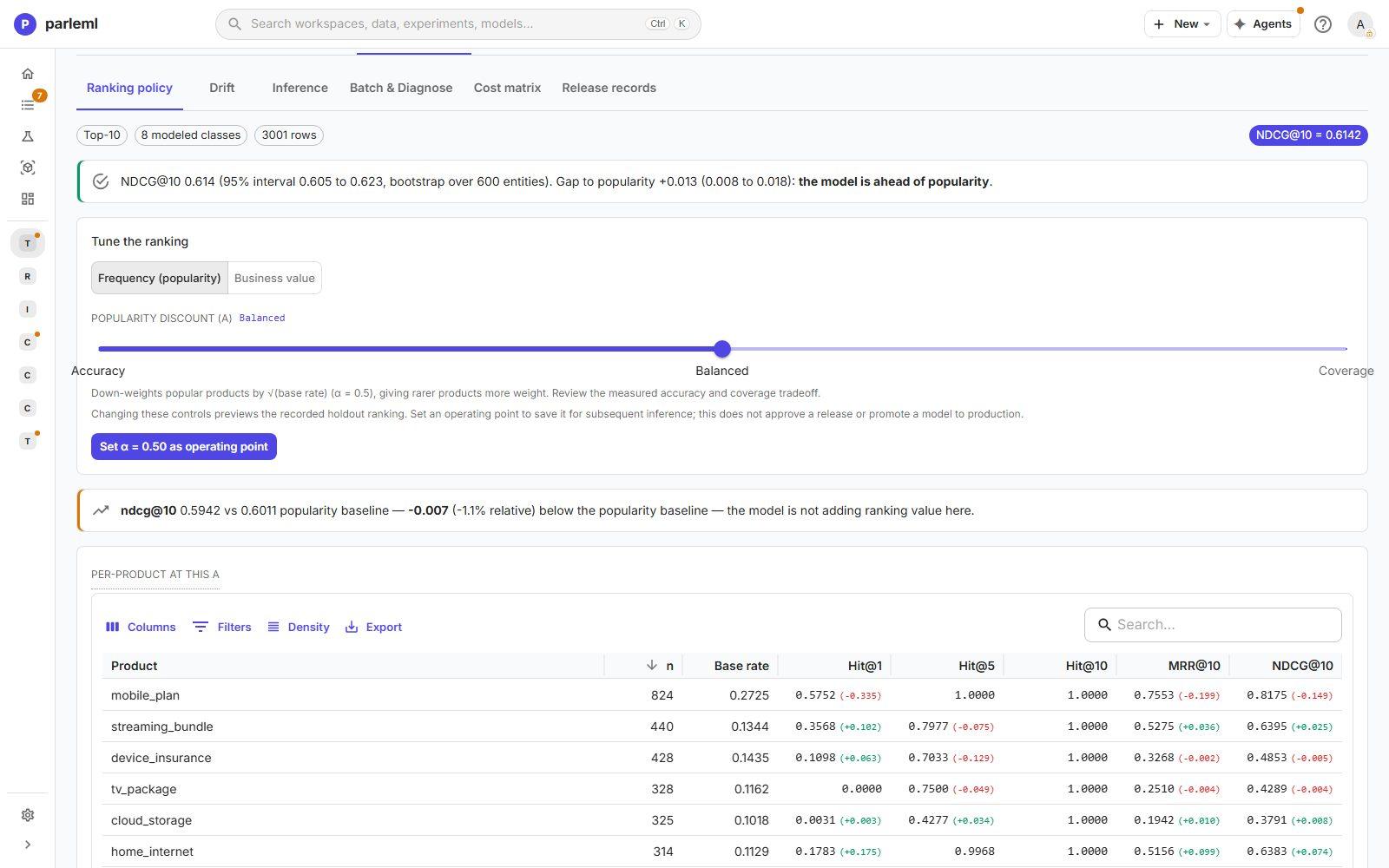
At α = 0.5 the trade-off becomes concrete:
mobile_planloses 0.34 of Hit@1.streaming_bundlegains 0.10.- Overall NDCG@10 drops to 0.594, below popularity. The page says so: the model is not adding ranking value here.
A coverage goal is legitimate, but it has a measured price. Set α = 0.50 as operating point records the choice for later scoring. It doesn't approve a release.
7. See the ranker win clearly
- Open the ranker's Overview.
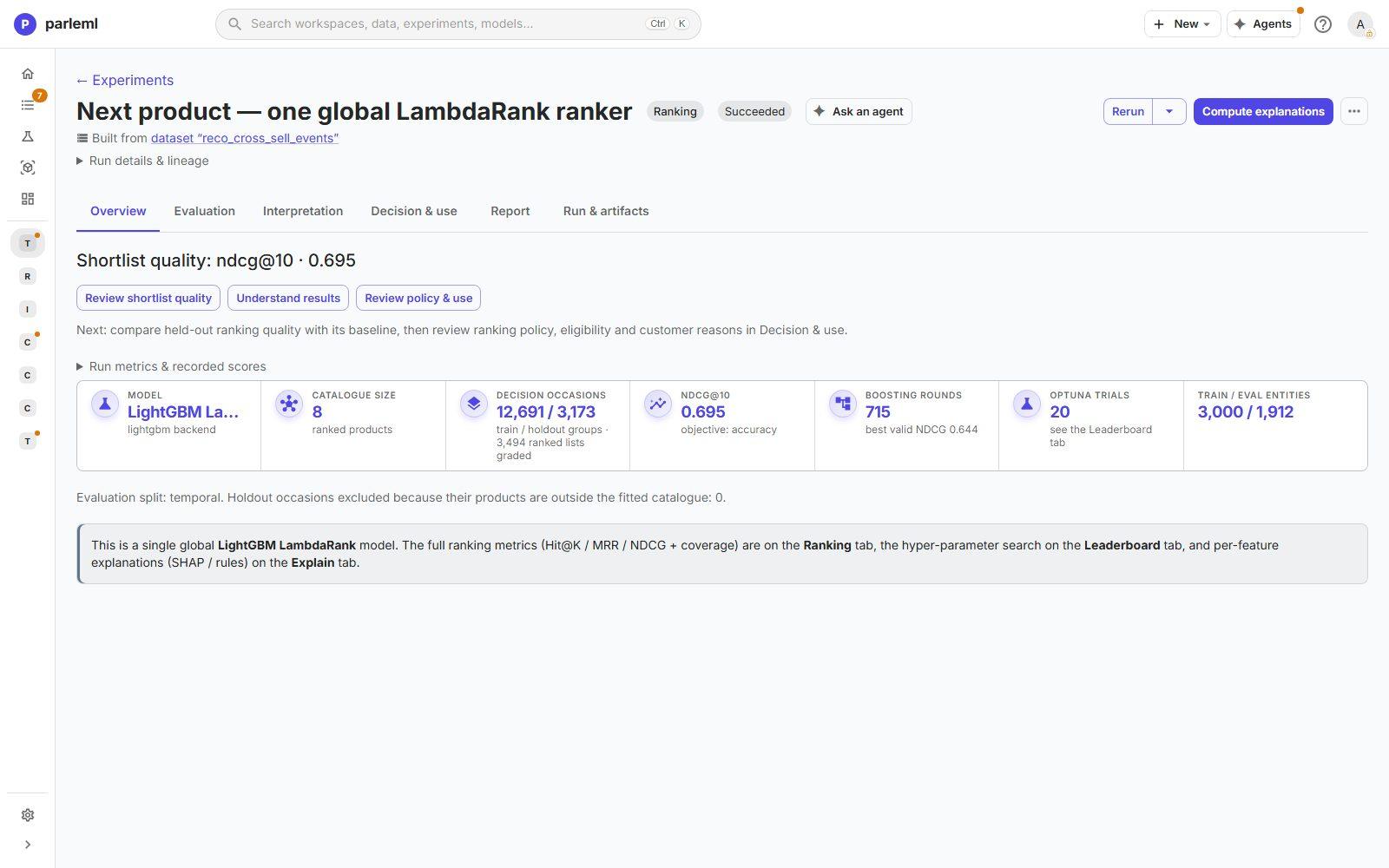
The ranker trained on 12,691 decision occasions and was evaluated on 3,173 later ones.
- Open Evaluation → Ranking.
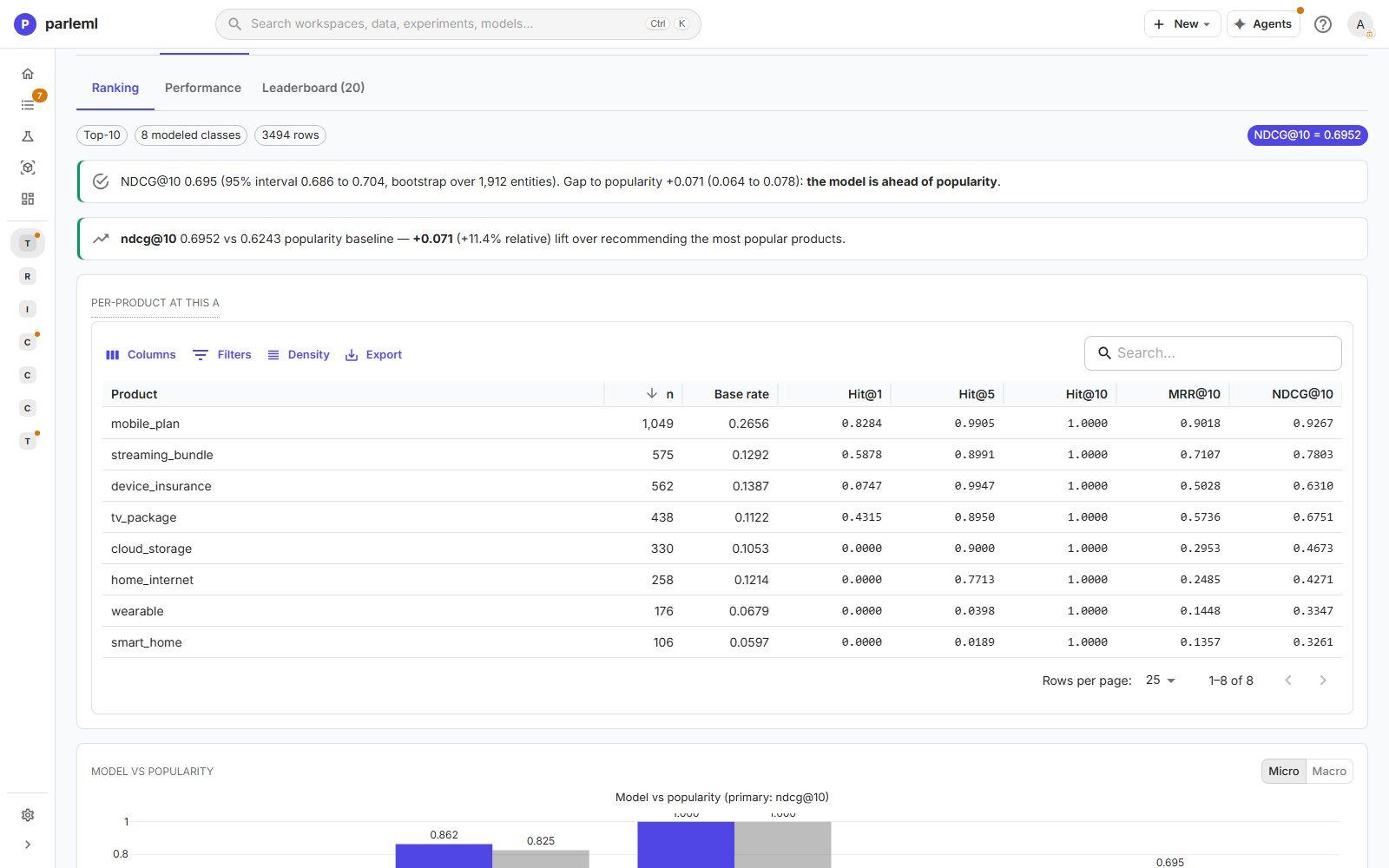
It reaches NDCG@10 = 0.695 against 0.624 for popularity: +0.071, +11.4%, with an interval of 0.064 to 0.078. That is five times the recommender's lift on the same question.
The per-product table explains why. The ranker puts the rarer products near the top much more
often: Hit@1 is 0.59 for streaming_bundle and 0.43 for tv_package. It learns the products
relative to each other within each occasion, which suits a "which one next" question.
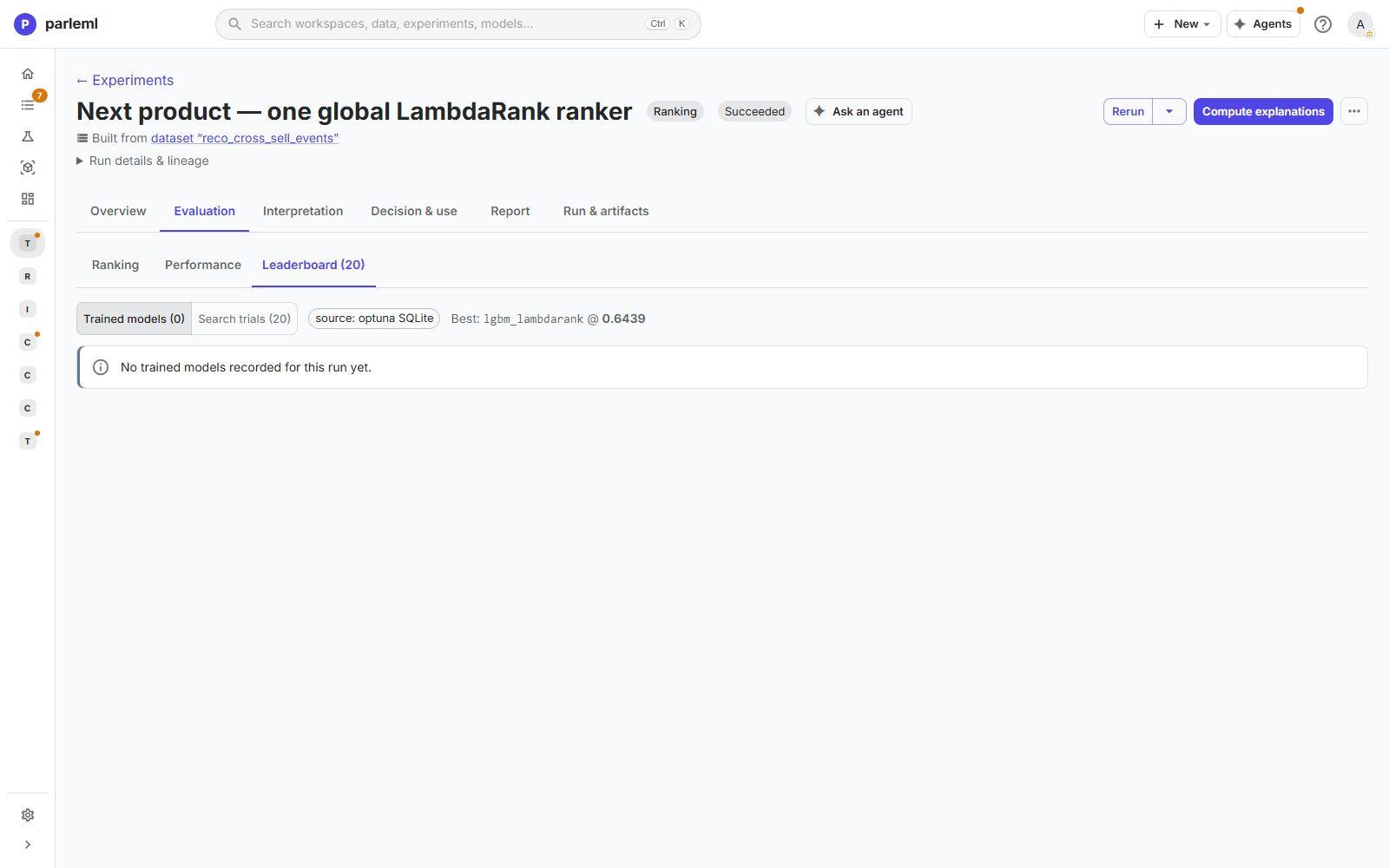
- Open Evaluation → Leaderboard for the 20 search trials behind it.
8. Read one customer's list, with reasons
- On the recommender, open Decision & use → Inference.
- Pick a row, set Top-N, and choose Recommend.
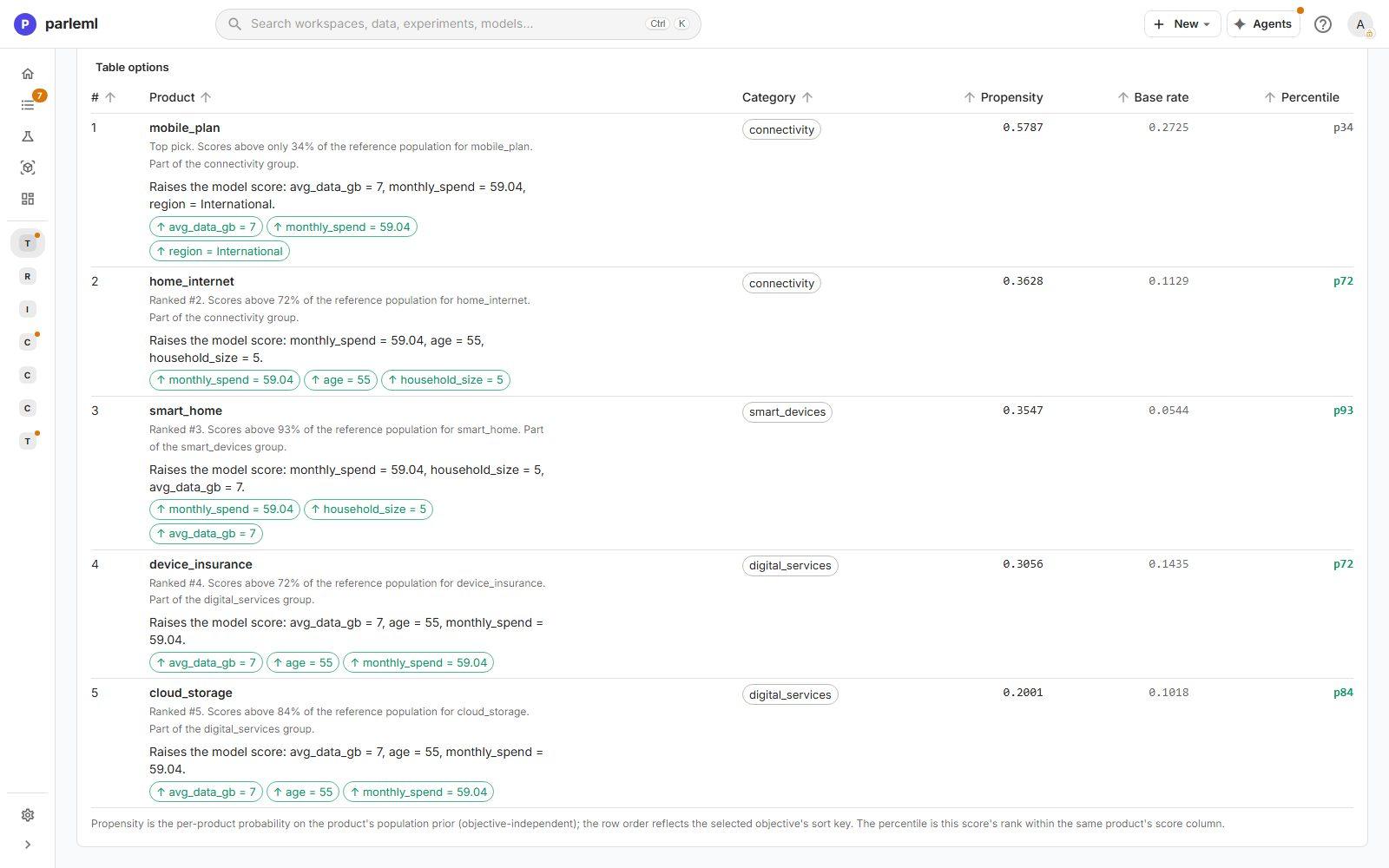
The recommender returns a ranked list with each product's propensity, its base rate and its percentile within that product. It also gives the reasons:
mobile_planis the top pick, raised by avg_data_gb = 7, monthly_spend = 59.04, region = International;smart_homeis third, with a score higher than 93% of the reference population.
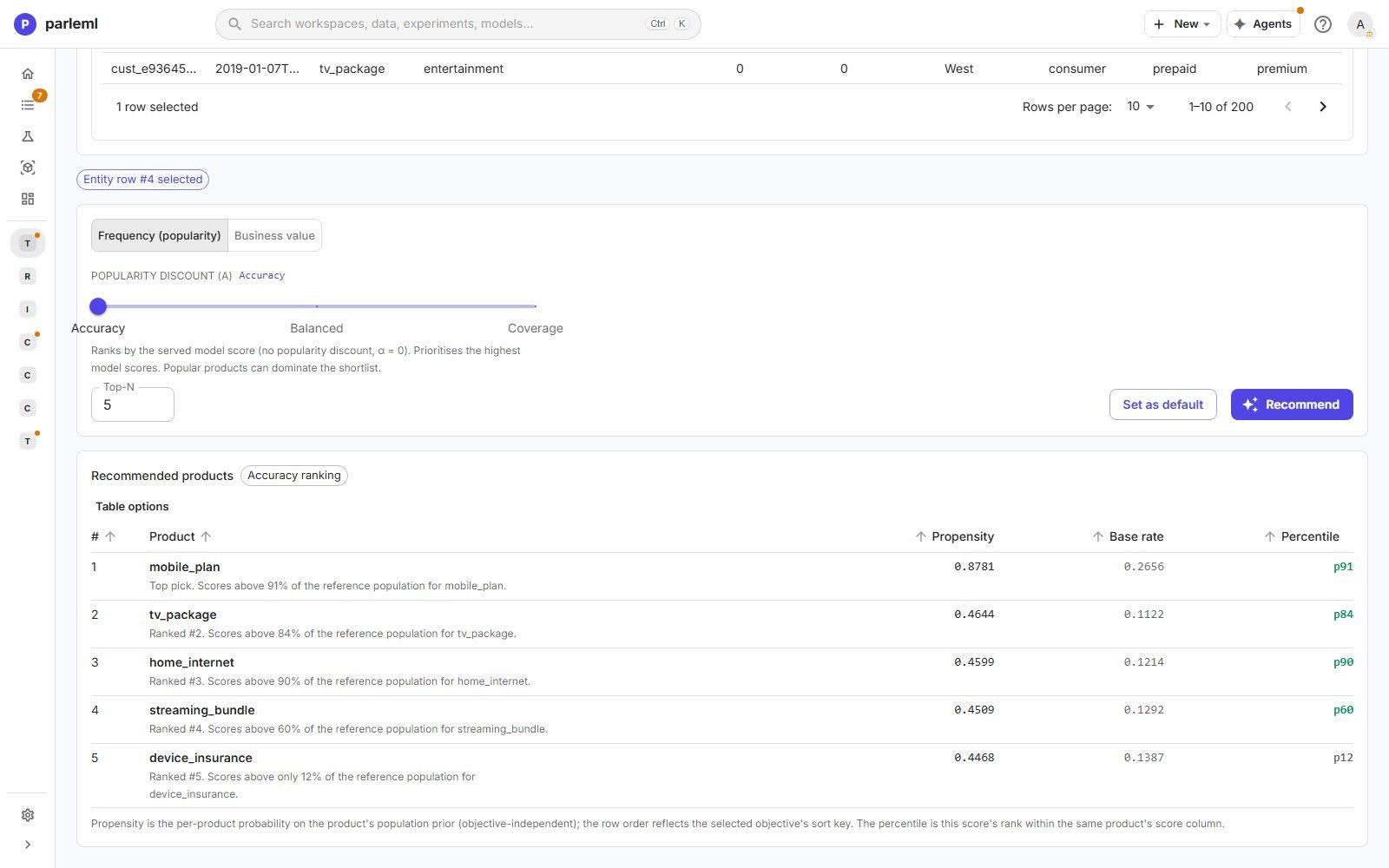
- Do the same on the ranker. It returns the same kind of list, ordered by its own scores, with percentiles for each product.
What you learned
- Always ask "better than popularity?" Both pages answer with an interval. The recommender is barely ahead (+2.2%); the ranker is clearly ahead (+11.4%).
- Sub-model scorecards catch weak pieces. One win-back model collapses at test.
- Policy is a measured trade-off. Discounting popularity spreads the list across the catalogue at a visible cost in accuracy.
- Reasons come per customer and per product, from real data, not hand-entered values.
To go further:
- Register the ranker and record an operating point.
- Run association rules on the same customers' holdings for a catalogue-wide view (A and B go with C).
- Ask an agent to investigate why the win-back sub-model fails.
Every option is in Experiments → Recommendation, Ranking and Results for other kinds.
Next
- Segment customers and review unusual payments: two problems without labels, by hand.
- Results for other kinds: every recommendation and ranking view.