Experiments
In short
- An experiment is one configured, measured run on a dataset. It keeps the question, the data, the target, the column roles, the template, every setting and all the evidence.
- There are seven kinds. Each has its own setup form, opened from Experiments → New experiment.
- For classification and regression you pick a template: a complete, ready-made training recipe. Quick Explore gives a first answer in minutes; Default is the everyday choice.
- Every template can be opened, changed and saved as your own in the template editor.
- Your workspace shows its experiments as a tree, so each change is measured against the run it came from.
Not sure which kind fits? See Which experiment fits my question?.
Choose a kind
Open Experiments → New experiment. The same menu on a dataset page starts with that dataset selected.
| Kind | Use it to | Setup highlights |
|---|---|---|
| Classification / regression | Predict a target column. Binary, multiclass or regression is read from the target. | Templates, column routing, validation design, execution |
| Forecast | Predict future values of one or many time series | Series mapping, horizon and frequency, four backends, race or pin one model |
| Anomaly detection | Surface unusual rows without labels | A detector or an automatic ensemble, contamination, an optional label for scoring |
| Clustering | Group similar rows without labels | Score-later or segment-only algorithms, automatic number of clusters, text themes |
| Recommendation | Score a product catalogue for each customer | Event log or candidate frame, cross-sell, upgrade and win-back sub-models |
| Ranking | Order a catalogue per decision with one learning-to-rank model | Decision occasions, LambdaRank, XE-NDCG or YetiRank |
| Association rules | Mine "A and B go with C" rules | Basket shape, mining budget, item constraints, significance gate |
Classification and regression
The setup has three steps: 1. Data & question, 2. Objective & template and 3. Validation & launch. You can open any step directly. Nothing runs until you choose Launch experiment.
1. Data and question
- Write the Question / hypothesis: the decision, the population and the outcome you want. It is saved as the experiment's purpose, apart from its results, so write it before you see any.
- Set the Experiment name, the Dataset and the Target column. The target is filled in from the dataset when it has one.
- Optional: choose Check signal now (seconds). It runs the zero-shot signal check in place, so you know whether there is anything to learn before you decide how hard to try.
- Review Identity & feature routing. It holds this experiment's column roles without changing the dataset: the key, Record ID and base-time columns, each column's domain, and column settings such as a token delimiter or where text embeddings come from. It starts from the dataset's Columns tab. When the dataset has date columns, you must pick a base time here; the section opens by itself.
Details: where text embeddings come from
For a column set to the Text embedding domain, you choose the source:
- A model on this server, listed with its size and whether it is already downloaded.
- A provider connection. The form says what text is sent, to whom, when, roughly how many tokens training will use, and that the model will then depend on that connection.
Text embeddings and foundation models need their libraries installed and enough memory. Settings → Diagnostics shows what this server can run.
2. Objective and template
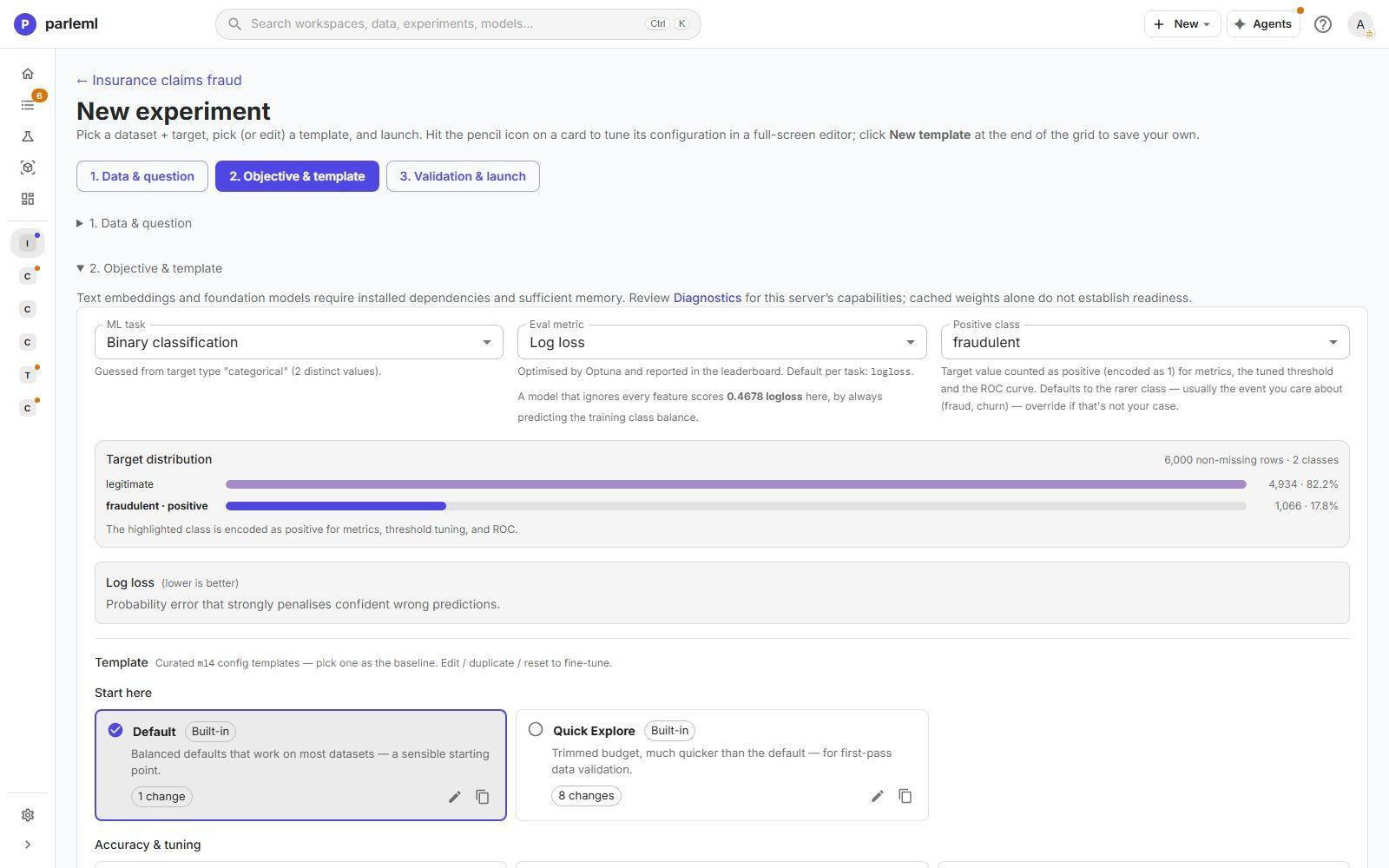
ParleML shows what it inferred. You can override each item:
- ML task, with the reason (for example, two distinct values in the target).
- Eval metric, the default for the task, and what a model that ignores every feature would score. In the claims example that is log loss 0.468: the floor any model must beat.
- Positive class: the value counted as positive for metrics, threshold tuning and the ROC curve. It defaults to the rarer class.
- The target distribution, with the positive class highlighted.
Then pick a template. Each card shows how many settings it changes from the default (matches default when none), and a Built-in, Built-in (edited) or Custom badge.
| Group | Template | What it does | Time budget |
|---|---|---|---|
| Start here | Default | Five-fold bagging over one LightGBM, with the standard feature engineering. Works on most data. | 30 minutes |
| Quick Explore | One LightGBM on a holdout, with the costly feature engineering off. A first pass. | 10 minutes | |
| Accuracy & tuning | High Accuracy | The widest feature space and a diverse model roster | 4 hours |
| Diverse Ensemble | Many different models, combined into an ensemble | 1 hour | |
| Tuned Single | A hyperparameter search, then the single best model | 1 hour | |
| Tuned Ensemble | A search per model family, then bagged and combined | 2 hours | |
| Reliable Tuned Ensemble | 20 guided trials per booster over five folds, then bagged and combined | 2 hours | |
| Tuned Variants | Every booster variant searched separately, then combined. The most expensive. | 3 hours | |
| Foundation Ensemble | The diverse roster plus the zero-shot tabular foundation model | 1 hour | |
| Interpretability & constraints | Regulated Glassbox | One transparent model (GLM, EBM or RuleFit) you can read end to end | None (reproducible) |
| Regulated Monotonic | One tuned booster with automatic monotonic constraints | 1 hour | |
| Regulated Scorecard | A weight-of-evidence logistic model whose coefficients become points | None (reproducible) | |
| Data & serving needs | Real Time | One tuned booster, compiled for fast per-row scoring | 1 hour |
| Large Dataset | A lightly tuned, time-boxed LightGBM with lean feature engineering, for about 2 million rows or more | 1 hour | |
| Small Data | Ten-fold bagging, a wider roster and no feature selection, for under about 20,000 rows | 15 minutes | |
| Text Heavy | Adds neural sentence embeddings for data whose signal is in free text | 1 hour |
The time budget covers model selection. Preparation, refitting and explanations add time, and a run can overrun slightly. The two reproducible regulated templates have no time limit, because a time-limited fit is not exactly repeatable.
The template editor
The pencil on a card opens the full template. The copy icon duplicates it. New template at the end of the grid starts your own.
- Save keeps a built-in template's name; it then shows Built-in (edited) and offers Reset to built-in.
- Save as new stores your version as a separate template under Your templates.
- Find a setting searches every section.
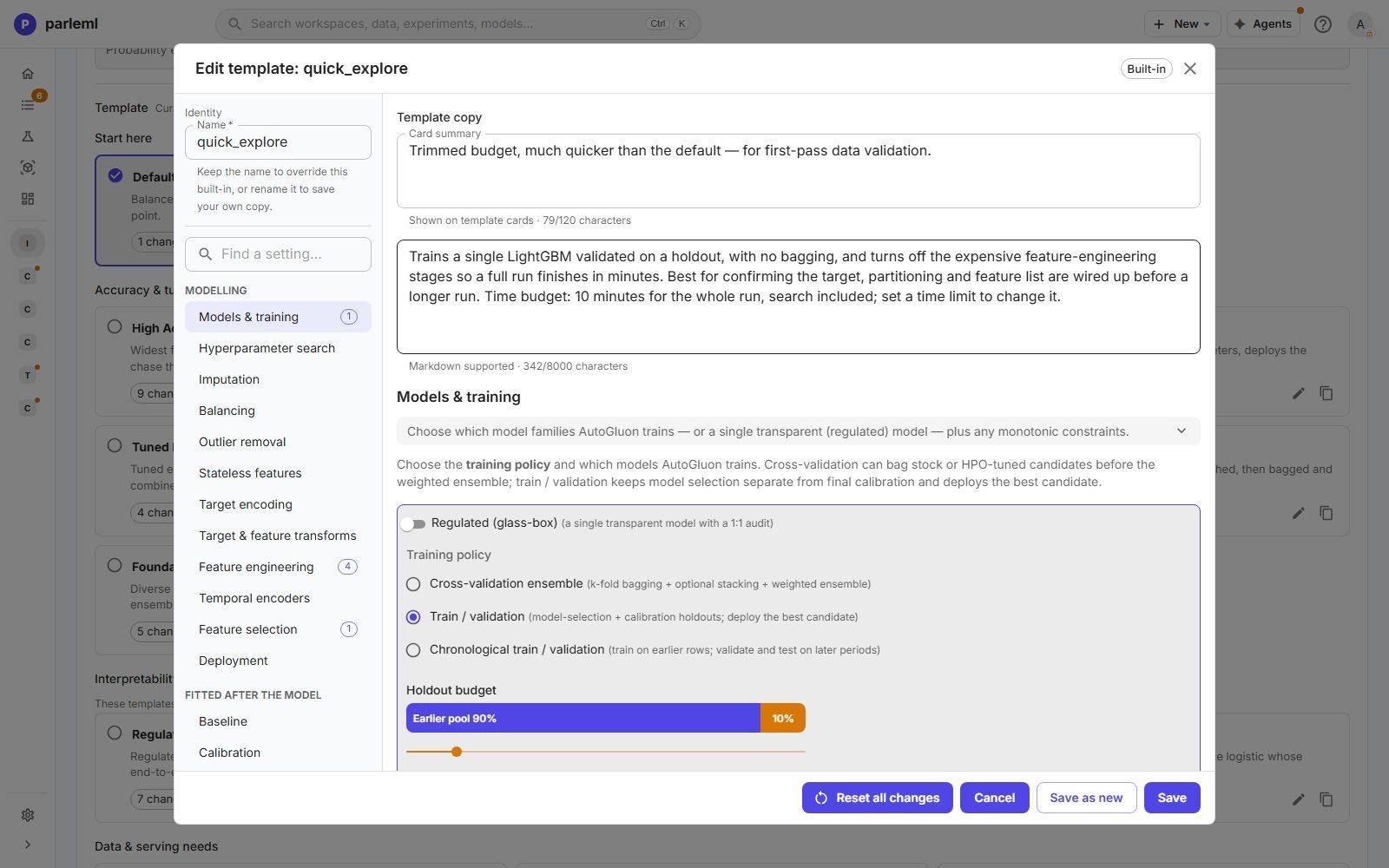
The sections are grouped into Modelling, Fitted after the model and Advanced. Sections that don't apply to the template's task are hidden.
| Section | What you control |
|---|---|
| Models & training | The Training policy, the holdout budget, the model roster, the transparent-model switch, the foundation model as a candidate, and monotonic constraints |
| Hyperparameter search | The search provider, its budget and how trials are validated |
| Imputation, Balancing, Outlier removal | How missing values, class imbalance (classification only) and outliers are handled |
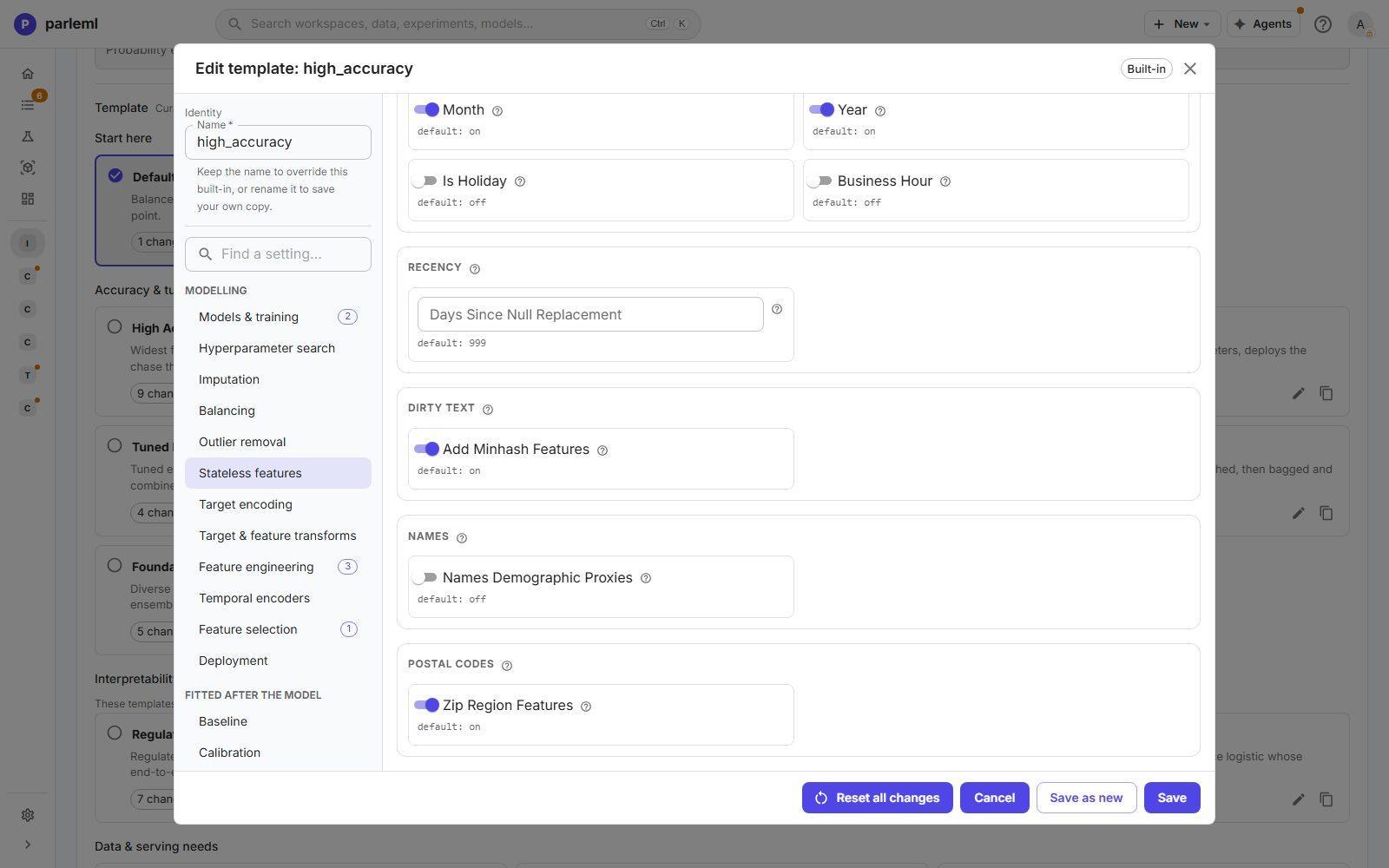
| Stateless features | How domain-tagged columns expand: country from postal and phone data, calendar parts, holidays and business hours, recency, MinHash for dirty text, ZIP-region features, and the opt-in name proxies |
| Target encoding | Encoding categories with the target, computed out-of-fold so it does not leak |
| Target & feature transforms | Transforms for a skewed target or skewed features |
| Feature engineering | The learned encoders: clustering encoding, multi-token encoding, weighted-token topics, dirty-text topics, text SVD and others |
| Temporal encoders | Lag and rolling features, where the data has time |
| Feature selection | Pruning features that don't help, and the noise reference (below) |
| Deployment | Fast-inference compilation (Treelite), a serving-latency budget, and keeping the decision basis for explanations |
| Baseline | The check that the model beats the best skill-free predictor, with a warning margin and an optional hard fail when there is no signal |
| Calibration | How probabilities are calibrated, and the bar a calibrator must clear to ship (classification) |
| Prediction intervals | The width of the intervals around each prediction (regression) |
| Engine (AutoGluon) | Advanced settings for the training engine |
Details: the three training policies
- Cross-validation ensemble: k-fold bagging, optional stacking and a weighted ensemble. Every row is used for both training and validation.
- Train / validation: a model-selection holdout and a calibration holdout; the best single candidate ships.
- Chronological train / validation: train on earlier rows, validate and test on later periods. Use it whenever the model will predict the future.
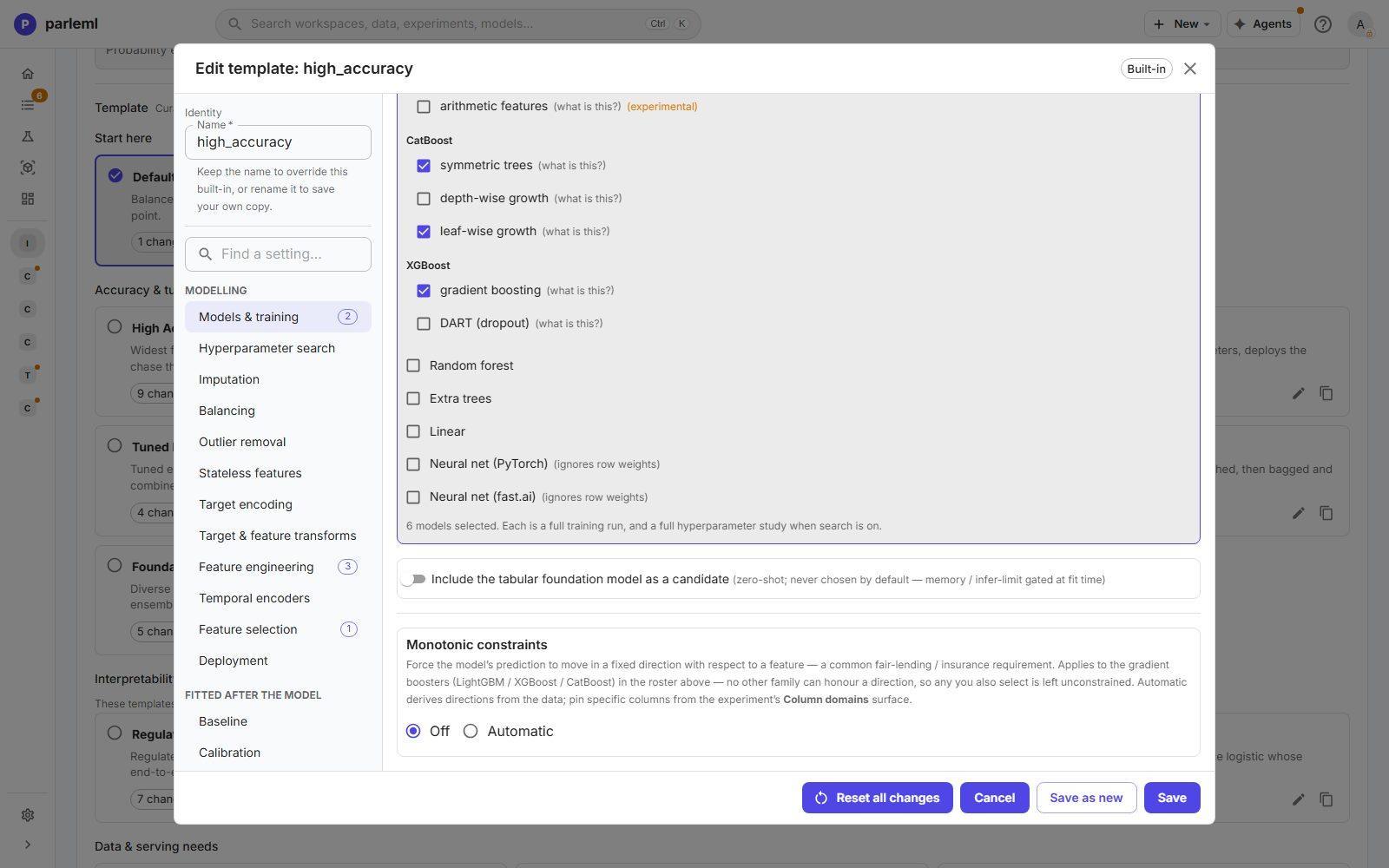
The roster picks the model families and their variants. For example: LightGBM, optionally with extra and arithmetic features; CatBoost with symmetric, depth-wise or leaf-wise trees; XGBoost gradient boosting or DART; random forest, extra trees, linear models and neural networks. It says how many models are selected. Each one is a full training run, and a full search when search is on.
Monotonic constraints force the prediction to move in one direction with a feature, a common lending and insurance requirement. They can be derived from the data or pinned per column.
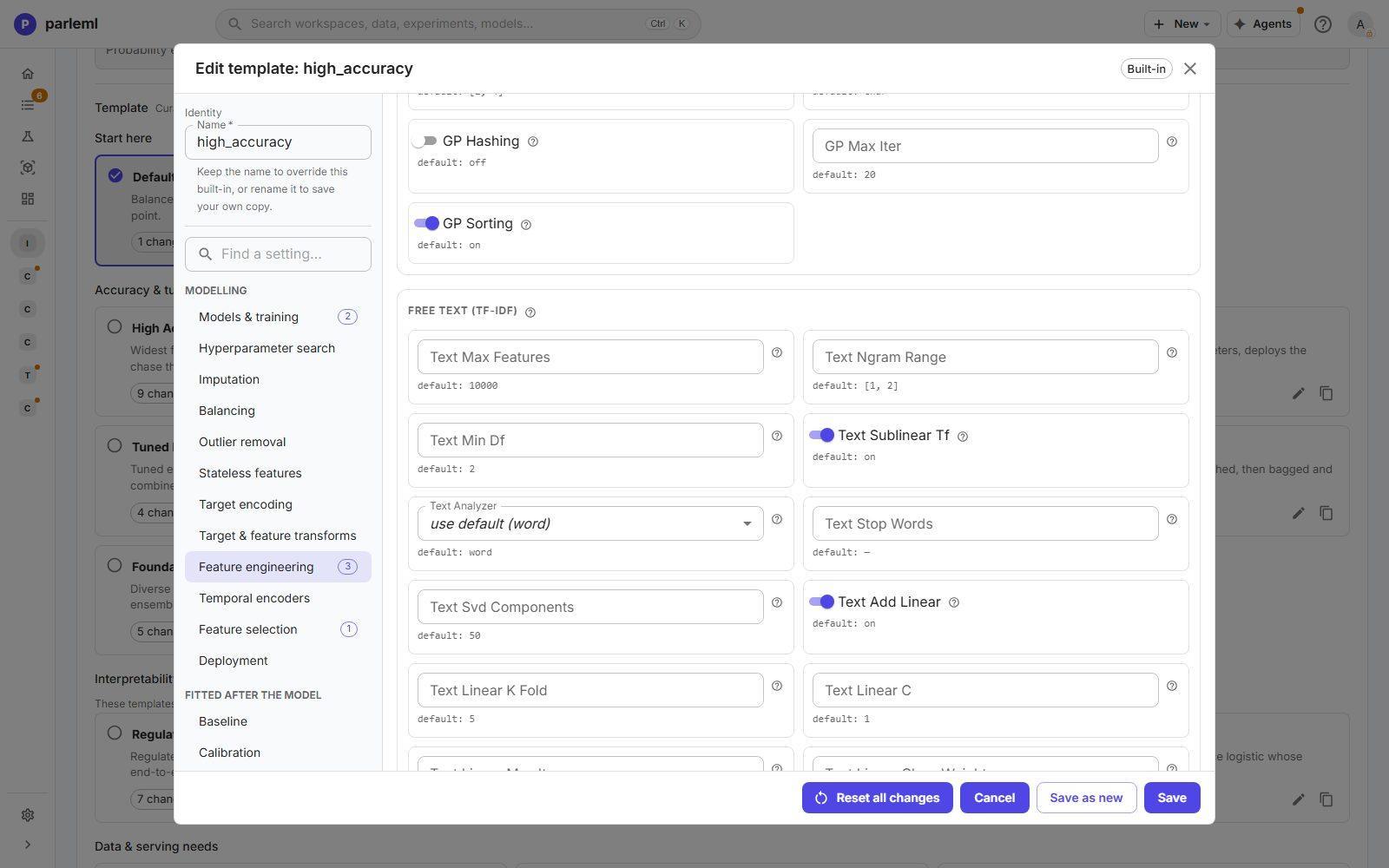
Feature selection and the noise reference
Before training, ParleML ranks your features against columns of pure random noise. A feature that ranks no better than noise is listed on the experiment's Run settings tab under Features no better than noise, with how many repeats it scored at or below noise. Nothing is dropped: it is evidence for you to weigh. The reference is on by default and costs three quick LightGBM fits.
Details: how feature selection prunes
Feature selection is a separate step from the noise reference.
- It runs only when the dataset has more than 30 features. Narrower tables pass through untouched; lower the minimum to prune a narrow table.
- LightGBM and CatBoost rank the features, and the top 30% are kept, between 30 and 100 features.
- ParleML then checks the pruned set against the full set on held-out rows. If pruning cost more than 10% of the measured skill, the whole prune is undone.
Small Data turns selection off; High Accuracy gives it more rounds.
3. Validation and launch
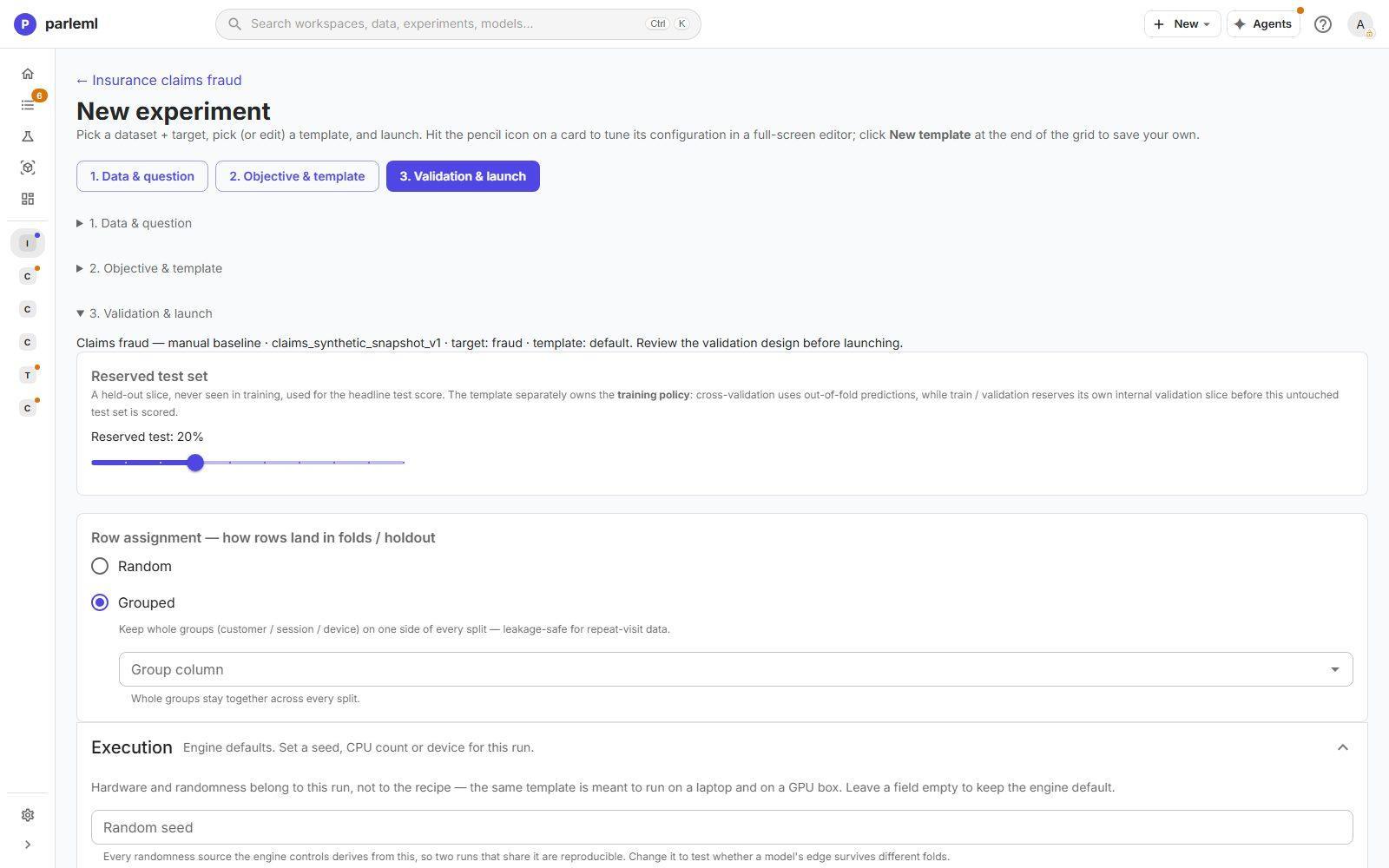
This step keeps two choices apart:
- Reserved test set: a slice of rows never seen in training, used for the headline test score. Choose its size, from 5% to 50%.
- Row assignment: how the other rows land in folds and holdouts.
- Random for independent rows.
- Grouped keeps every row of a group (a customer, a policy) on one side, so the model is never tested on people it has already seen. Pick the Group column.
When the template's training policy is Chronological train / validation, a timeline replaces both choices. It shows exactly which period trains, which selects and calibrates, and which tests.
Execution sets the random seed, CPU parallelism and the training device for this run. A template is meant to move between machines, so these belong to the run, not the template. Every setting has a working default, and the summary line names anything you pinned.
Choose Launch experiment.
Forecast
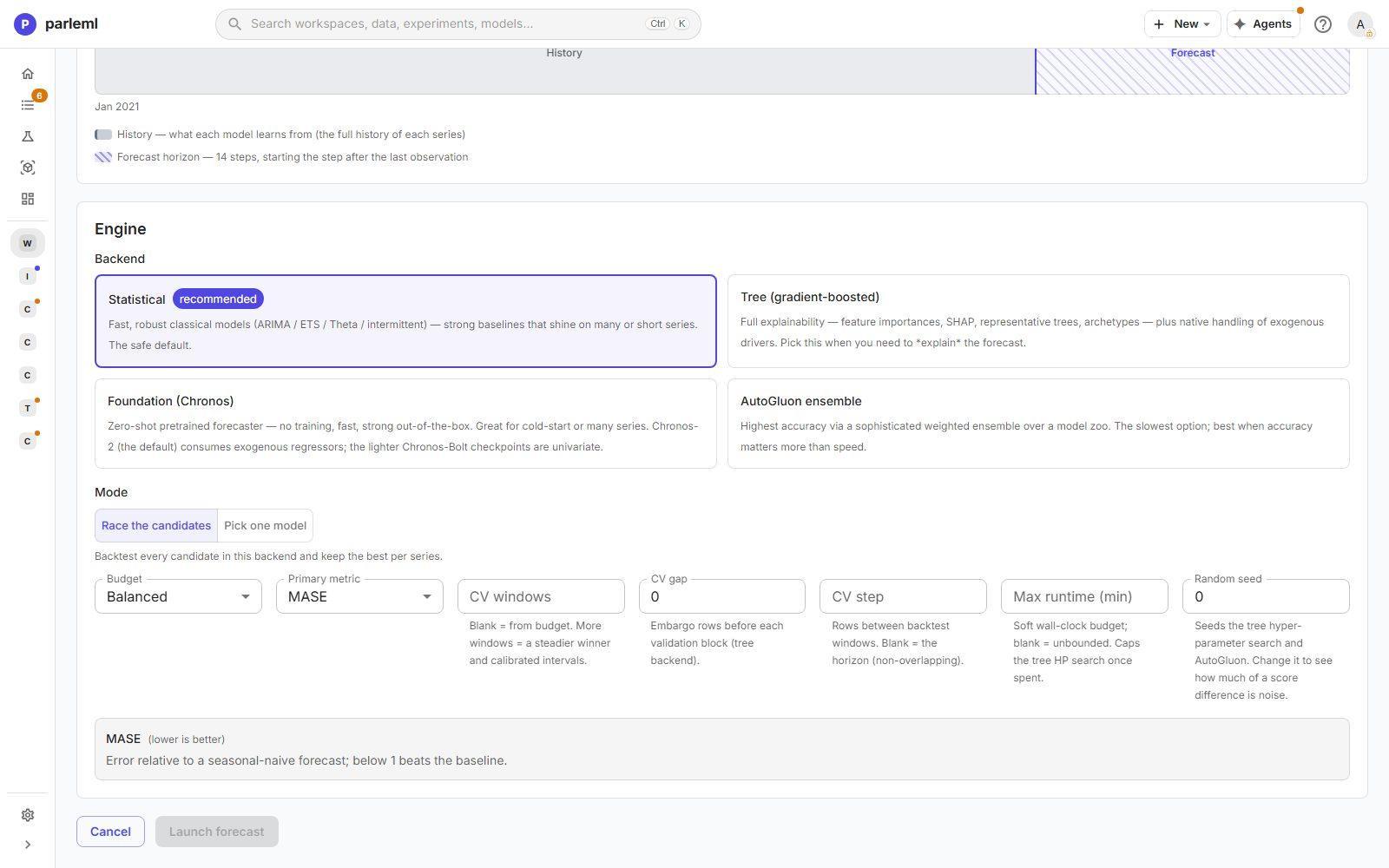
- Series. Map the time column, the target and, for many series, a series ID. Add exogenous regressors (outside drivers such as price or promotions), static covariates (per-series attributes such as region) and an optional hierarchy. With a hierarchy, the forecasts are reconciled so every parent equals the sum of its children.
- Horizon and frequency. Set what one step is (detected from the data, or rolled up to a coarser grid), how far ahead to forecast and the season length. A timeline shows the history and the forecast horizon.
- Engine. Pick a backend, then Race the candidates or Pick one model.
- Choose Launch forecast.
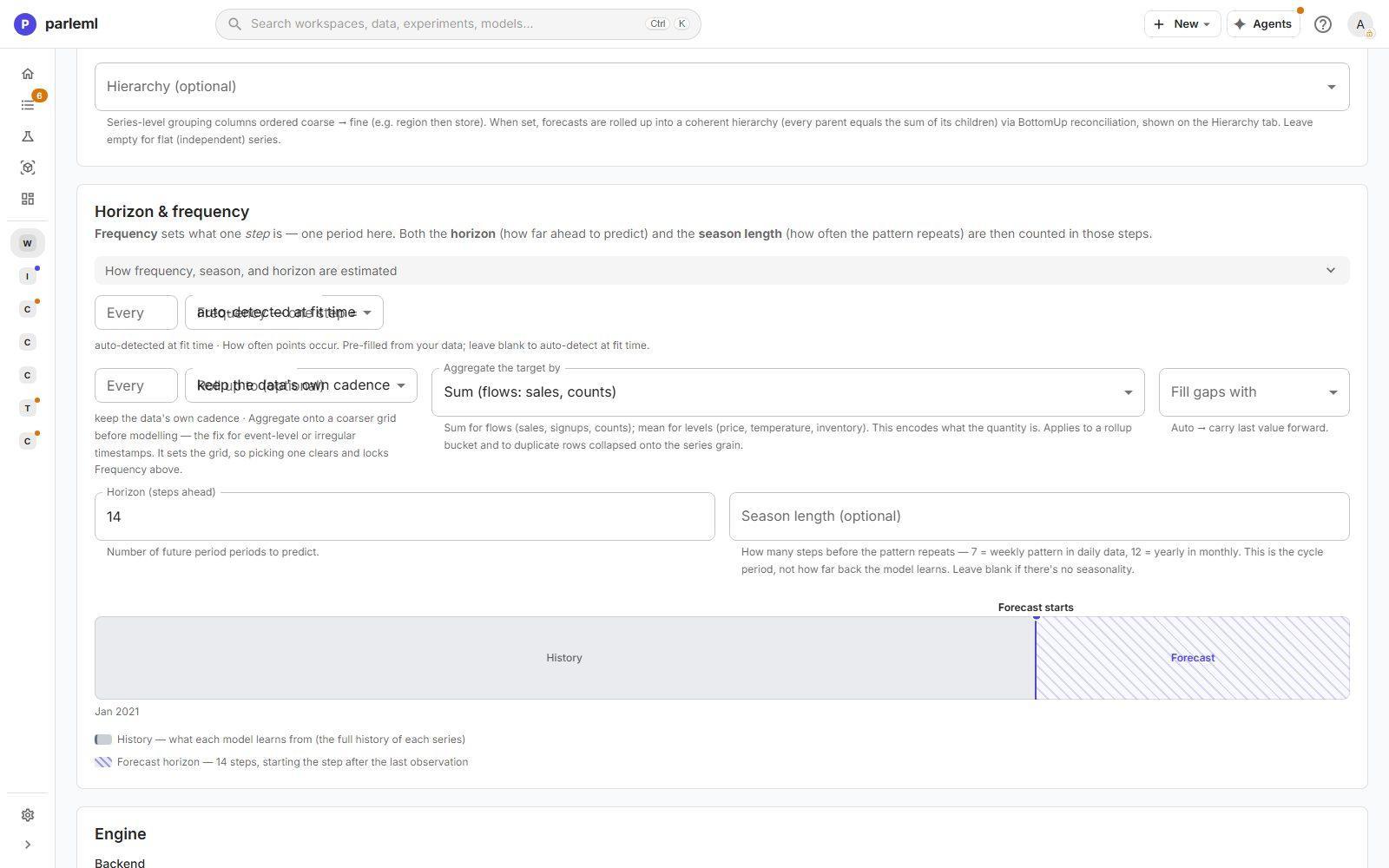
| Backend | Choose it when |
|---|---|
| Statistical (recommended) | You want fast, robust classical models: ARIMA, ETS, Theta and intermittent-demand models. The safe default. |
| Tree (gradient-boosted) | You need to explain the forecast, or outside drivers matter. Full importances, SHAP and archetypes. |
| Foundation (Chronos) | You want a zero-shot forecast with no training, for cold starts or many series |
| AutoGluon ensemble | Accuracy matters more than time. The most accurate and the slowest. |
Race the candidates backtests every model in the backend and keeps the best one per series. Pick one model pins one.
Details: forecast engine settings
- Budget: Fast, Balanced or Thorough.
- Primary metric: MASE by default.
- Backtest windows, CV windows, CV gap (rows held back before each validation block, tree backend) and CV step.
- Max runtime (min) and Random seed.
- Lag features (tree backend): the lags and rolling windows.
- Duplicate rows per series and time can be combined with an aggregation you choose. The form warns when summing would be wrong, for example for a price.
Run the forecast signal first. It tells you in seconds whether a full run is likely to beat a seasonal-naive forecast.
Anomaly detection
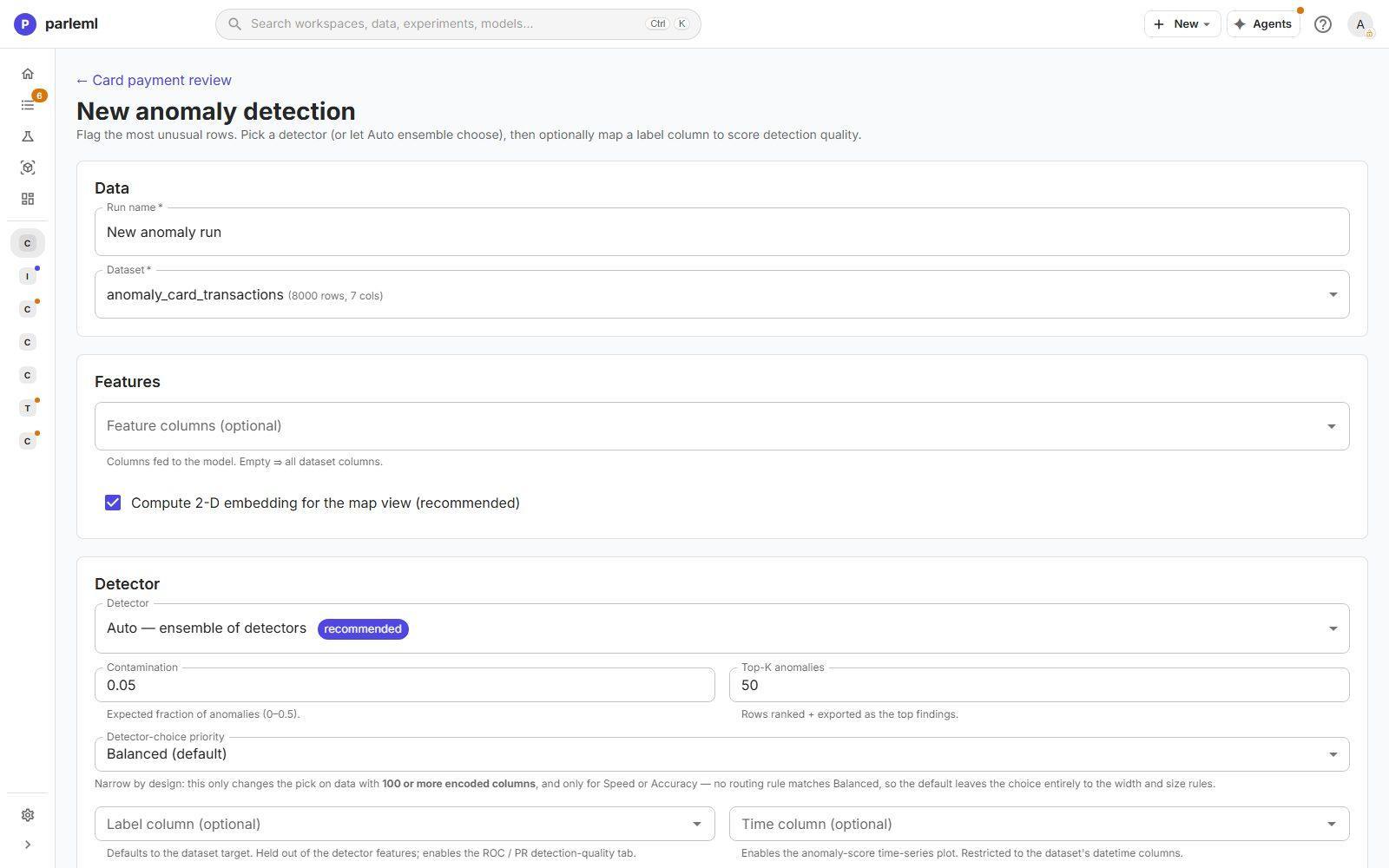
- Pick the Feature columns (optional). Left empty, all columns are used.
- Pick a Detector, or Auto, which builds an ensemble of detectors from the shape of the data.
- Set the Contamination (the share of rows you expect to be anomalies) and Top-K anomalies (how many to rank and export).
- Optional: add a Label column and a Time column.
- Choose Launch anomaly detection.
A label column is kept out of the features. It is used only to score detection quality with ROC and precision-recall curves. A time column adds a plot of the anomaly score over time.
An anomaly score ranks how unusual a row is. It is not a probability of fraud.
Clustering
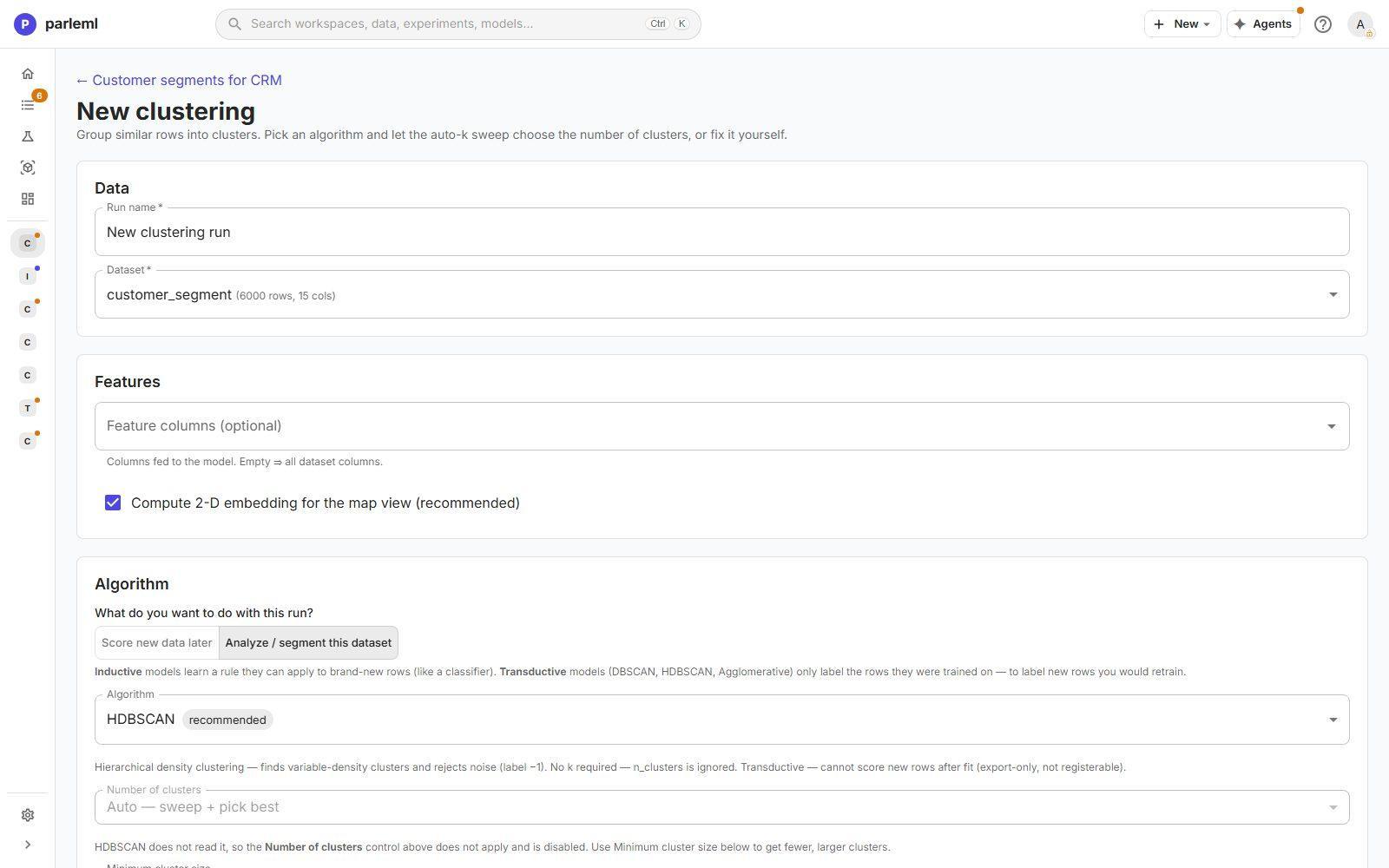
- Say what the run is for:
- Score new data later offers only algorithms that learn a rule they can apply to new rows (inductive), such as k-means. You can register the model.
- Analyze / segment this dataset adds algorithms that label only the rows they saw (transductive): HDBSCAN, DBSCAN and agglomerative. The result is export-only.
- Pick the Algorithm. HDBSCAN and k-means are marked recommended.
- Set the Number of clusters, or Auto for a sweep that picks the best. HDBSCAN finds the number itself; set its Minimum cluster size instead.
- Optional: compute per-cluster feature profiles, and pre-reduce dimensions with UMAP where it helps.
- Choose Launch clustering.
Text & themes clusters on the meaning of free-text columns set to the Text embedding domain. It profiles each cluster by Passive fields, which are held out of the clustering, and names the themes automatically.
Recommendation
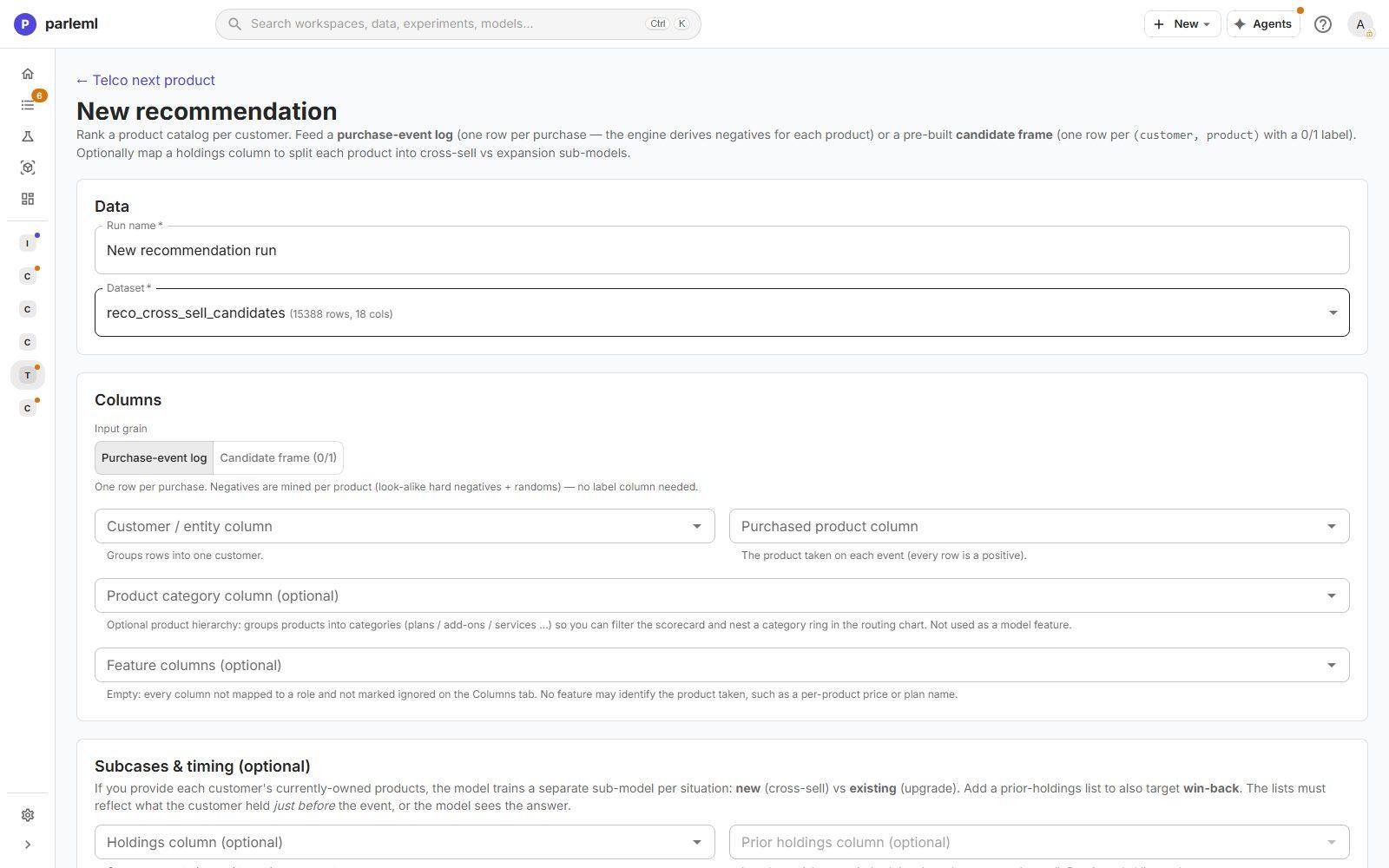
- Choose the Input grain:
- Purchase-event log: one row per purchase. Negatives are mined for each product, so no label column is needed.
- Candidate frame (0/1): one row per customer and product, with a 0/1 label you supply.
- Map the customer, the product and, optionally, a product category (used for display, not as a feature).
- Optional, under Subcases & timing: add holdings and a timestamp (below).
- Review Modeling and Per-product model, then choose Launch recommendation.
Subcases & timing turn one problem into several. With each customer's current holdings, the engine trains separate sub-models for new products (cross-sell) and existing ones (upgrade). With prior holdings it also targets win-back. A timestamp gives a time-ordered holdout. The holdings must reflect what the customer held just before the event, or the model sees the answer.
Details: modelling settings
Modeling sets the Negative sampling (Hybrid hard mining is recommended), the Ranking objective, Top-K for Hit@K and NDCG@K, the class limits, the negative ratio and the holdout fractions. Per-product model applies a template to each product's sub-model.
Ranking
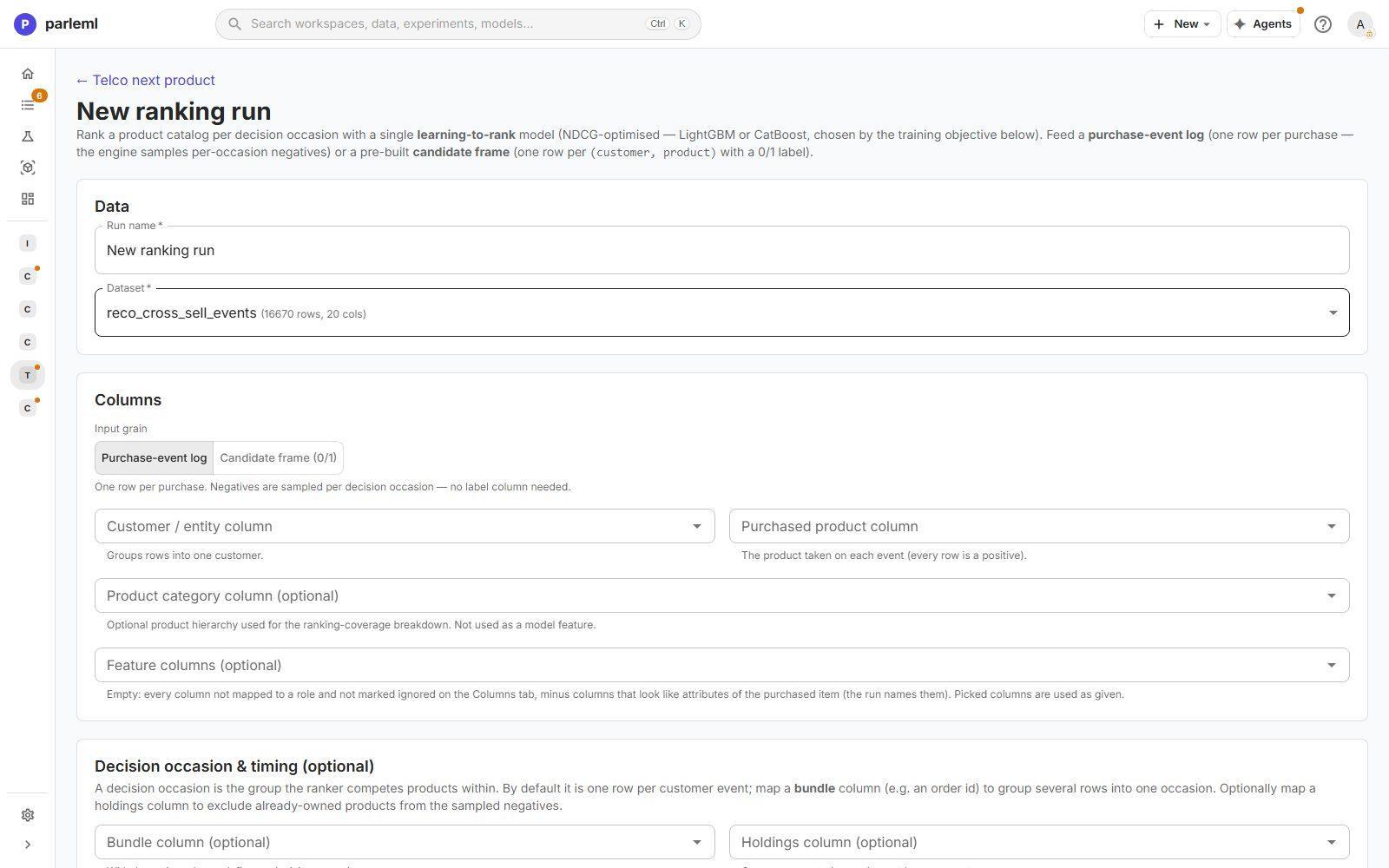
One learning-to-rank model orders the catalogue for each decision occasion. By default an occasion is one customer event. A Bundle column, such as an order ID, groups several rows into one occasion. A Holdings column can exclude products a customer already owns from the sampled negatives.
- The Training objective is the ranking loss, and it also picks the engine: LightGBM offers LambdaRank or XE-NDCG; CatBoost offers YetiRank or YetiRankPairwise.
- The Serving objective decides how the ranked catalogue is sorted after training: Accuracy, Balanced or Coverage (long-tail).
The two are independent. Choose Launch ranking.
Association rules
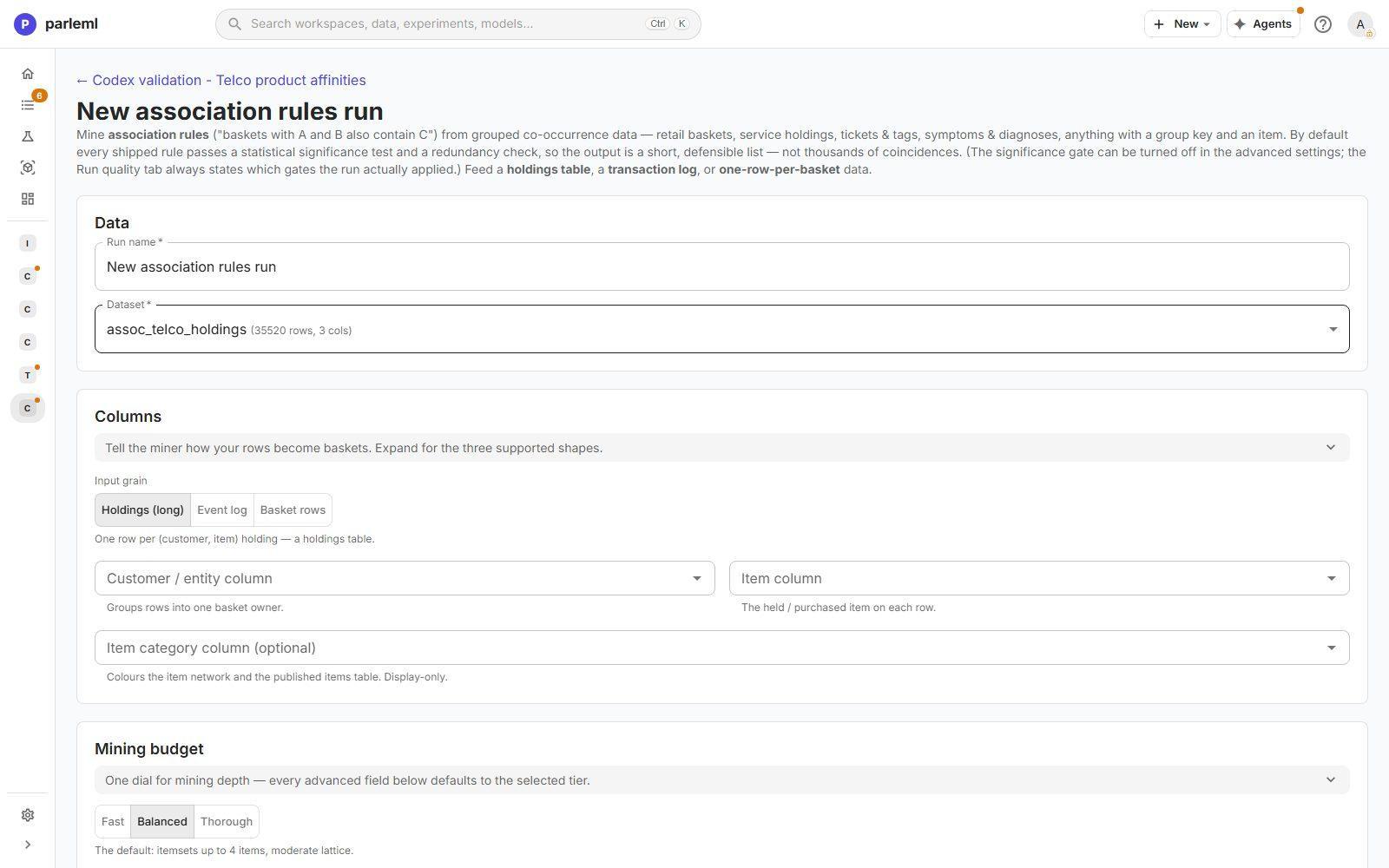
- Tell the miner how rows become baskets:
- Holdings (long): one row per customer and item.
- Event log: one basket per basket ID, or per customer per period.
- Basket rows: one row per basket, with the items packed in one column.
- Map the customer, the item and an optional item category (display only).
- Pick a Mining budget: Fast, Balanced (the default: itemsets of up to four items) or Thorough.
- Optional, under Item constraints: Exclude items that are in nearly every basket, or Focus items to keep only rules that involve them.
- Choose Launch mining.
By default every rule that ships passes a statistical significance test and a redundancy check. The output is a short, defensible list, not thousands of coincidences, and the run states which checks it applied. The result is a ranked rule table, not a scoring model.
Details: rule quality settings
Rule quality (advanced) overrides the budget: Max items per rule, Max items in the "then" side, Max ranked rules, Min confidence, Min lift, Rank rules by, the Significance gate, a Holdout fraction that re-checks every rule on withheld baskets, and the Mining engine.
While it runs and afterwards
The experiment page shows live progress for each stage and the run log. For classification and regression the stages are: preflight and validation, holdout reserved, feature-engineering plan, hyperparameter search, the AutoGluon fit, calibration and thresholds, and registration. Training, explanations and scoring share the server's job slots, listed under Settings → Diagnostics.
The header has one primary button, which moves on as the work does:
- Compute explanations, once training finishes.
- Review evidence, which opens the evaluation so you can judge the model before you register it.
- Publish results, once a model is registered.
Next to it:
- Rerun repeats the whole chain in place.
- Its menu offers Rebuild model, which reopens the settings filled in from this run.
- ⋯ holds the rest: Register as model, recompute explanations, Publish results, Edit details and Delete experiment.
Both Rerun and Rebuild model replace the trained results. To keep the first result, create a new experiment instead, so the two can be compared.
Classification and regression runs can also be tracked in MLflow; see Models and release.
The experiment tree
A workspace's Overview shows its experiments as a tree (switch to Table for a list). The workspace's Experiments page has the same choice as List and Tree.
Each node shows its status, metric, selection and test score, and what changed from its parent with the score difference. In the example, one child changed the roster (LightGBM → LightGBM + CatBoost + …, −0.020) and the other changed a text column's domain (default → embedding, −0.006). A Group best badge marks the best run within each group of comparable runs. The Lifecycle tab next to Experiments tracks the workspace's checklist.
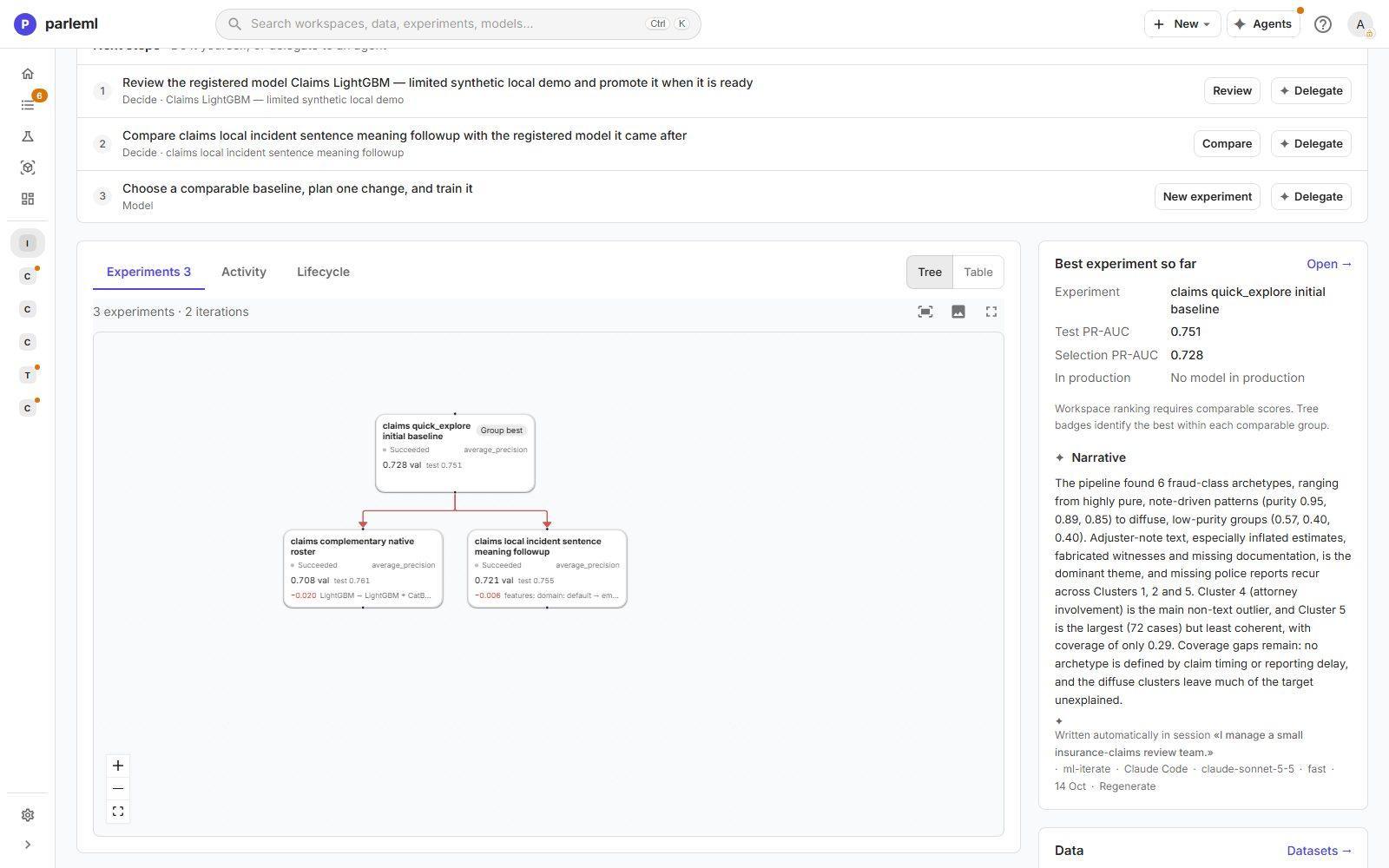
The tree is the record of an investigation run like a scientist: one change at a time, each measured against its parent. Neither change here beat the baseline, which is a result worth knowing.
Next
- Results and evidence: read what an experiment found and how far to trust it.
- Compare: put two or more experiments side by side.