Take a forecast from review to production
Time: about 30 minutes, about 15 of them your attention · You need: ParleML running with an agent signed in (Run ParleML, step 3), and the registered forecast from Forecast retail sales by hand. You'll end with: the forecast in Production, released under conditions you confirmed, with a record an auditor can follow.
Every other tutorial stops at a registered model. This one finishes the job. The monthly store-sales forecast goes through an independent challenge, a release decision with conditions, and the lifecycle stages to Production.
The work splits the way ParleML always splits it:
| An agent | You |
|---|---|
| Challenges the evidence, states conditions and limitations, asks for approval, records the release | Answers each condition, sets the risk level, approves, and moves the model between stages |
An agent's token can register a model and record a release, but it can never move a model between stages. The agent can't finish the release on its own, even if you ask it to.
Starting point: the model Monthly store sales — tree forecast with promotions, at stage Trained, built from the tree-backend experiment (held-out MASE 0.681).
A recorded run
The answers and numbers below come from one recorded session. Select any screenshot to see it at full size.
1. Brief the review from the model page
- Open the model and choose Ask an agent. The composer opens with the model attached.
-
Write a brief that says what the forecast will be used for. That matters more to a review than any metric. The recording's brief:
Take this registered forecast through release review. We plan to use it to set monthly stock targets for our 8 stores over the next 12 months, with a planner reviewing every number before an order is placed. The model and its experiment already exist: do not retrain or start new experiments. Challenge the evidence … then state the conditions and limitations a planner must know, and ask me for release approval. If I approve, record the release. Do not move the model's lifecycle stage; I will promote it myself.
-
Leave the task picker on Let ParleML suggest. For a brief that ends in release approval it suggests ML delivery; you can also pick it yourself.
- Choose Start.
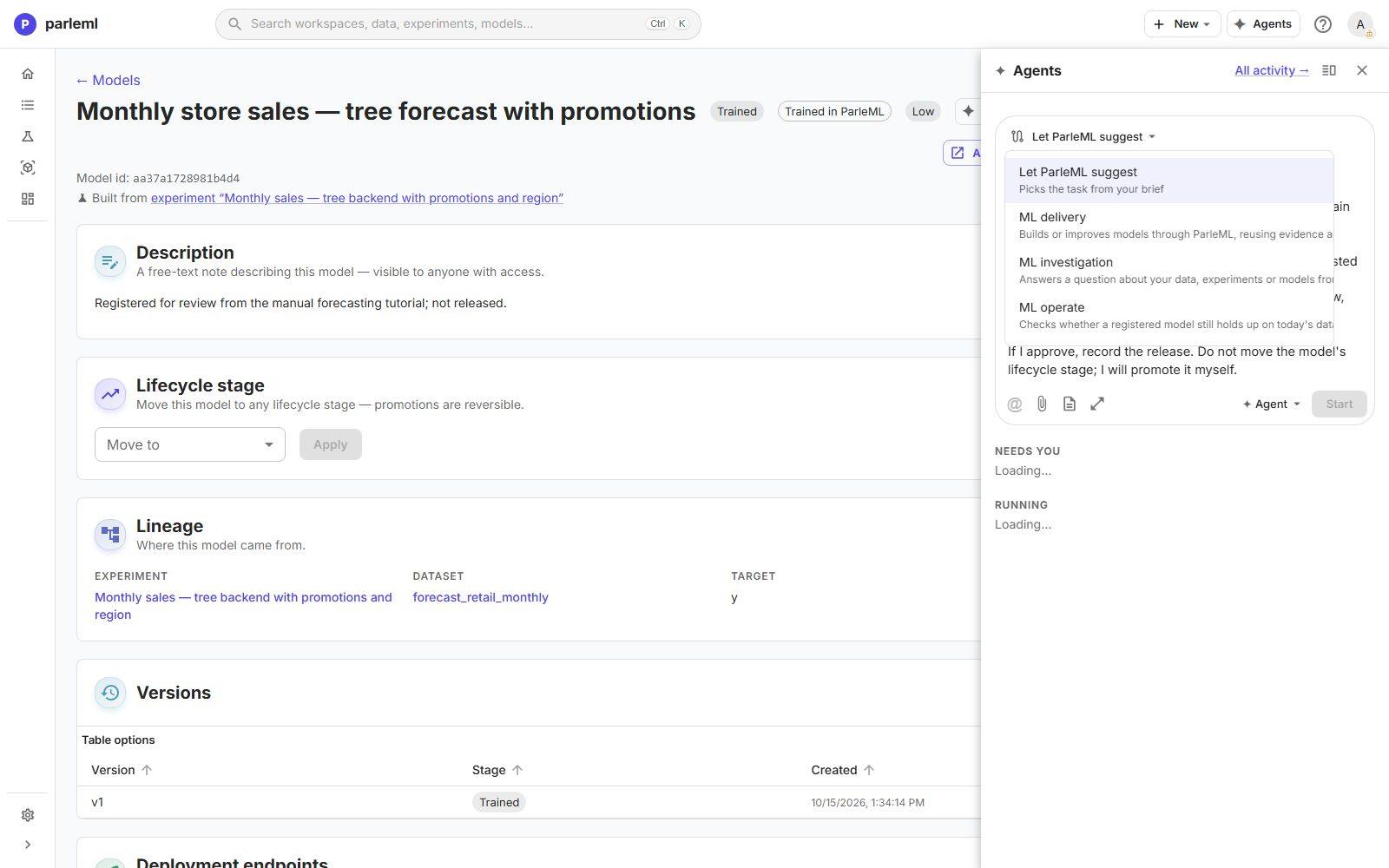
ML investigation wouldn't fit: it answers questions and changes nothing, so it has no release decision. ML delivery reuses the evidence that exists, skips framing, data and modelling because they are done, and keeps the challenge, the release decision and the release record.
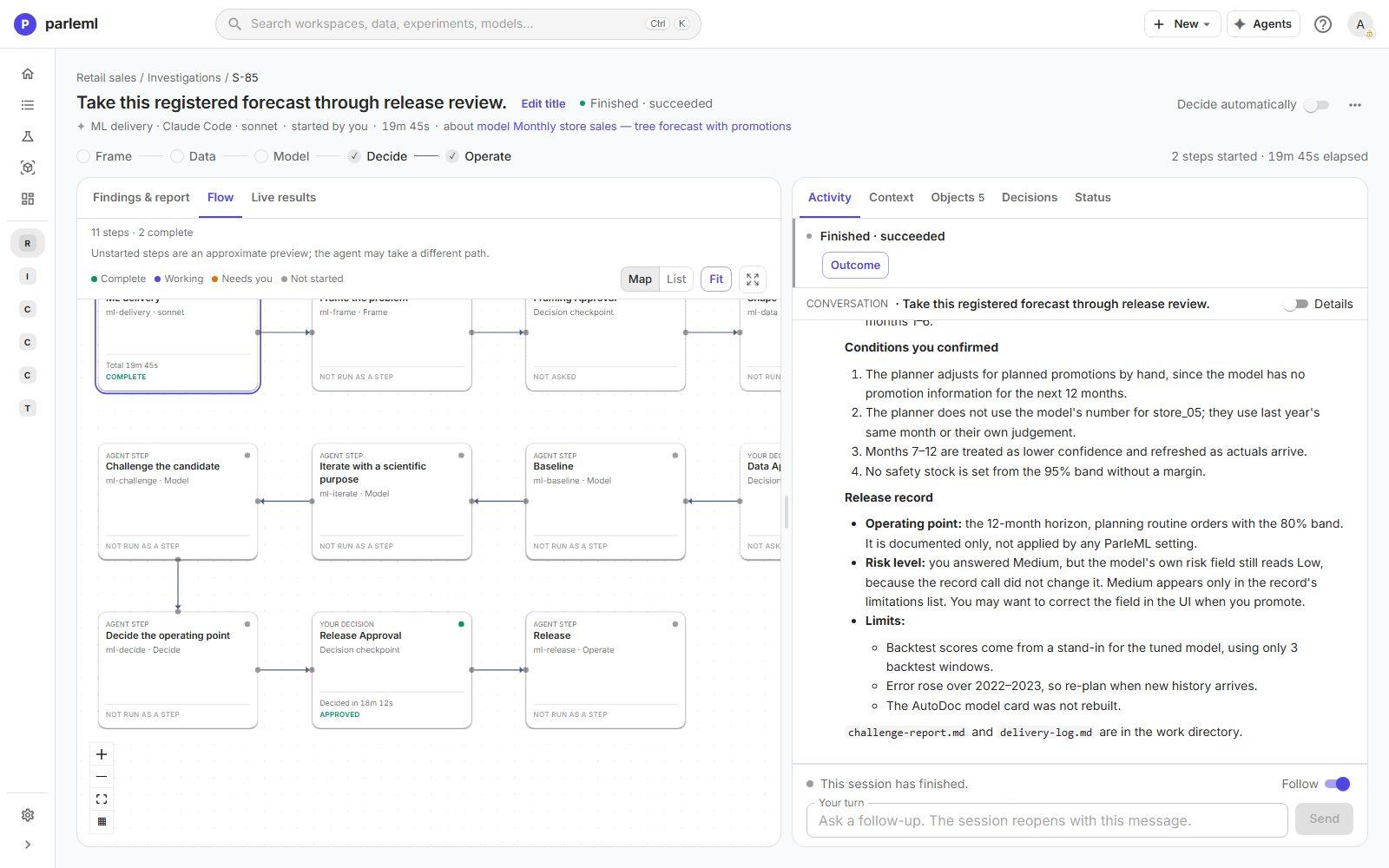
The flow shows the whole delivery template. In this session the agent did the challenge itself and went straight to the release decision. Once the session ended, the frame, data and model steps read Not run as a step, and the stage strip lit Decide and Operate, the stages its work reached.
2. Read the challenge before the question
When the challenge is done, the session asks for Release Approval.
-
Read the context above the questions first. It is the agent's challenge, with a verdict of pass with conditions:
-
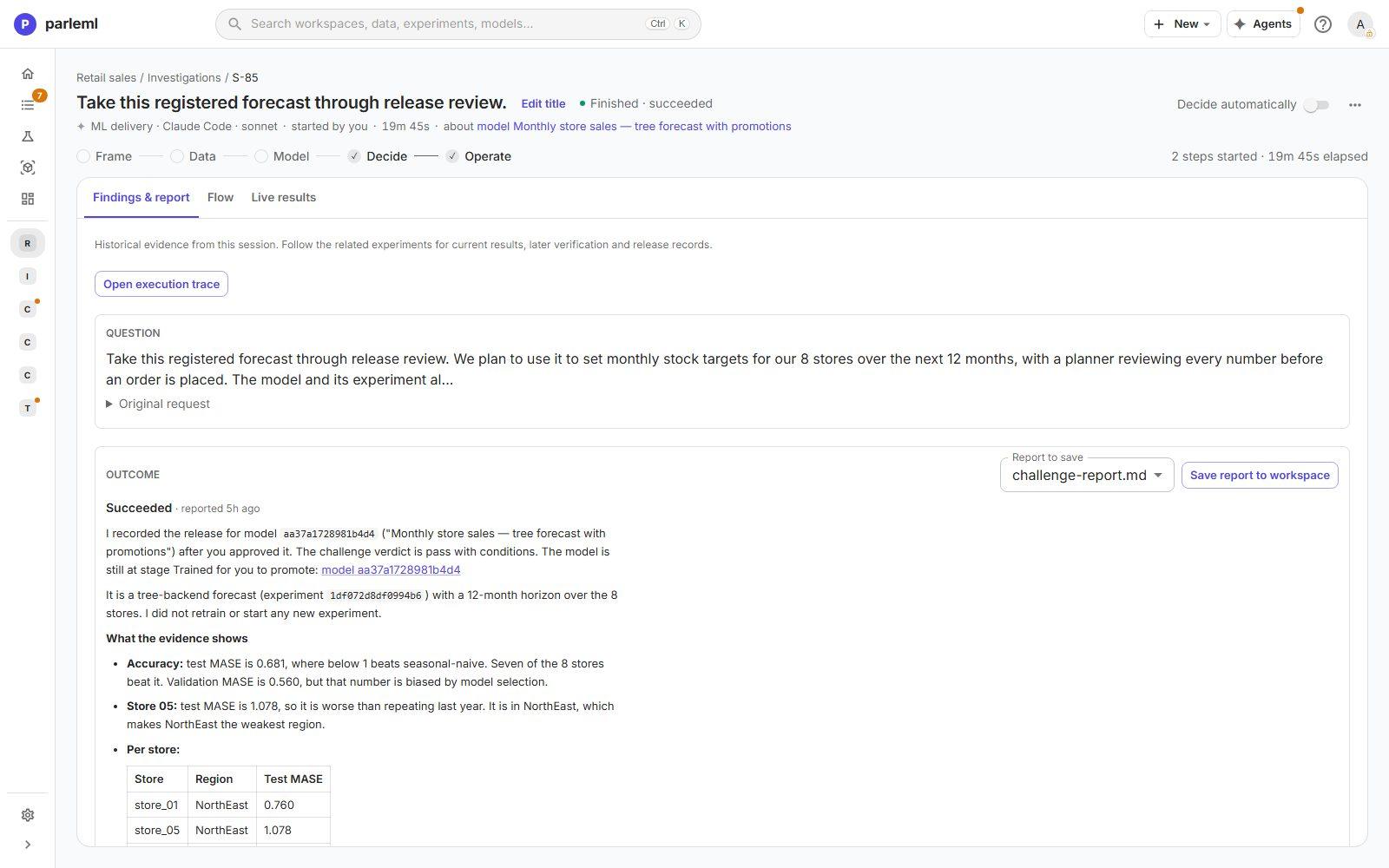
Accuracy. Held-out MASE 0.681 against 1.0 for repeating last year. Seven of the eight stores beat that baseline. store_05 does not: its MASE is 1.078. The validation MASE of 0.560 is flagged as optimistic, because the model was selected on it.
- Promotions. The promotion flag is the model's top driver, and the data holds no promotion plan for the next 12 months. The held-out score used the actual promotion flags, so accuracy without a plan has never been measured.
- Intervals. The 80% band covered 76.0% of held-out points and 81.9% across the backtest (236 of 288), and is labelled approximate. The 95% band is not calibrated.
- Horizon. In this recording the accuracy-by-month chart failed to load. The agent did not assume months 7–12 are as good as months 1–6; it made that a condition.
3. Answer the release decision
The form asks for a planning point, one answer per condition, a risk level and the approval itself.
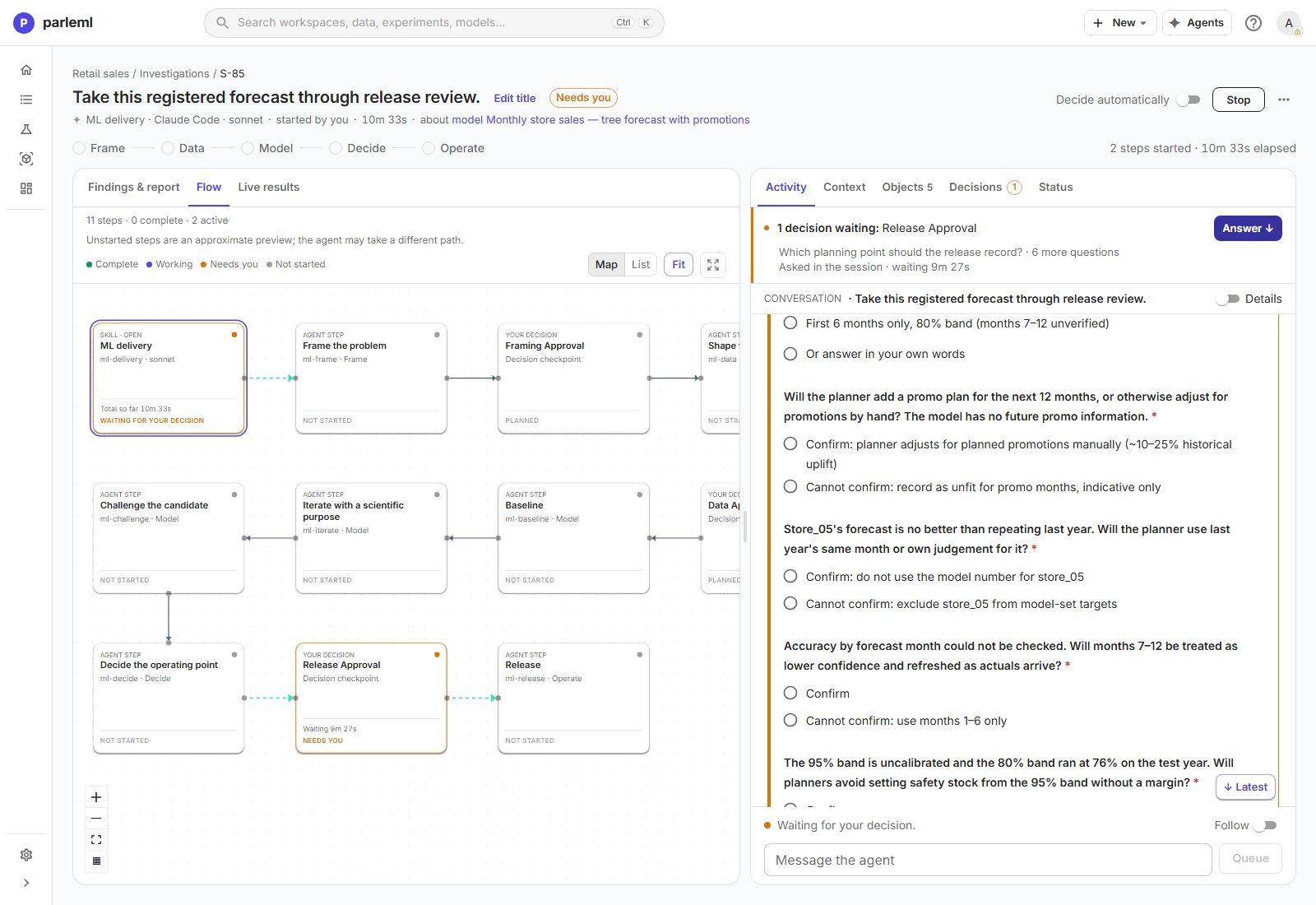
- For each condition, choose Confirm (the planner will do what it asks) or Cannot confirm, which accepts a narrower use, such as excluding store_05 or using months 1–6 only. Your answers go into the release record, so choose what will really happen in the planning process.
- Set the risk level.
- Choose the approval, then Submit answer.
The recording's answers:
| Question | Answer |
|---|---|
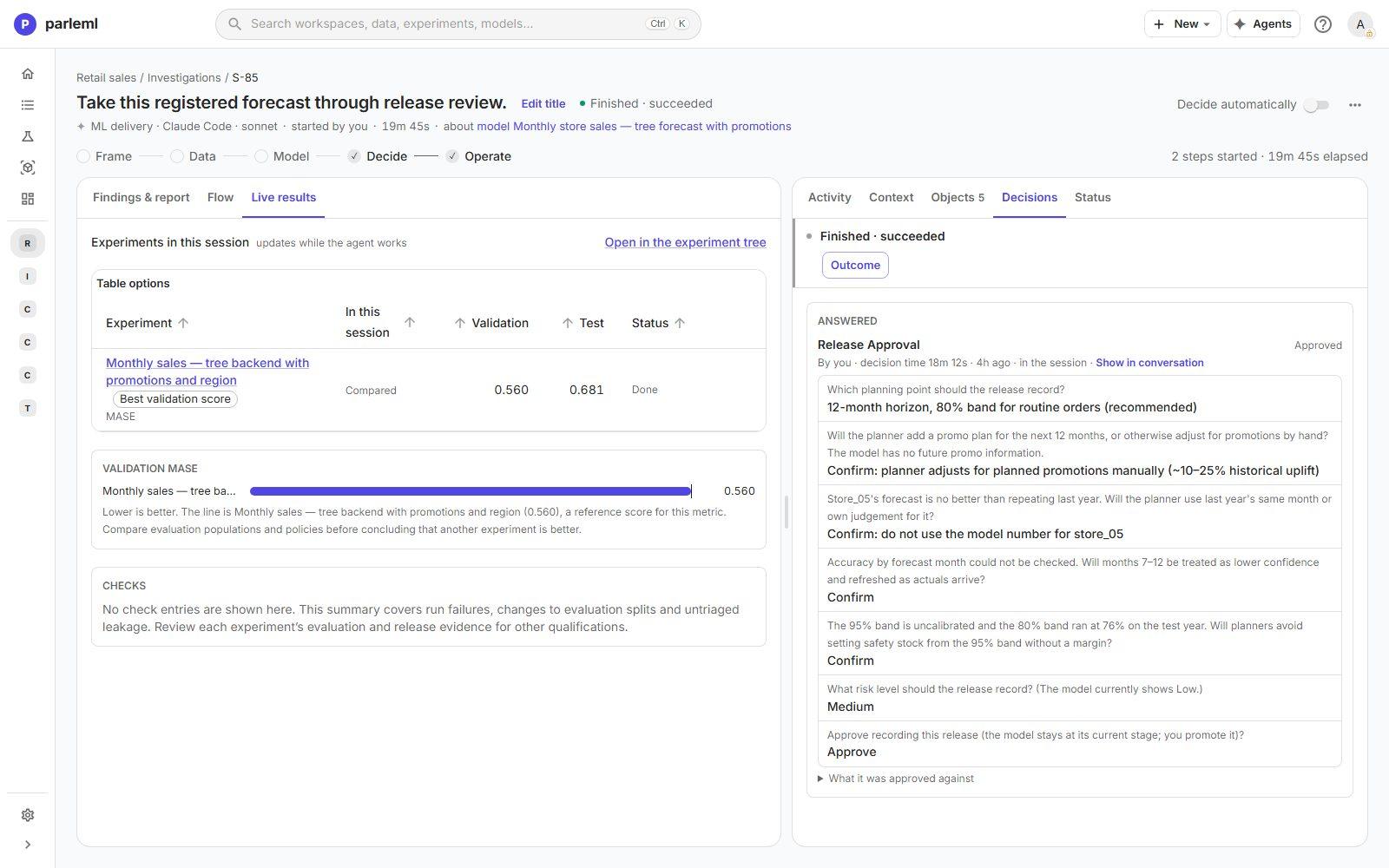
| Planning point | 12-month horizon, 80% band for routine orders (the proposal) |
| Promotions | Confirm: the planner adjusts for planned promotions by hand |
| store_05 | Confirm: do not use the model's number for store_05 |
| Months 7–12 | Confirm: lower confidence, refreshed as actuals arrive |
| 95% band | Confirm: no safety stock from it without a margin |
| Risk level | Medium: stock decisions, with a person reviewing each number |
| Release | Approve |
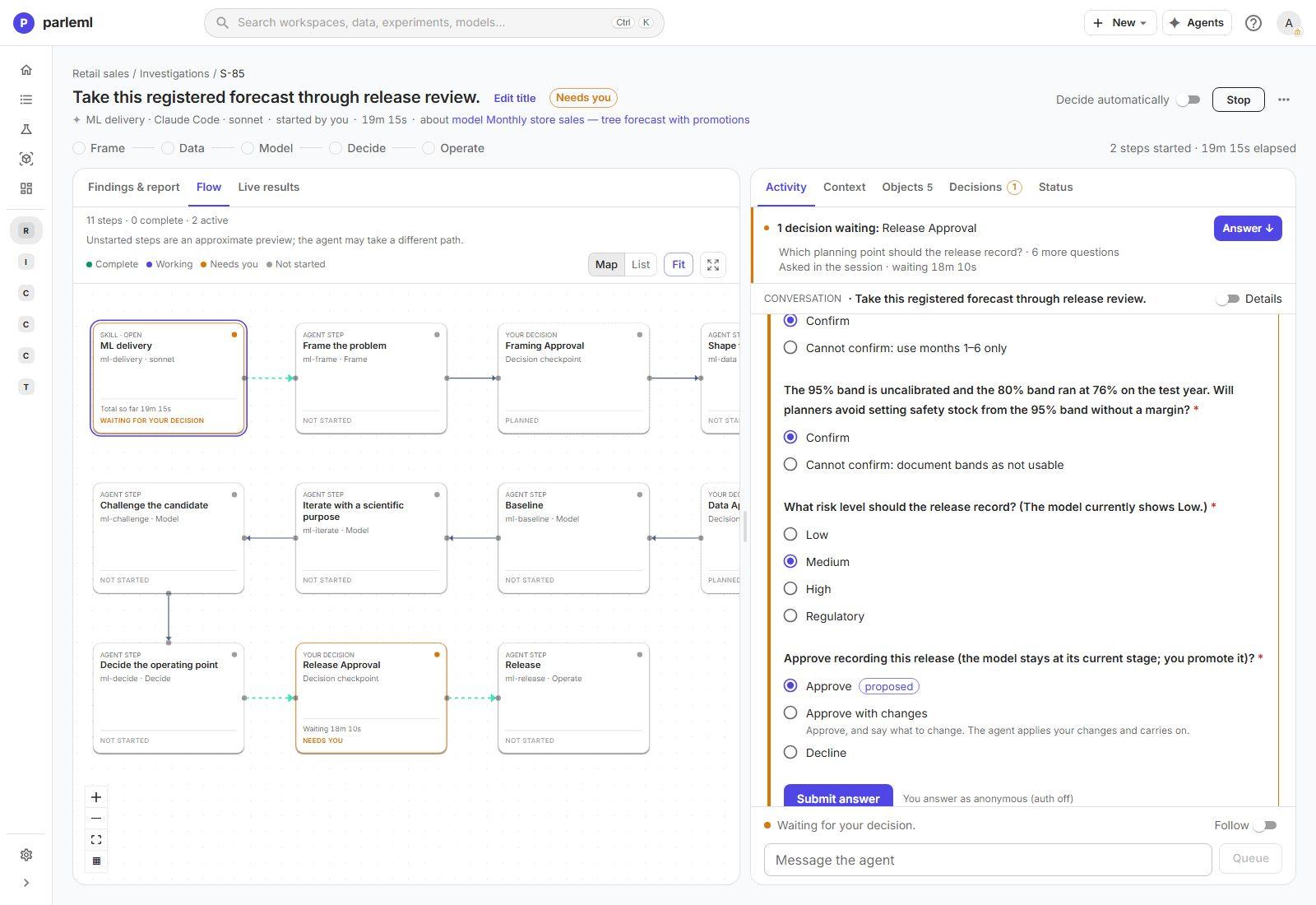
The approval opens blank: Approve is marked proposed, but you must choose it yourself. Approve with changes asks what should change, and the agent applies it before recording. Decline asks why, and your reason becomes the agent's next instruction.
4. Check what the agent recorded, and what it left to you
The outcome restates the evidence with a per-store table and lists the four conditions you confirmed. It also says what it did not do: the model is still at Trained, and your Medium answer is in the record's limitations but hasn't changed the model's risk field.
- Open Decisions in the session panel. The audit entry shows who decided, how long the decision took, each question with the answer chosen, and What it was approved against: the exact context the decision was made on.
5. Read the release record on the model
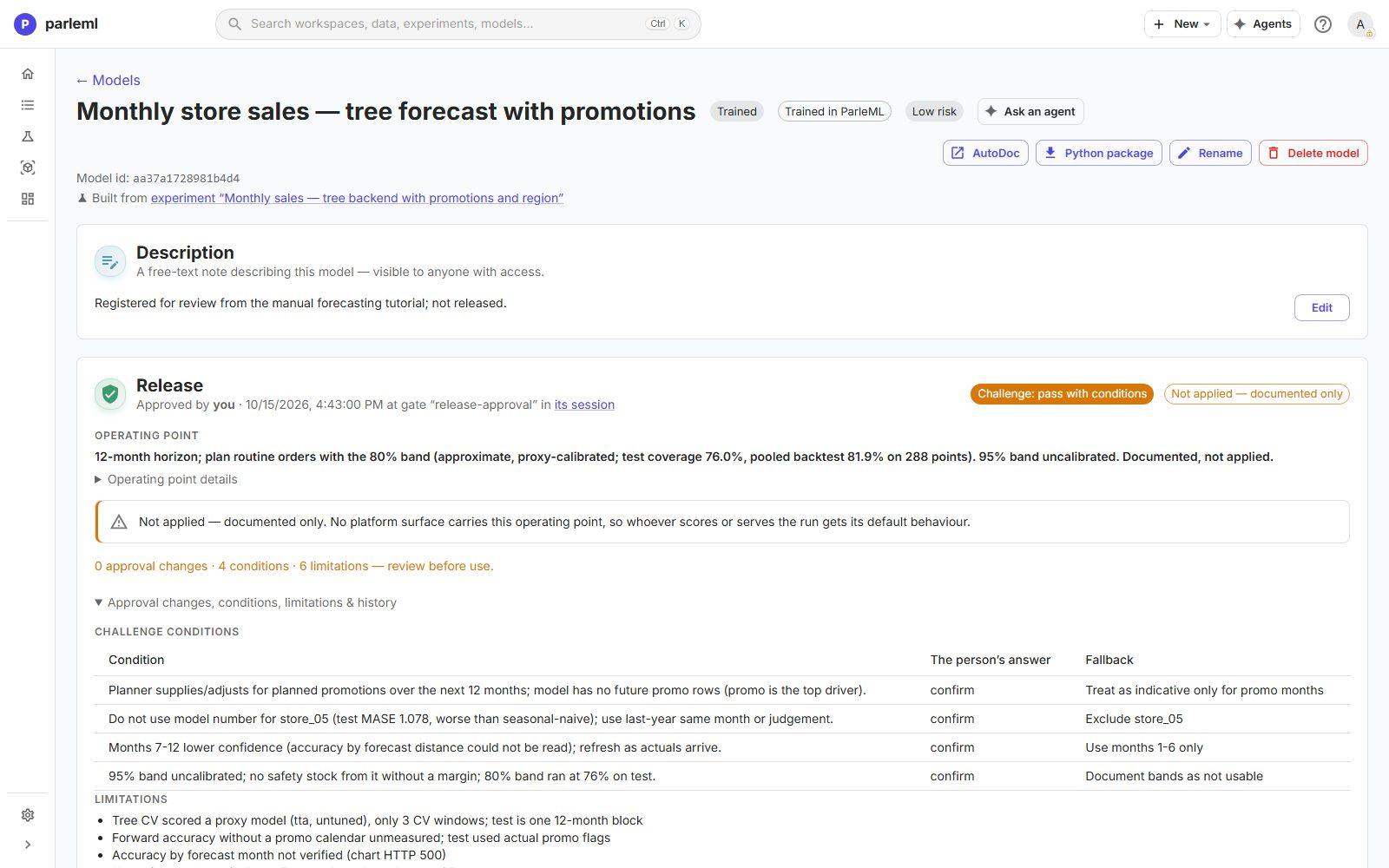
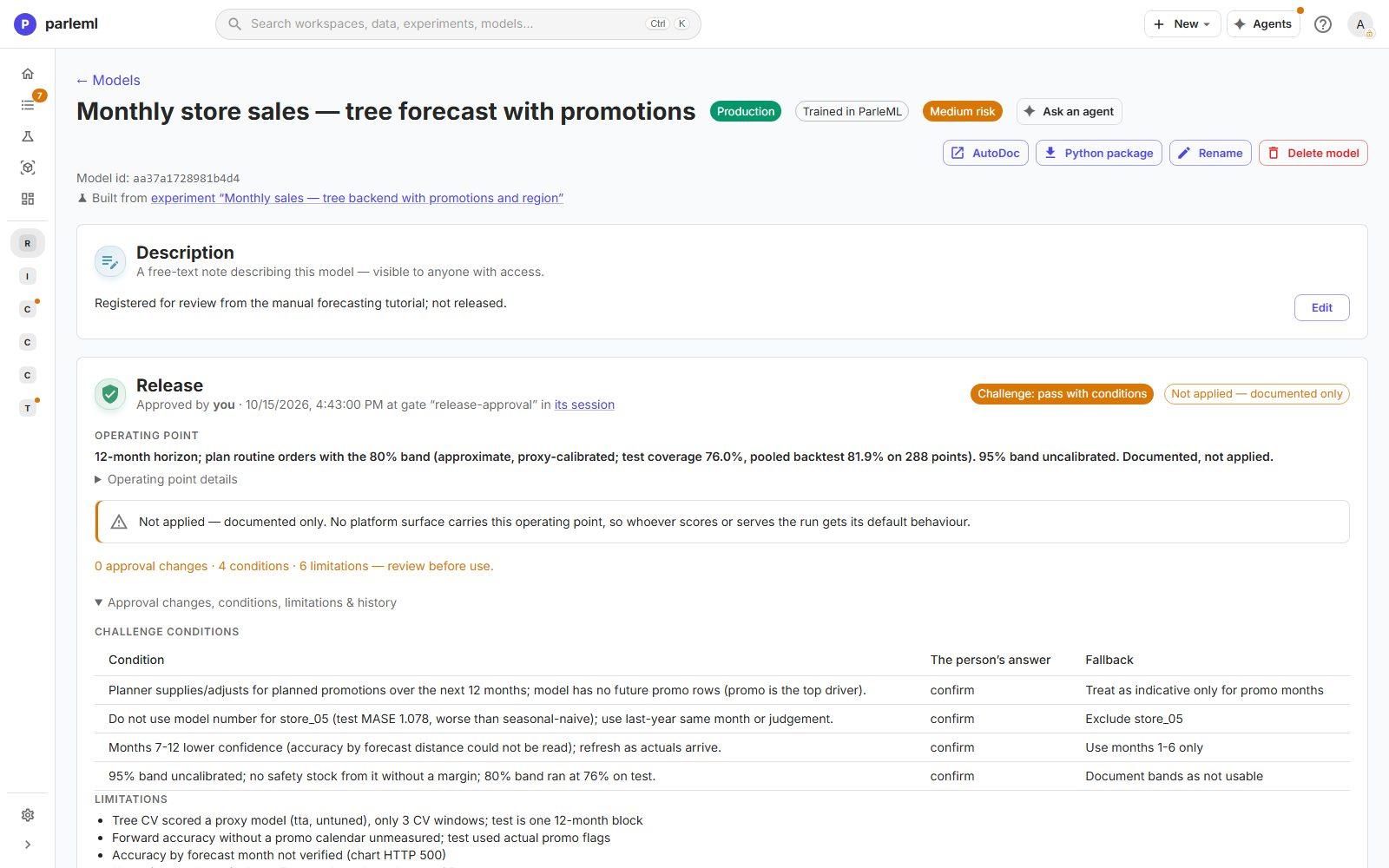
The model page now has a Release card:
- approved by you, at the release-approval decision, with a link to the session;
- Challenge: pass with conditions;
- the operating point, marked Not applied — documented only. ParleML has no setting that applies a planning band to a forecast, so the record documents it and says that whoever uses the forecast must apply it;
- every condition with your answer and its fallback, the limitations, and which agent session and token recorded it.
6. Set the risk level and move the stages
On the model page, under Lifecycle stage:
- Set Risk level to Medium, the answer you gave in the decision. The header chip changes from Low risk to Medium risk.
-
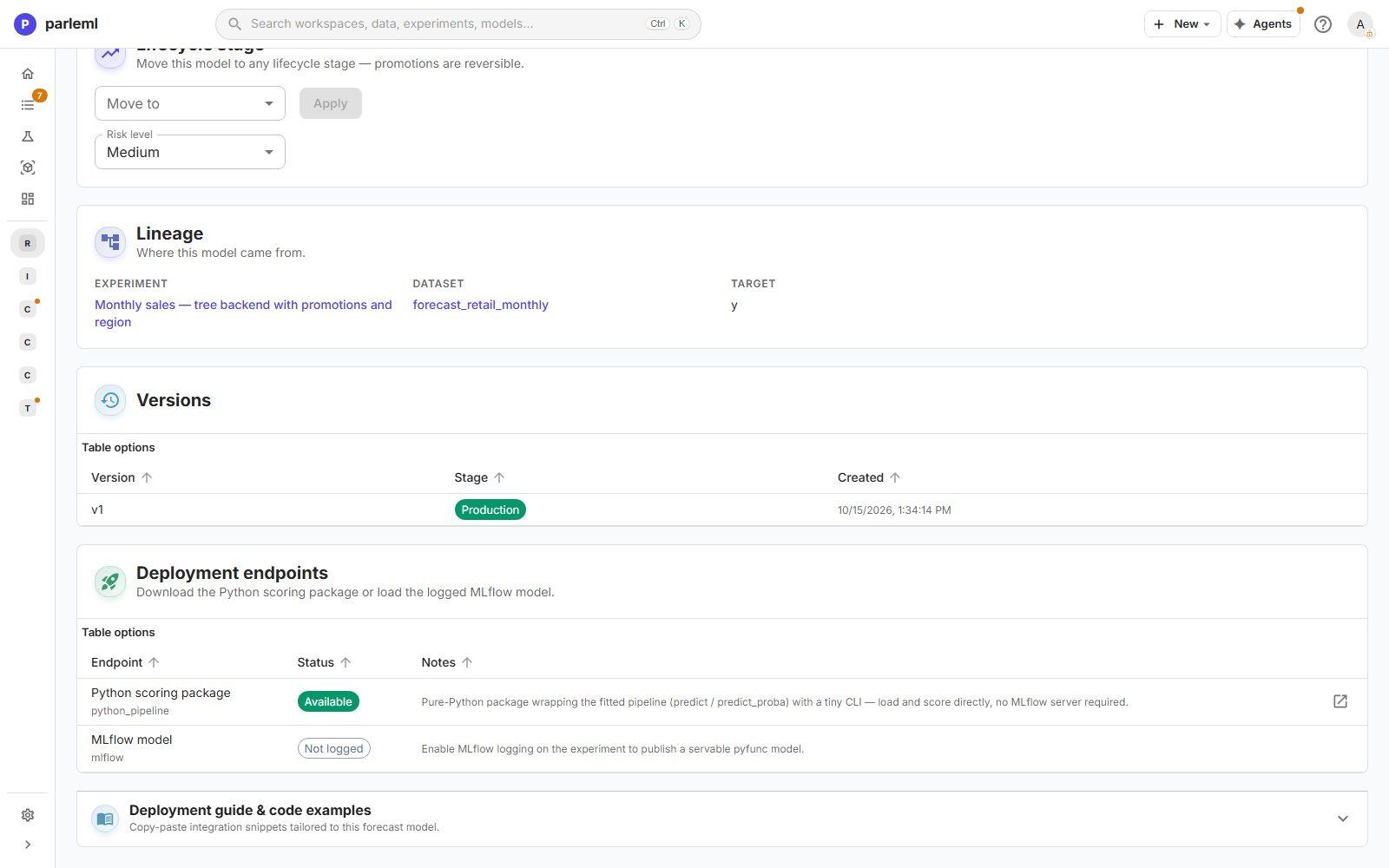
Use Move to and Apply for each stage in turn: Validated, Promoted, Shadow, then Production.
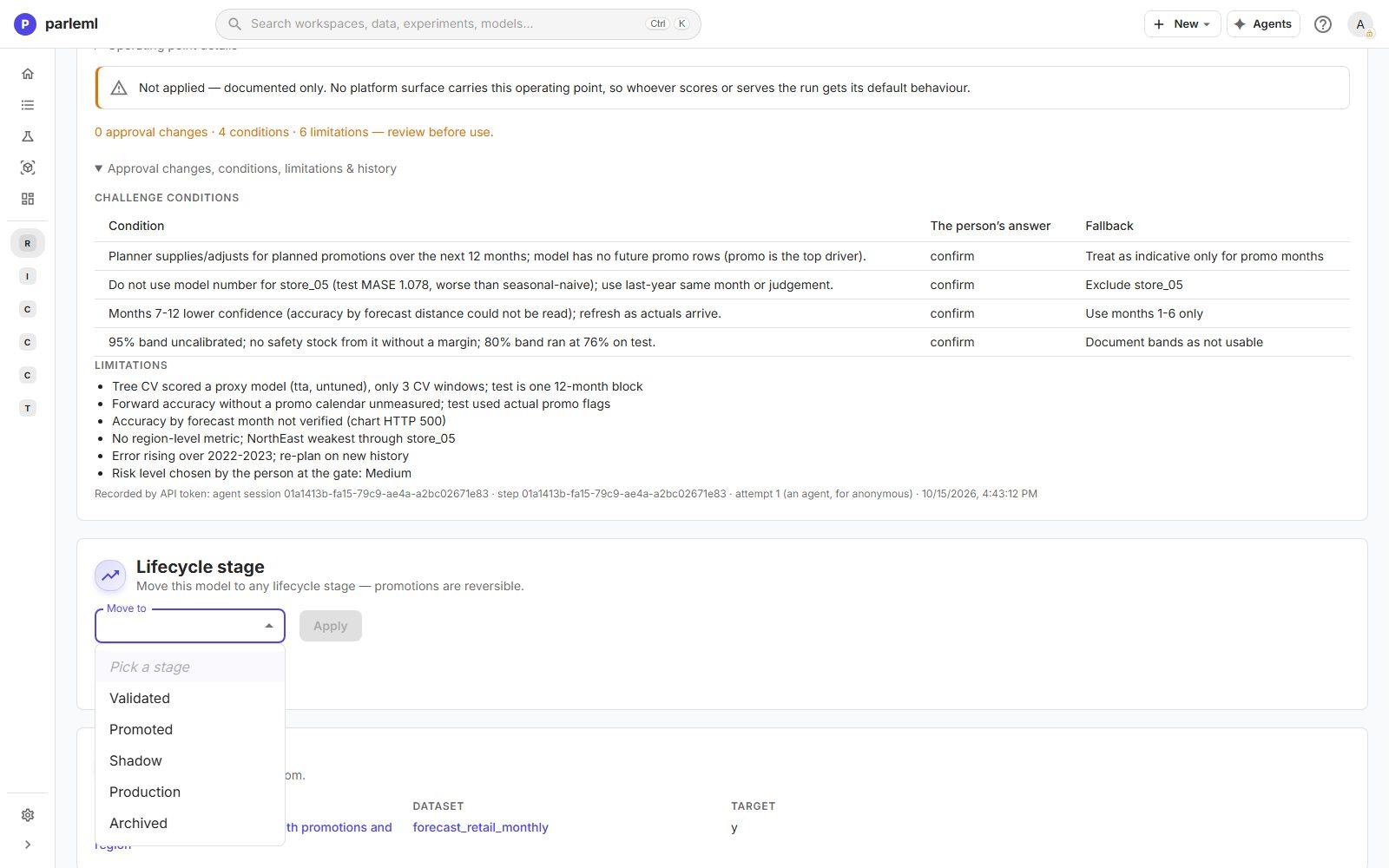
What each intermediate stage requires is your organisation's process. In Shadow a model scores alongside the production model without being used; move on when the comparison satisfies you. Every move is reversible, and the versions table records the stage.
-
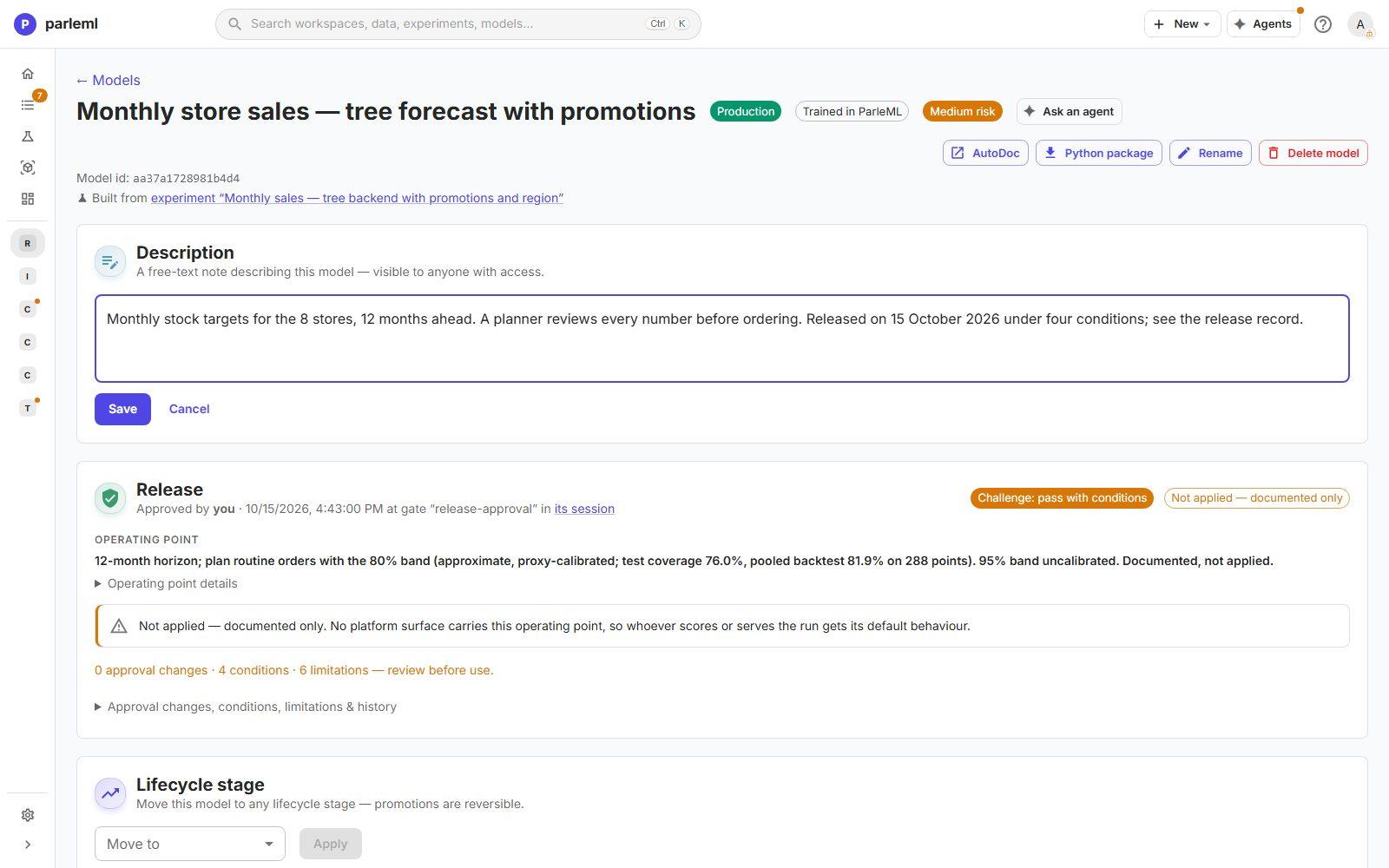
Replace the registration note in the description with what the model is for and that it was released under conditions, so the model list tells the truth.
-
Open the experiment's Report and rebuild the model card (AutoDoc). Its Assumptions & limitations and Governance & sign-off sections now carry the challenge conditions, the limitations, the operating point and the approval.
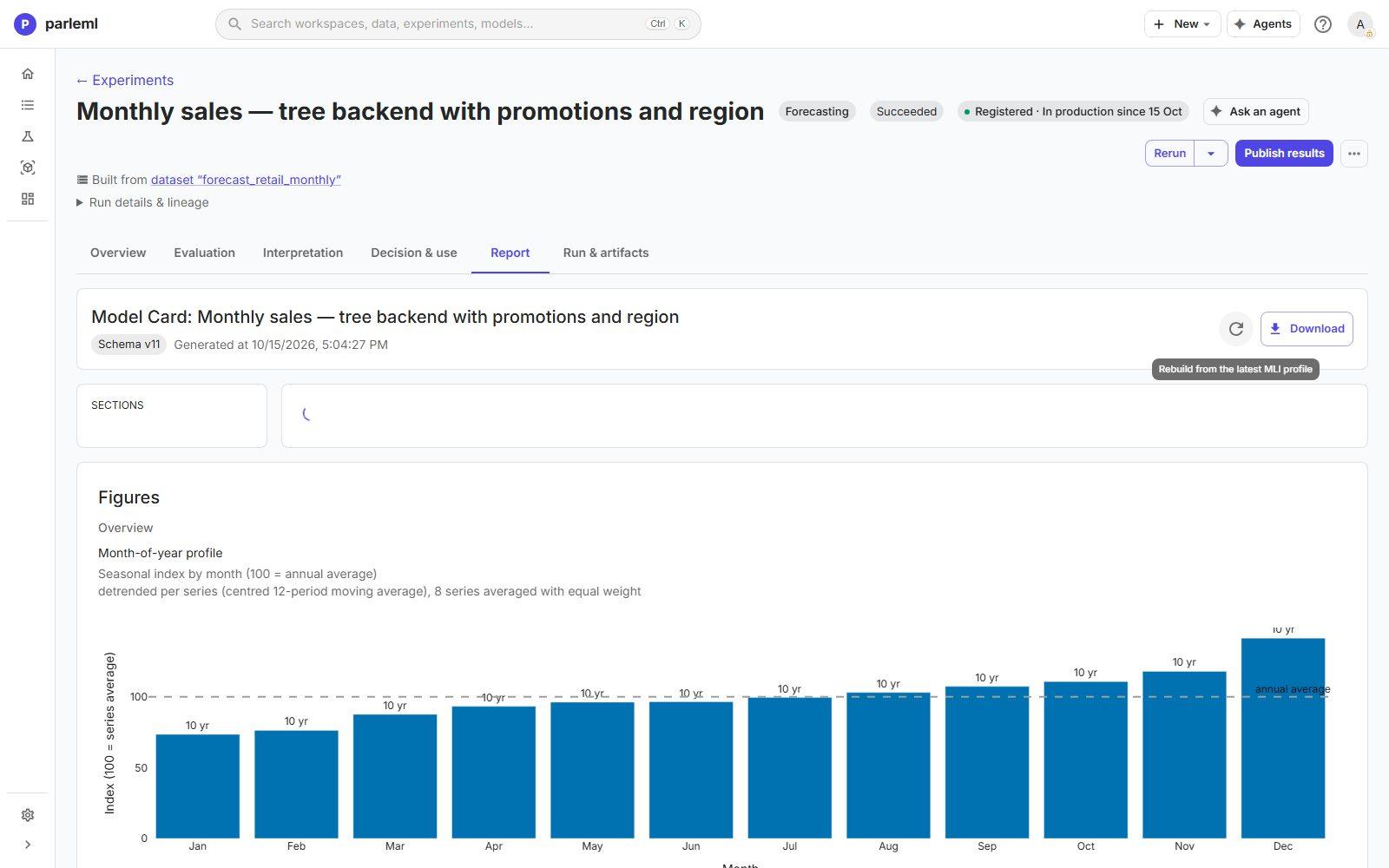
The experiment's header now reads Registered · In production since 15 Oct.
What an auditor can follow
| Question | Where the answer is |
|---|---|
| Who approved, when, at which decision, on what evidence? | Release card → Approved by; the session's Decisions → What it was approved against |
| What did the challenge find? | Release card → Challenge and its conditions; challenge-report.md in the session |
| Under which conditions may it be used? | Release card → conditions with answers and fallbacks |
| What does the record not cover? | Release card → limitations; Not applied — documented only |
| Who moved it to production? | A person in the app: agent tokens can't move stages |
| What does the documentation say? | AutoDoc → Assumptions & limitations, Governance & sign-off |
When new months of sales arrive, ask an agent to run ML operate: it compares the new data with the training data, judges the drift and proposes whether to retrain. To retire the model, move it to Archived; its history and release record stay.
Next
- Models and release: every field of the release record and every stage.
- Build a claims review queue: a release decision where the operating point is a review cutoff.